1. Introducció
This manual provides essential information for setting up, operating, maintaining, and troubleshooting your ASUS TUF Gaming F16 (2025) Gaming Laptop. Please read this guide thoroughly to ensure proper use and to maximize the performance and longevity of your device.
2. Contingut del paquet
Verifiqueu que tots els elements siguin presents al paquet del producte:
- ASUS TUF Gaming F16 (2025) Gaming Laptop (Model: FX608JHR-DS74)
- Cable d'alimentació i adaptador
- Guia de l'usuari (aquest document)
If any items are missing or damaged, contact your retailer or ASUS support immediately.
3. Producte acabatview
The ASUS TUF Gaming F16 (2025) is a high-performance gaming laptop designed for demanding applications and immersive gaming experiences. It features a 16-inch FHD+ 165Hz IPS-Level 16:10 display, powered by an Intel Core i7 14650HX Processor and an NVIDIA GeForce RTX 5050 Laptop GPU. The system includes 16GB of DDR5 memory and a 1TB PCIe Gen4 SSD for fast loading and multitasking. It operates on Windows 11 Home and incorporates advanced cooling solutions and military-grade durability.
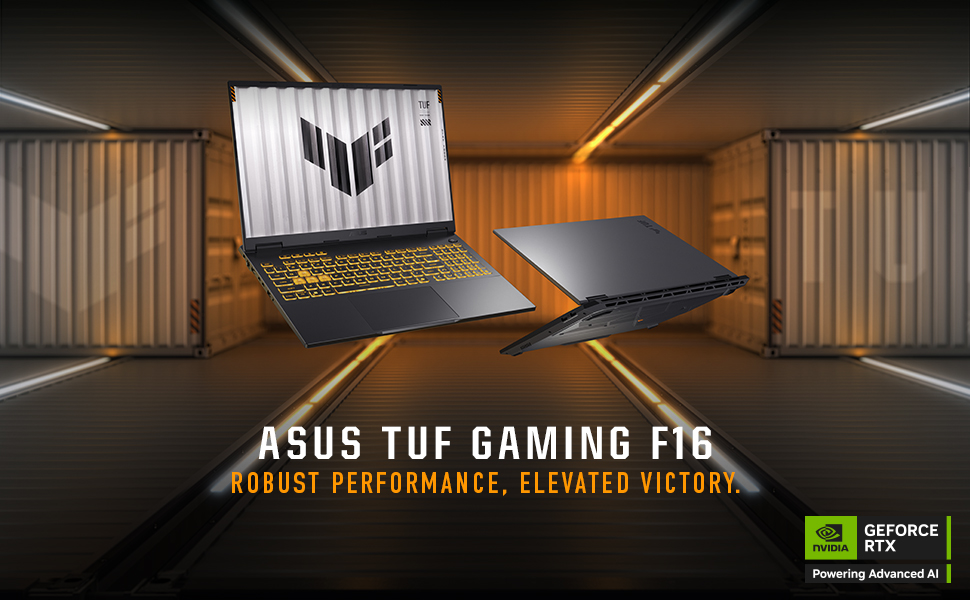
Image: The ASUS TUF Gaming F16 laptop showcasing its core specifications including Windows 11 Home, Intel Core i7 14650HX Processor, NVIDIA GeForce RTX 5050 Laptop GPU, 16GB Memory, and 1TB PCIe 4.0 SSD storage.
4. Configuració
4.1 Engegada inicial
- Desembaleu el portàtil i l'adaptador de corrent de la caixa.
- Connect the power adapter to the laptop's ASUS Slim Power Jack.
- Connecteu el cable d'alimentació a una presa de corrent.
- Open the laptop lid and press the power button, typically located on the top-right of the keyboard.
- Segueix les instruccions que apareixen a la pantalla per completar el procés de configuració del Windows 11 Home. Això inclou seleccionar la teva regió, connectar-te a una xarxa Wi-Fi i crear un compte d'usuari.
4.2 Connexió de perifèrics
Your ASUS TUF Gaming F16 offers various ports for connecting external devices:

Image: A detailed diagram illustrating the various ports available on both sides of the ASUS TUF Gaming F16 laptop, including USB, HDMI, LAN, and audio jacks.
- Ports USB: Connect USB devices such as mice, keyboards, or external storage drives to the USB 3.0 ports or USB3.2 Gen2 Type-A ports.
- Sortida de visualització: Use the HDMI 2.1 FRL port or the Thunderbolt™ 4 Type-C port (with DisplayPort 2.1 support) to connect external monitors or projectors.
- Connexió de xarxa: For a stable internet connection, plug an Ethernet cable into the RJ45 LAN port. Alternatively, use the integrated Wi-Fi 6E for wireless connectivity.
- Àudio: Connect headphones or external speakers to the audio jack (Mic-in & Headphone combo).
5. Instruccions de funcionament
5.1 Teclat i touchpad

Imatge: Vista de dalt a baix view of the ASUS TUF Gaming F16 keyboard, highlighting its RGB backlighting, full-size layout with number keys, and large touchpad.
The laptop features an RGB backlit, full-size keyboard with a numeric keypad and a 10% larger touchpad for enhanced navigation. Specific hotkeys are available for quick access to functions like volume control, display brightness, and performance modes.
5.2 Configuració de la pantalla

Image: The ASUS TUF Gaming F16 display showcasing its FHD+ resolution, 165Hz refresh rate, 300 nits typical brightness, 100% sRGB color accuracy, 16:10 aspect ratio, and NVIDIA G-Sync technology.
The 16-inch FHD+ (1920x1200) IPS-Level display offers a 165Hz refresh rate and 100% sRGB color coverage. NVIDIA G-Sync technology ensures smooth, tear-free visuals during gaming. Adjust display settings via Windows Display Settings or the NVIDIA Control Panel for optimal performance and visual quality.
5.3 Configuració d'àudio
Experience enhanced audio with Dolby Atmos and Hi-Res Audio support. Configure audio settings through the Windows Sound settings or the dedicated Dolby Access application for personalized sound profiles.
5.4 Gestió de l'energia
Image: The ASUS TUF Gaming F16 laptop highlighting its 90Wh battery, 100W Type-C charging capability, and fast charging technology that reaches 50% in 30 minutes.
The laptop is equipped with a 90Wh battery. It supports 100W Type-C charging and fast charging technology, allowing it to reach 50% charge in approximately 30 minutes. Adjust power plans in Windows settings to optimize for performance or battery life.
6. Manteniment
6.1 Neteja del portàtil
- Pantalla: Utilitzeu un drap suau i sense pelusa dampNetegeu amb aigua o un netejador de pantalles. No ruixeu líquid directament sobre la pantalla.
- Teclat i xassís: Feu servir un drap suau i sec. Per a la brutícia persistent, feu servir un drap lleugerament sec.amp es pot fer servir un drap. Eviteu productes químics agressius.
- Reixetes: Feu servir aire comprimit periòdicament per eliminar la pols de les reixetes de refrigeració per mantenir un flux d'aire òptim.
6.2 Actualitzacions del sistema
Regularly update your Windows operating system, NVIDIA graphics drivers, and ASUS utilities to ensure optimal performance, security, and compatibility.
6.3 Storage and Memory Upgrades

Imatge: Una imatge interna view of the ASUS TUF Gaming F16 laptop, indicating the locations of the dual SSD and RAM slots for potential upgrades, along with the installed 16GB DDR5-5600 MHz Memory and 1TB PCIe 4.0 SSD storage.
The ASUS TUF Gaming F16 is designed with dual SSD and RAM slots, allowing for future upgrades to expand storage or memory capacity. Consult a qualified technician for hardware upgrades to avoid voiding your warranty.
6.4 Sistema de refrigeració

Image: An internal diagram of the ASUS TUF Gaming F16's cooling system, highlighting the 2nd Gen Arc Flow Fans, full-width heatsink, and full-width exhaust vent, designed for efficient heat dissipation while maintaining a quiet 38dB in Performance Mode.
The laptop features 2nd Gen Arc Flow Fans, a full-width heatsink, and a full-width exhaust vent to optimize cooling performance. Ensure these vents are not obstructed during use to prevent overheating.
7. Solució De Problemes
- El portàtil no s'encén: Assegureu-vos que l'adaptador de corrent estigui connectat correctament tant al portàtil com a una presa de corrent que funcioni. Proveu una altra presa de corrent. Si la bateria està completament esgotada, pot trigar uns minuts a mostrar signes de vida després de connectar-lo.
- Problemes de visualització (no hi ha imatge, parpelleig): Check external monitor connections if applicable. Try restarting the laptop. Update graphics drivers.
- Reduccions de rendiment: Close unnecessary applications. Check for background processes consuming high resources. Ensure cooling vents are clear. Update drivers and operating system.
- Problemes de connectivitat Wi-Fi: Restart your router and modem. Check if Wi-Fi is enabled in Windows settings. Update Wi-Fi drivers.
- Audio not working: Check volume levels and mute settings. Ensure headphones/speakers are properly connected. Update audio drivers.
For persistent issues, refer to the ASUS support weblloc o contacteu amb el servei d'atenció al client.
8. Especificacions
| Característica | Especificació |
|---|---|
| Nom del model | FX608JHR-DS74 |
| Processador | Processador Intel® Core™ i7 14650HX (5.2 GHz) |
| Targeta gràfica | NVIDIA® GeForce RTX™ 5050 Laptop GPU (8 GB Dedicated) |
| Mostra | 16-inch FHD+ (1920x1200) IPS-Level, 165Hz, 16:10 Aspect Ratio, 300 nits, 100% sRGB, NVIDIA G-Sync |
| RAM | 16 GB de RAM DDR5 |
| Emmagatzematge | 1TB PCIe Gen4 SSD |
| Sistema operatiu | Windows 11 Home |
| Connectivitat sense fil | Wi-Fi 6E (802.11ax) |
| Ports | 1x Audio jack (Mic-in & Headphone), 1x USB3.2 Gen2 Type A, 1x USB3.2 Type-C (DisplayPort 1.4, Gsync, Power Delivery 3.0), 1x Thunderbolt™ 4 Type-C (DisplayPort 2.1), 1x HDMI 2.1 FRL, 1x RJ45 LAN port, 3x USB 3.0 Ports |
| Bateria | 90Wh, 100W Type-C Charging, Fast Charging (50% in 30 min) |
| Dimensions (LxWxH) | 13.94 x 0.7 x 10.59 polzades |
| Pes | 9.4 lliures |
| Color | Jaeger Gray |
9. Garantia i Suport
9.1 Garantia estàndard
Tots els portàtils ASUS TUF inclouen un Garantia estàndard de 12 mesos. This warranty covers manufacturing defects and provides access to expert support, thorough diagnostics, and genuine parts for any necessary repairs. Additionally, a 90 dies de garantia es proporciona en totes les peces de recanvi en garantia.
9.2 Protecció contra danys accidentals (ADP)
Ofertes d'ASUS un any de protecció contra danys accidentals (ADP) gratuïta for new laptops. This protection covers liquid spills, drops, and electrical surges. To activate ADP, you must register your new laptop within 60 days of purchase. This ensures you are covered in case of unforeseen accidents.
9.3 Contactar amb l'assistència
Per a assistència tècnica, reclamacions de garantia o més informació, visiteu el lloc web de suport oficial d'ASUS. website or contact their customer service department. Keep your product model number (FX608JHR-DS74) and serial number ready when contacting support.


