Introducció
Thank you for choosing the Generico Wireless Phone Camera Remote Control. This compact and versatile device is designed to enhance your mobile photography and videography experience, allowing you to capture moments from a distance with ease and precision. Please read this manual carefully to ensure proper use and optimal performance of your remote control.

Descripció de la imatge: A central image of the black wireless remote control, with four surrounding smaller images depicting different usage scenarios: a person playing beach volleyball, a hiker on a mountain, a person vlogging, and a family taking a selfie. This illustrates the versatility of the remote for various photographic needs.
Característiques principals:
- Interval sense fil ampliat: Capture shots effortlessly from up to 10 meters away, ideal for group photos, selfies, and stable video recording.
- Activació amb un sol botó: Instantly capture photos or start/stop videos with a single press, eliminating the need to touch your phone screen.
- Multi-Application Control: Seamlessly navigate and control various applications, enhancing video browsing and content consumption.
- Bateria de llarga durada: Enjoy extended usage with an advanced battery designed for consistent performance.
- Disseny portàtil: Lightweight and compact, ensuring easy portability for capturing every moment on the go.
Guia de configuració
1. Charging the Remote Control
Before first use, ensure the remote control is fully charged. Connect the remote to a USB power source using a compatible charging cable. The indicator light will typically show charging status and turn off or change color when fully charged.

Descripció de la imatge: The black wireless remote control is shown connected via a USB cable to a laptop or power adapter, indicating it is being charged. A blue light emanates from the USB connector, highlighting the charging process.
2. Emparellament amb el telèfon intel·ligent
- Encès: Press and hold the power button (usually marked with a power symbol) on the remote control until the indicator light starts blinking, indicating it's in pairing mode.
- Activa el Bluetooth: On your smartphone, go to Settings and enable Bluetooth.
- Cerca Dispositius: Your phone will automatically search for available Bluetooth devices. Look for a device named similar to "AB Shutter3", "Bluetooth Remote", or "Generico Remote".
- Connectar: Select the remote control from the list of available devices. Once connected, the indicator light on the remote will stop blinking and remain solid or turn off.

Descripció de la imatge: A hand holds the black wireless remote control, with a blue wireless signal icon emanating from it, symbolizing its active Bluetooth connection. A smartphone is partially visible in the background, suggesting the pairing process.
Nota: The remote control should automatically reconnect to your phone once paired, provided Bluetooth is enabled on both devices and they are within range.
Instruccions de funcionament
Once paired, your remote control is ready for use with your smartphone's camera and other compatible applications.
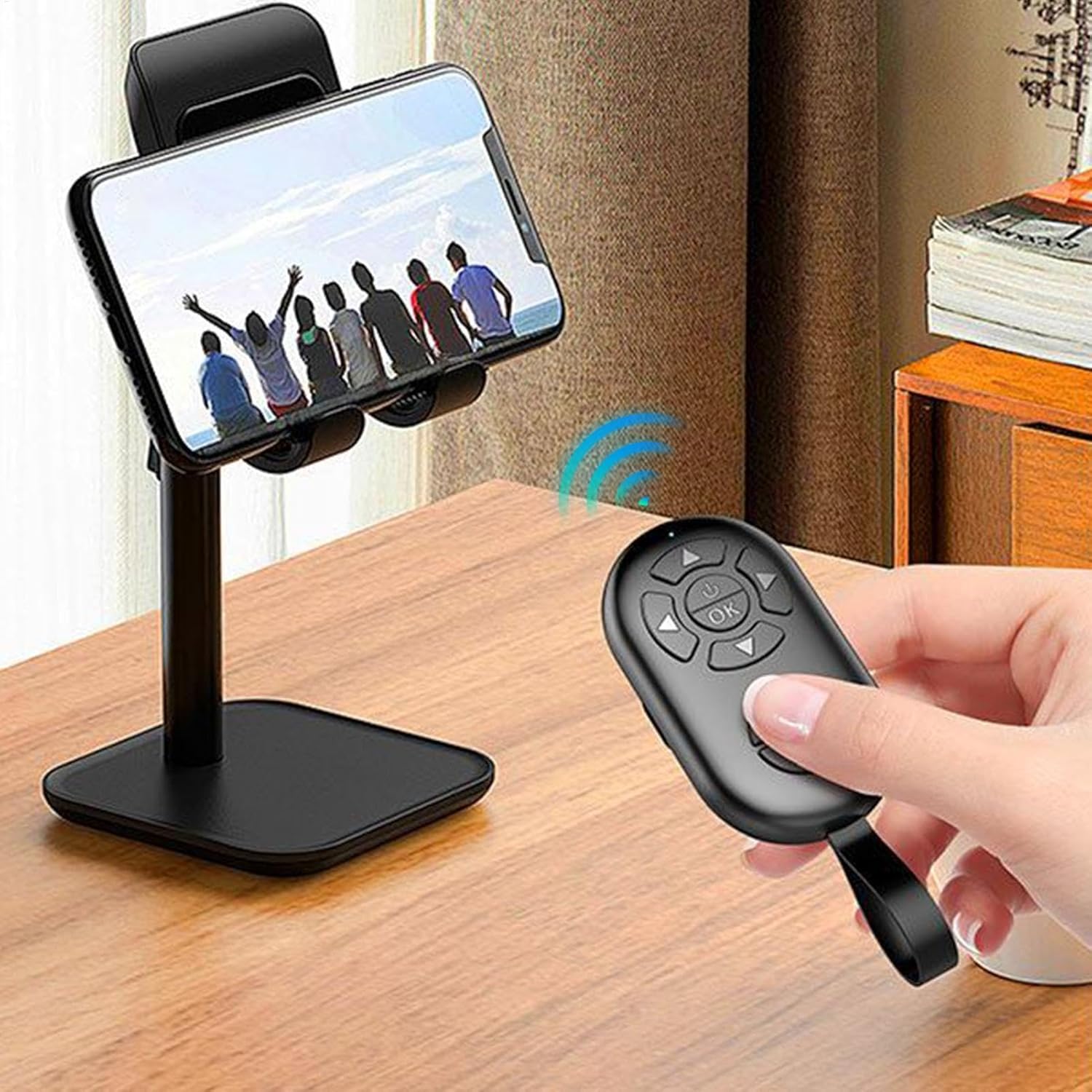
Descripció de la imatge: A hand holds the wireless remote control, pointing it towards a smartphone that is securely mounted on a desk stand. A blue wireless signal icon is depicted between the remote and the phone, illustrating the remote's function in controlling the phone from a distance.
1. Control de càmera
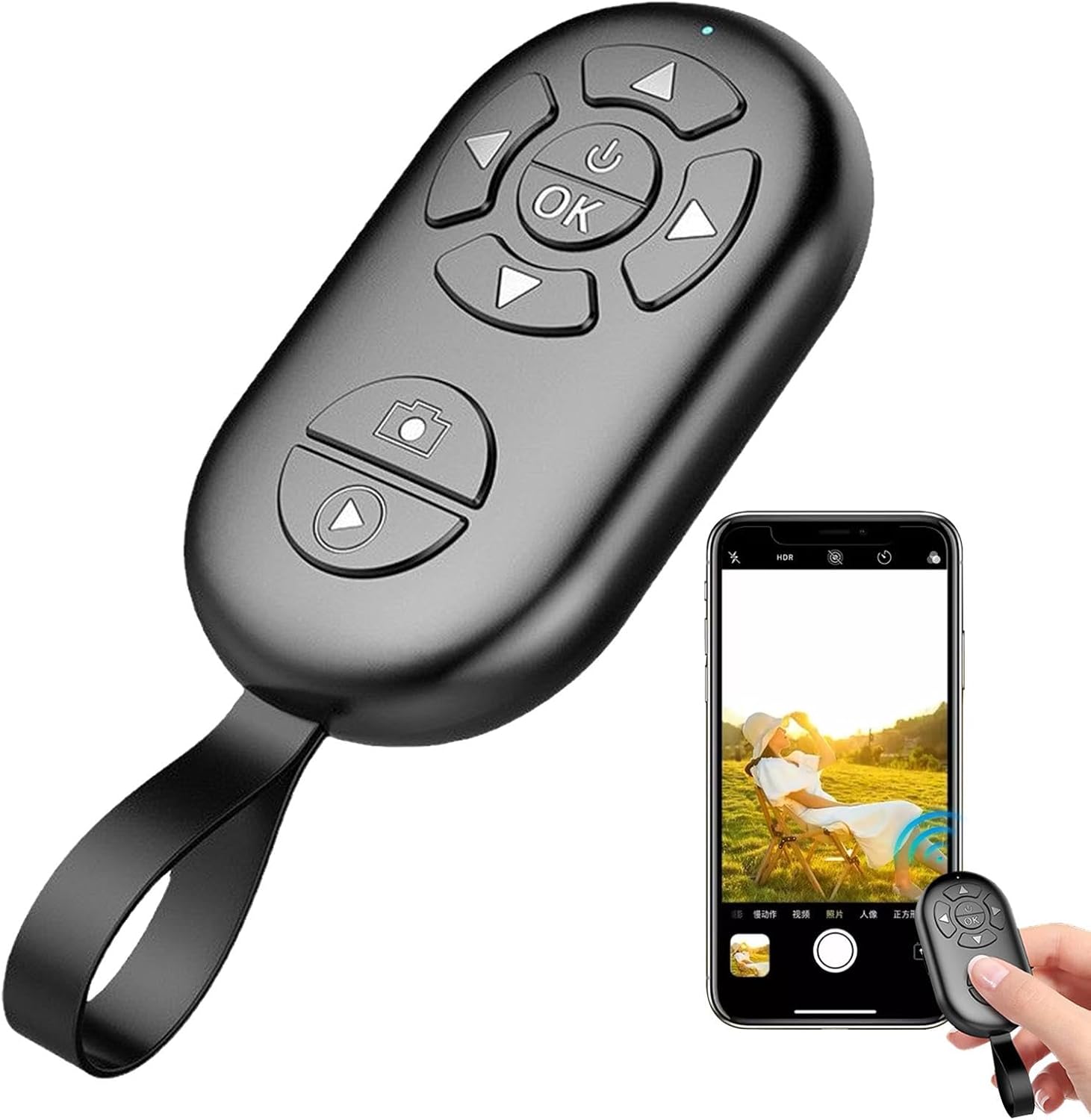
- Fent fotos: Open your phone's camera app. Press the dedicated camera/shutter button (often marked with a camera icon) on the remote control to take a photo.
- Gravació de vídeos: In your phone's camera app, switch to video mode. Press the video button (often marked with a play/record icon) on the remote to start recording. Press it again to stop recording.
- Zoom Function (if applicable): Some remotes may have volume buttons that can control zoom in certain camera apps. Experiment with the '+' and '-' buttons if available.

Descripció de la imatge: The black wireless remote control is positioned next to a smartphone, which displays its camera application interface. The phone screen shows a person in a hat sitting outdoors, suggesting the remote is being used to capture a photo remotely.
2. Media Navigation (for compatible apps)
The directional buttons (up, down, left, right) and the 'OK' button on the remote can be used to navigate through media content in certain applications, such as video players or e-readers. This functionality depends on the app's compatibility with Bluetooth keyboard/media controls.
Manteniment
Una cura i un manteniment adequats allargaran la vida útil del vostre comandament a distància.
- Neteja: Use a soft, dry cloth to wipe the surface of the remote. Do not use harsh chemicals or abrasive cleaners.
- Emmagatzematge: Guardeu el comandament a distància en un lloc fresc i sec, allunyat de la llum solar directa i de temperatures extremes.
- Cura de la bateria:
- Eviteu descarregar completament la bateria amb freqüència.
- Charge the remote regularly, even if not in frequent use, to maintain battery health.
- If storing for a long period, charge the battery to about 50% before storage.
Descripció de la imatge: Un va explotar view of the wireless remote control reveals its internal components, including the circuit board and a rechargeable battery. Text overlays indicate "20,000+ photos" and "No need to change batteries," highlighting the product's long battery life and rechargeable nature.
Resolució de problemes
| Problema | Causa possible | Solució |
|---|---|---|
| Remote does not power on. | Bateria baixa. | Charge the remote control fully. |
| No es pot emparellar amb el telèfon intel·ligent. | Bluetooth not enabled on phone; remote not in pairing mode; too far from phone. | Ensure Bluetooth is on. Press and hold power button on remote to enter pairing mode. Bring remote closer to phone (within 10m). |
| Remote connected but buttons don't work. | Incorrect app settings; app not compatible; remote in wrong mode (if applicable). | Ensure your camera app is open and active. Some apps may require specific settings for external shutter controls. Try restarting both phone and remote. |
| Curt abast sense fil. | Obstructions; interference; low battery. | Ensure no major obstructions between remote and phone. Avoid areas with strong electromagnetic interference. Charge the remote. |
Especificacions

Descripció de la imatge: The black wireless remote control is displayed with a white line and text indicating its length is 8cm (3.14 inches), providing a clear visual representation of its compact size.
- Marca: Genèric
- Nom del model: Generico-KIEQF6OEFQSFP5ZJ
- Tecnologia de connectivitat: Bluetooth (sense fil)
- Color: Black (Single Attribute)
- Interval sense fil: Fins a 10 metres (33 peus)
- Dimensions: Approximately 8 cm / 3.14 inches (Length)
- Durada de la bateria: Estimated 20,000+ photos per charge
- Compatibilitat: Most iOS and Android smartphones (check device Bluetooth compatibility)
Garantia i Suport
This product is sold by a third-party seller, genbmw, on Amazon.it. For specific warranty information or technical support, please refer to the seller's policies or contact them directly through the Amazon platform. General return policies may apply as per Amazon's terms and conditions.
For further assistance, please visit the product page on Amazon.it: Enllaç de producte


