1. Introducció
This manual provides essential information for the proper setup, operation, and maintenance of your JBL Boombox 4 portable Bluetooth speaker. Please read this guide thoroughly before using the product to ensure optimal performance and safety.
The JBL Boombox 4 is designed to deliver powerful audio with deep bass. It features AI Sound Boost technology for optimized sound output, extended playtime, and multi-speaker connection capabilities via Auracast. The speaker is also rated IP68 for water and dust resistance, making it suitable for various environments.
2. Informació de seguretat
Si us plau, observeu les següents pautes de seguretat:
- No exposeu l'altaveu a temperatures extremes ni a la llum solar directa durant períodes prolongats.
- Ensure the charging port cover is securely closed when the speaker is exposed to water or dust.
- Do not attempt to disassemble or modify the speaker. This may void the warranty and pose a safety risk.
- Feu servir només el cable d'alimentació de CA proporcionat per carregar.
- Mantingueu l'altaveu allunyat de dispositius mèdics.
3. Què hi ha a la caixa
Verifiqueu que tots els elements estiguin presents a l'embalatge:
- Altaveu JBL Boombox 4
- AC power cord (AC plug and quantity may vary by region)
- Guia d'inici ràpid
- Full de seguretat
- Targeta de garantia
4. Producte acabatview
4.1. Components de l'altaveu
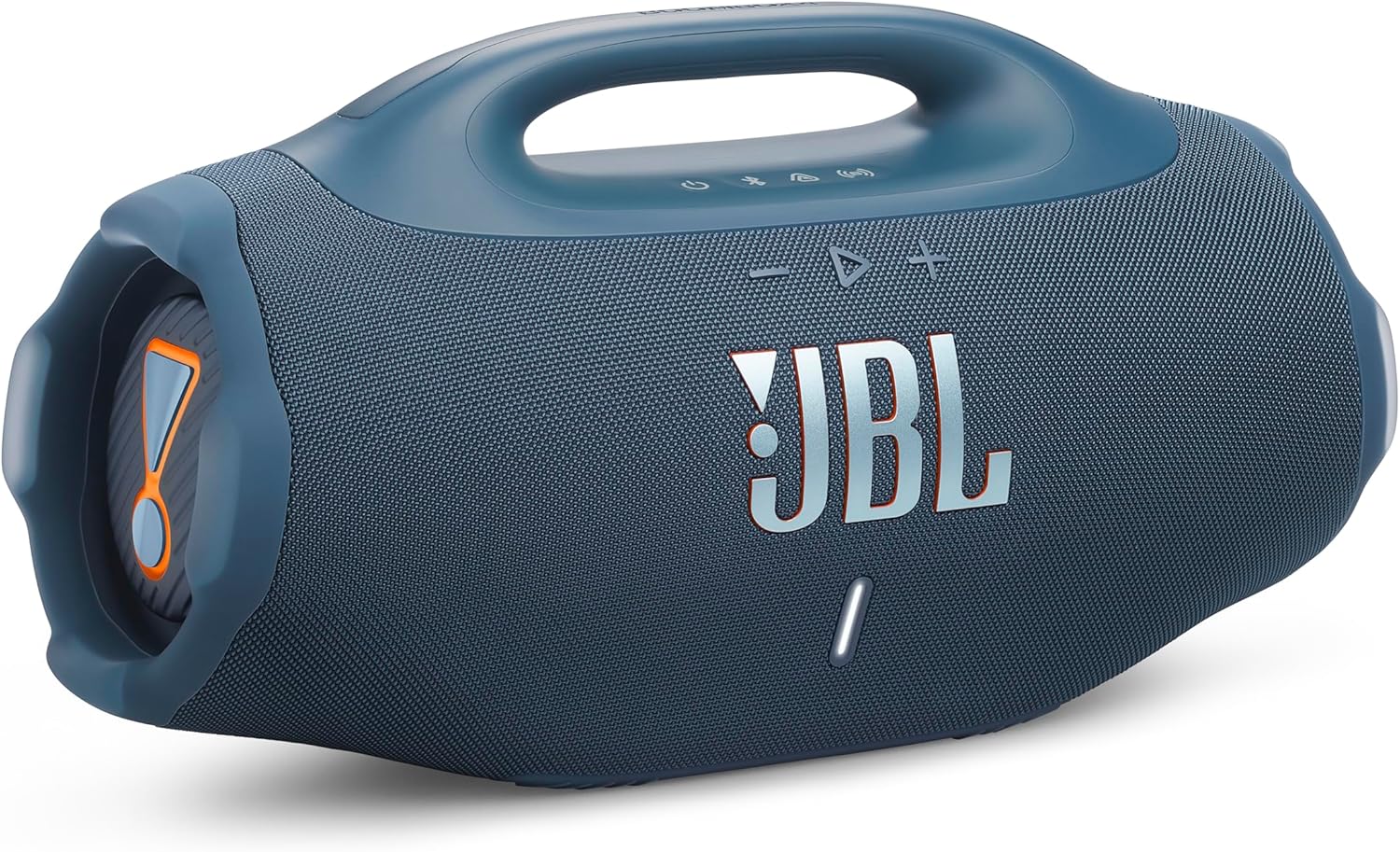
Figura 1: Frontal view of the JBL Boombox 4 speaker, showcasinel seu disseny robust i la seva reixeta frontal.

Figura 2: lateral view of the JBL Boombox 4, illustrating the passive radiator for enhanced bass.
4.2. Control Buttons and Indicators

Figure 3: Top panel controls of the JBL Boombox 4.
- Botó d'encesa: Premeu per encendre o apagar l'altaveu.
- Botó Bluetooth: Premeu per entrar al mode de vinculació Bluetooth.
- Botó Auracast: Press to initiate Auracast multi-speaker connection.
- Baixar el volum (-): Disminueix el volum.
- Play/Pause Button (>): Reprodueix o posa en pausa la reproducció d'àudio.
- Puja el volum (+): Augmenta el volum.
- Botó de reforç dels baixos: Toggles between Deep Bass and Punchy Bass modes.
- Indicador de bateria: Mostra el nivell de bateria actual.
4.3. Ports

Figure 4: Rear panel ports of the JBL Boombox 4.
- Entrada d'alimentació de CA: Connect the provided AC power cord for charging the speaker.
- Port USB-C: Used for lossless audio playback from compatible devices.
5. Configuració
5.1. Carregant l’altaveu
- Open the protective cover on the rear of the speaker to access the AC power input.
- Connect the provided AC power cord to the speaker's AC power input.
- Connecteu l'altre extrem del cable d'alimentació de CA a una presa de corrent.
- The battery indicator will show charging status. Ensure the speaker is fully charged before first use for optimal battery life.
- Close the protective cover securely after charging to maintain water and dust resistance.
5.2. Encendre/apagar
- To power on the speaker, press the Power button on the top panel.
- To power off the speaker, press and hold the Power button until the speaker turns off.
5.3. Emparellament Bluetooth
- Power on the JBL Boombox 4.
- Premeu el botó Bluetooth del panell superior. L'indicador Bluetooth parpellejarà, indicant el mode d'emparellament.
- On your mobile device, navigate to Bluetooth settings and select "JBL Boombox 4" from the list of available devices.
- Once connected, the Bluetooth indicator on the speaker will remain solid.
6. Instruccions de funcionament
6.1. Reproducció de música
- Reproduir/pausa: Premeu el botó Reproduir/Pausa una vegada.
- Saltar la pista endavant: Premeu dues vegades el botó Reproduir/Pausa.
- Saltar pista enrere: Premeu tres vegades el botó Reproduir/Pausa.
- Ajust de volum: Feu servir els botons de pujar el volum (+) i baixar el volum (-).
6.2. Bass Boost Modes
The JBL Boombox 4 offers two bass boost settings:
- Deep Bass Mode: Press the Bass Boost button once. The JBL Horn mark will glow orange. This mode provides a pronounced low-end response.
- Punchy Bass Mode: Press the Bass Boost button twice. The JBL Horn mark will turn white. This mode offers a tighter and more energetic bass response.
6.3. Connexió multialtaveu Auracast
Auracast allows you to connect multiple Auracast-enabled JBL speakers for a wider sound stage or to cover a larger area with synchronized audio.
- Assegureu-vos que tots els altaveus estiguin encesos i dins del seu abast.
- On the primary speaker (the one connected to your audio source), press the Auracast button.
- On the secondary speakers you wish to connect, press their respective Auracast buttons.
- Els altaveus es connectaran automàticament i sincronitzaran la reproducció d'àudio.
6.4. Lossless Audio Playback (USB-C)
For high-fidelity audio, connect a compatible device to the speaker's USB-C port using a USB-C to USB-C cable (not included). Ensure your audio source supports lossless audio content.
6.5. Waterproof and Dustproof Usage (IP68)
The JBL Boombox 4 is rated IP68, meaning it is protected against dust ingress and can withstand immersion in water up to 1.5 meters for up to 30 minutes. Always ensure the rear port cover is securely closed before exposing the speaker to water or dust.
7. Manteniment
7.1. Neteja
Per netejar l'altaveu, feu servir un drap suau iamp cloth. Do not use abrasive cleaners or solvents. Ensure the speaker is dry before charging or using it in wet environments.
7.2. Substitució de la bateria
The JBL Boombox 4 features a replaceable battery. If the battery life significantly diminishes over time, a replacement battery can be purchased separately. Refer to the official JBL support resources for instructions on how to replace the battery safely.
8. Solució De Problemes
- Sense energia: Ensure the speaker is charged. Connect it to a power source using the provided AC cord.
- Sense so: Comproveu els nivells de volum tant de l'altaveu com del dispositiu connectat. Assegureu-vos que el dispositiu estigui correctament emparellat mitjançant Bluetooth.
- Problemes de vinculació de Bluetooth: Make sure the speaker is in pairing mode (Bluetooth indicator flashing). Try unpairing and re-pairing the device. Ensure no other devices are actively connected to the speaker.
- Auracast Connection Issues: Ensure all speakers are Auracast-enabled and within range. Try restarting the connection process.
For further assistance, refer to the official JBL support weblloc.
9. Especificacions
| Característica | Especificació |
|---|---|
| Nom del model | JBL Boombox 4 |
| Tipus d'altaveu | Altaveu portàtil |
| Tecnologia de connectivitat | Bluetooth |
| Característiques especials | Bass Boost, Dustproof, Portable, Waterproof (IP68) |
| Potència de sortida màxima dels altaveus | 65 watts |
| Dimensions del producte (P x A x A) | 19.9" x 8.4" x 10.4" |
| Pes de l'article | 13 lliures |
| Diàmetre del woofer | 123 mil·límetres |
| Diàmetre del Tweeter | 20 mil·límetres |
| Piles necessàries | 1 bateria de polímer de liti |
| Fabricant | JBL |
10. Garantia i Suport
For warranty information, please refer to the Warranty Card included in your product packaging. For technical support, product registration, or additional resources, visit the official JBL weblloc o poseu-vos en contacte amb el seu servei d'atenció al client.
JBL Oficial Weblloc: www.jbl.com


