1. Introducció
The Xvive U35 is a 5.8GHz wireless XLR transmitter and receiver system designed to convert any dynamic microphone into a wireless microphone. It also facilitates wireless audio transmission from mixers, audio interfaces, and other audio sources to powered speakers or recorders. This system provides a high-fidelity, reliable, and convenient solution for various audio applications, from live performances to studio recordings.
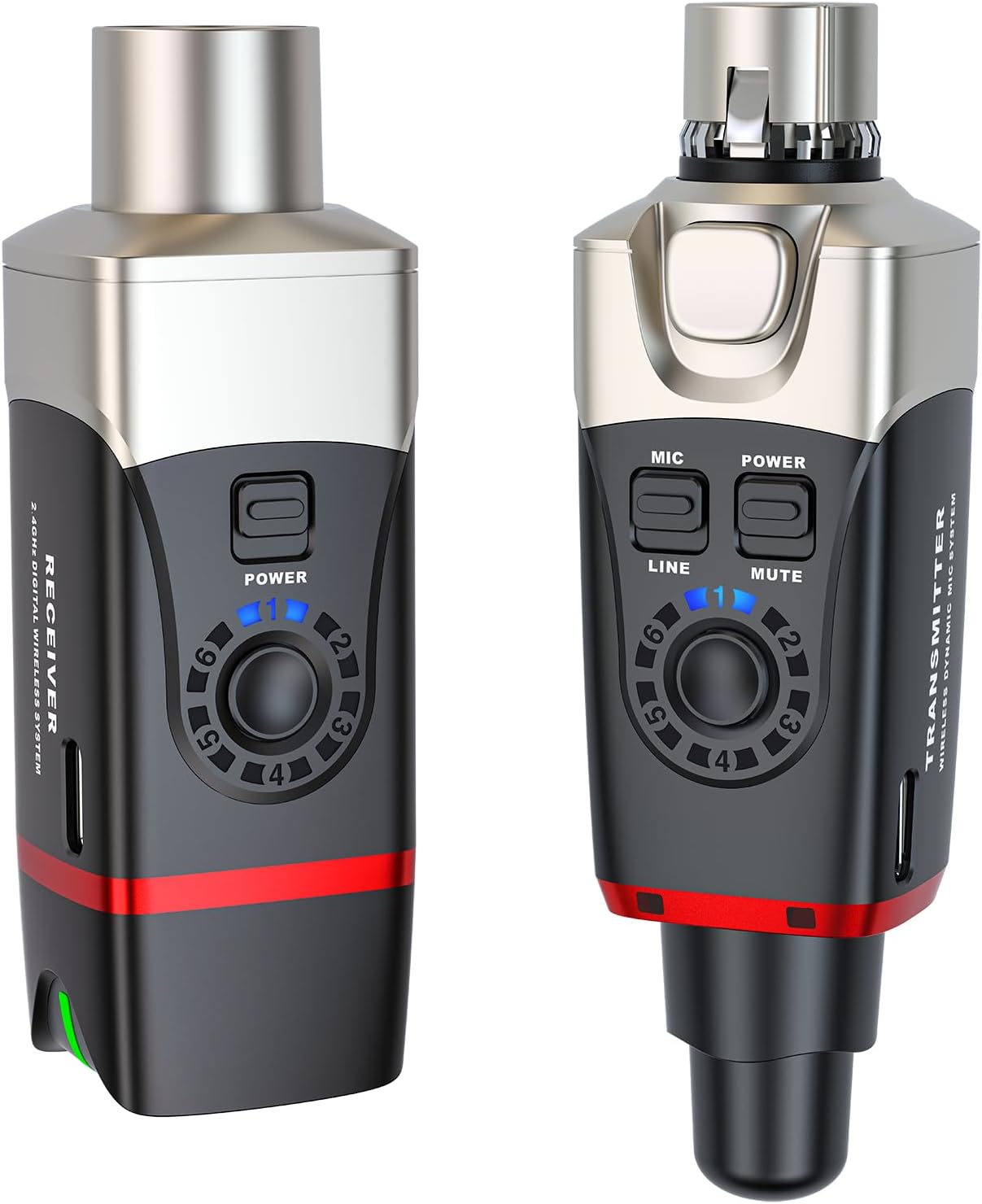
Image: The Xvive U35 Wireless Microphone System, showing both the transmitter and receiver units.
2. Què hi ha a la caixa
Verifiqueu que tots els elements següents estiguin inclosos al vostre paquet:
- U35 Transmitter Unit
- U35 Receiver Unit
- Cable de càrrega USB-C
- PU Bag for storage and transport
- Manual d'usuari (aquest document)
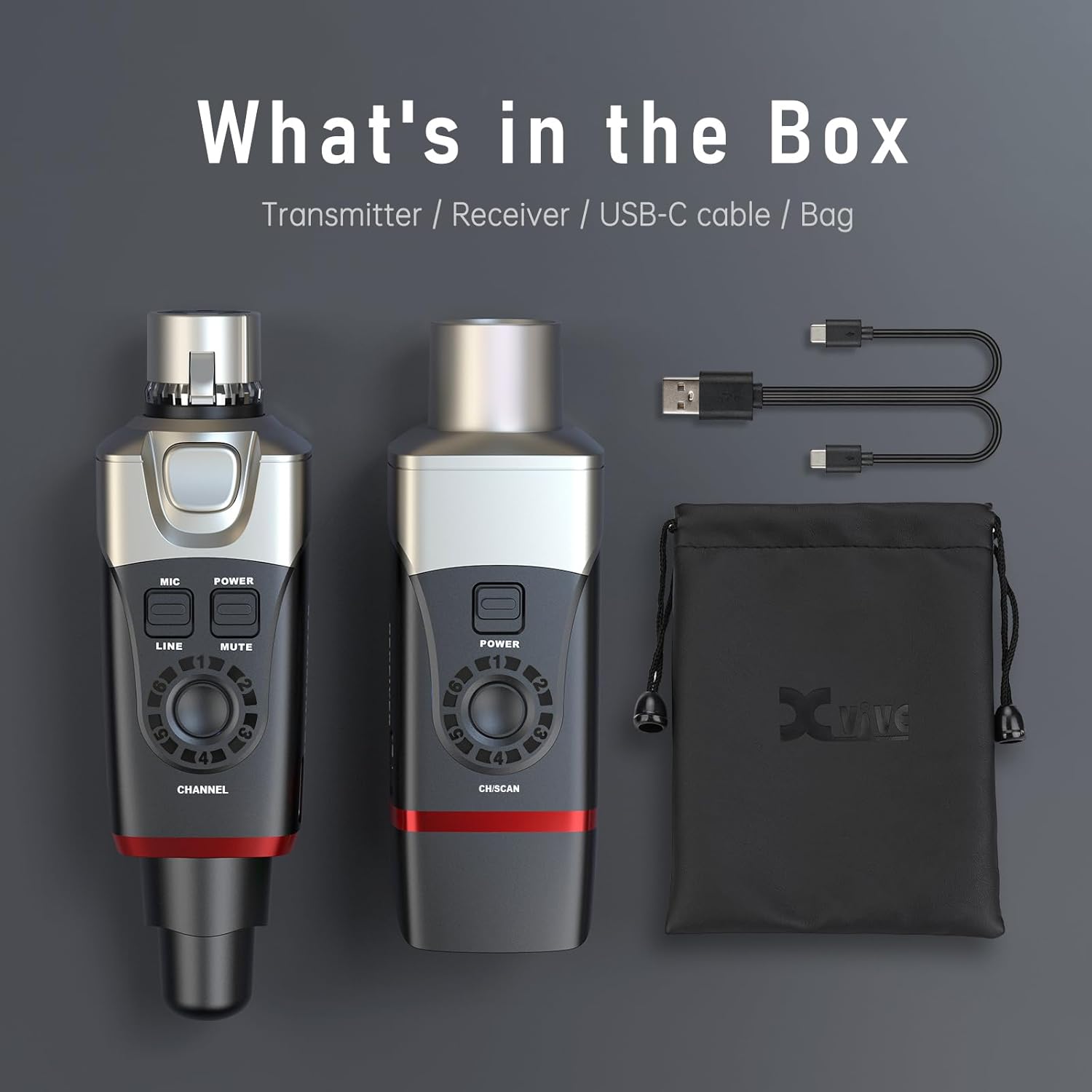
Image: All components included in the Xvive U35 package: the transmitter, receiver, USB-C charging cable, and a protective PU bag.
3. Característiques clau
3.1. 5.8 GHz True Diversity Wireless Technology
The U35 operates on the 5.8 GHz frequency band, which is less congested than the 2.4 GHz band, providing a cleaner and more reliable signal. True Diversity technology utilizes dual antennas on the receiver to constantly scan for the strongest signal, minimizing dropouts and ensuring stable performance over a range of up to 100 feet (30.5 meters).

Image: A musician performing with a microphone connected to the Xvive U35 transmitter, highlighting the 5.8 GHz True Diversity Wireless System for stable signal transmission.
3.2. Channel Scan Mode
This feature allows the receiver to automatically scan for the best available wireless channel, ensuring optimal signal quality and interference avoidance. Simply hold the receiver's channel button for 3 seconds to initiate the scan. The LED will flash during scanning and then remain steady on the selected channel.

Image: The Xvive U35 receiver unit placed on an audio mixer, with blue signal waves indicating its 5.8 GHz channel scanning capability to find the best signal.
3.3. Àudio d'alta resolució
The U35 delivers crystal clear sound with 24-bit/48kHz audio resolution, a 110 dB dynamic range, and a 110 dB Signal-to-Noise Ratio (SNR). This ensures that every detail of your audio is captured and transmitted with fidelity.

Image: A performer on stage, emphasizing the high-fidelity audio output of the system, suitable for professional live sound.
3.4. Latència ultrabaixa
With a latency of less than 5 milliseconds, the U35 provides near real-time audio transmission, crucial for live performances and recording where timing is critical.
3.5. Versatile Application (Mic and Line Modes)
The U35 features two modes: Mic and Line. The Mic mode is suitable for regular auxiliary output signals from computers and MP3 players. The Line mode offers a greater dynamic range, capable of handling larger output devices such as main mixer outputs without distortion, making it adaptable for various audio sources.
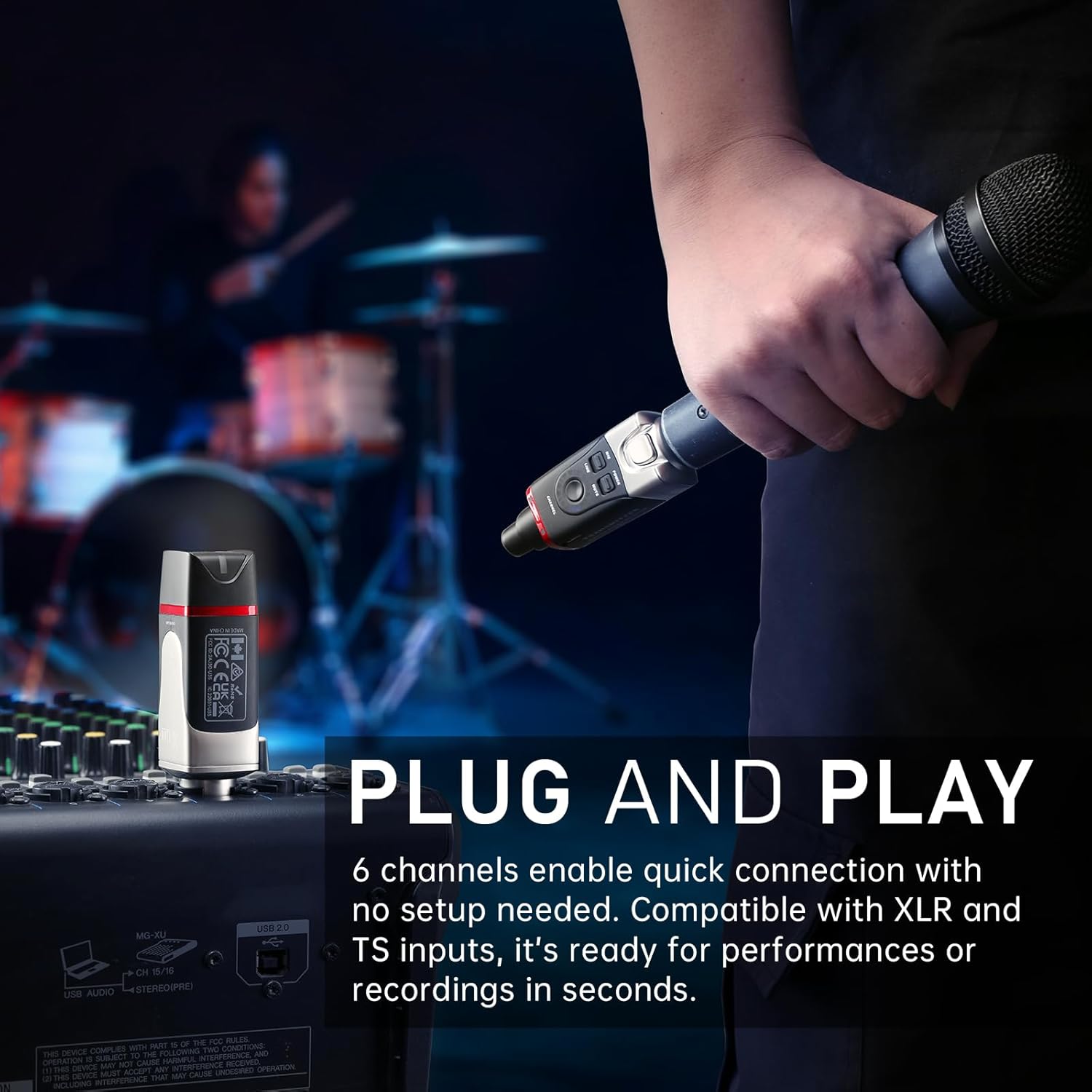
Image: A hand holding a microphone with the Xvive U35 transmitter attached, while the receiver sits on an audio mixer, demonstrating the system's plug-and-play functionality.
3.6. Bateria de llarga durada
The built-in Lithium Ion batteries provide up to 5 hours of continuous operation, ensuring reliability for extended performances and sessions. The units are rechargeable via the included USB-C cable.
Producte acabatview Vídeo
Vídeo: Un funcionari ha acabatview of the Xvive U35 Wireless Microphone System, detailing its features, setup, and benefits for dynamic microphones and audio transmission. This video is provided by the seller, Xvive Direct.
4. Guia de configuració
- Carrega les unitats: Before first use, fully charge both the U35 Transmitter and Receiver units using the provided USB-C cable. Connect the cable to a standard USB power adapter (not included). The charging indicator LED will show charging status.
- Connecteu el transmissor: Plug the U35 Transmitter directly into the XLR output of your dynamic microphone. Ensure a secure connection.
- Connecta el receptor: Plug the U35 Receiver into an available XLR input on your audio mixer, PA system, audio interface, or other compatible device.
- Encès: Press and hold the Power button on both the Transmitter and Receiver units until their respective indicator lights illuminate.
- Seleccioneu el canal: The units should automatically pair. If not, or if you experience interference, use the Channel Scan Mode (see Section 5.1) on the receiver to find an optimal channel. Then, manually set the transmitter's channel to match the receiver's.
- Selecciona el mode (opcional): For dynamic microphones, ensure the transmitter is in 'Mic' mode. If connecting to a line-level source (e.g., mixer output), switch the transmitter to 'Line' mode for appropriate gain staging.
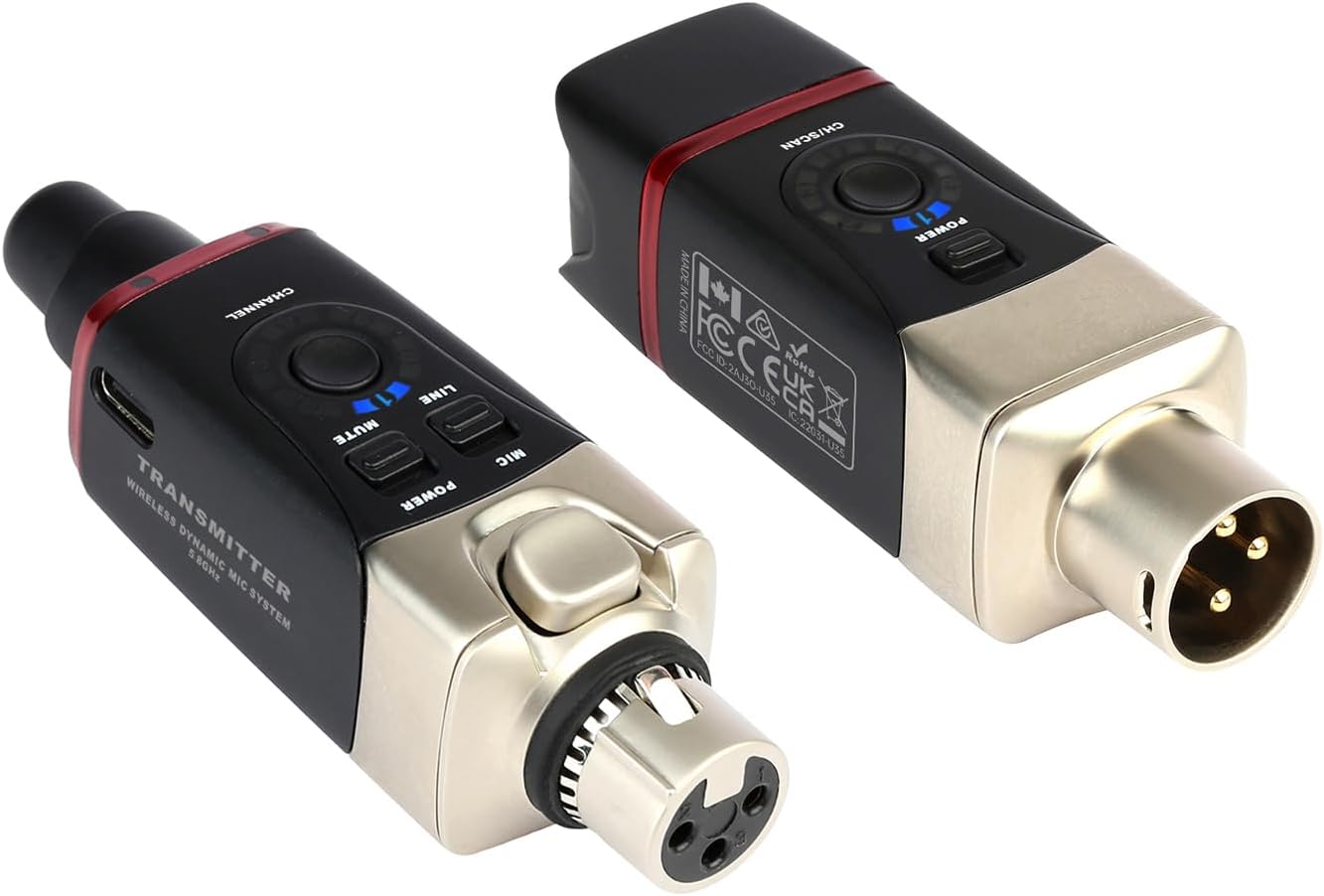
Imatge: Un primer pla view of the Xvive U35 transmitter and receiver, highlighting their XLR connectors and compact design for easy integration into audio setups.
5. Instruccions de funcionament
5.1. Using Channel Scan Mode
To find the clearest wireless channel and avoid interference, activate the Channel Scan Mode on the receiver. Press and hold the 'Channel' button on the receiver for approximately 3 seconds. The receiver's LED indicator will flash as it scans for available frequencies. Once a stable channel is found, the LED will remain steady. Ensure the transmitter is then manually set to the same channel number as indicated on the receiver.
5.2. Mic/Line Mode Selection
The U35 transmitter features a 'Mic' and 'Line' switch. Select 'Mic' mode when connecting to a dynamic microphone. Select 'Line' mode when connecting to line-level audio sources such as the output of an audio mixer or interface. This ensures proper signal level matching and prevents distortion.
5.3. Funció de silenci
The transmitter unit includes a 'Mute' button. Press this button to temporarily mute the audio transmission without powering off the unit. Press it again to unmute.
6. Manteniment
- Càrrega: Recharge the units using the provided USB-C cable when the battery indicator shows low power. A full charge typically takes a few hours.
- Neteja: Use a soft, dry cloth to clean the exterior of the units. Do not use liquid cleaners or solvents.
- Emmagatzematge: Store the U35 system in a cool, dry place, away from direct sunlight and extreme temperatures. Use the provided PU bag for protection during transport and storage.
- Cura de la bateria: For optimal battery longevity, avoid fully discharging the batteries regularly. If storing for extended periods, charge the units to approximately 50% capacity.
7. Solució De Problemes
7.1. Sense sortida de so
- Assegureu-vos que tant l'emissor com el receptor estiguin encesos i completament carregats.
- Verify that the transmitter and receiver are set to the same channel. Use Channel Scan Mode if necessary.
- Check all physical connections (microphone to transmitter, receiver to mixer/PA).
- Confirm the microphone is functional and the mixer/PA input is active and gain is set appropriately.
- Ensure the transmitter's 'Mic/Line' switch is in the correct position for your source.
7.2. Interference or Dropouts
- Perform a Channel Scan (Section 5.1) on the receiver to find a clearer frequency.
- Ensure there is a clear line of sight between the transmitter and receiver. Avoid placing large metal objects or walls directly between them.
- Move away from other 5.8 GHz wireless devices (e.g., Wi-Fi routers, other wireless audio systems) that might be causing interference.
- Reduce the distance between the transmitter and receiver if operating near the maximum range.
7.3. Durada curta de la bateria
- Ensure the units are fully charged before use.
- La durada de la bateria pot variar segons l'ús i les condicions ambientals.
- Over time, rechargeable batteries naturally degrade. If battery life significantly diminishes, consider contacting Xvive support for service options.
8. Especificacions
| Atribut | Valor |
|---|---|
| Pes de l'article | 8 unces |
| Dimensions del producte | 1.5 x 1.5 x 3.9 polzades |
| País d'origen | Xina |
| Número de model de l'article | U35 |
| Bateries | Necessites 2 piles de ions de liti (incloses) |
| Dispositius compatibles | Audio Interface, PA System, Audio Mixer, Camera, Karaoke Machine |
| Tipus de connector | XLR |
| Tipus de material | Metall |
| Tipus de bateria | Ió de liti |
| Font d'alimentació | Funciona amb bateria |
9. Garantia i Suport
For detailed warranty information and technical support, please refer to the official Xvive website or contact Xvive customer service directly. Keep your purchase receipt as proof of purchase for any warranty claims.
Xvive Official Weblloc: www.xvivaudio.com