Introducció
This manual provides detailed instructions for the setup, operation, and maintenance of your RAPIQUE R102 Ultra-Light Wireless Mouse. Designed for comfort and versatility, the R102 features dual-mode connectivity (Bluetooth 5.1 and 2.4GHz wireless), silent clicks, and adjustable DPI settings, making it suitable for various computing environments.

This image highlights the ultra-lightweight design of the RAPIQUE R102 mouse, emphasizing its 53-gram weight for comfortable, all-day use. It shows the mouse from different angles, illustrating its sleek profile.
Contingut del paquet
- R102 Lightweight Wireless Mouse x1
- Receptor USB x1
- USB-C Charge cable x1
- Manual x1
Producte acabatview
Familiarize yourself with the components and controls of your RAPIQUE R102 mouse.
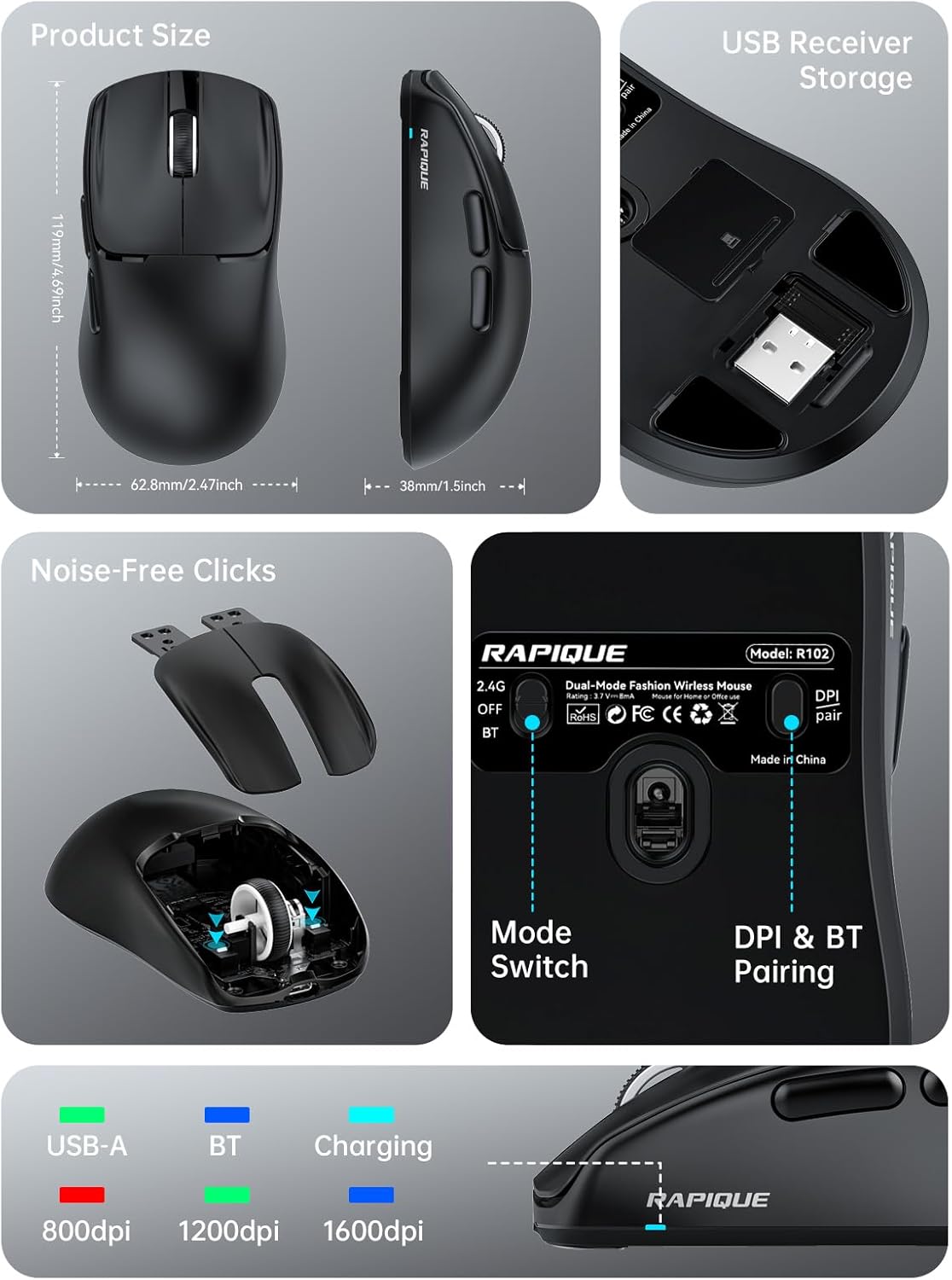
This comprehensive image provides a detailed look at the RAPIQUE R102 mouse. It includes precise product dimensions, shows the convenient storage location for the USB receiver, illustrates the internal mechanism for noise-free clicks, and clearly labels the mode switch and DPI/Bluetooth pairing button on the mouse's underside.
Components clau
- Botons de clic esquerre/dret: Dissenyat per a un funcionament silenciós.
- Roda de desplaçament: For smooth vertical scrolling.
- Botó DPI: Located on the top, cycles through DPI settings.
- Botons Endavant/Enrere: Located on the left side for quick navigation.
- Port de càrrega USB-C: Located at the front for recharging.
- Interruptor de mode: On the bottom, selects between 2.4G, Off, and Bluetooth modes.
- DPI & BT Pairing Button: On the bottom, used for DPI adjustment and Bluetooth pairing.
- Ranura d'emmagatzematge del receptor USB: On the bottom, for convenient storage of the 2.4GHz USB receiver.
Configuració
Carregant el ratolí
The RAPIQUE R102 mouse is equipped with a built-in rechargeable battery. Before first use, or when the battery is low, connect the provided USB-C charging cable to the mouse's USB-C port and the other end to a USB power source (e.g., computer USB port, USB wall adapter). A full charge typically takes 1-2 hours.

This image demonstrates the USB-C charging capability of the R102 mouse. It highlights the 500mAh battery and indicates that 1-2 hours of charging can bring the battery to 98%, while 24 hours of use results in 86% power remaining, emphasizing its long-lasting battery.
Connexió del ratolí
The R102 mouse supports two connectivity modes: 2.4GHz Wireless via USB receiver and Bluetooth 5.1.
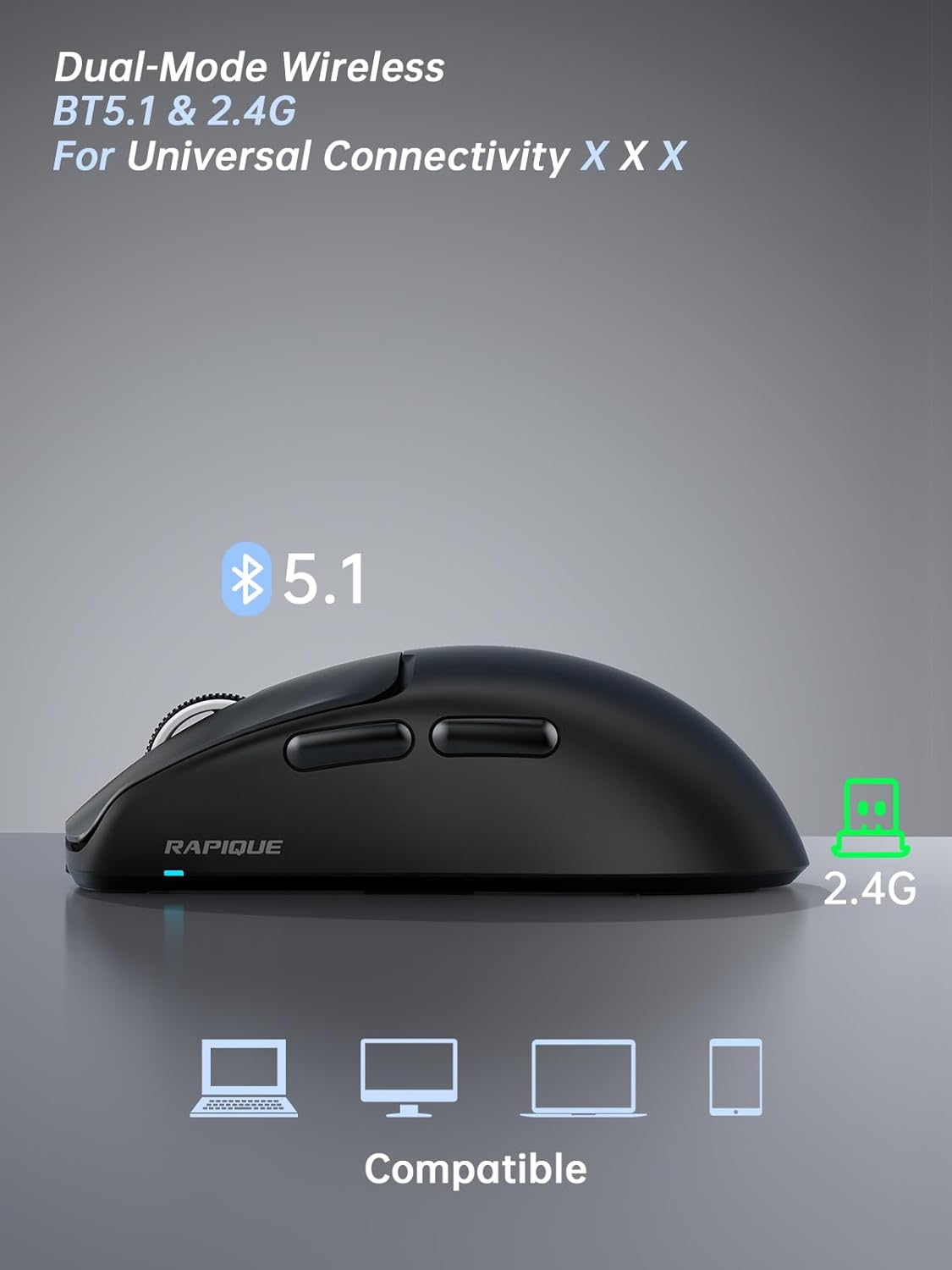
This image illustrates the dual-mode connectivity of the RAPIQUE R102 mouse, supporting both Bluetooth 5.1 and 2.4GHz connections for broad compatibility across various devices.
Mode sense fil de 2.4 GHz
- Localitzeu el receptor USB que es troba al compartiment de la part inferior del ratolí.
- Connecteu el receptor USB a un port USB-A disponible de l'ordinador.
- Feu lliscar el commutador de mode a la part inferior del ratolí fins a la posició "2.4G".
- The mouse should automatically connect to your computer. No drivers are required.
Mode Bluetooth
- Feu lliscar el commutador de mode a la part inferior del ratolí fins a la posició "BT".
- Press and hold the "DPI & BT Pair" button on the bottom of the mouse for 3-5 seconds until the indicator light starts blinking, indicating it's in pairing mode.
- On your device (MacBook, iPad, Android, etc.), go to Bluetooth settings and search for "RAPIQUE R102".
- Select "RAPIQUE R102" to pair. Once connected, the indicator light will stop blinking.
Instruccions de funcionament
Ajust de DPI
The R102 mouse offers three adjustable DPI (Dots Per Inch) levels: 800, 1200, and 1600. To change the DPI, press the DPI button located on the top of the mouse, just below the scroll wheel. Each press will cycle through the available DPI settings, allowing you to customize cursor sensitivity for different tasks.
This image focuses on the bottom of the R102 mouse, illustrating the DPI & BT pairing button. It highlights the three DPI levels (800, 1200, 1600) that can be cycled through by pressing this button, allowing users to adjust cursor sensitivity.
Using Side Buttons
The two side buttons on the left of the mouse function as "Forward" and "Back" buttons by default. These are useful for quick navigation in web navegadors i file exploradors, millorant la productivitat.
Gestió d'energia
To conserve battery life, the mouse will enter a sleep mode after a period of inactivity. To wake it up, simply move the mouse or click any button. For extended storage or travel, slide the mode switch to the "OFF" position.

This image demonstrates the versatility of the RAPIQUE R102 mouse in different settings, including office, home, and travel. It shows the mouse being used with a desktop setup, a tablet, and a laptop, emphasizing its adaptability for various computing needs.
Manteniment
- Neteja: Feu servir un drap suau i sec per netejar el ratolí. Per a la brutícia persistent, feu un drap lleugerament sec.amp es pot fer servir un drap, assegurant-se que no entri líquid als components interns. Eviteu productes químics agressius o materials abrasius.
- Emmagatzematge: When not in use for extended periods, store the mouse in a cool, dry place. Ensure the mode switch is set to "OFF" to prevent battery drain.
- Cura de la bateria: Eviteu descarregar completament la bateria amb freqüència. Torneu a carregar el ratolí quan aparegui l'indicador de bateria baixa.
Resolució de problemes
El ratolí no respon
- Comproveu la bateria: Ensure the mouse is sufficiently charged. Connect the USB-C charging cable and allow it to charge for a few minutes.
- Check Mode Switch: Verify that the mode switch on the bottom of the mouse is set to the correct position (2.4G or BT) for your connection type.
- Re-pair 2.4GHz: For 2.4GHz mode, try unplugging and re-plugging the USB receiver into a different USB port on your computer.
- Torna a emparellar el Bluetooth: For Bluetooth mode, delete "RAPIQUE R102" from your device's Bluetooth list and repeat the pairing process.
- Reinicieu el dispositiu: Sometimes, restarting your computer or device can resolve connectivity issues.
Cursor Movement is Erratic or Laggy
- Neteja el sensor: Assegureu-vos que el sensor òptic de la part inferior del ratolí estigui net i lliure de pols o residus.
- Superfície: Feu servir el ratolí sobre una superfície neta, no reflectant i uniforme. Es recomana utilitzar una estora de ratolí.
- Interferència: Move the mouse closer to the USB receiver (for 2.4GHz) or your Bluetooth device. Avoid using it near strong electromagnetic interference sources.
- Configuració de DPI: Adjust the DPI setting to a level that suits your preference and task.
Silent Click Feature Not Working
- The R102 is designed with silent click switches. If you experience loud clicks, ensure the mouse is not damaged. Contact customer support if the issue persists.
Especificacions
| Característica | Detall |
|---|---|
| Dimensions del producte | 4 x 2.5 x 0.04 polzades |
| Pes de l'article | 1.94 unces |
| ASIN | B0F1Y72169 |
| Número de model de l'article | R102 |
| Bateries | 1 bateries no estàndard necessàries. (inclòs) |
| Re Clientviews | 4.5 sobre 5 estrelles (43 valoracions) |
| Classificació dels més venuts | #1,450 in Computer Mice |
| Data de primera disponibilitat | 9 de maig de 2025 |
| Fabricant | Rapique |
| Marca | RAPIQUE |
| Color | Negre |
| Tecnologia de connectivitat | Sense fil de 2.4 GHz, Bluetooth 5.1 |
| Característica especial | Lightweight(53g), Portable, Soundless, USB C Rechargeable, Wireless(Bluetooth 5.1+2.4GHz) |
| Tecnologia de detecció de moviment | Òptic |
Garantia i Suport
For warranty information and technical support, please refer to the official RAPIQUE weblloc web o contacteu directament amb el seu servei d'atenció al client. També podeu visitar el RAPIQUE Store on Amazon per a recursos addicionals i dades de contacte.


