Introducció
This manual provides detailed instructions for setting up and operating your BIGASUO 21.5" Digital Calendar. This interactive display is designed to help organize family schedules, manage tasks, and display cherished memories. Please read this manual thoroughly before use to ensure proper functionality and to maximize your device's capabilities.
Què hi ha a la caixa
Verifiqueu que tots els elements siguin presents al paquet:
- BIGASUO 21.5" Digital Calendar Display
- Manual d'usuari
- Wall-mounted Stand (with screws)
- Suport de sobretaula
- Adaptador de corrent continu

Image: Package contents of the BIGASUO 21.5" Digital Calendar.
Guia de configuració
1. Engegada inicial
- Connect the DC Adapter to the calendar display and plug it into a power outlet.
- El dispositiu s'encén automàticament. Segueix les instruccions que apareixen a la pantalla per seleccionar l'idioma i connectar-te a la xarxa Wi-Fi.
- The calendar will automatically sync with internet time servers for accurate timekeeping.
2. Instal·lació i emparellament de l'aplicació
To manage your calendar and share content remotely, download the "Whale Framely" mobile application.
- Download the "Whale Framely" app from the Apple App Store for iOS devices or Google Play Store for Android devices.
- Obriu l'aplicació i creeu un compte.
- On the calendar display, navigate to the pairing section (usually found in settings or during initial setup).
- Use the app to scan the QR code displayed on the calendar screen or manually enter the pairing code to link your device.
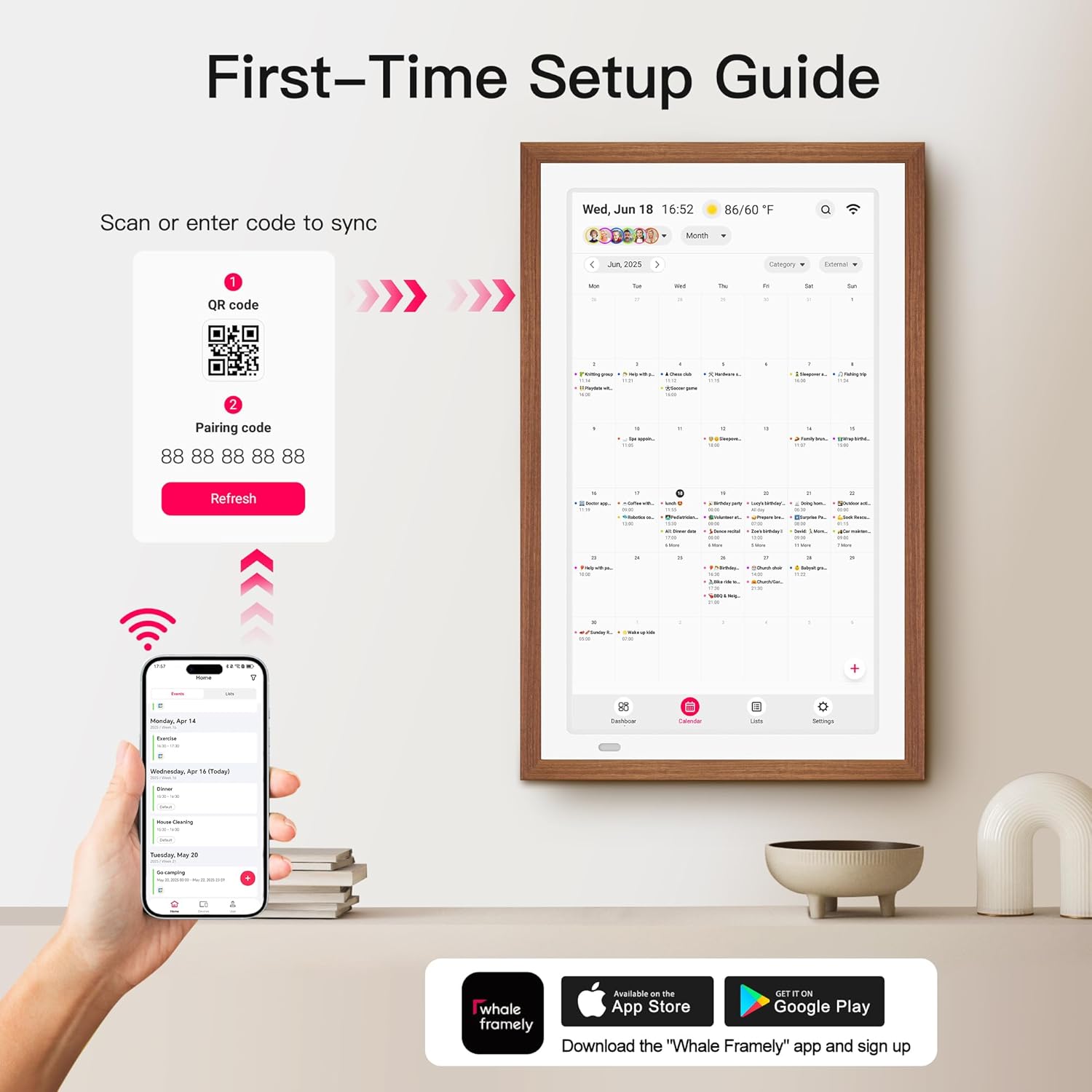
Image: Steps for initial setup and app pairing using a QR code.
3. Calendar Synchronization
The BIGASUO Digital Calendar supports synchronization with various popular calendar services.
- Through the "Whale Framely" app or directly on the device settings, link your preferred calendar accounts.
- Compatible services include Google Calendar, iCloud, Outlook, Cozi, and Yahoo Calendar.
- Events will automatically load and stay updated on your digital calendar.
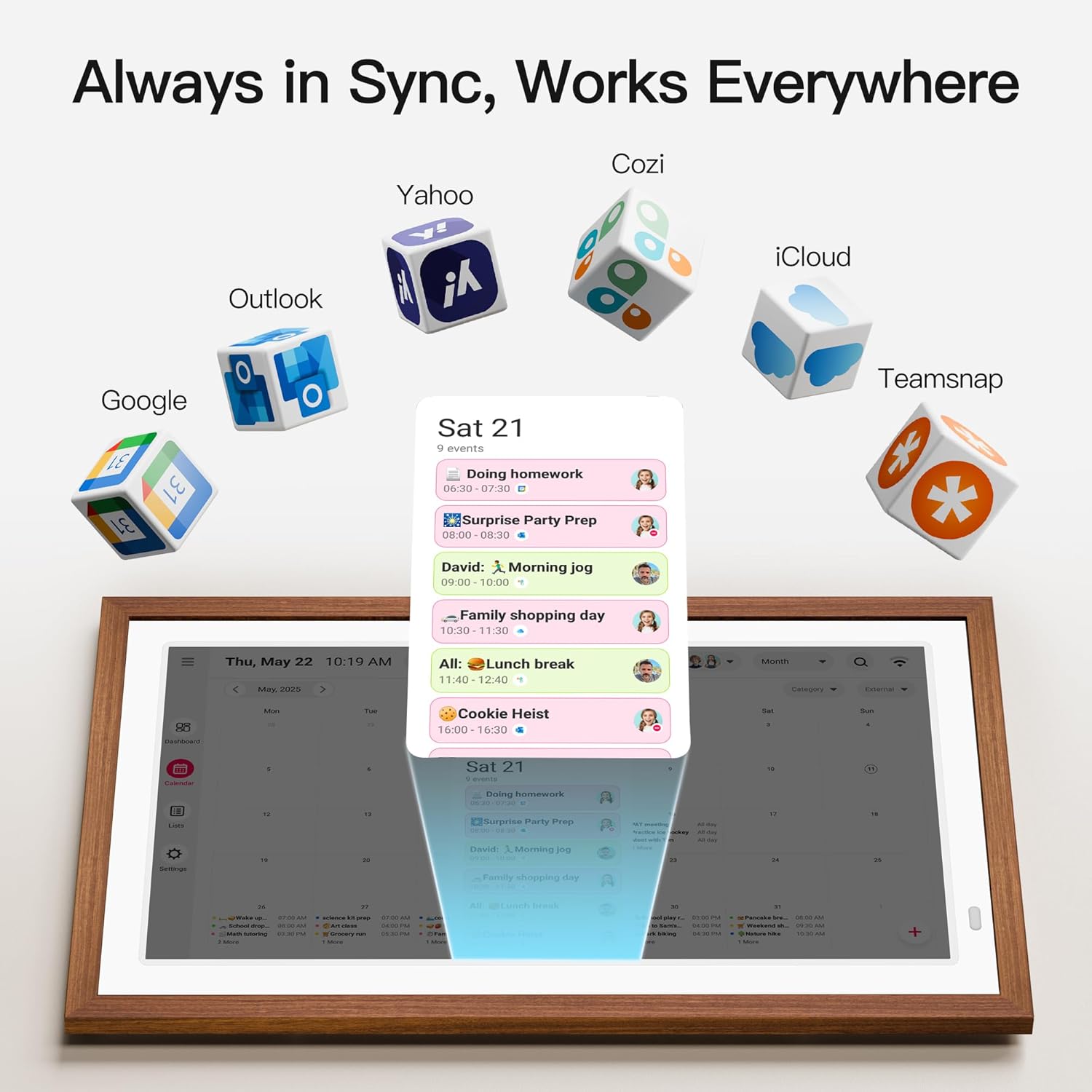
Image: The digital calendar synchronizing with multiple online calendar services.
Instruccions de funcionament
1. Tauler de control acabatview
The Dashboard provides a quick snapshot of your upcoming schedules, current weather, and active lists. It serves as your central command center for a unified view of your daily organization.

Image: Dashboard interface showing a summary of schedules and lists.
2. Calendar Management
Navigate through different calendar views and manage your events directly on the touchscreen or via the mobile app.
- Views: Switch between Monthly, Weekly, and Daily views to see your schedule in detail.
- Adding Events: Tap the '+' icon on the screen or use the app to add new events. Input event title, date, time, and assign to family members.
- Editing Events: Tap on an existing event to modify its details.
- Color-Coding: Assign different colors to tasks or family members for visual organization.

Image: Interface for adding and editing events on the digital calendar.

Image: Monthly, Weekly, and Daily calendar views.
3. List Management
Create and manage various lists to streamline household tasks and planning.
- Chore Chart: Assign chores to family members and track completion.
- Meal Planner: Plan weekly meals to keep everyone informed.
- To-Do Lists: Create and manage personal or shared to-do lists.
- Grocery Lists: Keep track of items needed for shopping.

Image: List management interface for various tasks and planning.
4. Photo Frame Functionality
Transform your digital calendar into a dynamic photo frame.
- Share photos and videos directly from your smartphone using the "Whale Framely" app.
- Display a continuous slideshow of your favorite family memories.
5. Mode de repòs
Configure sleep and wake times to conserve energy and adapt to your family's schedule.
- Access Sleep Mode settings through the device menu.
- Set specific hours for the display to turn off and on automatically.

Image: Illustration of the digital calendar in Sleep Mode (screen off) and awake (displaying information).
6. Switchable Alarms and Reminders
Receive timely notifications for your scheduled events.
- Set alarms for important events directly within the event creation or editing interface.
- The calendar will display on-screen reminders when an event is approaching.

Image: Digital calendar displaying a reminder notification.
7. Auto-Rotate Functionality
The display supports both landscape and portrait orientations, automatically adjusting the content.
- Whether mounted on a wall or placed on a countertop, the screen content will rotate to match the device's orientation.

Image: Demonstration of the auto-rotate feature for both portrait and landscape orientations.
Especificacions
| Marca | BIGASUO |
| Número de model | 216C |
| Mida de la pantalla | 21.5 polzades |
| Color | Wood-tone |
| Material | Plàstic |
| Dimensions del producte | 14.1 x 14.1 x 22.2 polzades |
| Pes de l'article | 10.73 lliures |
| Tipus de muntatge | Muntatge de paret |
Resolució de problemes
If you encounter issues with your BIGASUO Digital Calendar, please refer to the following common solutions:
- Sense energia: Ensure the DC adapter is securely connected to both the device and a working power outlet.
- Problemes de connexió Wi-Fi: Check your router and ensure the Wi-Fi network is active. Re-enter your Wi-Fi password in the device settings.
- Synchronization Problems: Verify that your calendar accounts are correctly linked in the "Whale Framely" app and that the device has a stable internet connection.
- La pantalla no respon: Try restarting the device by unplugging and re-plugging the power adapter.
- Problemes amb l'aplicació: Ensure your "Whale Framely" app is updated to the latest version. Try reinstalling the app if problems persist.
For further assistance, please contact BIGASUO customer support.
Manteniment
Proper maintenance ensures the longevity and optimal performance of your digital calendar.
- Neteja de la pantalla: Use a soft, lint-free cloth to gently wipe the screen. Avoid abrasive cleaners or sprays directly on the display.
- Neteja del marc: Netegeu el marc amb un drap sec o lleugerament secamp tela.
- Actualitzacions de programari: Periodically check for and install software updates through the device settings to ensure you have the latest features and security enhancements.
- Col·locació: Avoid placing the device in direct sunlight, extreme temperatures, or high humidity.
Garantia i Suport
Your BIGASUO Digital Calendar comes with a manufacturer's warranty. Please refer to the warranty card included in your package for specific terms and conditions.
For technical support, product inquiries, or warranty claims, please contact BIGASUO customer service through the contact information provided on the official BIGASUO weblloc web o a la documentació del producte.