1. Introducció
The SmallRig Phone Monitor Screen with Wireless Control (Model 4850) is designed to provide real-time monitoring and wireless control for smartphone videography. It allows users to view their phone's camera feed on a separate screen, facilitating precise framing and operation, especially when using the rear camera for higher quality footage. This manual provides detailed instructions for setting up, operating, and maintaining your device.
2. Contingut del paquet
Si us plau, verifiqueu que tots els elements que s'enumeren a continuació estiguin inclosos al vostre paquet:
- Monitor x 1
- Pan & Tilt Head x 1
- Comandament a distància sense fil x 1
- Cable de càrrega x 1
- Instruccions de funcionament x 1

Figure 2.1: Contents of the SmallRig Phone Monitor Screen package.
3. Producte acabatview

Figura 3.1: frontal i lateral views of the SmallRig Phone Monitor with button labels.
The monitor features a simple interface for ease of use:
- Botó ON/OFF: Press and hold to power the device on or off.
- Brightness +/- Buttons: Adjust the screen brightness to one of three levels.
- Port de càrrega USB-C: Located on the side for convenient charging.
- Forat roscat de 1/4"-20: Integrated for mounting to various accessories.
4. Configuració
4.1 MagSafe Attachment
The monitor is designed for quick and secure attachment to iPhone 12 series and newer models via MagSafe. It can also be used with other phones equipped with a magnetic ring.
- Align the magnetic back of the monitor with the MagSafe area on your iPhone or magnetic ring.
- The monitor will snap securely into place with a strong 2500Gs magnetic hold.

Figure 4.1: Secure magnetic attachment of the monitor to a smartphone.
4.2 Compatibilitat amb telèfons
The SmallRig Phone Monitor is compatible with iPhone 12 series and above. For Android phones, please note that this device is not suitable for Google Pixel or Samsung S22/S22 Ultra series phones. If you own an Android phone, it is recommended to consult customer service for compatibility before purchase.

Figure 4.2: Visual representation of phone compatibility.
4.3 Opcions de muntatge
The monitor offers versatile mounting options:
- Forat roscat de 1/4"-20: Use the built-in standard 1/4"-20 threaded hole to mount the monitor to phone cages, tripods, or other rigs.
- Muntatge de sabates fredes: The included cold shoe mount allows for additional attachment flexibility.

Figure 4.3: Monitor mounted on a tripod, showing multi-angle adjustment.
5. Instruccions de funcionament
5.1 Compartició de pantalla sense fil
The monitor provides real-time wireless screen sharing of your phone's camera feed up to 10 meters (32.8 feet). This allows for convenient monitoring during vlogging, filmmaking, or taking selfies with the rear camera.
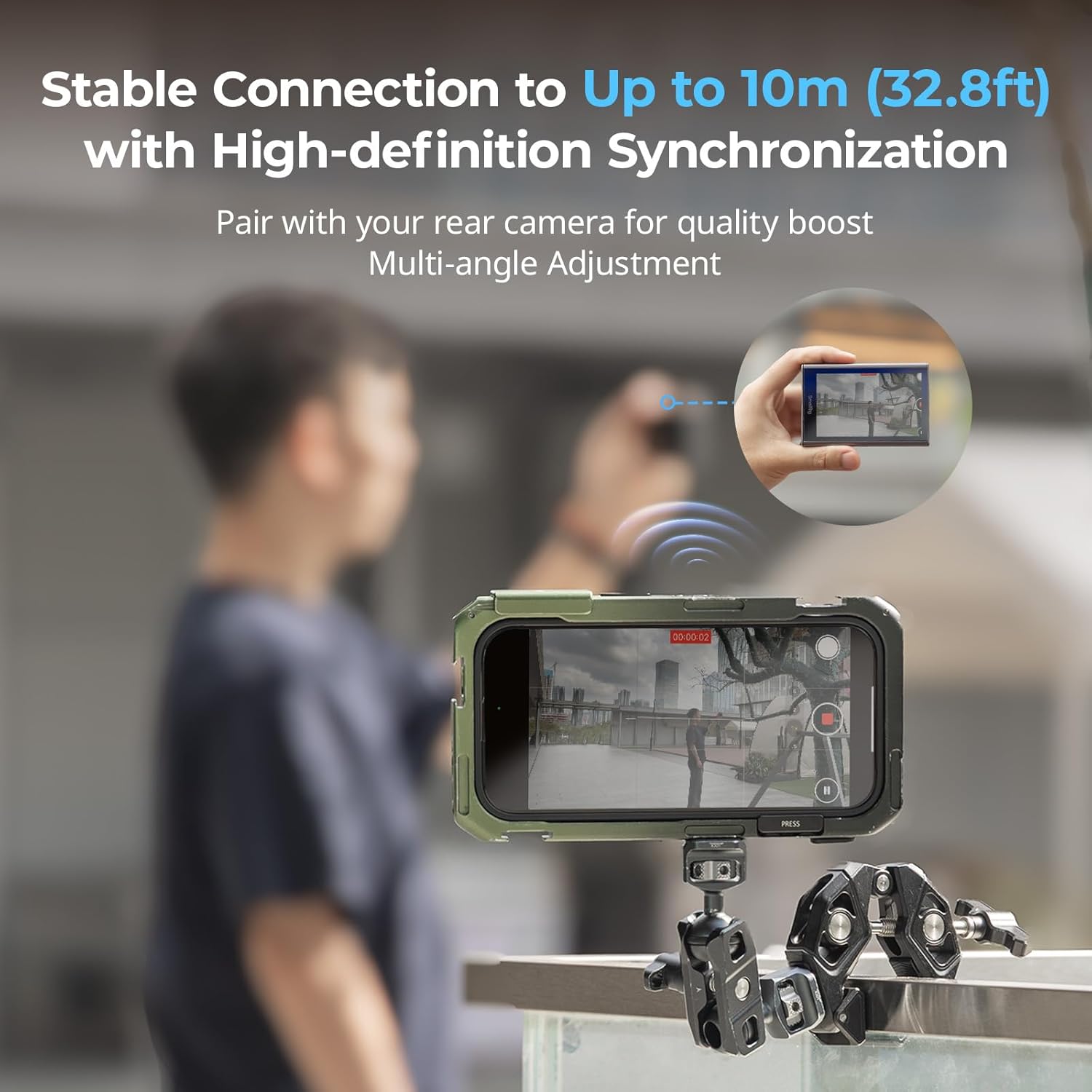
Figure 5.1: Wireless screen sharing in action.
5.2 Control remot sense fils
Use the included wireless remote control to start and stop recording or capture photos remotely. This eliminates the need to touch your phone, ensuring stable shots and convenient operation.
5.3 Camera App Usage
The monitor supports various recording modes depending on the camera application used:
- Native Camera for iPhone: Supports 1080p/60fps and 4K 24fps/30fps recording.
- Blackmagic Camera App (Recommended): Fully compatible with all 4K recording modes, including 4K at 120fps/60fps/30fps/24fps.
Nota important: The original iPhone camera does not support 4K/60fps or 4K/120fps. Delays may occur with the native camera app at higher resolutions.
Figure 5.2: Camera app compatibility and recommended settings.
5.4 Ajust de brillantor
The monitor features a 3-level brightness adjustment. Use the dedicated brightness buttons on the side of the monitor to cycle through the available levels to suit your viewmedi ambient.

Figure 5.3: Adjusting screen brightness.
5.5 Mode mirall
The monitor supports a mirror mode feature. Double-tap the ON/OFF button to switch between normal and mirror display modes. This can be useful for specific shooting scenarios or personal preference.

Figure 5.4: Mirror mode functionality.
6. Manteniment
To ensure the longevity and optimal performance of your SmallRig Phone Monitor, follow these maintenance guidelines:
- Neteja: Use a soft, dry cloth to clean the screen and body of the monitor. Avoid abrasive materials or harsh chemicals.
- Emmagatzematge: Guardeu el monitor en un lloc fresc i sec, allunyat de la llum solar directa i de temperatures extremes.
- Manipulació: Handle the device with care to prevent drops or impacts, which could damage internal components or the screen.
7. Solució De Problemes
7.1 Problemes de compatibilitat
If you are using an Android phone and experience issues, please confirm your device is not a Google Pixel or Samsung S22/S22 Ultra series phone, as these are not compatible. For other Android models, ensure your phone's settings allow for external display mirroring.
7.2 Display Lag or Screen Cropping
Some users may experience minor display lag or screen cropping, particularly when using the native iPhone camera app or in landscape mode. For optimal performance and to minimize these issues, it is highly recommended to use the Blackmagic Camera App, which offers full compatibility with all 4K recording modes and better synchronization.
7.3 Connection Stability
If the wireless screen sharing connection becomes unstable or drops, try the following:
- Ensure the monitor and phone are within the 10-meter (32.8ft) wireless range.
- Disconnect and re-connect the monitor's wireless connection to your phone.
- Check for any potential interference from other wireless devices.
8. Especificacions
| Dimensions del producte | 4.17 x 2.72 x 0.55 polzades |
| Pes de l'article | 4.6 unces (129 grams) |
| Bateria | 1500mAh Lithium Ion (built-in, lasts 3+ hours) |
| Comunicació sense fils | WiFi |
| Tecnologies de connectivitat | Wi-Fi |
| Dispositius compatibles | iPhone 12 and above, Phones with magnetic metal rings |
| Fabricant | SMALLRIG |
9. Vídeo oficial del producte
Watch this official video from SmallRig for a visual guide on the Phone Vlog Selfie Monitor Screen.
Video 9.1: SMALLRIG Phone Vlog Selfie Monitor Screen overview by the seller.
10. Garantia i Suport
For warranty information, technical support, or any inquiries regarding your SmallRig Phone Monitor Screen, please refer to the official SmallRig weblloc web o contacteu directament amb el seu servei d'atenció al client. Conserveu el rebut de compra com a comprovant de compra per a qualsevol reclamació de garantia.


