1. Introducció
This user manual provides essential information for the Lenovo IdeaPad 1 Laptop, Model 81VU00D6US. It covers initial setup, operational guidelines, maintenance tips, and troubleshooting steps to ensure optimal performance and user experience. Please read this manual thoroughly before using your device.
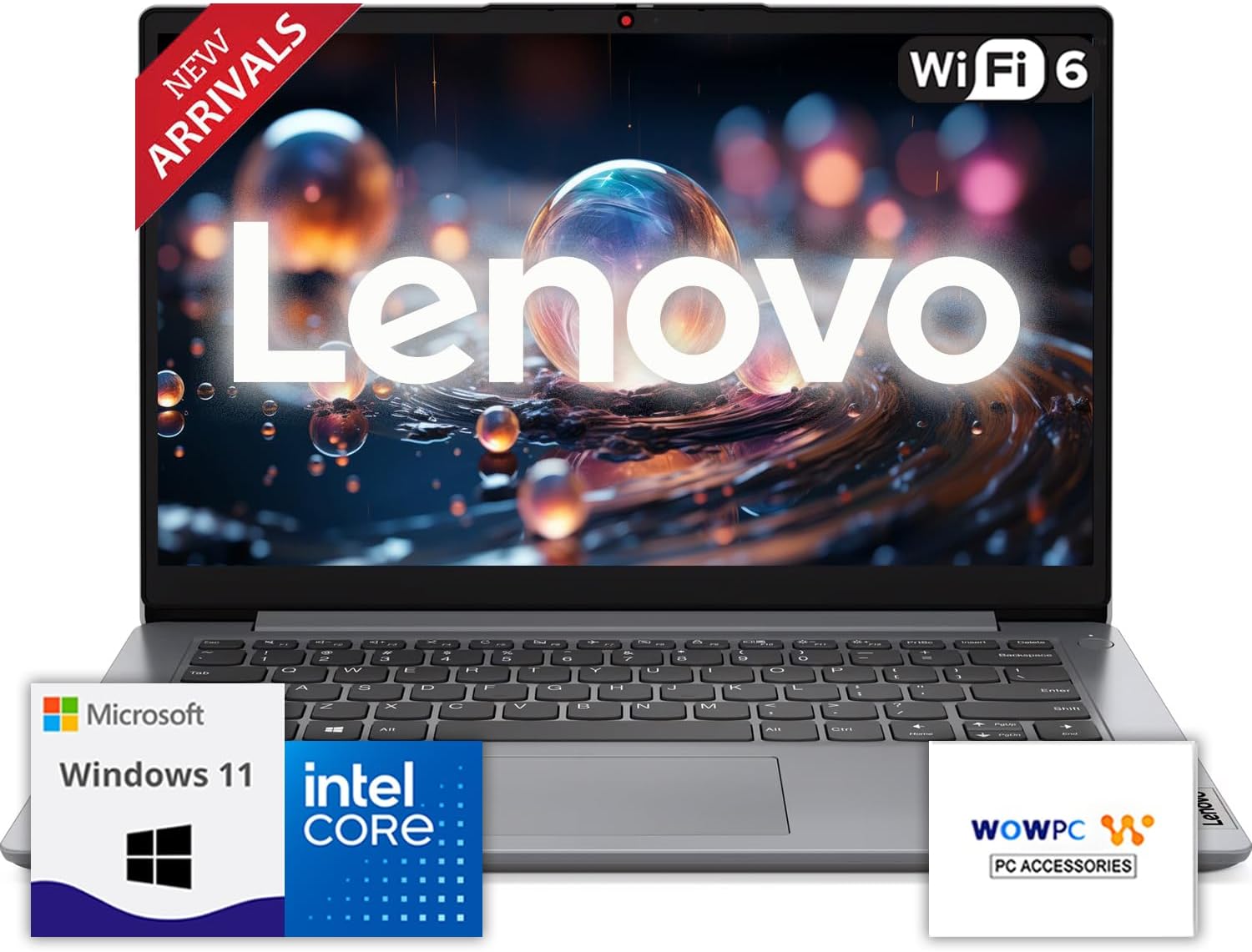
Figure 1: Lenovo IdeaPad 1 Laptop overview.
2. Configuració
2.1 Desembalatge i inspecció inicial
Traieu amb cura tots els components de l'embalatge. Verifiqueu que hi hagi els elements següents:
- Portàtil Lenovo IdeaPad 1
- Adaptador d'alimentació i cable
- Documentació (Guia d'inici ràpid, Informació de garantia)
Inspeccioneu el portàtil per detectar qualsevol dany físic. Si falta algun component o hi ha algun dany, poseu-vos en contacte immediatament amb el vostre distribuïdor o amb el servei d'assistència de Lenovo.
2.2 Connexió a l'alimentació
Abans del primer ús, connecteu el portàtil a una presa de corrent amb l'adaptador de corrent proporcionat. És possible que la bateria no estigui completament carregada en arribar.
- Plug the power adapter into the laptop's power port.
- Connecteu el cable d'alimentació a una presa de corrent.
- Allow the laptop to charge for at least 30 minutes before initial power-on, or until the battery indicator shows sufficient charge.
2.3 Engegada inicial i configuració del Windows 11
Press the power button located on the top-right side of the keyboard to turn on the laptop. Follow the on-screen instructions to complete the Windows 11 setup process. This includes selecting your region, connecting to a Wi-Fi network, creating a user account, and accepting the license agreement.
During the setup, Windows 11 may download and install updates. This process can take some time. Ensure the laptop remains connected to power and the internet during this period.
3. Com fer servir el portàtil
3.1 Teclat i touchpad
The Lenovo IdeaPad 1 features a full-sized keyboard and a precision touchpad for navigation. Familiarize yourself with the layout and special function keys (Fn keys) for controlling brightness, volume, and other system settings.
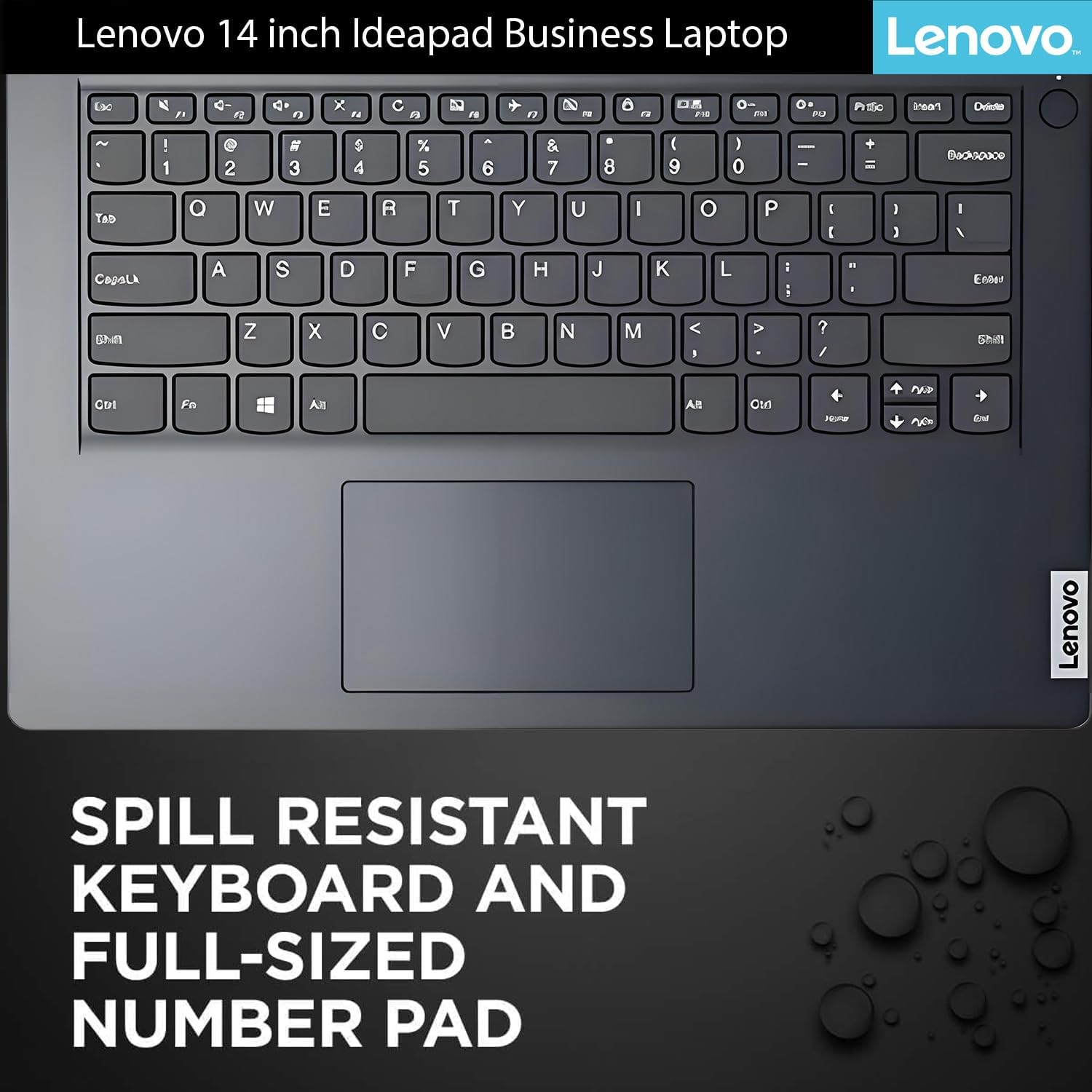
Figura 2: Disposició del teclat i del touchpad.
3.2 Ports i connectivitat
The laptop offers a variety of ports for connecting external devices and accessories.
- Ports del costat esquerre: 1x USB-C 10Gbps, 1x USB-A 10Gbps, 1x Headset Combo, HDMI Port.
- Ports del costat dret: 1x USB-A 10Gbps, SD-Card Reader, 1x Audio-Out.
For wireless connectivity, the laptop supports Wi-Fi 6 for fast internet access and Bluetooth for connecting wireless peripherals like headphones or mice.

Figure 3: Laptop ports and their locations.
3.3 Webcàmera amb obturador de privadesa
La integrada webcam includes a physical privacy shutter. Slide the shutter to cover the camera lens when not in use to enhance your privacy.
3.4 Característiques de visualització
The laptop features a 14-inch display with narrow bezels and an anti-glare finish for improved viewing comfort. The maximum screen resolution supported is 1920x1080 pixels.

Figure 4: Display features of the Lenovo IdeaPad 1.
3.5 Microsoft Office 365
Your laptop may include a 12-month subscription to Microsoft Office 365 Personal. Follow the instructions provided with your laptop or on the Microsoft website to activate and install Office applications.

Figure 5: Microsoft Office 365 integration.
3.6 Gestió de la bateria
The laptop is equipped with a Lithium Ion battery designed to provide up to 11 hours of usage. It also features Rapid Charge Boost technology for quick charging.
- To maximize battery life, adjust screen brightness, close unused applications, and enable power-saving modes in Windows settings.
- For rapid charging, ensure the laptop is powered off or in sleep mode while connected to the original power adapter.
4. Manteniment
4.1 Cures i neteja generals
- Mantingueu el portàtil en un entorn net i sec, allunyat de temperatures extremes.
- Clean the screen with a soft, lint-free cloth specifically designed for electronics. Do not use harsh chemicals.
- Wipe the keyboard and chassis with a slightly damp, drap suau.
- Avoid spilling liquids on the keyboard. The keyboard is spill-resistant, but excessive liquid can still cause damage.
4.2 Actualitzacions de programari
Regularly update your Windows 11 operating system and drivers to ensure optimal performance, security, and compatibility. Windows Update typically handles this automatically, but you can manually check for updates via Configuració > Actualització de Windows.
4.3 Funcions de seguretat
The laptop includes a hardware TPM security chip for enhanced data protection. Utilize Windows 11 security features like Windows Hello (if applicable) and BitLocker for further security. A physical lock slot is also available for securing the device.
5. Solució De Problemes
This section addresses common issues you might encounter with your Lenovo IdeaPad 1 Laptop.
5.1 Problemes d'alimentació i arrencada
- El portàtil no s'encén: Assegureu-vos que l'adaptador de corrent estigui connectat correctament tant al portàtil com a una presa de corrent que funcioni. Comproveu si l'indicador lluminós d'engegada està encès. Intenteu mantenir premut el botó d'engegada durant 10-15 segons per dur a terme un restabliment complet.
- El portàtil s'encén però no hi ha pantalla: Connect an external monitor to the HDMI port to check if the display issue is with the laptop screen or the graphics output.
5.2 Problemes de rendiment
- Rendiment lent: Close unnecessary applications running in the background. Check Task Manager (Ctrl+Shift+Esc) for resource-intensive processes. Ensure Windows and drivers are up to date. Consider running a disk cleanup.
- Problemes de connectivitat Wi-Fi: Restart your router and modem. Disable and re-enable Wi-Fi on your laptop. Ensure drivers for your Wi-Fi adapter are current.
5.3 Altres qüestions
- Keyboard or Touchpad not responding: Restart the laptop. If the issue persists, check for driver updates in Device Manager.
- Problemes d'àudio: Check volume levels, ensure speakers are not muted, and verify audio drivers are installed and up to date.
Si teniu problemes que no es cobreixen aquí o necessiteu més ajuda, consulteu la secció Garantia i assistència.
6. Especificacions
Below are the technical specifications for the Lenovo IdeaPad 1 Laptop (Model 81VU00D6US).

Figure 6: Key features and specifications.
| Característica | Detall |
|---|---|
| Nom del model | IdeaPad 1 (81VU00D6US) |
| Processador | Intel Celeron N4500 (1.1 GHz, fins a 2.8 GHz) |
| RAM | 12 GB DDR4 (up to 36 GB configurable) |
| Emmagatzematge | 256 GB SSD (PCIe M.2, up to 2 TB configurable) |
| Mostra | 14-inch, 1366 x 768 pixels (Max 1920x1080 Pixels) |
| Gràfics | Gràfics Intel (integrats) |
| Sistema operatiu | Windows 11 |
| Connectivitat sense fil | Wi-Fi 6, Bluetooth |
| Ports | 1x USB-C 10Gbps, 2x USB-A 10Gbps, 1x HDMI, 1x Headset Combo, 1x SD-Card Reader |
| Bateria | 1 Lithium Ion (up to 11 hours) |
| Pes | 3.84 lliures |
| Dimensions (LxWxH) | 14.09 x 9.53 x 0.78 polzades |
| Característiques especials | Memory Card Slot, Webcam with Privacy Shutter, Dolby Audio Speakers |
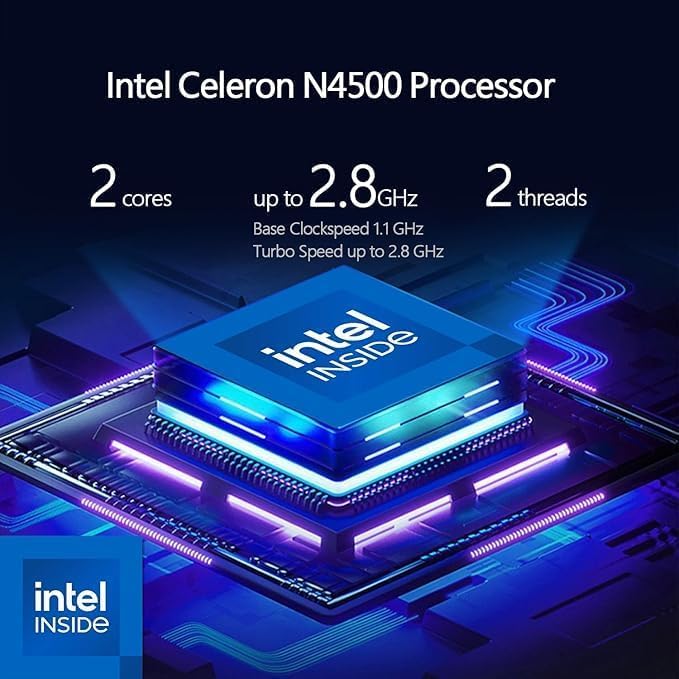
Figure 7: Intel Celeron N4500 Processor details.
7. Garantia i Suport
7.1 Garantia del producte
Your Lenovo IdeaPad 1 Laptop is covered by a standard manufacturer's warranty. Please refer to the warranty documentation included with your product for specific terms and conditions, including coverage period and service procedures.
7.2 Plans de protecció ampliada
Optional extended protection plans are available for purchase to provide additional coverage beyond the standard warranty. These plans may include:
- Pla de protecció de 2 anys
- Pla de protecció de 4 anys
- Complete Protect: un pla mensual que cobreix les compres passades i futures elegibles.
For details on these plans, please consult your retailer or the Lenovo weblloc.
7.3 Suport tècnic
Per obtenir assistència tècnica, descàrregues de controladors o més informació sobre el producte, visiteu el lloc web de suport oficial de Lenovo. website. You can also find contact information for customer service and technical support in your region.
Suport de Lenovo Weblloc: www.lenovo.com/support


