1. Introducció
The Ambitful T14 PRO is a 14-inch teleprompter designed for professional video recording, interviews, live streaming, and online teaching. It features an ultra-high perspective and a crystal-clear reflective optical glass lens with 97% light transmission, ensuring your script is clearly visible without distortion. This teleprompter is foldable for easy setup and portability, requiring no complex assembly. It supports a wide range of devices, including cameras, iPads, Android tablets, and smartphones up to 12.9 inches, and offers smart app control via Bluetooth for seamless script management.
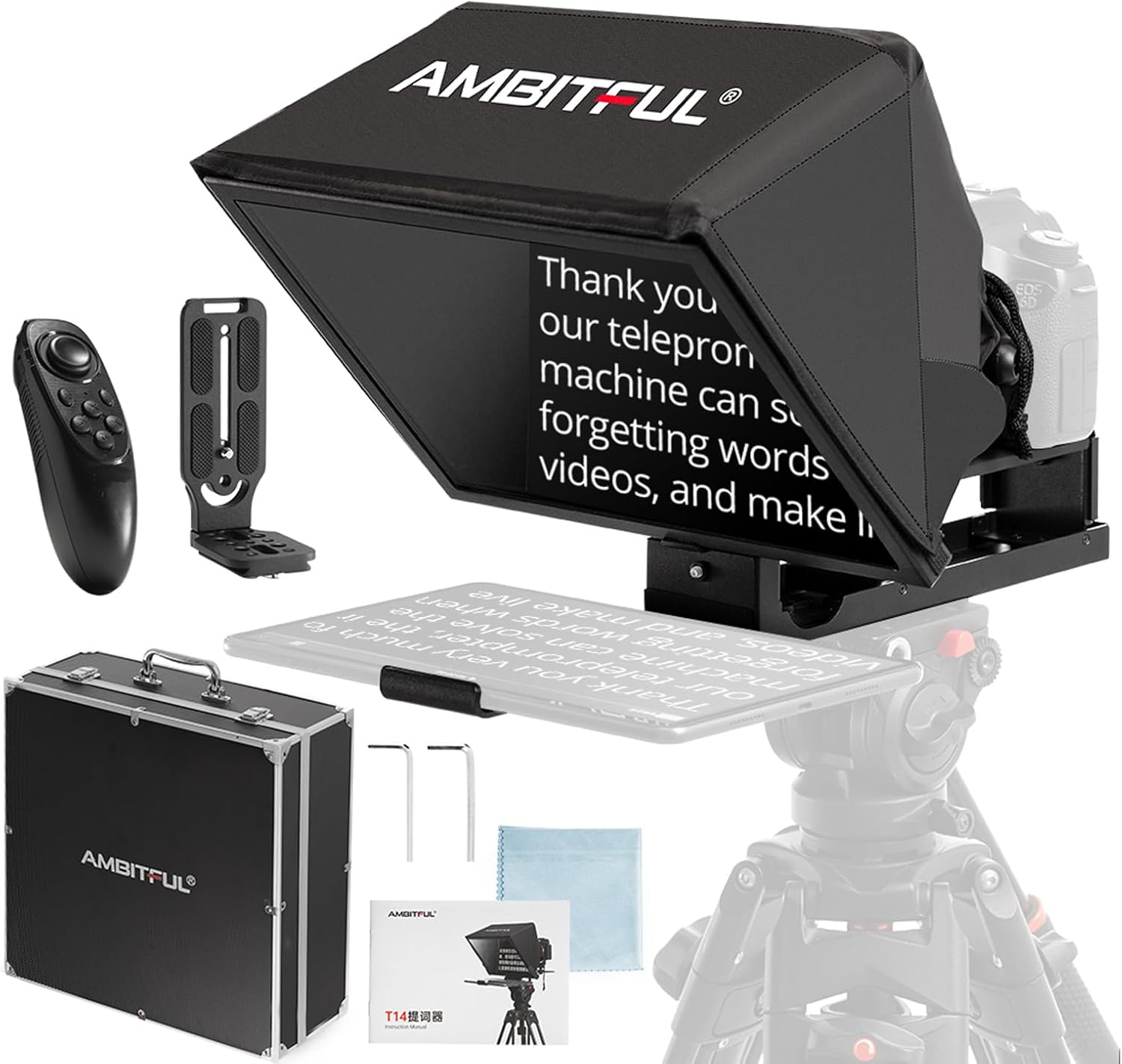
Image 1.1: Ambitful T14Pro Teleprompter and included accessories.
2. Què hi ha a la caixa
Si us plau, verifiqueu que tots els components següents estiguin inclosos al vostre paquet:
- Teleprompter x 1
- Caixa d'emmagatzematge x 1
- Control remot x 1
- Suport en L x 1
- Wrench Screw x 2
- Dust Cloth x 1
- Manual x 1

Imatge 2.1: Representació visual de tots els elements inclosos en el paquet del producte.
3. Configuració
The Ambitful T14 PRO teleprompter is designed for quick setup with no complex assembly required. Follow these steps to prepare your teleprompter for use:
- Desplega el teleprompter: Gently unfold the teleprompter from its compact storage position.
- Muntatge sobre trípode: Attach the teleprompter to a tripod using the integrated 1/4-inch or 3/8-inch threads on its base. Ensure it is securely fastened for stability during recording.
- Adjust Screen Height (Lift Gimbal): The teleprompter is equipped with a screen head that allows you to adjust the height of the reflective screen. The camera height can also be adjusted by installing a camera lifting head, providing approximately 8cm of vertical adjustment range.
- Inseriu el vostre dispositiu: The teleprompter's telescopic splint can be adjusted to accommodate mobile phones or tablets up to 12.9 inches. Extend the splint to fit your device securely.
- Munta la teva càmera: Position your camera behind the teleprompter. The teleprompter supports both vertical and horizontal shooting styles, which can be achieved by changing the position of the L-shaped quick release plate mounted on the camera.

Image 3.1: Adjusting the screen and camera height using the lift gimbal.
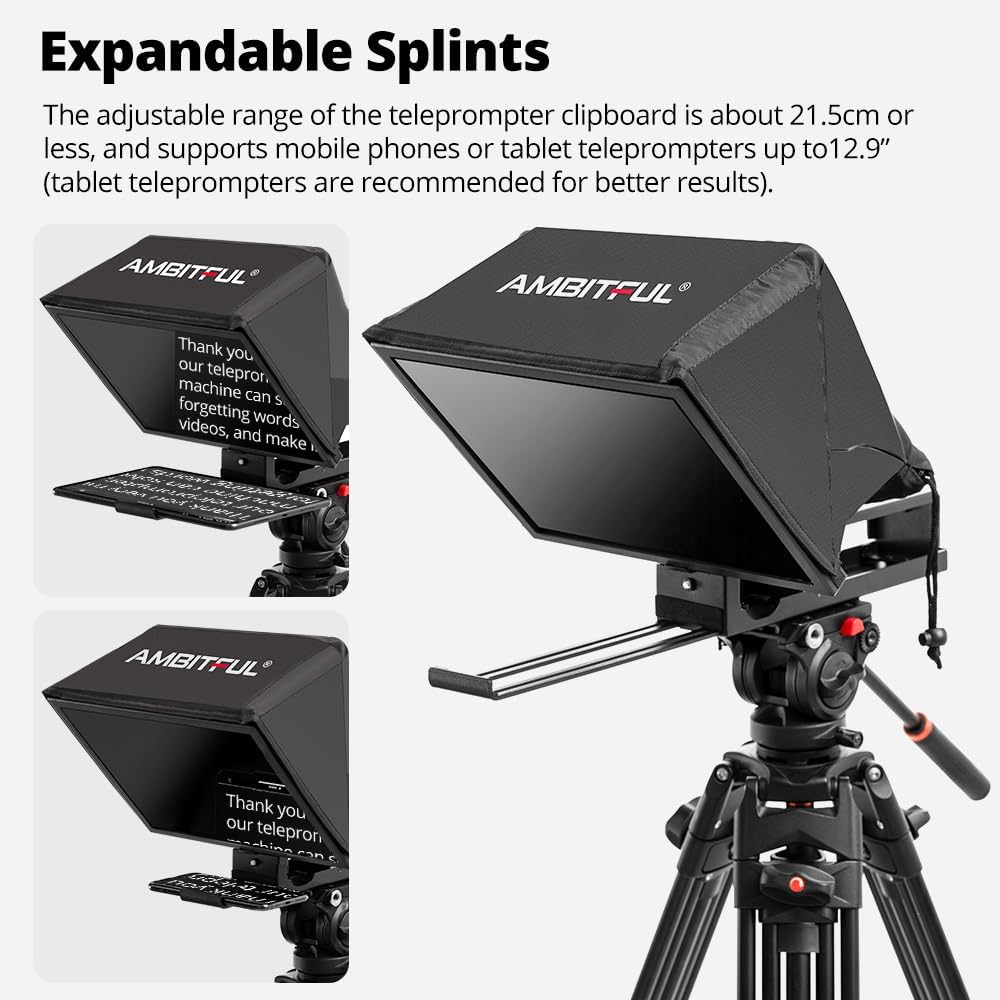
Image 3.2: The adjustable splints accommodate various mobile devices.

Image 3.3: The teleprompter supports both vertical and horizontal camera orientations.
4. Funcionament
Operating your Ambitful T14 PRO teleprompter is intuitive, especially with the dedicated app control.
4.1. Display and Clarity
The 14-inch ultra-high perspective display and crystal-clear reflective optical glass lens ensure your script is reflected with remarkable clarity. With a 97% light transmission rate, you can effortlessly read your script without any visual obstruction or impurities.

Image 4.1: The 14-inch screen provides clear and readable text.
4.2. Control intel·ligent d'aplicacions
Enhance your teleprompting experience by pairing your smartphone or tablet with the Ambitful teleprompter app via Bluetooth. The app allows for comprehensive control over your script:
- Reproduir/pausa: Start or stop the script scrolling.
- Adjust Scrolling Speed: Control the pace of the text to match your speaking speed.
- Turn Pages: Navigate through your script.
- Change Font Size: Adjust text size for optimal readability.
- Change Background Color: Customize the background for better contrast.

Image 4.2: The included remote control facilitates app-based script management.
4.3. Wide-Angle Lens Support
The teleprompter supports wide-angle lens shooting with a focal length of no less than 35mm, providing a bigger field of view and capturing larger scenes without dark corners in the picture.

Image 4.3: The teleprompter is compatible with wide-angle lenses for broader shots.
4.4. Escenaris aplicables
The Ambitful T14 PRO teleprompter is versatile and suitable for various professional applications:
- Gravació de vídeo
- Interviews
- Transmissió en directe
- Cursos en línia
- Ponències i presentacions
- News Broadcasts
- Tutorials

Imatge 4.4: Ex.amples of the teleprompter in use across different professional settings.
5. Manteniment
Proper care and maintenance will ensure the longevity and optimal performance of your Ambitful T14 PRO teleprompter.
- Cleaning the Reflective Glass: Use the provided dust cloth or a soft, lint-free microfiber cloth to gently wipe the reflective glass. For stubborn smudges, a small amount of lens cleaning solution designed for optical surfaces can be applied to the cloth (not directly to the glass). Avoid abrasive materials or harsh chemicals.
- Neteja del cos: Wipe the exterior surfaces of the teleprompter with a soft, damp cloth. Do not use excessive moisture or immerse any part of the device in water.
- Emmagatzematge: When not in use, fold the teleprompter flat and store it in the provided carrying case. This protects the optical components and prevents dust accumulation. Store in a cool, dry place away from direct sunlight and extreme temperatures.
- Evitar l'impacte: Handle the teleprompter with care to prevent drops or impacts, which could damage the optical glass or internal components.
6. Solució De Problemes
If you encounter issues with your Ambitful T14 PRO teleprompter, refer to the following common problems and solutions:
| Problema | Causa possible | Solució |
|---|---|---|
| Text appears blurry or unclear on the screen. | Dust or smudges on the reflective glass; incorrect device placement. | Clean the reflective glass with the provided dust cloth. Ensure your tablet/phone is placed correctly and securely on the splint. |
| Remote control not connecting to the app. | Bluetooth not enabled; remote battery low; app not open or paired. | Ensure Bluetooth is enabled on your device. Check remote battery and replace if necessary. Open the Ambitful teleprompter app and follow pairing instructions. |
| Device (phone/tablet) does not fit the splint. | Device size exceeds maximum compatibility. | The teleprompter supports devices up to 12.9 inches. Ensure your device is within this size limit. |
| Càmera view shows dark corners (vignetting). | Using a lens with a focal length less than 35mm. | Use a wide-angle lens with a focal length of 35mm or greater to avoid vignetting. |
7. Especificacions
| Nom del producte | Ambitful T14 PRO Teleprompter |
| Número de model | Ambitful T14 PRO |
| Mida de la pantalla | 14 polzades |
| Velocitat de transmissió de la llum | 97% |
| Compatible Device Size | Mobile phones or tablets under 12.9 inches (telescopic splint adjustable up to 21.5 cm) |
| Connectivitat | Bluetooth (for app control) |
| Fils de muntatge | 1/4-inch and 3/8-inch |
| Dimensions del producte | 20 x 14 x 14 polzades (aproximadament muntat) |
| Pes de l'article | 6.84 lliures (aprox. 3.1 kg) |
| Fabricant | AMBITS |

Image 7.1: Key dimensions of the Ambitful T14Pro Teleprompter.
8. Garantia i assistència
For detailed warranty information and customer support, please refer to the official AMBITFUL weblloc web o contacteu directament amb el seu servei d'atenció al client. Conserveu el rebut de compra com a comprovant de compra per a qualsevol reclamació de garantia.
For further assistance, you may visit the AMBITFUL store on Amazon: AMBITFUL Store


