Introducció
Thank you for choosing the GOBOULT Flex On-Ear Bluetooth Headphones. This manual provides essential information for setting up, operating, and maintaining your headphones to ensure optimal performance and longevity. Please read this manual thoroughly before using the product.
Què hi ha a la caixa
- GOBOULT Flex On-Ear Bluetooth Headphones
- Cable de càrrega ràpida tipus C
- Manual d'usuari
- Targeta de garantia
Producte acabatview
The GOBOULT Flex headphones are designed for comfort and high-quality audio. They feature 40mm bass-boosted drivers, Bluetooth 5.4 connectivity, and an adjustable, foldable design.

Imatge: Més deview of GOBOULT Flex features including 40mm drivers, Bluetooth 5.4, 4 EQ modes, 60ms low latency, 80-hour battery, and ENC calling.
Components clau:
- Orelles: Soft, cushioned earcups for comfort.
- Diadema ajustable: Permet un ajust personalitzat.
- Botons de control: Located on the earcups for power, volume, playback, and call management.
- Port de càrrega tipus C: Per carregar els auriculars.
- Entrada AUX: Per a connexió d'àudio amb cable.
- Micròfon: Integrated Zen™ ENC mic for clear calls.

Image: The adjustable headband and earcups of the GOBOULT Flex headphones, designed for a comfortable fit.
Configuració
1. Càrrega dels auriculars
Before first use, fully charge your GOBOULT Flex headphones. Use the provided Type-C charging cable.
- Connect the Type-C cable to the charging port on the headphones.
- Connecteu l'altre extrem del cable a una font d'alimentació USB (per exemple, un adaptador de paret, un port USB de l'ordinador).
- The LED indicator will show charging status (refer to product for specific light patterns).
- Una càrrega completa triga aproximadament 60 minuts i proporciona fins a 80 hores de reproducció.
- Fast charging provides 5 hours of playtime with just 10 minutes of charging.
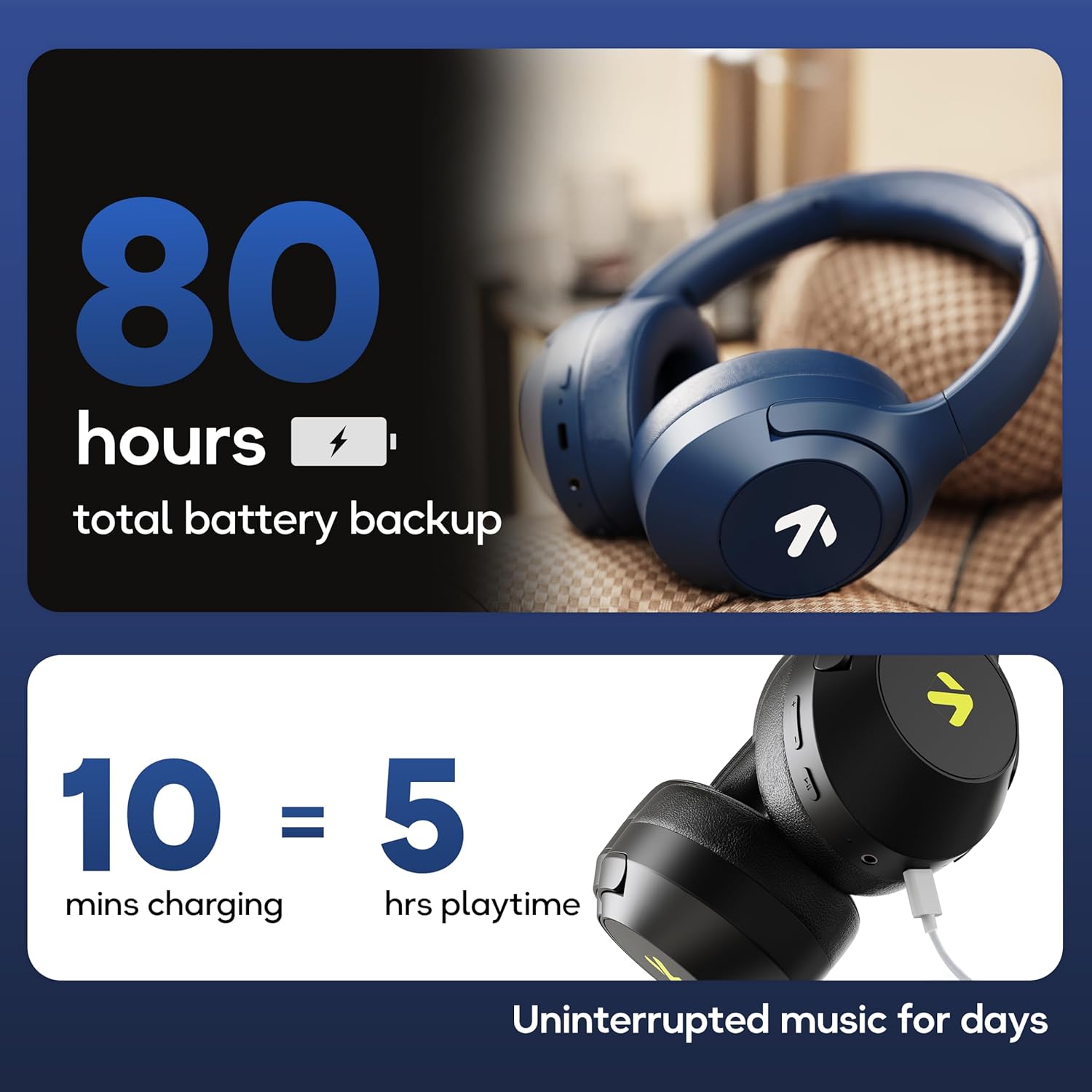
Image: Visual representation of the 80-hour battery life and fast charging capability (10 minutes charge for 5 hours playback).
2. Emparellament Bluetooth
Emparella els auriculars amb el dispositiu per a àudio sense fil.
- Assegureu-vos que els auriculars estiguin carregats i apagats.
- Press and hold the Power button until the LED indicator flashes (usually blue and red alternately), indicating pairing mode.
- Al dispositiu (telèfon intel·ligent, tauleta, ordinador portàtil), activeu el Bluetooth i cerqueu els dispositius disponibles.
- Select "GOBOULT Flex" from the list of devices.
- Un cop connectat, l'indicador LED normalment mostrarà una llum blava fixa o parpellejarà lentament.
- The headphones feature Bluetooth 5.4 and Blink & Pair™ technology for fast and stable connections.

Image: The headphones connected via Bluetooth 5.4, highlighting the Blink & Pair feature for quick device connection.
Instruccions de funcionament
Encès/Apagat
- Encès: Premeu i manteniu premut el botó d'engegada durant aproximadament 3 segons.
- Apagar: Premeu i manteniu premut el botó d'engegada durant aproximadament 5 segons.
Control de música
- Reproduir/pausa: Premeu el botó multifunció una vegada.
- Pista següent: Premeu i manteniu premut el botó de pujar el volum.
- Pista anterior: Manteniu premut el botó de baixar el volum.
- Pujar el volum: Premeu breument el botó de pujar el volum.
- Baixar el volum: Premeu breument el botó per baixar el volum.
Control de trucades
The Zen™ ENC mic ensures clear communication by reducing environmental noise.

Imatge: Detallada view of the Zen™ ENC microphone technology for effective environmental noise cancellation during calls.
- Respondre/Finalitzar la trucada: Premeu el botó multifunció una vegada.
- Rebutja la trucada: Manteniu premut el botó multifunció durant 2 segons.
- Torna a marcar l'últim número: Premeu dues vegades el botó multifunció.
Assistent de veu
Activate your device's voice assistant (e.g., Google Assistant) directly from the headphones.
- Activa l'Assistent de veu: Premeu tres vegades el botó multifunció.

Image: The headphones featuring voice assistant compatibility and IPX5 water resistance for protection against sweat and splashes.
Gaming Mode (60ms Low Latency)
Engage Combat™ Gaming Mode for ultra-low latency audio, ideal for gaming.
- Activa el mode de joc: Refer to the specific button combination in your quick start guide (often a dedicated button or a long press of a volume button).
- This mode reduces audio latency to 60ms for a synchronized gaming experience.
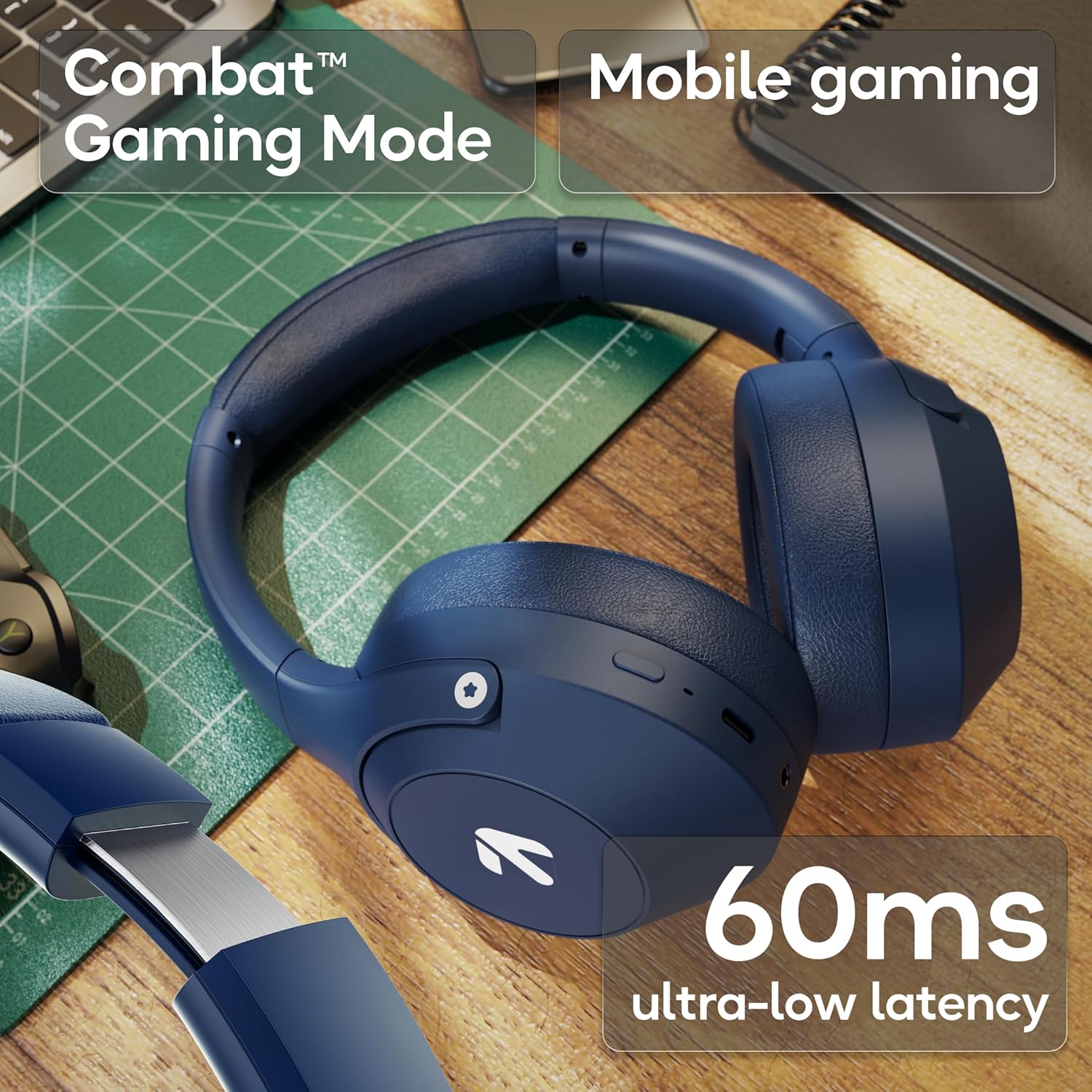
Image: The headphones highlighting the Combat™ Gaming Mode with 60ms ultra-low latency for an enhanced gaming experience.
Mode per cable
Use the included AUX cable for a wired connection when wireless is not preferred or the battery is low. Note that the microphone is typically off in wired mode.
- Connect one end of the 3.5mm AUX cable to the headphone's AUX port.
- Connect the other end to your audio source's 3.5mm jack.
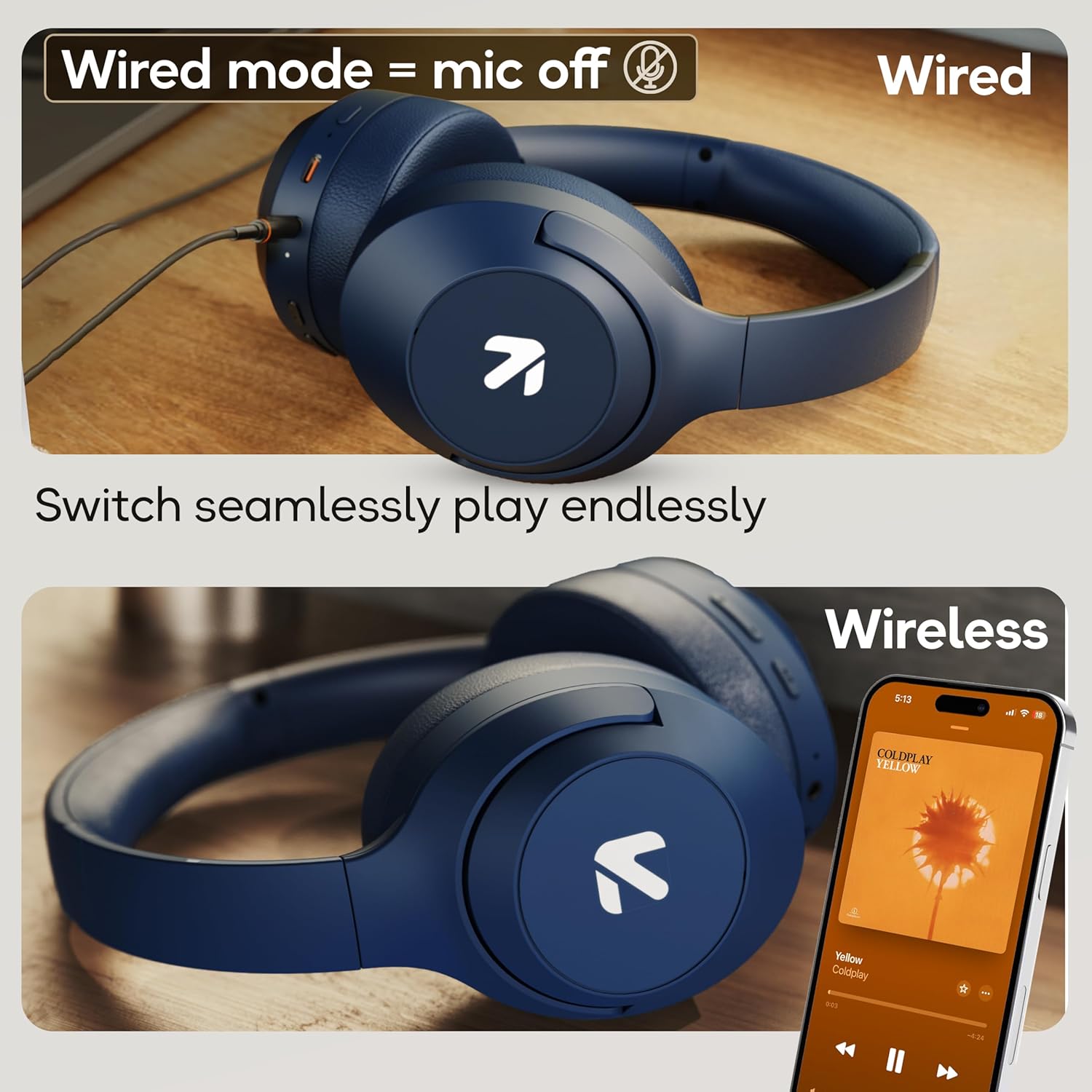
Image: Comparison of wired mode (with mic off) and wireless mode, demonstrating the flexibility of connection options.
Modes EQ
The headphones offer 4 Equalizer (EQ) modes to customize your audio experience.
- Modes disponibles: Bass, Rock, Pop, Vocal.
- Canvi de modes: Refer to the specific button combination in your quick start guide (often a dedicated EQ button or a combination press).

Image: The headphones emphasizing powerful bass delivered by 40mm boosted drivers with Boomx™ technology, and support for AAC/SBC codecs.

Imatge: Interna view of the headphones showing the DSP processor, indicating features like seamless VoIP calls, adaptive audio equalization, and 16-bit dual-audio processing.
Manteniment
Proper maintenance ensures the longevity of your headphones.
- Neteja: Netegeu els auriculars amb un drap suau i sec. No utilitzeu productes químics agressius ni materials abrasius.
- Emmagatzematge: Guardeu els auriculars en un lloc fresc i sec, allunyat de la llum solar directa i de temperatures extremes. El disseny plegable permet un emmagatzematge compacte.
- Resistència a l'aigua: The headphones are IPX5 rated, meaning they are resistant to sweat and light splashes. Do not submerge them in water or expose them to heavy rain.
Resolució de problemes
Sense poder
- Assegureu-vos que els auriculars estiguin completament carregats.
- Comproveu el cable de càrrega i la font d'alimentació.
No es pot emparellar per Bluetooth
- Assegureu-vos que els auriculars estiguin en mode d'emparellament (el LED parpelleja en blau/vermell).
- Make sure Bluetooth is enabled on your device and it is within 10 meters of the headphones.
- Forget "GOBOULT Flex" from your device's Bluetooth list and try pairing again.
- Reinicieu els auriculars i el dispositiu.
Sense so
- Comproveu els nivells de volum tant dels auriculars com del dispositiu connectat.
- Assegureu-vos que els auriculars estiguin correctament emparellats i connectats.
- If using wired mode, ensure the AUX cable is fully inserted into both the headphones and the audio source.
Poca qualitat de trucada
- Assegureu-vos que el micròfon no estigui obstruït.
- Move to a quieter environment to allow the ENC mic to function optimally.
- Revisa la configuració de trucades del dispositiu.
Especificacions
| Característica | Especificació |
|---|---|
| Nom del model | Flex |
| Marca | GOBOULT |
| Tecnologia de connectivitat | Bluetooth, Sense fil |
| Versió Bluetooth | 5.4 (Product Title says 5.4, Specs say 5.3, using 5.4 as per title) |
| Interval Bluetooth | 10 metres |
| Mida del controlador d'àudio | 40 Mil·límetres |
| Tipus de controlador d'àudio | Conductor dinàmic |
| Durada de la bateria | 80 Hours (Playtime) |
| Temps de càrrega | 60 minuts |
| Càrrega ràpida | 10 minuts durant 5 hores de joc |
| Conector d'auriculars | Type-C Fast Charging Jack, 3.5mm AUX |
| Micròfon | Micròfon Zen™ ENC |
| Mode de baixa latència | 60 ms (mode de joc Combat™) |
| Nivell de resistència a l'aigua | IPX5 (Sweatproof, Water-resistant, Splashproof) |
| Control de soroll | Cancel·lació passiva de soroll |
| Pes de l'article | 214 grams |
| Dimensions del producte | 5 x 19 x 20 cm |
| Components inclosos | Cable, Headphone, Type-C Fast Charging Cable, User Manual, Warranty Card |
Garantia i Suport
The GOBOULT Flex On-Ear Bluetooth Headphones come with a 1 anys de garantia.
For warranty registration, technical support, or customer service inquiries, please visit the official GOBOULT website or contact their customer support team using the information provided on the warranty card.


