Producte acabatview
The RadioShack AM/FM 2-Band Vintage Radio with Bluetooth Function and USB/TF Ports (Black) is a versatile audio device designed for both classic radio listening and modern digital media playback. It features a vintage aesthetic combined with contemporary functionalities like Bluetooth connectivity and USB/TF card support.

Davant view of the RadioShack Vintage Ràdio, programaasing its classic design and LED display.
Què hi ha a la caixa
- 1 x RadioShack Vintage Radio (Model 1202265)
- 1 x cable de càrrega USB tipus C

The package includes the RadioShack Vintage Radio and its Type-C charging cable.
Característiques del producte
- AM/FM 2-Band Radio with LED Display: For clear reception of radio stations.
- Funcionalitat Bluetooth: Transmissió d'àudio sense fil des de dispositius compatibles.
- Reproducció multimèdia versàtil: Suporta MP3 files via USB/TF ports and AUX-in.
- High Power Dual Speakers: Delivers rich sound with preset EQ function.
- Disseny portàtil: Features a rechargeable battery, built-in antenna, and carry handle.

Key features of the radio include a rechargeable battery, Bluetooth connectivity, AM/FM radio, and AUX input.
Configuració
1. Carregant la bateria
Before first use, fully charge the radio's internal rechargeable battery. Connect the supplied Type-C USB cable to the radio's charging port and the other end to a compatible USB power adapter (not included) or a computer USB port. The LED indicator will show charging status.
2. Configuració de l'antena
For optimal radio reception, extend the telescopic antenna fully. Adjust its direction to improve signal clarity for both AM and FM bands.
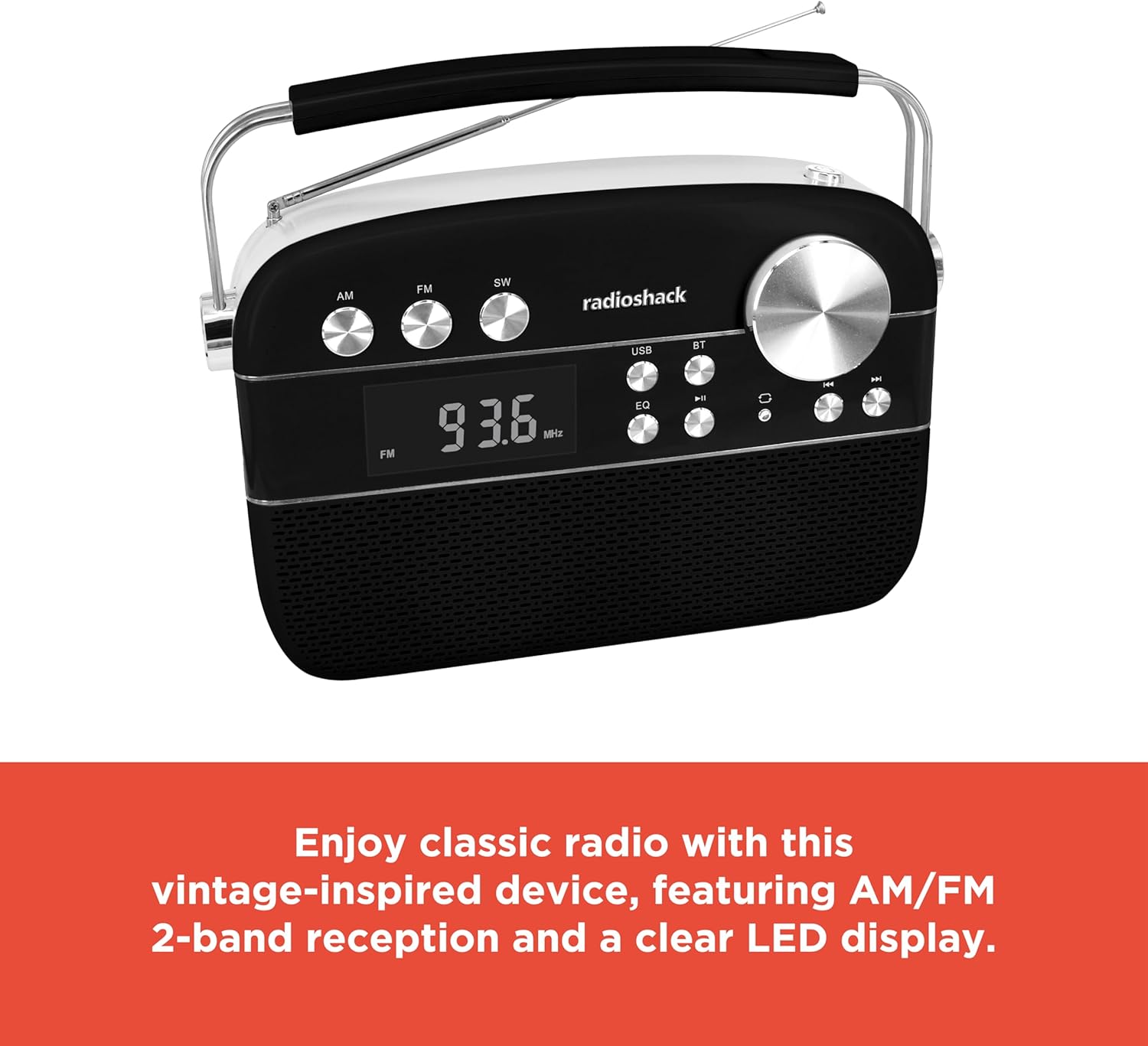
The radio features an extendable antenna for improved reception and a clear LED display for tuning.
Instruccions de funcionament
Encès/Apagat
Press the Power button to turn the radio on or off.
Selecció del mode
Use the Mode button to switch between FM, AM, Bluetooth (BT), USB/TF, and AUX input modes. The LED display will indicate the current mode.
Funcionament de ràdio (AM/FM)
- Switch to FM or AM mode using the Mode button.
- Rotate the Tuning knob to scan for available radio stations. The frequency will be displayed on the LED screen.
- Adjust the Volume knob to your desired listening level.
Emparellament Bluetooth
- Switch the radio to Bluetooth (BT) mode. The display will show "BLUE" and the Bluetooth indicator will flash, indicating it's ready for pairing.
- Al vostre telèfon intel·ligent o tauleta, activeu el Bluetooth i cerqueu els dispositius disponibles.
- Select "RadioShack" from the list of devices. Once paired, the Bluetooth indicator will stop flashing and remain solid.
- Ara pots reproduir àudio sense fil des del teu dispositiu a la ràdio.
Reproducció de targetes USB/TF
- Insert a USB flash drive or TF (microSD) card containing MP3 audio files al port respectiu.
- Switch the radio to USB/TF mode. The radio will automatically detect and begin playing the audio files.
- Use the Previous/Next buttons to navigate between tracks.
- Premeu el botó Reprodueix/Pausa per posar en pausa o reprendre la reproducció.
- The "ONE/ALL/RND" button allows you to cycle through playback modes (single track repeat, all tracks repeat, random playback).
- The "FOLDER" button allows navigation through folders on the storage device.
Mode AUX-in
Connect an external audio device (e.g., MP3 player, smartphone) to the radio's AUX-in port using a 3.5mm audio cable (not included). Switch the radio to AUX mode to play audio from the connected device.
Funció d'equalitzador (EQ).
Press the EQ button to cycle through preset equalizer modes, adjusting the audio output to suit different music genres or personal preferences.

Detallada view of the control panel, highlighting the various buttons and the tuning knob for different playback options.
Vídeo de demostració del producte
This video demonstrates the key features and operation of the RadioShack Vintage Radio, including tuning to FM stations and connecting via Bluetooth.
Manteniment
Neteja
Wipe the exterior of the radio with a soft, dry cloth. Do not use abrasive cleaners, waxes, or solvents as they may damage the finish. Avoid getting moisture into any openings.
Cura de la bateria
To prolong battery life, avoid fully discharging the battery frequently. If the radio will not be used for an extended period, charge it periodically (e.g., every 3 months) to maintain battery health.
Resolució de problemes
| Problema | Causa possible | Solució |
|---|---|---|
| Sense poder | La bateria està descarregada. | Charge the radio using the supplied Type-C USB cable. |
| Sense so | El volum és massa baix o silenciat. S'ha seleccionat un mode incorrecte. | Increase the volume. Ensure the correct input mode (FM, AM, BT, USB/TF, AUX) is selected. |
| Mala recepció de ràdio | Antenna not extended or positioned incorrectly. Weak signal area. | Esteneu i ajusteu completament l'antena telescòpica. Intenteu moure la ràdio a una altra ubicació. |
| Bluetooth no connectat | Radio not in pairing mode. Device too far. Previously paired device connected. | Ensure radio is in BT mode and "BLUE" is flashing. Move device closer. Disconnect from other Bluetooth devices. |
| USB/TF playback not working | Incorrecte file format. USB/TF card not inserted correctly or corrupted. | Assegureu-vos files are in MP3 format. Reinsert the USB/TF card. Try a different USB/TF card. |
Especificacions
| Característica | Detall |
|---|---|
| Marca | RadioShack |
| Número de model | 1202265 |
| Dimensions del producte | 4.53 x 11.42 x 7.36 polzades |
| Pes de l'article | 3.41 lliures |
| Font d'alimentació | Rechargeable Battery (included), Corded Electric |
| Bandes de ràdio compatibles | AM/FM 2-Band |
| Tecnologia de connectivitat | Bluetooth, USB, TF Card, AUX-in |
| Color | Negre |
Garantia i Suport
For warranty information and customer support, please refer to the documentation provided with your purchase or visit the official RadioShack weblloc web. Conserveu el comprovant de compra per a qualsevol reclamació de garantia.


