1. Producte acabatview
The Raddy PT-5 Wi-Fi Pool Thermometer system provides comprehensive temperature and humidity monitoring for various water environments and indoor spaces. It consists of a smart floating sensor for water temperature and an indoor console that displays real-time data, including indoor temperature and humidity. Remote monitoring is available via a dedicated mobile application.

Figura 1.1: Mésview of the Raddy PT-5 Wi-Fi Pool Thermometer system, including the floating sensor, indoor console, and mobile app interface.
2. Contingut del paquet
Verifiqueu que tots els components siguin presents al paquet:
- Raddy PT-5 Floating Sensor
- Raddy Indoor Console
- Cable de càrrega USB-C
- Manual d'instruccions (aquest document)
- Rope (for securing the floating sensor)
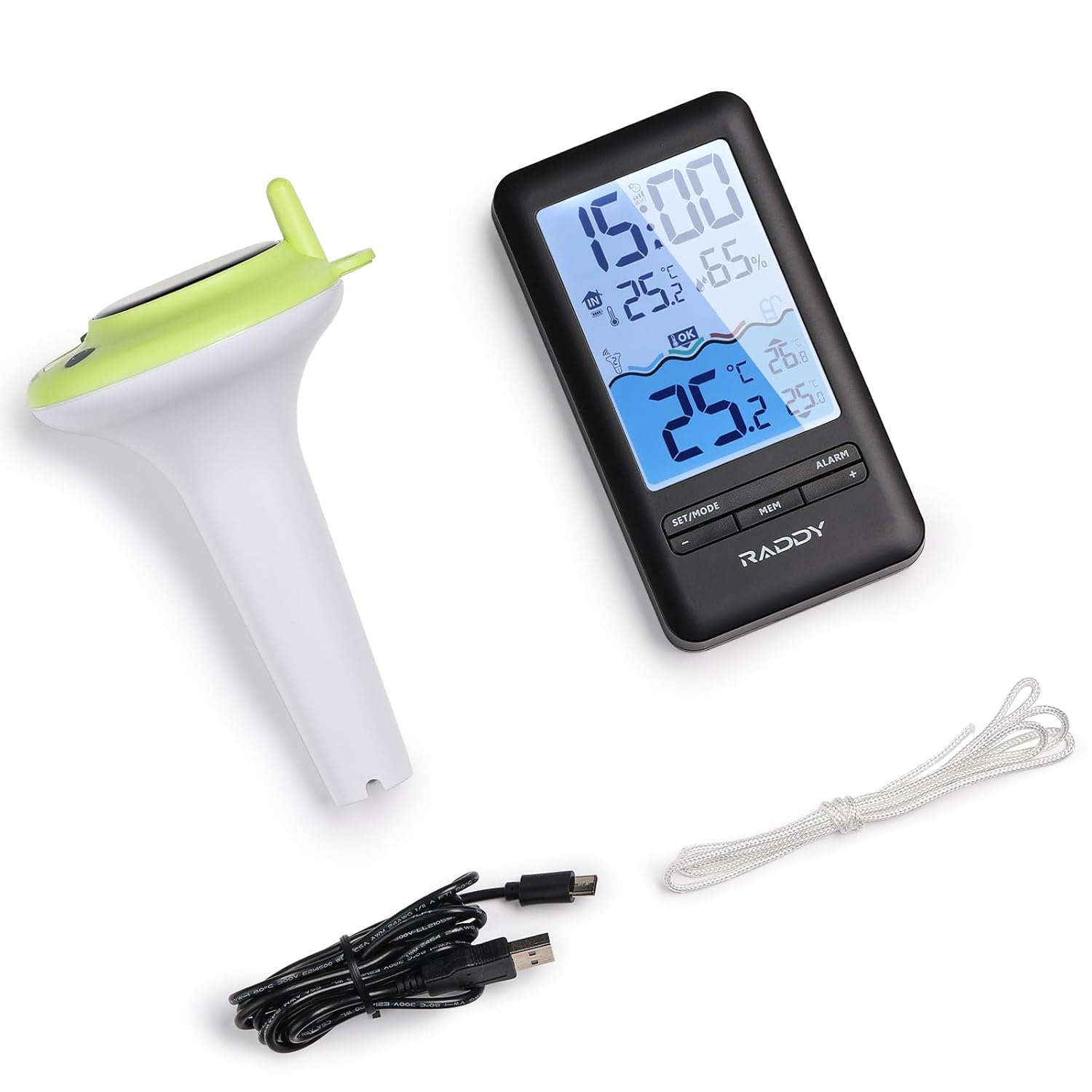
Figure 2.1: All components included in the Raddy PT-5 package.
3. Característiques del producte
- Multifunctional Indoor Console: Displays real-time pool temperature, indoor temperature and humidity, min/max records, and battery status. Features a clear digital screen with comfort icons.
- Smart App Monitoring: Compatible with the Tuya app for remote monitoring of temperature and humidity. Allows customization of settings (time format, temperature units), review of up to 1 year of historical data, and automatic time synchronization. (Requires 2.4GHz Wi-Fi network).
- IPX8 Waterproof Sensor: Designed with dual sealing rings and integrated molding for full submersion and long-term use in wet environments.
- Convenient Charging Options: The indoor console has a built-in 1200mAh rechargeable battery, charged via USB-C. The floating sensor also features a 1200mAh rechargeable lithium battery, powered by solar energy or USB-C.
- 300ft Wireless Transmission: Reliable long-range wireless sensor for monitoring pool temperature from a distance.
4. Guia de configuració
4.1 Engegada i càrrega inicials
Before first use, ensure both the indoor console and the floating sensor are fully charged.
- Indoor Console: Connect the provided USB-C cable to the console and a power adapter (not included). The console has a built-in 1200mAh rechargeable battery.
- Sensor flotant: The sensor is equipped with a 1200mAh rechargeable lithium battery. It can be charged via its integrated solar panel by placing it in direct sunlight, or by connecting the USB-C cable to its charging port.

Figure 4.1: Charging the indoor console via USB-C.

Figure 4.2: Dual charging methods for the floating sensor: solar and USB-C.
4.2 Instal·lació de l'aplicació i emparellament de dispositius
The Raddy PT-5 utilizes the Tuya Smart or Smart Life app for remote monitoring and advanced features. Follow these steps to set up the app and pair your device:
- Download the "Tuya Smart" or "Smart Life" app from your device's app store (iOS and Android compatible).
- Obre l'aplicació i crea un compte o inicia la sessió.
- Ensure your indoor console is powered on. To enter pairing mode, long press the "+" button on the indoor console.
- In the app, tap the "+" icon (usually in the top right corner) to add a new device.
- The app will search for nearby devices. Once the Raddy PT-5 is detected, select it.
- Enter your 2.4GHz Wi-Fi network password when prompted. The device only supports 2.4GHz Wi-Fi.
- Follow the on-screen instructions to complete the pairing process. A successful connection will be confirmed in the app.
Video 4.1: Raddy Smart Device App Setup Guide. This video demonstrates the process of setting up and pairing your Raddy device with the mobile application, including powering on the device, entering pairing mode, and connecting to Wi-Fi.
For optimal wireless transmission, place the indoor console within 300 feet of the floating sensor in an open area. Obstacles like walls can reduce the effective range.

Figure 4.3: Illustration of the wireless transmission range between the sensor and console.
5. Instruccions de funcionament
5.1 Indoor Console Functions
The indoor console provides immediate access to key environmental data:
- Visualització de l'hora: Shows current time, automatically synchronized via Wi-Fi.
- Temperatura i humitat interiors: Displays real-time readings for the console's location.
- Outdoor Sensor Channel: Indicates the channel for the floating sensor.
- Nivell de confort: Icons indicate indoor comfort based on temperature and humidity.
- Temperatura exterior: Displays the temperature reported by the floating sensor.
- Min/Max Records: Shows the minimum and maximum recorded temperatures and humidity.
- Indicador de bateria: Displays battery level for both the console and the floating sensor.
- Despertador: Set alarms directly from the console.
- Retroil·luminació ajustable: The display backlight can be adjusted for visibility.

Figure 5.1: Indoor console display elements and product dimensions.

Figure 5.2: Adjustable backlight settings for the indoor console.

Figure 5.3: Alarm clock feature on the indoor console.
5.2 Mobile App Functions (Tuya Smart / Smart Life)
The mobile app extends the functionality of your Raddy PT-5, allowing for remote access and data analysis:
- Monitorització remota: View real-time temperature and humidity data from anywhere with an internet connection.
- Dades històriques: Access up to 1 year of temperature and humidity data, displayed in daily, weekly, monthly, or yearly graphs.
- Personalització: Adjust time format, temperature units (°C/°F), and other settings.
- Alertes: Set custom alerts for temperature thresholds to receive notifications on your smartphone.
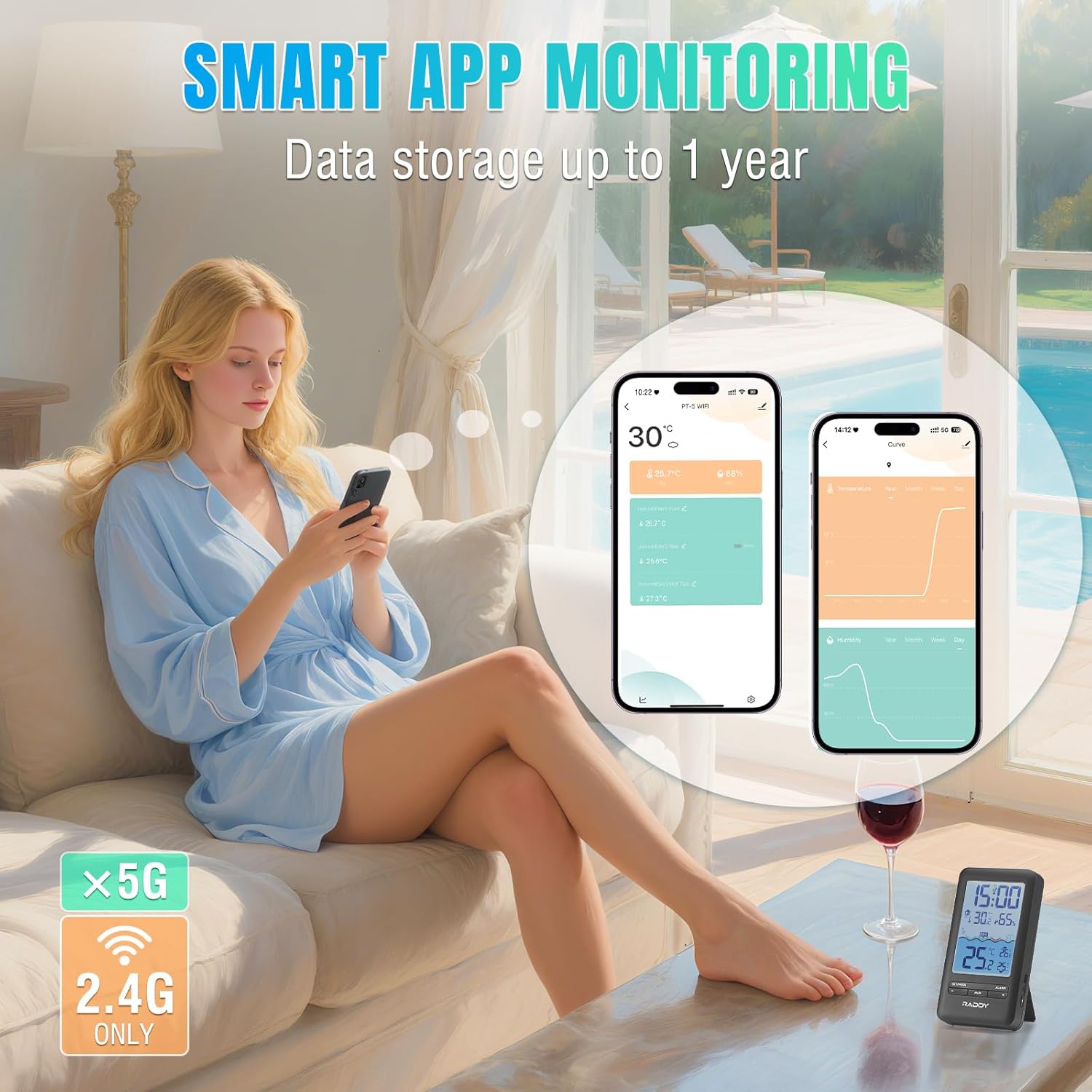
Figure 5.4: Smart App Monitoring interface showing real-time data and historical graphs.
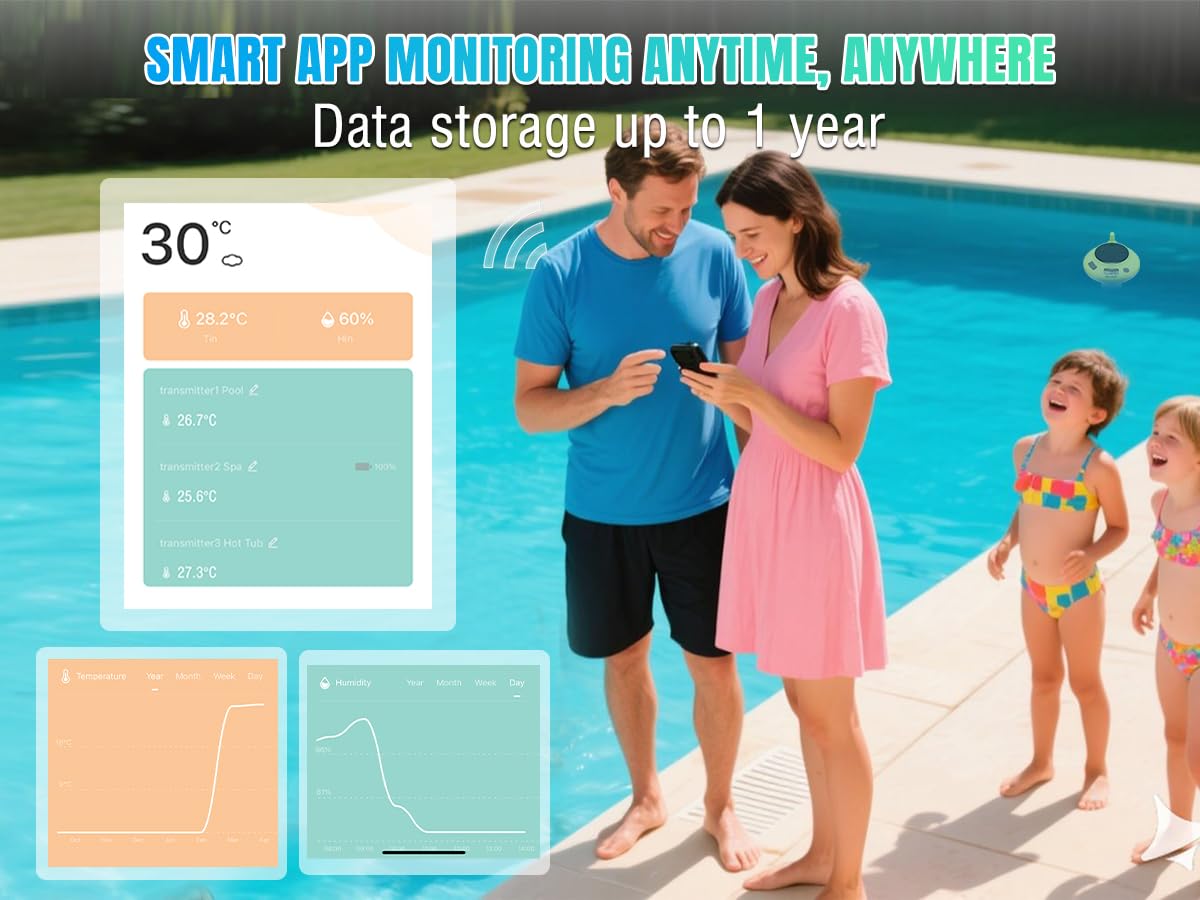
Figure 5.5: Remote monitoring of pool temperature via the Raddy app, allowing users to check conditions from anywhere.
5.3 Sensor Placement and Application
The floating sensor is designed for versatile use in various water environments:
- Swimming Pools: Allow the sensor to float freely or secure it with the included rope.
- Banyeres d'hidromassatge i spas: Ideal for monitoring water temperature in smaller recreational bodies of water.
- Fish Tanks & Aquariums: Can be used to monitor water temperature in larger aquariums, ensuring stable conditions for aquatic life.
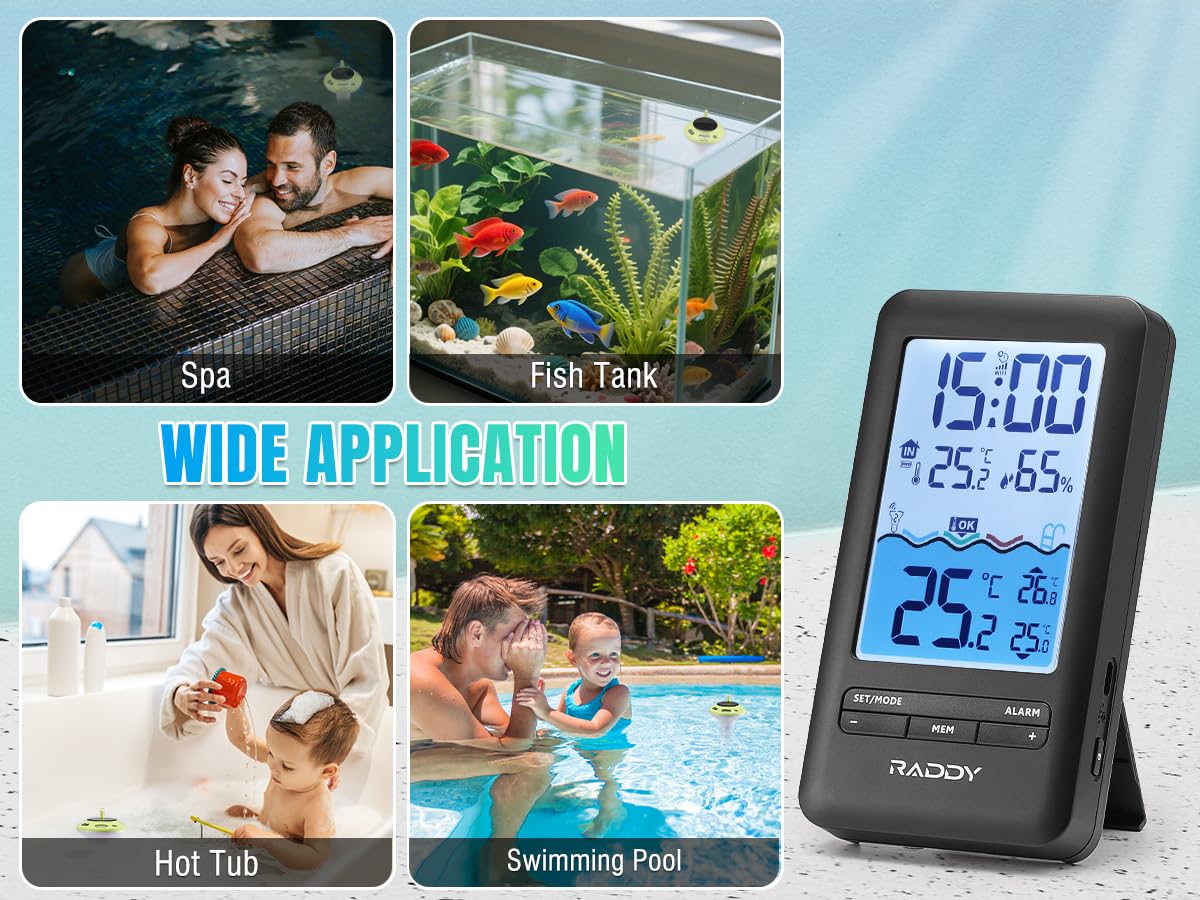
Figure 5.6: Wide application of the Raddy PT-5 in different water environments.
6. Manteniment
- Neteja: Regularly wipe down the floating sensor and indoor console with a soft, damp cloth. Avoid abrasive cleaners or solvents. For the floating sensor, periodically check for algae or debris buildup and clean as necessary to ensure accurate readings and efficient solar charging.
- Càrrega: Ensure the floating sensor receives adequate sunlight for solar charging. If placed in a shaded area or during prolonged cloudy periods, use the USB-C port to charge it. Charge the indoor console via USB-C when the battery indicator shows low power.
- Cura de la bateria: To prolong battery life, avoid extreme temperatures. If storing the device for an extended period, ensure both units are partially charged (around 50%) and store them in a cool, dry place.
- Impermeabilització: While the sensor is IPX8 waterproof, ensure the USB-C charging port cover is securely sealed before placing it in water.
7. Solució De Problemes
| Problema | Causa possible | Solució |
|---|---|---|
| No temperature reading on console. | Sensor out of range, low sensor battery, interference. | Move console closer to sensor. Charge sensor. Reduce interference from other electronic devices. Re-pair if necessary. |
| L'aplicació no es connecta al dispositiu. | Incorrect Wi-Fi password, 5GHz Wi-Fi network, device not in pairing mode. | Ensure correct 2.4GHz Wi-Fi password. Confirm device is in pairing mode (long press '+' on console). Restart app and device. |
| Lectures de temperatura inexactes. | Sensor not fully submerged, sensor dirty, extreme environmental conditions. | Ensure sensor is fully submerged. Clean sensor. Allow time for sensor to stabilize in new environment. |
| Console display is dim or blank. | Low console battery, backlight setting too low. | Charge the indoor console. Adjust backlight settings. |
8. Especificacions
- Model: PT-5 WIFI
- Marca: Raddy
- Interval de transmissió sense fil: Fins a 300 peus (zona oberta)
- Waterproof Rating (Sensor): IPX8
- Indoor Console Battery: 1200mAh Rechargeable (USB-C charging)
- Floating Sensor Battery: 1200mAh Rechargeable Lithium (Solar & USB-C charging)
- Connectivitat: 2.4GHz Wi-Fi (for app monitoring)
- Compatibilitat de l'aplicació: Tuya Smart / Smart Life (iOS & Android)
- Material: Plàstic
- Tipus de visualització: Digital
- Dimensions (Console): Approximately 6.1" (H) x 3.3" (W) / 15.5cm (H) x 8.4cm (W)
- Dimensions (Sensor): Approximately 7.0" (H) x 3.9" (W) / 17.8cm (H) x 10.0cm (W)
- Pes: Approximately 1.12 Pounds (total package)
9. Garantia i Suport
For warranty information and technical support, please refer to the official Raddy weblloc web o contacteu directament amb el servei d'atenció al client. Conserveu el rebut de compra com a comprovant de compra per a reclamacions de garantia.
Fabricant: Raddy
Weblloc: Visit the Raddy Store on Amazon
For further assistance, consult the FAQ section on the Raddy support page or reach out to their dedicated support team.


