1. Introducció
This manual provides detailed instructions for the setup, operation, and maintenance of your Tesvor S7 Pro AES Robot Vacuum. Designed for efficient home cleaning, this robot vacuum features powerful suction, automatic dust emptying, and smart control capabilities. Please read this manual thoroughly before using the device to ensure proper function and longevity.

Figure 1: Tesvor S7 Pro AES Robot Vacuum and Auto-Emptying Dock.
2. Configuració i ús inicial
2.1 Desembalatge i col·locació
- Traieu amb cura tots els components de l'embalatge.
- Choose a suitable location for the auto-emptying dock. Ensure it is placed against a wall, on a hard, level surface, with at least 0.5 meters of clear space on either side and 1.5 meters in front.
- Connect the power adapter to the dock and plug it into a wall outlet.

Figure 2: Proper placement of the Base Station for optimal performance.
2.2 Càrrega inicial
Place the robot vacuum onto the charging contacts of the auto-emptying dock. Ensure the robot is properly aligned. The robot will automatically begin charging. For first-time use, fully charge the robot (approximately 4-5 hours) before its initial cleaning cycle. The 5200mAh battery provides extended runtime.
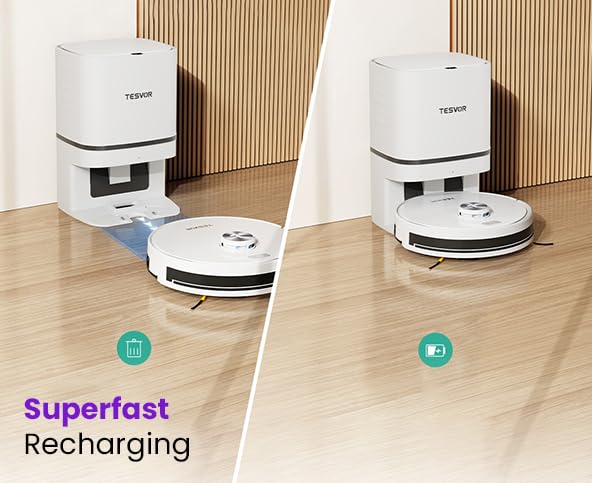
Figure 3: The robot vacuum automatically returns to the dock for recharging.
2.3 App Connection and Smart Control
- Download the "Tesvor" app from your mobile device's app store (iOS or Android).
- Open the app and follow the on-screen instructions to create an account and add your Tesvor S7 Pro AES.
- Assegureu-vos que la vostra xarxa Wi-Fi sigui de 2.4 GHz per a una connexió correcta.
- Once connected, you can control the robot, schedule cleanings, view cleaning maps, and adjust settings via the app.
- The robot also supports voice control via Alexa and Google Home. Refer to the app for integration instructions.
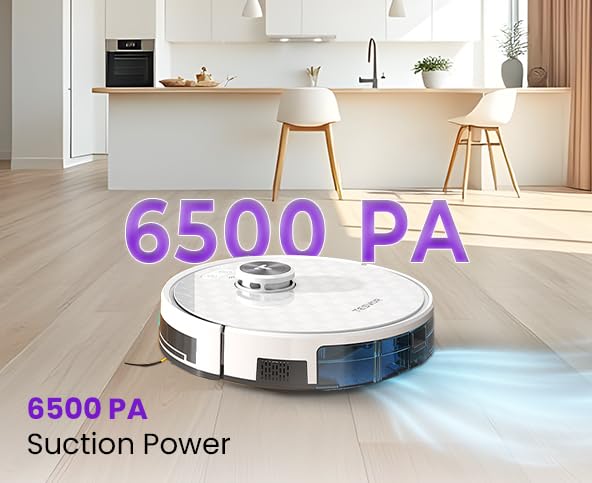
Figure 4: Manage your robot vacuum with the Tesvor app for scheduling and control.
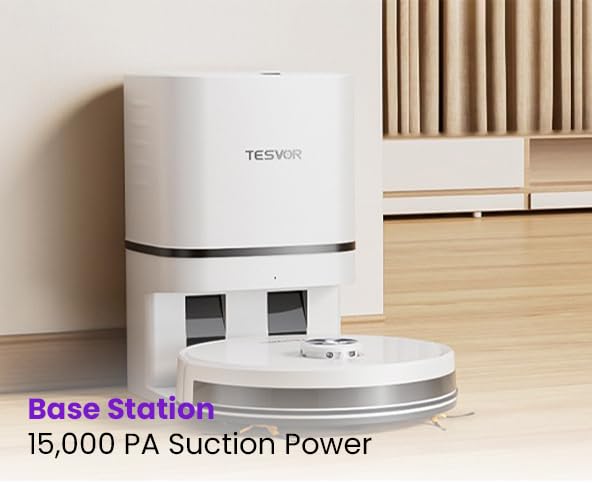
Figure 5: The Tesvor app provides comprehensive control and mapping features.
3. Instruccions de funcionament
3.1 Inici d'un cicle de neteja
- Mitjançant el botó del robot: Press the power button on the robot once to start a general cleaning cycle. Press again to pause.
- Via Tesvor App: Open the app and select "Start Cleaning" or choose a specific cleaning mode (e.g., spot clean, zone clean) from the map interface.
- Mitjançant comandament de veu: Use integrated voice assistants (Alexa, Google Home) with commands like "Alexa, tell Tesvor to start cleaning."
The Tesvor S7 Pro AES features 6500Pa strong suction, effectively capturing dust, dirt, and pet hair from various floor types.
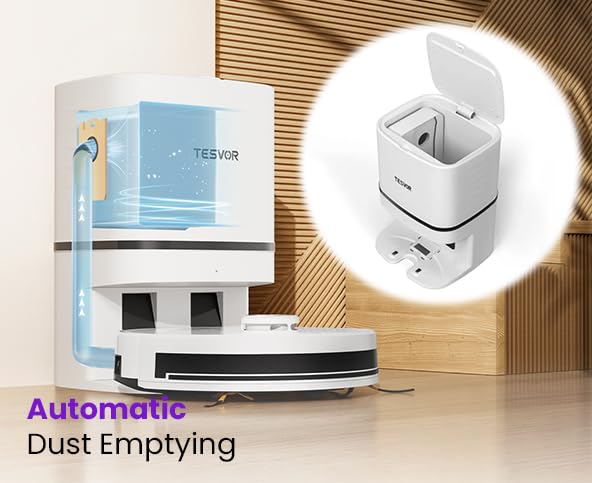
Figure 6: The robot vacuum demonstrating its powerful 6500 PA suction.
3.2 Buidatge automàtic de pols
After completing a cleaning cycle or when the robot's dustbin is full, the Tesvor S7 Pro AES will automatically return to its auto-emptying dock. The dock will then suction the debris from the robot's internal dustbin into a large disposable dust bag within the dock. These large dust bags can last over a month, minimizing manual intervention. Six spare bags are included for convenient maintenance.
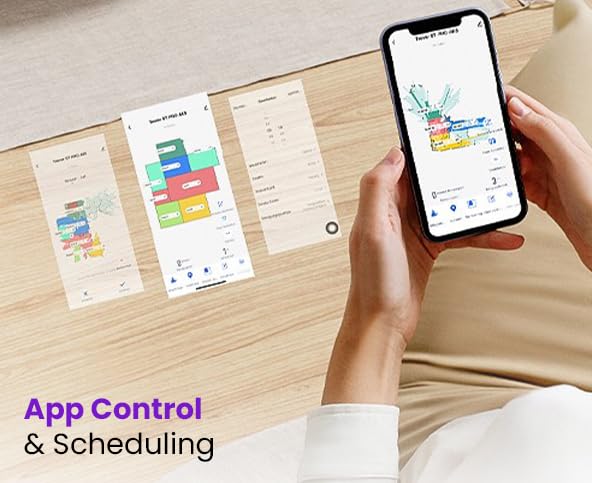
Figure 7: Illustration of the automatic dust emptying process into the dock's dust bag.
4. Manteniment
Regular maintenance ensures optimal performance and extends the lifespan of your Tesvor S7 Pro AES.
4.1 Auto-Emptying Dock Dust Bag Replacement
- When the dust bag in the auto-emptying dock is full (indicated by the app or a light on the dock), open the top cover of the dock.
- Traieu amb cura la bossa de pols plena i llenceu-la.
- Insert a new dust bag, ensuring it is properly seated. Close the cover.
4.2 Robot Dustbin and Filter Cleaning
Although the dock empties the robot's dustbin, occasional manual cleaning of the robot's internal dustbin and filter is recommended.
- Press the release button to remove the robot's dustbin.
- Empty any remaining debris.
- Remove the filter and tap it gently to remove dust. Do not wash the HEPA filter with water.
- Brush the dustbin clean with a small brush.
- Torneu a inserir el filtre i el contenidor de pols.
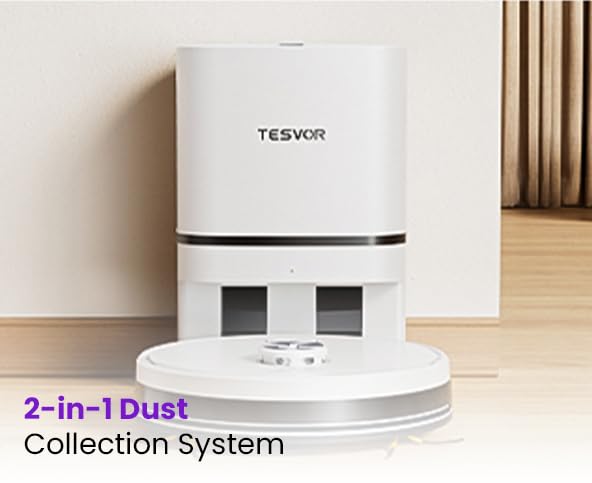
Figure 8: The robot's 2-in-1 dust collection system, showing the internal dustbin.
4.3 Brushes and Sensors Cleaning
- Pinzell principal: Remove the main brush cover and lift out the brush. Use the cleaning tool to remove hair and debris.
- Raspalls laterals: Check side brushes for tangled hair or debris. Remove and clean if necessary.
- Sensors: Gently wipe the cliff sensors, wall sensors, and charging contacts on both the robot and the dock with a clean, dry cloth.
5. Solució De Problemes
If you encounter issues with your Tesvor S7 Pro AES, refer to the following common solutions. For more complex problems, contact customer support.
| Problema | Causa possible | Solució |
|---|---|---|
| El robot no s'engega ni es carrega. | Not properly docked; power adapter unplugged; low battery. | Ensure robot is correctly placed on the dock. Check power connection. Allow robot to charge fully. |
| El robot es queda encallat sovint. | Obstacles (cables, catifes); sensors bruts. | Clear obstacles from cleaning path. Clean all sensors on the robot. |
| Mal rendiment de neteja. | Cubell de pols ple; filtre obstruït; raspalls gastats. | Empty robot dustbin. Clean or replace filter. Clean or replace main/side brushes. |
| Problemes de connexió de l'aplicació. | Contrasenya Wi-Fi incorrecta; xarxa Wi-Fi de 5 GHz; robot massa lluny del router. | Ensure correct 2.4GHz Wi-Fi network. Move robot closer to router. Restart robot and router. |
| Auto-emptying not working. | Dock dust bag full; dock suction port blocked. | Replace dust bag in the dock. Check for blockages in the dock's suction port. |
6. Especificacions
| Característica | Detall |
|---|---|
| Marca | Tesvor |
| Nom del model | S7 |
| Característica especial | Smart Mapping, Automatic Dust Emptying |
| Color | Blanc |
| Dimensions del producte | 46L x 40W x 40.5H centímetres |
| Durada de la bateria | Up to 45 Days (standby/usage dependent) |
| Capacitat de la bateria | 5200 mAh |
| Suction Power (Robot) | 6500 Pa |
| Suction Power (Base Station) | 15,000Pa (for dust emptying) |
| Fabricant | Doodle Tech Pvt. Ltd |
| País d'origen | Índia |
| Pes de l'article | 10 kg |
| Nom genèric | Robotic Vacuum Cleaner (Semi Automatic) |
7. Garantia i Suport
7.1 Informació de la garantia
The Tesvor S7 Pro AES comes with a Garantia oficial d'2 any, supported by Caiva. Please retain your proof of purchase for warranty claims.
7.2 Atenció al client
For any queries, technical assistance, or warranty claims, please contact Tesvor customer support:
- Telèfon: +91 8733892933
- Correu electrònic: connect@doodlegroup.in
- Disponibilitat: 24/7
Tesvor has active service centers across pan India to provide comprehensive support.

Figure 9: Tesvor's extensive service network across India.


