
1. Introducció
Thank you for choosing the CG MOBILE Guess Mini Magnetic Bluetooth Speaker. This portable speaker is designed to provide high-quality audio with the convenience of Bluetooth 5.3 connectivity and a magnetic attachment system. Please read this manual carefully to ensure proper use and maintenance of your device.
2. Contingut del paquet
Verifiqueu que tots els elements siguin presents al vostre paquet:
- Guess Mini Magnetic Bluetooth Speaker
- USB Charging Cable (Type-C, implied by image)
- Manual d'usuari

Image: The product packaging, showing the speaker and branding. The EAN/UPC 3666339220723 is visible on the box.
3. Producte acabatview
The Guess Mini Magnetic Bluetooth Speaker features a compact design with intuitive controls and a magnetic base for versatile placement.
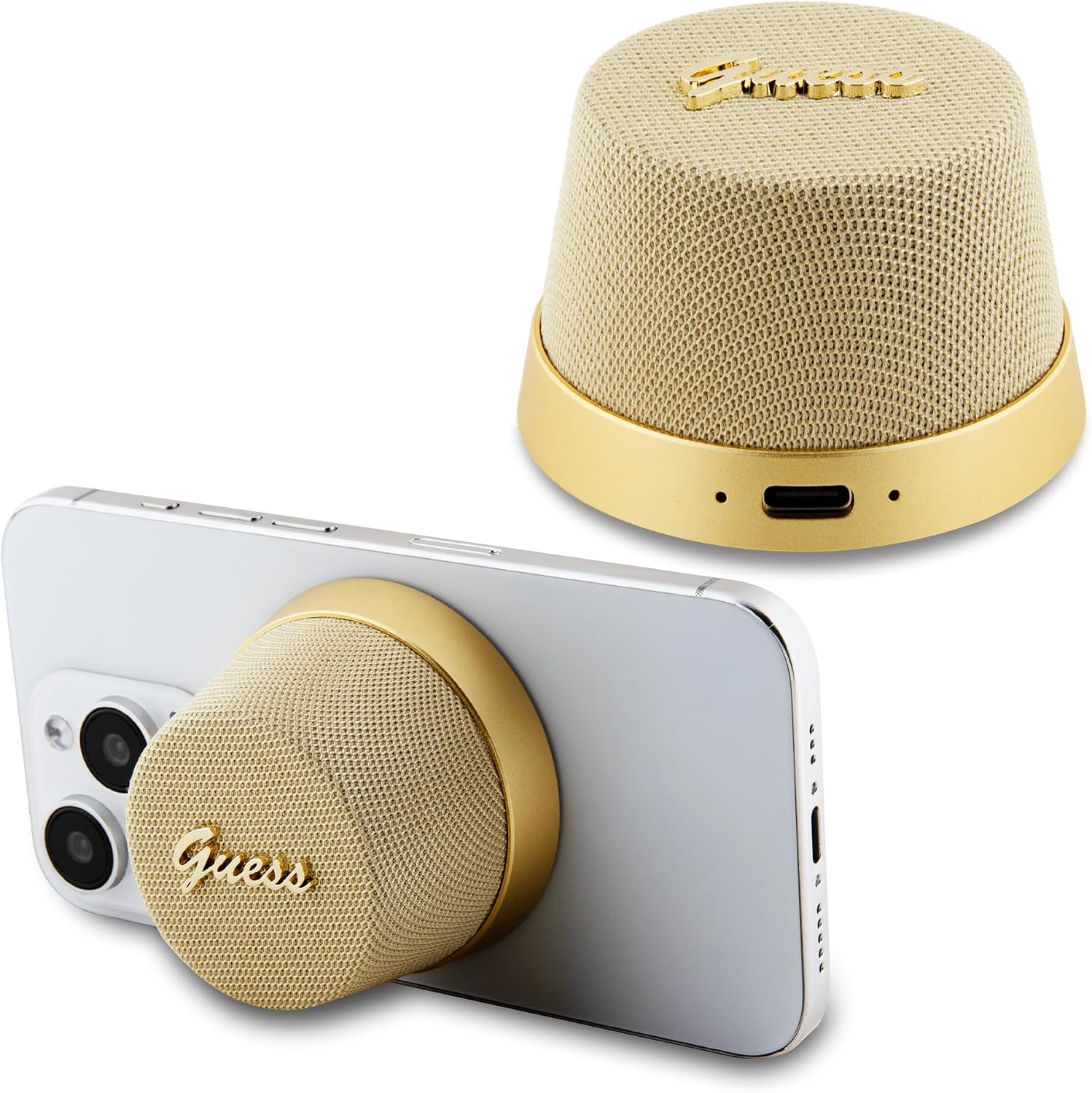
Imatge: General view of the Guess Mini Magnetic Bluetooth Speaker, showcasing its gold color and compact design.

Imatge: Frontal view of the speaker, highlighting the speaker grille and Guess logo.

Imatge: Enrere view of the speaker, showing the USB-C charging port and indicator lights.

Imatge: Lateral view of the speaker, illustrating its conical shape.
4. Configuració
4.1 Càrrega de l'altaveu
- Connecteu el cable de càrrega USB proporcionat al port de càrrega de l'altaveu.
- Connecteu l'altre extrem del cable a un adaptador de corrent USB (no inclòs) o al port USB d'un ordinador.
- The indicator light will show charging status (e.g., red for charging, off or blue for fully charged).
- Una càrrega completa triga aproximadament 2 hores i proporciona fins a 4 hores de reproducció.
4.2 Vinculació Bluetooth
- Assegureu-vos que l'altaveu estigui completament carregat.
- Press and hold the power button (location implied by touch control) to turn on the speaker. The indicator light will flash, indicating it's in pairing mode.
- On your smartphone or tablet, go to Bluetooth settings and enable Bluetooth.
- Cerca available devices and select "Guess Speaker" (or similar name) from the list.
- Once paired, the indicator light will stop flashing and remain solid, and you will hear a confirmation tone.
5. Instruccions de funcionament
5.1 Encès/Apagat
- To power on: Press and hold the power button until the indicator light turns on.
- Per apagar: premeu i manteniu premut el botó d'engegada fins que l'indicador lluminós s'apagui.
5.2 Reproducció de música
- Després de l'emparellament Bluetooth correcte, obriu l'aplicació de música al dispositiu connectat.
- Music will play through the speaker.
- Use the controls on your connected device to adjust volume, skip tracks, or pause/play. The speaker supports touch control for basic functions (e.g., play/pause, answer calls).
5.3 Contestar trucades
- Quan entri una trucada, l'altaveu sonarà.
- Tap the touch control area on the speaker to answer the call.
- Tap again to end the call.
5.4 Fixació magnètica
The speaker features a magnetic base allowing it to attach securely to compatible surfaces, such as the back of a smartphone or other metallic objects.

Image: The speaker magnetically attached to the back of a smartphone, demonstrating its portable use.

Imatge: Una altra view of the speaker magnetically attached to a smartphone, showing its secure fit.
6. Manteniment
- Neteja: Feu servir un drap suau i sec per netejar l'altaveu. No utilitzeu productes de neteja abrasius ni dissolvents.
- Emmagatzematge: Guardeu l'altaveu en un lloc fresc i sec, allunyat de la llum solar directa i de temperatures extremes.
- Resistència a l'aigua: Aquest altaveu és no impermeable. Eviteu l'exposició a l'aigua o a la humitat excessiva.
7. Solució De Problemes
- L'altaveu no s'encén: Assegureu-vos que la bateria estigui carregada. Connecteu l'altaveu a una font d'alimentació amb el cable USB.
- No es pot emparellar amb un dispositiu Bluetooth:
- Assegureu-vos que l'altaveu estigui en mode d'emparellament (indicador lluminós parpellejant).
- Assegureu-vos que el Bluetooth estigui activat al dispositiu i que es trobi a menys de 10 metres de l'altaveu.
- Oblida el dispositiu de la llista de Bluetooth del telèfon i intenta emparellar-lo de nou.
- Reinicieu tant l'altaveu com el dispositiu Bluetooth.
- Sense so o volum baix:
- Augmenta el volum tant de l'altaveu com del dispositiu connectat.
- Assegureu-vos que l'altaveu estigui correctament emparellat.
- Check if the music source is playing.
- Mala qualitat del so:
- Acosteu l'altaveu al dispositiu Bluetooth per reduir les interferències.
- Assegureu-vos que no hi hagi obstacles entre l'altaveu i el dispositiu.
- Check the audio quality of the source material.
8. Especificacions
| Característica | Especificació |
|---|---|
| Número de model | GUWWSC3ALSMD |
| Versió Bluetooth | 5.3 |
| Potència de sortida dels altaveus | 3 watts |
| Durada de la bateria | Fins a 4 hores |
| Temps de càrrega | Aprox. 2 hores |
| abast sense fils | Fins a 10 metres |
| Mètode de control | Toca |
| Font d'alimentació | Funciona amb bateria (ió de liti) |
| Dimensions del producte | 3D x 10W x 8H centímetres |
| Pes de l'article | 0.2 quilos |
| Color | Or |
| Impermeable | No |
| Tecnologia de connectivitat | USB (per carregar) |
| Dispositius compatibles | Smartphones, tauletes |
9. Garantia i Suport
This product is covered by a standard manufacturer's warranty. For specific warranty details, please refer to the warranty card included with your purchase or contact your retailer. For technical support or inquiries, please visit the official CG MOBILE weblloc o poseu-vos en contacte amb el seu departament d'atenció al client.
Fabricant: CG MÒBIL