Introducció
The TEEHO WiFi Smart Lock TE012W is an advanced keyless entry system designed to enhance home security and convenience. Featuring built-in Wi-Fi connectivity, fingerprint recognition, keypad access, and traditional key entry, this smart deadbolt offers multiple secure ways to manage access to your property. It integrates seamlessly with smart home ecosystems like Alexa and Google Assistant, providing remote control and monitoring capabilities.

Figura 1: TEEHO WiFi Smart Lock TE012W and its accompanying mobile application interface.
Informació de seguretat
- Llegiu atentament totes les instruccions abans de la instal·lació i l'ús.
- No intenteu desmuntar ni modificar el pany. Això pot anul·lar la garantia i comprometre la seguretat.
- Use only specified batteries (8 AA batteries, not included). Do not mix old and new batteries or different types of batteries.
- Mantingueu les claus físiques en un lloc segur i allunyat del pany.
- Regularly check battery levels and replace batteries when low battery alerts are issued.
- Ensure the door frame and door are in good condition and properly aligned for optimal lock performance.
- Protect your PIN codes and fingerprints from unauthorized access.
Contingut del paquet
Verifiqueu que tots els components siguin presents abans de començar la instal·lació:
- 1 x Wifi Fingerprint Deadbolt Door Lock (Exterior and Interior Assemblies)
- 2 x Backup Keys
- 1 x placa de muntatge
- Cargols (diverses mides per a la instal·lació)
- 1 x Pestillo
- 1 x Placa de cop
- 1 x Manual d'instruccions (aquest document)
- 1 x User Manual (additional guide)
Especificacions
| Característica | Descripció |
|---|---|
| Marca | TEEHO |
| Nom del model | TE012W Wifi fingerprint smart lock |
| Tipus de bloqueig | Wifi fingerprint smart lock |
| Material | Alumini |
| Dimensions (L x A x A) | 5.12 x 2.95 x 1.3 polzades |
| Pes de l'article | 2.01 lliures |
| Característiques especials | Anti-Peeping Password, Auto-Lock, Back-Lit Keypad, Battery Indicator, Break-in Detection, Fingerprint, One-Touch Unlock, Weather Resistant (IP55) |
| Mètode de control | App, Push Button, Remote, Voice (Alexa/Google) |
| Font d'alimentació | 8 piles AA (no incloses) |
| Connectivitat | Built-in 2.4GHz Wi-Fi (no hub required) |
| Seguretat | AES128 encryption, Local data storage, BHMA certified |
Instal·lació
The TEEHO Smart Lock is designed for easy installation, typically taking about 15 minutes with no special tools required. Ensure your door meets the following specifications:
- Gruix de la porta: 1-3/8" a 2" (35 mm-50 mm)
- Part posterior: 2-3/8" to 2-3/4" (60mm-70mm)
- Diàmetre del forat: 1" (25.4 mm)
- Diàmetre del forat de la porta: 1-1/2" o 2-1/8" (38 mm o 54 mm)

Figura 2: Key door measurements required for compatibility with the TE012W Smart Lock.
Comprovació prèvia a la instal·lació
Before starting, confirm your door is not a Rim Cylinder, Mortise, or Integrated type, as these are not compatible. The lock fits standard 38mm or 54mm bore holes. If your door has a 1-1/2" (38mm) hole, you will need to remove the spacer from the lock's interior assembly.

Figura 3: Visual guide for preparing the lock for installation based on door hole diameter.
Passos d'instal·lació (més enllà)view)
For detailed step-by-step instructions, please refer to the included Installation Manual (PDF) or the official installation video. The process generally involves:
- Install the Latch into the door edge.
- Install the Exterior Assembly onto the door.
- Install the Mounting Plate on the interior side.
- Connect the cable from the Exterior Assembly to the Interior Assembly.
- Install the Interior Assembly and secure it with screws.
- Introduïu 8 piles AA al compartiment de piles.
- Perform the door handing identification process.
Vídeo 1: An unboxing and installation overview of the TEEHO WiFi Smart Lock TE012W, demonstrating the product components and the general installation process.
Configuració
1. Instal·lació de la bateria
The lock requires 8 AA batteries (not included). Open the battery cover on the interior assembly and insert the batteries, ensuring correct polarity. The lock will provide low-battery alerts when replacement is needed.
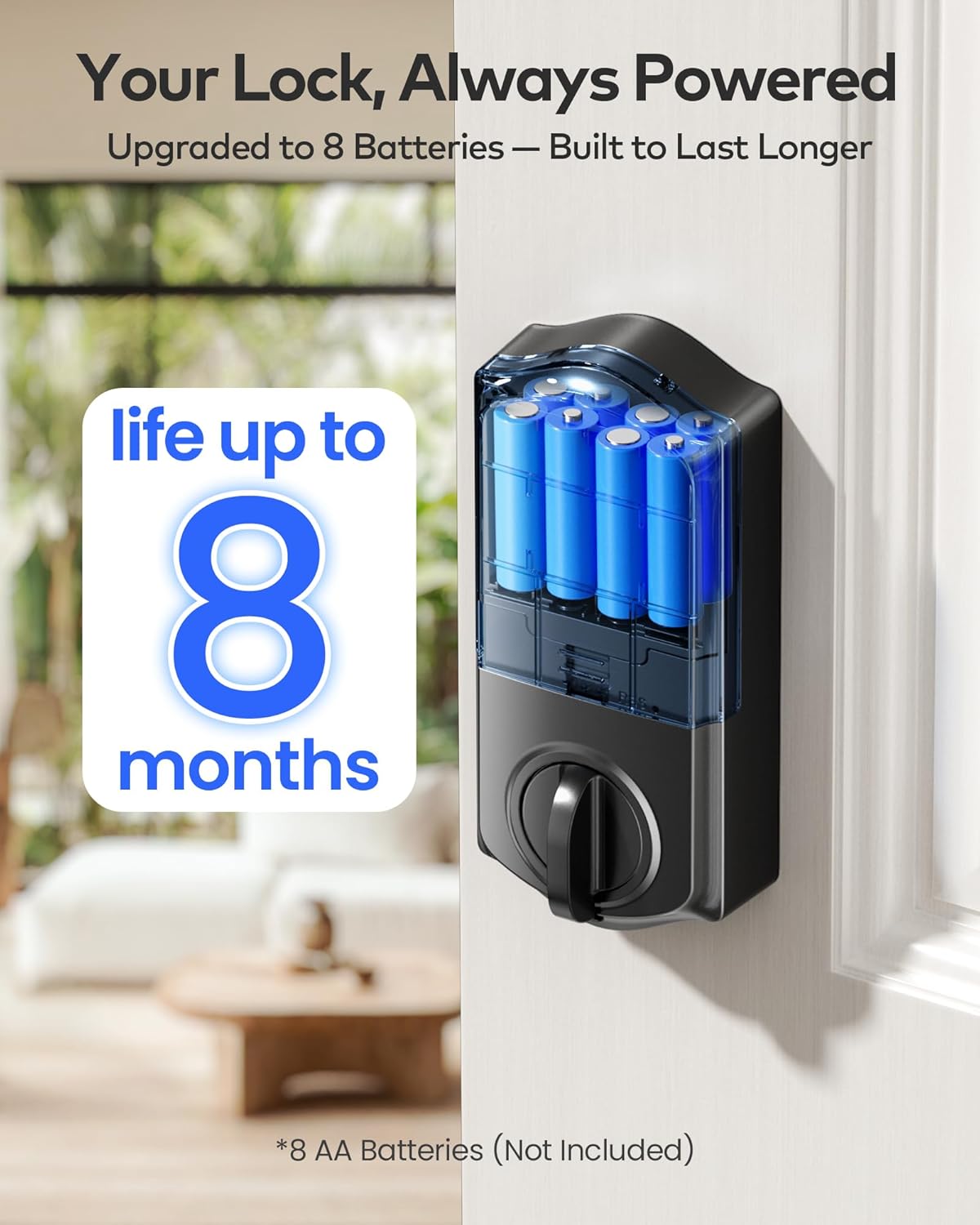
Figura 4: The battery compartment of the TE012W Smart Lock, designed for 8 AA batteries for extended life.
2. Descàrrega de l'aplicació i connexió Wi-Fi
Download the "KK Home App" from your smartphone's app store. Follow the in-app instructions to create an account and add your TE012W Smart Lock. The lock connects directly to your 2.4GHz Wi-Fi network, eliminating the need for an additional hub.

Figura 5: The TE012W Smart Lock features built-in Wi-Fi for remote control and monitoring.
3. User Management (Fingerprints & PIN Codes)
Through the KK Home App, you can easily manage users and access methods:
- Empremtes dactilars: Store up to 20 unique fingerprints for quick and secure access.
- PIN Codes: Create up to 100 PIN codes, including Permanent, Recurring, Duration, or One-Time passcodes.
- Code Sharing: Share lock permissions and codes with family, friends, or temporary visitors directly from the app.
- Registres d'accés: Review access history to see who entered and when.

Figura 6: The KK Home App provides comprehensive control over your smart lock, including user and code management.
Instruccions de funcionament
Unlocking and Locking Methods
The TEEHO TE012W Smart Lock offers five convenient ways to unlock and lock your door:
- Aplicació KK Home: Remotely lock or unlock your door from anywhere using the app.
- Empremta digital: Place your registered finger on the sensor for instant access.
- Codi PIN: Enter your personalized PIN code on the backlit keypad. The anti-peep feature allows you to enter random digits before or after your actual code for added security.
- Claus físiques: Use the provided backup keys for traditional manual unlocking.
- Control de veu: Integrate with Alexa or Google Assistant to lock or unlock your door using voice commands.

Figura 7: Multiple secure access options for the TE012W Smart Lock.
Funció de bloqueig automàtic
Enable the auto-lock function via the KK Home App to automatically lock your door after a set period (e.g., 10 seconds, 40 seconds, 3 minutes). This ensures your home is always secure, even if you forget to lock it manually.

Figura 8: Configure the auto-lock timer through the KK Home App for enhanced security.
Away Mode and Vacation Mode
The lock supports various modes for different scenarios:
- Mode fora: When activated, any attempt to unlock the door via mechanical key or thumb turn will trigger an alarm, enhancing security when you are away.
- Mode de vacances: This mode can be set for extended periods when the property will be vacant, disabling all regular access methods until deactivated.

Figura 9: The TE012W Smart Lock offers robust features for various environmental conditions and security needs.
Manteniment
Canvi de bateria
When the lock issues a low-battery alert, replace all 8 AA batteries promptly. Using fresh, high-quality alkaline batteries will ensure optimal performance and battery life of up to 8 months.
Neteja
Netegeu l'exterior del pany amb un drap suau iamp drap. Eviteu utilitzar productes de neteja abrasius o dissolvents que puguin danyar l'acabat o els components electrònics.
Resolució de problemes
For common issues and solutions, refer to the Troubleshooting Guide (PDF) provided with your product. Here are some general tips:
- El pany no respon: Check battery levels. Ensure batteries are inserted correctly.
- Empremta digital no reconeguda: Assegura't que el dit estigui net i sec. Torna a registrar la teva empremta digital si els problemes persisteixen.
- El codi PIN no funciona: Verify the code is correct. Ensure the keypad is clean. Check for lockout mode after multiple failed attempts.
- Problemes de connectivitat de l'aplicació: Ensure your Wi-Fi network is 2.4GHz and stable. Restart your router and the lock if necessary.
- Door alignment: If the deadbolt struggles to extend or retract, check the door and frame alignment. Adjust the strike plate if needed.
Garantia i Suport
TEEHO offers a 1 any de garantia for the TE012W WiFi Smart Lock, covering product support from day one. Additionally, lifetime customer support is available to assist with any questions or issues you may encounter.
Contacte amb l'assistència:
- Correu electrònic: 24/7 email service is available.
- Telèfon: Monday to Friday, 9 AM to 5 PM PST.
For specific contact details, please refer to the contact information provided in your product packaging or the official TEEHO weblloc.


