1. Introducció
Thank you for choosing the ATTACK SHARK×Magic-Refiner G6 Wireless Gaming Mouse. This manual provides detailed instructions on how to set up, operate, and maintain your new gaming mouse. The G6 mouse features tri-mode connectivity, a high-precision PixArt PAW3311 sensor, and a lightweight ergonomic design, making it ideal for various computing tasks and gaming scenarios.
2. Contingut del paquet
Marqueu la casella per als elements següents:
- ATTACK SHARK×Magic-Refiner G6 Wireless Gaming Mouse
- Receptor USB 2.4G
- Cable de càrrega USB-C
- Anti-Slip Grip Tape Set

Image: The ATTACK SHARK G6 Wireless Gaming Mouse in white, shown with its accompanying USB receiver.
3. Producte acabatview
The G6 gaming mouse is designed for versatility and performance. Familiarize yourself with its key components and features.

Image: Detailed diagram of the G6 mouse, highlighting its buttons and features including the Left Button, Scroll Wheel + Middle Button, Right Button, Back Button, Forward Button, Power Toggle Switch (2.4G-OFF-Bluetooth), DPI Cycle Button, Atmosphere Light Switch & Wireless Mode Frequency Binding Button, Battery & DPI Indicator Light, Atmosphere Light, and USB Receiver storage.
3.1. Característiques clau
- Connectivitat trimodal: Seamlessly switch between USB-C wired, 2.4GHz wireless, and Bluetooth 5.0 connections. The 2.4GHz mode offers a polling rate of 125-1000Hz, while Bluetooth operates at 125Hz. This allows for flexible use across various devices and scenarios.
- Sensor d'alta precisió: Equipped with the PixArt PAW3311 optical sensor, offering six adjustable DPI levels from 800 to 24000. Features a 1000Hz polling rate, 1ms response time, 300 IPS tracking, and 35G acceleration for precise control.
- Lightweight Design & Long Battery Life: Weighs approximately 72±3g, minimizing hand fatigue during extended use. The built-in 750mAh battery provides over 150 hours of wireless usage on a single charge.
- Durable Switches & Customization: Features 10M micro switches with a 10 million click lifespan. Includes a 1.5m braided USB-C cable. Customize rear RGB lighting via a bottom button for various effects.
- Empunyadures antilliscants: Comes with a set of 6 DIY anti-slip grip tapes for enhanced control and sweat resistance.

Image: The G6 mouse illustrating its 2.4GHz Wireless, USB-C Wired, and Bluetooth connection modes.
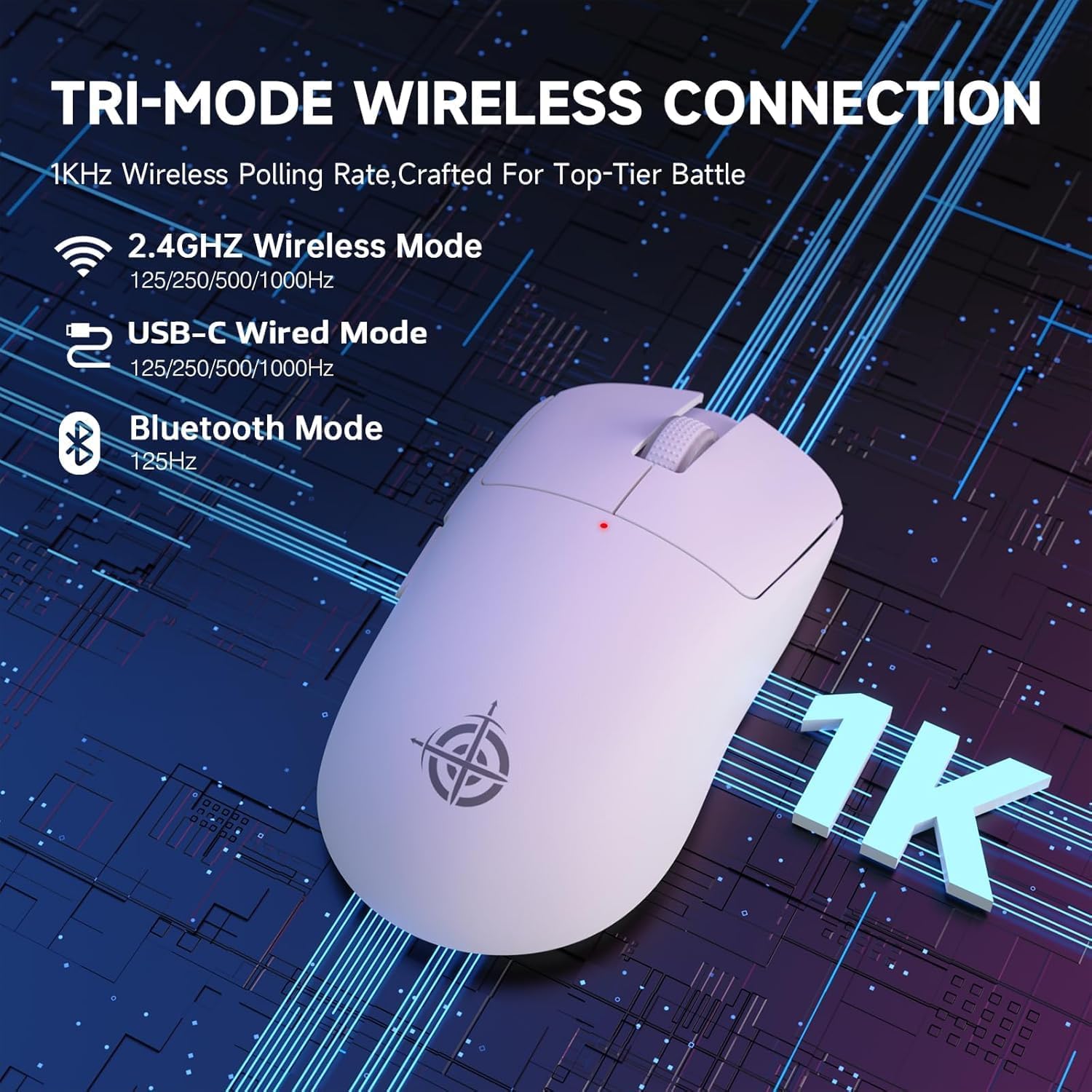
Image: The G6 mouse with an overlay indicating DPI levels (800-24000) and their associated indicator light colors (Red, Green, Blue, Yellow, Cyan, Purple).

Image: The G6 mouse displaying its customizable RGB lighting effects, including rainbow and single color options.

Image: The G6 mouse with its practical non-slip stickers applied, showing the textured surface for improved grip.
4. Guia de configuració
The G6 mouse offers three connection methods. Choose the one that best suits your needs.
4.1. Mode sense fil de 2.4 GHz
- Locate the 2.4G USB receiver stored in the compartment on the bottom of the mouse.
- Connecteu el receptor USB a un port USB disponible de l'ordinador.
- Slide the power toggle switch on the bottom of the mouse to the '2.4G' position.
- The mouse should automatically connect. If not, press the 'Atmosphere light switch & wireless mode frequency binding button' on the bottom of the mouse to initiate pairing.
4.2. Mode Bluetooth
- Slide the power toggle switch on the bottom of the mouse to the 'Bluetooth' position.
- The mouse's indicator light will start blinking, indicating it's in pairing mode.
- A l'ordinador o dispositiu, vés a la configuració de Bluetooth i cerca dispositius nous.
- Select 'ATTACK SHARK G6' (or similar name) from the list of available devices to pair.
4.3. USB-C Wired Mode
- Connecteu el cable USB-C proporcionat al port frontal del ratolí.
- Connecteu l'altre extrem del cable USB-C a un port USB disponible de l'ordinador.
- El ratolí canviarà automàticament al mode amb cable i començarà a carregar-se.
5. Instruccions de funcionament
5.1. Ajust de DPI
The G6 mouse has a dedicated DPI cycle button on the bottom. Press this button to cycle through the preset DPI levels (800, 1600, 2400, 3200, 6400, 24000). The indicator light will change color to reflect the current DPI setting (Red, Green, Blue, Yellow, Cyan, Purple respectively).
5.2. Funcions del botó
The G6 mouse features 5 programmable buttons:
- Botó esquerre: Standard left click.
- Botó dret: Standard right click.
- Scroll Wheel + Middle Button: Desplaça't amunt/avall, fes clic amb el botó central.
- Botó Endavant: Navega cap endavant web navegadors o file exploradors.
- Botó enrere: Navega cap enrere web navegadors o file exploradors.
For advanced customization of button functions and macros, please download the official driver software from the ATTACK SHARK weblloc.
5.3. Control de la il·luminació RGB
The G6 mouse features customizable RGB lighting. Use the 'Atmosphere light switch' button on the bottom of the mouse to cycle through different lighting effects (e.g., Rainbow Lighting, Single Lighting) or to turn the lighting off.
6. Manteniment
To ensure the longevity and optimal performance of your G6 gaming mouse, follow these maintenance guidelines:
- Neteja: Feu servir un drap suau i sec per netejar la superfície del ratolí. Per a la brutícia persistent, netegeu lleugeramentampNetegeu el drap amb aigua o una solució de neteja suau. Eviteu productes químics agressius o materials abrasius.
- Cura del sensor: Mantingueu el sensor òptic de la part inferior del ratolí net i lliure de pols o restes. Feu servir un bastonet de cotó o aire comprimit si cal.
- Emmagatzematge: Quan no l'utilitzeu durant períodes prolongats, guardeu el ratolí en un lloc fresc i sec, allunyat de la llum solar directa i de temperatures extremes.
- Bateria: Avoid fully discharging the battery frequently. Charge the mouse regularly to maintain battery health.
7. Solució De Problemes
If you encounter any issues with your G6 gaming mouse, please refer to the following common solutions:
- El ratolí no respon:
- Assegureu-vos que el ratolí estigui carregat. Connecteu-lo amb el cable USB-C per carregar-lo.
- Check the power toggle switch on the bottom of the mouse is in the correct position (2.4G, BT, or OFF for wired).
- Per al mode de 2.4 GHz, assegureu-vos que el receptor USB estigui ben connectat a un port USB que funcioni. Proveu un altre port USB.
- For Bluetooth mode, ensure Bluetooth is enabled on your device and the mouse is paired. Try unpairing and re-pairing.
- El moviment del cursor és erràtic o imprecís:
- Netegeu el sensor òptic de la part inferior del ratolí.
- Ensure you are using the mouse on a suitable surface. Some surfaces (e.g., plain black neoprene pads, highly reflective surfaces) may interfere with optical tracking. Try a different mouse pad or surface.
- Adjust the DPI setting using the DPI cycle button.
- 2.4GHz dongle not working:
- Ensure the mouse is switched to 2.4G mode.
- Prova de connectar el dongle a un port USB diferent de l'ordinador.
- If issues persist, try re-pairing the mouse with the dongle by pressing the binding button on the mouse while the dongle is connected.
- Problemes de connexió Bluetooth:
- Ensure the mouse is in Bluetooth pairing mode (indicator light blinking).
- Elimineu el ratolí de la llista de Bluetooth del dispositiu i torneu a intentar emparellar-lo.
- Assegureu-vos que els controladors Bluetooth del vostre dispositiu estiguin actualitzats.
8. Especificacions
| Característica | Especificació |
|---|---|
| Número de model | G6 |
| Tecnologia de connectivitat | 2.4Ghz / Bluetooth / USB-C Wired |
| Tecnologia de detecció de moviment | Optical (PixArt PAW3311) |
| Nivells de DPI | 800-24000 (6 adjustable levels) |
| Taxa de votació | 125-1000Hz (2.4Ghz), 125Hz (Bluetooth) |
| Capacitat de la bateria | 750 mAh |
| Pes de l'article | 72±3g (2.54 ounces) |
| Dimensions | 116.2 x 62.2 x 37.3 mm (aprox.) |
| Vida útil del canvi | 10 milions de clics |
| Longitud del cable | 1.5m (Braided USB-C) |
| Compatibilitat | Windows, macOS, Linux, Chrome OS, Consoles, Tablets, Smartphones |
9. Garantia i Suport
The ATTACK SHARK×Magic-Refiner G6 Wireless Gaming Mouse comes with a standard manufacturer's warranty. Please refer to the product packaging or the official ATTACK SHARK weblloc web per conèixer els termes i condicions específiques de la garantia.
For technical support, troubleshooting assistance, or warranty claims, please contact ATTACK SHARK customer service through their official weblloc web o el venedor on vau comprar el producte.
Nota: No hi havia vídeos oficials de productes del venedor disponibles per incrustar en aquest manual.


