Introducció
This manual provides detailed instructions for the installation, operation, maintenance, and troubleshooting of your Ossuret 10.1-inch Android 13 Autoradio. This multimedia system is specifically designed for Renault Clio 4 models manufactured between 2012 and 2019, offering advanced features such as GPS navigation, wireless Carplay, Android Auto, Bluetooth, and USB connectivity. Please read this manual thoroughly before installation and use to ensure proper functionality and safety.
Models i anys aplicables
This Ossuret Autoradio is compatible with Renault Clio 4 vehicles produced from 2012 to 2019. Please confirm your vehicle's center console matches the compatible configurations shown below before proceeding with installation.

Image: Compatible Renault Clio 4 dashboards (2012-2019) and a visual guide for locating the original power plug.
Contingut del paquet
Verifiqueu que tots els elements que s'enumeren a continuació s'inclouen al vostre paquet:
- Unitat principal d'autoradio
- Marc
- Antena GPS
- RCA Harness
- Micròfon extern
- Cable RCA d'entrada de càmera posterior
- Cable USB de 4 pins
- Cable USB de 6 pins
- Back Cover Frame
- Power Cable-1
- Power Cable-2
- Power Cable-3
- Canbus Decoder (if included or purchased separately)
- Factory USB Adapter
- Cable adaptador d'antena de ràdio
- Air Outlet Frames
- 2*AC Knobs Frames

Imatge: Tots els components inclosos al paquet del producte.
Configuració i instal·lació
Proper installation is crucial for the optimal performance of your autoradio. It is recommended that installation be performed by a qualified professional.
Comprovacions prèvies a la instal·lació
- Assegureu-vos que el vehicle estigui apagat i que la bateria estigui desconnectada abans de començar la instal·lació.
- Verify the compatibility of the autoradio with your specific Renault Clio 4 model (2012-2019).
- Locate the original car power plug. In some Renault Clio 4 models, it may be found by opening the storage box in front of the passenger seat.
Passos d'instal·lació (Guia general)
- Traieu amb cura la ràdio original del cotxe i el revestiment del quadre de comandament.
- Connect the provided power cables, RCA harness, and other necessary cables to the autoradio and the vehicle's wiring. Ensure all connections are secure.
- Instal·leu l'antena GPS en un lloc amb llum clara view del cel, normalment al tauler de control o sota el parabrisa.
- If your vehicle's original radar sound is emitted by the factory speakers, you may need to purchase and install the RN-SS-11 Canbus decoder and a small speaker to retain this functionality.
- Mount the new autoradio unit into the dashboard opening using the provided frame and back cover frame.
- Reconnect the vehicle's battery and test the unit's functionality before fully reassembling the dashboard trim.

Image: Dashboard appearance before and after installation of the Ossuret Autoradio.
Instruccions de funcionament
1. Engegada/Apagada i Navegació Bàsica
Press the power button to turn the unit on or off. Use the touchscreen to navigate through the Android 13 interface. The home screen provides access to various applications and settings.
2. Wireless Carplay / Android Auto
This autoradio supports wireless Carplay and Android Auto via the pre-installed and activated Zlink application. To connect:
- Assegureu-vos que el Wi-Fi i el Bluetooth del vostre telèfon intel·ligent estiguin activats.
- Open the Zlink app on the autoradio.
- Follow the on-screen instructions to pair your smartphone via Bluetooth first, then establish the Wi-Fi connection for wireless Carplay or Android Auto.
- Once connected, you can access your phone's navigation, music, calls, and messages directly on the autoradio screen.

Image: Carplay and Android Auto system support.

Image: Wireless Carplay and Android Auto functionality.
3. Funcionalitat Bluetooth
The built-in Bluetooth allows for hands-free calling and wireless music streaming.
- Trucades mans lliures: Pair your phone via Bluetooth to make and receive calls directly through the autoradio. The integrated microphone captures your voice, and car speakers provide audio.
- Phonebook Sync: Download your mobile phone's contacts to the autoradio for easy access.
- Transmissió d'àudio: Play music from your paired smartphone wirelessly.

Image: Bluetooth music streaming interface.
4. Connexió USB
Connect external storage devices via the USB ports to play video and audio files. The unit supports USB devices up to 2TB.
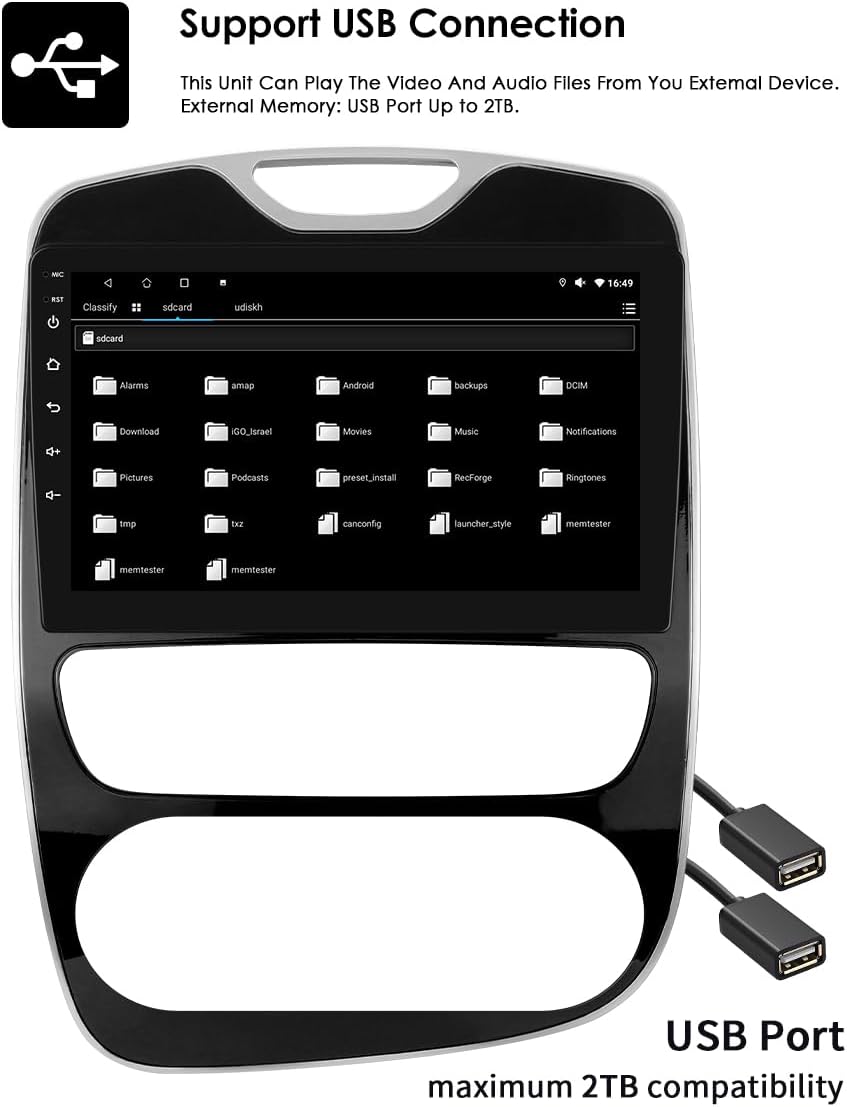
Image: USB connection support for media playback.
5. 10.1-inch Capacitive Touch Screen
The large 10.1-inch capacitive touch screen offers multi-touch functionality, providing a sensitive and flexible user experience. Its clear and translucent display ensures excellent visibility.

Image: Multi-touch capacitive screen functionality.
6. Navegació GPS
The autoradio features an integrated GPS navigator running on Android OS. It supports 2D/3D map views, dual-zone functionality (allowing navigation while playing music), offline map data, and various online navigation applications.
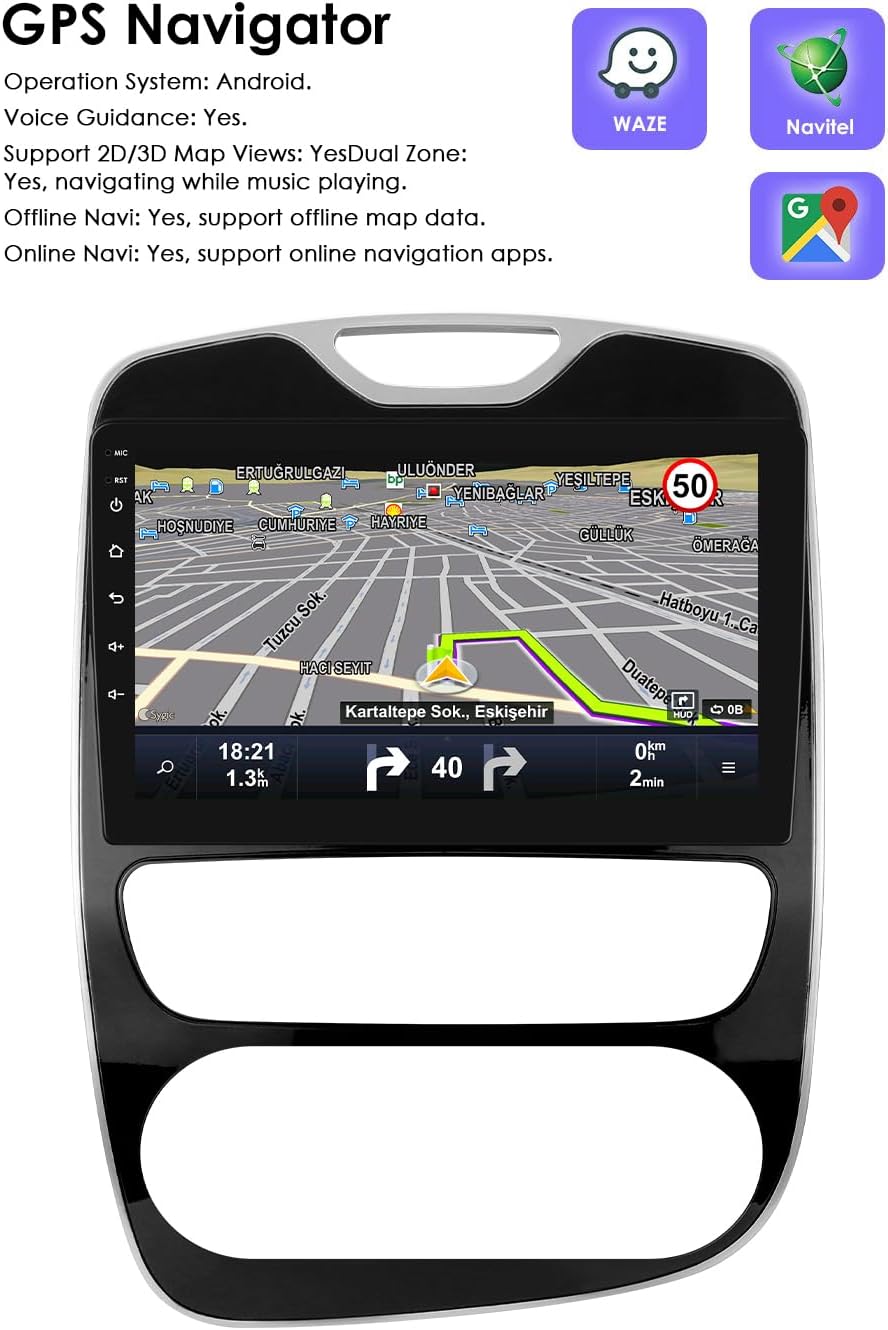
Image: GPS Navigation interface.
7. Control del volant (SWC)
The unit is compatible with your vehicle's factory steering wheel controls. This allows you to easily change tracks, channels, and adjust volume, minimizing distractions while driving.

Image: Steering Wheel Control icon.
8. Split Screen Display
Utilize the split-screen feature to display multiple applications simultaneously, such as navigation and music, or an ADAS camera view alongside other functions.

Image: Split Screen Display functionality.
9. Control per veu
The system features enhanced voice control sensitivity, allowing for convenient hands-free operation of various functions, such as navigation and calling.
Image: Voice control interaction with the autoradio.
10. Entrada de càmera de seguretat
The autoradio supports a rearview camera input. When the vehicle is put into reverse, the display automatically switches to the camera interface, showing blind spots and assisting with parking maneuvers.

Image: Backup Camera support icon.
11. Reproducció multimèdia
The unit supports a wide range of multimedia formats:
- Music Formats: MP3, WMA, AAC, RM, FLAC, etc.
- Formats de vídeo: MPEG-1/2/4, H264, H263, VC1, RV, RMVB, DivX, Sorenson Spark, VP8 AVS Stream, etc.

Image: Multimedia playback capabilities.
12. Funció de ràdio FM
Access and tune into FM radio stations. The interface allows for easy station selection and saving presets.

Image: FM Function icon.
13. Enllaç de mirall
The Mirror Link function allows you to mirror your smartphone's screen directly onto the autoradio display, providing access to your phone's apps and content on a larger screen.

Image: Mirror Link functionality.
14. Built-in DSP with 48 EQ Adjustment
The integrated Digital Sound Processor (DSP) allows for precise audio customization with 48 equalization adjustments, enabling you to fine-tune the sound output to your preference.

Image: 48 EQ Adjustment interface.
Manteniment
To ensure the longevity and optimal performance of your Ossuret Autoradio, follow these maintenance guidelines:
- Neteja: Feu servir un drap suau i sec per netejar la pantalla i l'exterior. Eviteu productes de neteja abrasius o dissolvents que puguin danyar la superfície.
- Actualitzacions de programari: Comproveu periòdicament si hi ha actualitzacions de programari disponibles per assegurar-vos que el sistema funciona de manera eficient i que disposa de les darreres funcions i pegats de seguretat.
- Temperatura: Avoid exposing the unit to extreme temperatures, both hot and cold, as this can affect its electronic components.
- Connexions: Ensure all cables and connections remain secure. Loose connections can lead to intermittent issues.
Resolució de problemes
If you encounter issues with your autoradio, refer to the following common problems and solutions:
- Unit does not power on or blows fuses:
- Check all power connections and ensure they are correctly wired.
- Verify the vehicle's fuses. If fuses repeatedly blow, there might be a short circuit or incorrect wiring. Consult a professional.
- Ensure the original car power plug is correctly located and connected (refer to the Setup section for potential location).
- Wireless Carplay/Android Auto disconnects or does not work:
- Ensure your smartphone's Wi-Fi and Bluetooth are active and properly paired with the autoradio.
- Check the Zlink application status on the autoradio.
- Restart both the autoradio and your smartphone.
- Ensure there are no other devices interfering with the Wi-Fi or Bluetooth connection.
- Steering wheel controls are not functioning:
- Verify that the steering wheel control wires are correctly connected to the autoradio.
- Access the autoradio's settings to configure or calibrate the steering wheel controls.
- No radar sound from the vehicle after installation:
- If your original vehicle's radar sound was emitted through the factory speakers, you will need to purchase and install the RN-SS-11 Canbus decoder and a small speaker to restore this functionality.
- USB connection issues (e.g., device not recognized, intermittent connection):
- Ensure the USB cable is securely connected to both the autoradio and the external device.
- Try a different USB cable or external device to rule out a faulty accessory.
- Comproveu el file system format of your USB device; some formats may not be supported.
- GPS signal is weak or inaccurate:
- Ensure the GPS antenna is installed in a location with a clear view of the sky, free from obstructions.
- Check the GPS antenna connection to the autoradio.
Especificacions
| Marca | Ossuret |
| Número de model | 6946cbde-ec23-470d-9f79-e4a4ffba77b7 |
| Color/Talla | 10.1 inches, 2GB RAM + 64GB Storage |
| Sistema operatiu | Android 13 |
| Tecnologia de connectivitat | Bluetooth, USB, Wi-Fi |
| Característiques especials | Wireless Carplay/Android Auto, GPS Navigation, Steering Wheel Control, Split Screen, Voice Control, Backup Camera Input, Built-in DSP (48 EQ) |
| Dispositius compatibles | Smartphone |
| Tipus de connector | USB, 3.5 mm jack, HDMI |
| Mode de sortida d'àudio | estèreo |
| Configuració del canal de so envoltant | 2.0 |
| Codificació de vídeo | RM |
Garantia i suport
Your Ossuret Autoradio comes with a Garantia del fabricant de 1 anys. Aquesta garantia cobreix els defectes de materials i de mà d'obra en ús normal.
For technical support, warranty claims, or further assistance, please contact your retailer or the Ossuret customer service department. Please have your product model number and purchase information ready when contacting support.
Information regarding spare parts availability and software updates is not available at this time. Please refer to the manufacturer's official website or contact support for the most current information.


