Introducció
Thank you for choosing the NIMO 15.6 FHD-Laptop. This powerful and versatile laptop is designed to enhance your productivity and entertainment experience. Featuring an Intel Core i3-1215U processor, 16GB RAM, and a 1TB SSD, it delivers fast and efficient performance for all your tasks. This manual provides essential information on setting up, operating, maintaining, and troubleshooting your new laptop.

Image: The NIMO 15.6 FHD-Laptop, showcasing its sleek design and key features like Full HD display, 16GB RAM, 1TB SSD, Type-C PD Charger, Fingerprint reader, and Backlit keyboard.
Què hi ha a la caixa
Si us plau, comproveu el contingut del paquet per assegurar-vos que hi hagi tots els elements:
- 1 x Nimo N154 Laptop
- 1 x Carregador ràpid tipus C 65 W PD
- 1 x Manual d'usuari
- Windows 11 Home (pre-installed)
Configuració
Engegada i càrrega inicials
- Unpack your NIMO laptop and the Type-C 65W PD Fast Charger.
- Connect the Type-C charger to the laptop's Type-C charging port and plug the adapter into a power outlet.
- Allow the laptop to charge for at least 30 minutes before the first use, or until the battery indicator shows sufficient charge.
- Press the power button located on the top right side of the keyboard to turn on the laptop.
Configuració de Windows 11
Follow the on-screen instructions to complete the initial Windows 11 setup. This typically includes:
- Seleccionant la regió i la disposició del teclat.
- Connexió a una xarxa Wi-Fi.
- Acceptació de l'acord de llicència.
- Crear o iniciar la sessió amb un compte de Microsoft.
- Setting up a PIN or password for login.
- Configuring privacy settings.
Funcionament del portàtil
Pantalla i elements visuals
The NIMO laptop features a stunning 15.6-inch Full HD (1920x1080) display with an 85% screen-to-body ratio and razor-thin bezels, providing vibrant colors and sharp details for an immersive viewexperiència.

Image: The NIMO laptop screen displaying a vibrant image, highlighting its Full HD (1920x1080) resolution, IPS technology, bright view, and eye protection features.
Rendiment
Equipped with an Intel Core i3-1215U processor, 16GB DDR4 RAM, and a 1TB SSD, your NIMO laptop delivers powerful performance for multitasking, productivity, and entertainment. The 12th Gen Intel Core i3-1215U processor offers 6 cores and 8 threads, with a turbo boost up to 3.7 GHz, ensuring smooth and responsive operation.

Imatge: Una imatge detallada view of the 12th Gen Intel Core i3-1215U Processor, illustrating its 6 cores, 8 threads, 15W power consumption, and 3.7 GHz Turbo Boost frequency, with a performance improvement indicator.
Teclat i entrada
The laptop features a backlit keyboard for comfortable typing in various lighting conditions, a responsive touchpad, and a numeric keypad for efficient data entry. The integrated fingerprint reader provides seamless and secure login.
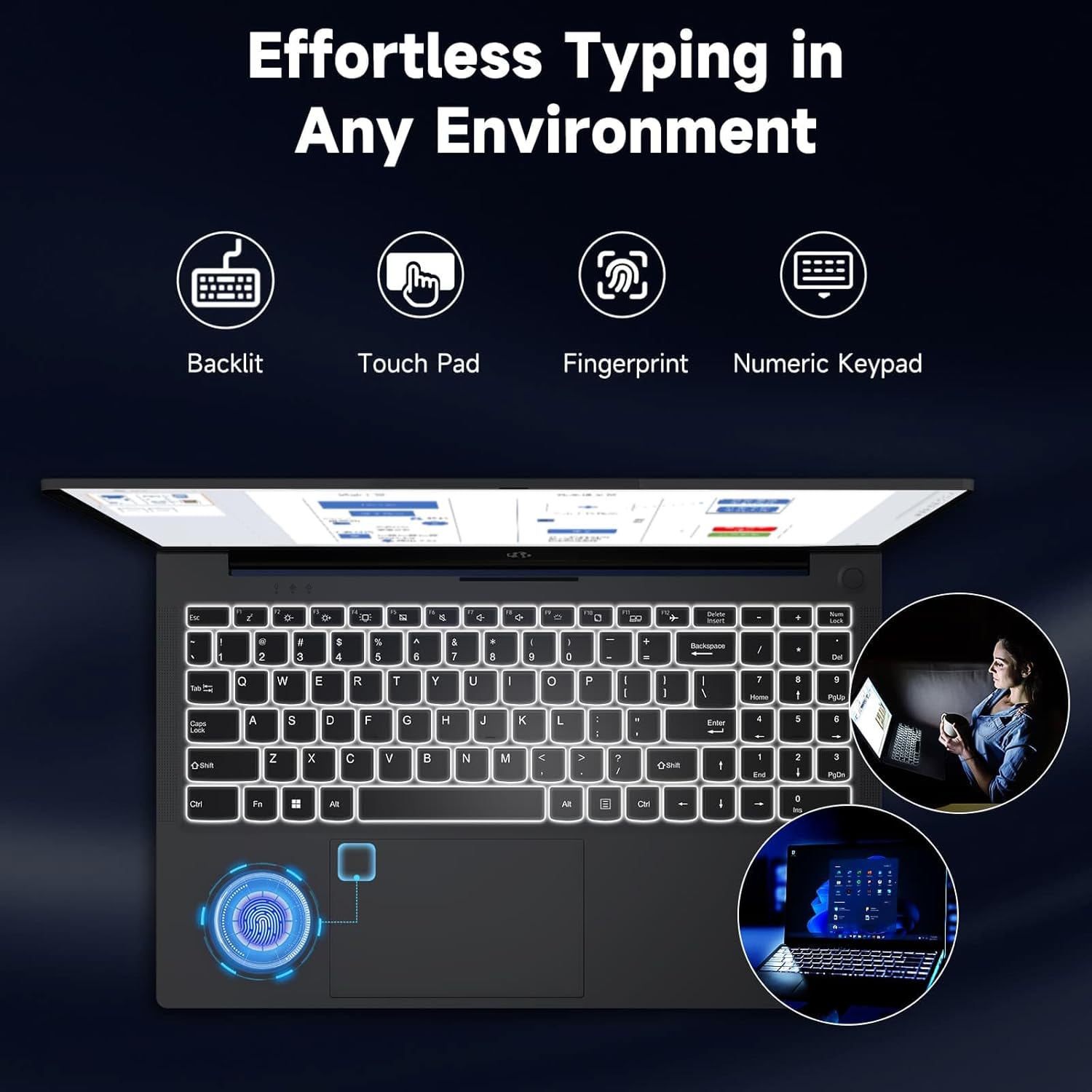
Image: The NIMO laptop keyboard, highlighting its backlit keys, touchpad, fingerprint sensor, and numeric keypad for effortless typing in any environment.
Seguretat i Privacitat
Unlock your laptop with ease and speed using the integrated fingerprint scanner. For privacy, the 2.0MP webcam includes a physical privacy switch, allowing you to control when your camera is active.
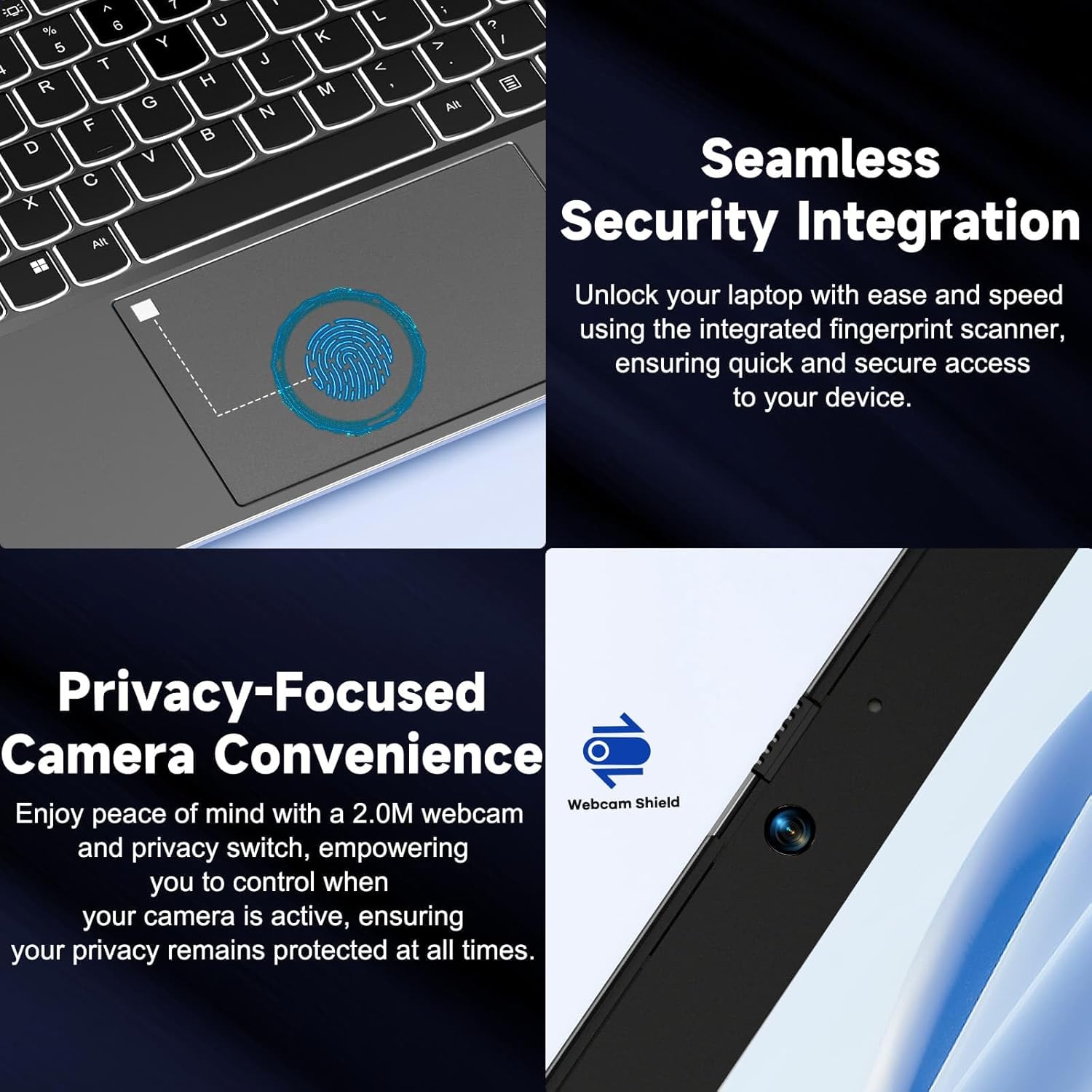
Imatge: Primer pla views of the laptop's fingerprint sensor for seamless security integration and the webcam with its privacy shield for enhanced privacy.
Connectivitat
The NIMO laptop offers multiple ports for versatile connectivity, including USB 2.0, USB 3.0, HDMI, and Type-C ports (one for charging, one for multifunction). It also features a Micro SD card reader, a headphone combo jack, and a Kensington lock slot.

Imatge: Una explosió view of the NIMO laptop, highlighting the location and type of its multiple ports, including USB, HDMI, Type-C, Micro SD, headphone combo, and Kensington lock.
180° Lay-Flat Hinge
The laptop is equipped with a 180° lay-flat hinge, allowing the screen to lie completely flat. This feature expands usage scenarios, making it easier to share content or collaborate with others.

Image: The NIMO laptop demonstrating its 180° lay-flat hinge, showing the screen fully opened and flat, ideal for sharing content.
Manteniment
Neteja
- Utilitzeu un drap suau i sense pelusa lleugerament dampNetegeu la pantalla amb aigua o un netejador de pantalles.
- Per al teclat i el xassís, feu servir un drap suau i sec. Eviteu productes químics agressius o materials abrasius.
- Feu servir aire comprimit per treure la pols de les tecles del teclat i de les reixetes de ventilació.
Cura de la bateria
- Eviteu descarregar completament la bateria amb freqüència.
- Guardeu el portàtil en un lloc fresc i sec si no el feu servir durant períodes prolongats.
- Use only the provided NIMO 65W PD fast charger.
Actualitzacions de programari
- Regularly check for Windows updates to ensure your system has the latest security patches and performance improvements.
- Keep your drivers updated for optimal hardware performance.
Resolució de problemes
| Problema | Causa possible | Solució |
|---|---|---|
| El portàtil no s'encén | Bateria baixa; Problema amb l'adaptador de corrent | Ensure charger is properly connected and plugged in. Allow to charge for a few minutes before attempting to power on again. |
| Problemes de connexió Wi-Fi | Driver issue; Router problem; Wi-Fi disabled | Check if Wi-Fi is enabled (Fn+F5). Restart your router. Update Wi-Fi drivers via Device Manager. |
| Rendiment lent | Too many background apps; Low disk space; Malware | Tanqueu les aplicacions innecessàries. Allibereu espai al disc. Executeu una anàlisi completa del sistema amb un programari antivirus. |
| La retroiluminació del teclat no funciona | Il·luminació de fons desactivada | Press Fn + F10 (or the key with the backlight icon) to toggle the backlight on/off or adjust brightness. |
| Fingerprint reader not responding | Sensor dirty; Driver issue; Incorrect setup | Clean the sensor with a soft cloth. Re-register your fingerprint in Windows Settings. Update fingerprint reader drivers. |
Especificacions
| Característica | Detall |
|---|---|
| Nom del model | NIMO N154G |
| Mida de la pantalla | 15.6 polzades |
| Resolució de pantalla | 1920 x 1080 píxels (Full HD) |
| Processador | Intel Core i3-1215U (up to 4.4 GHz) |
| RAM | 16 GB de DDR4 (3200 MHz) |
| Emmagatzematge | SSD de 1 TB |
| Coprocessador gràfic | Gràfics integrats |
| Sistema operatiu | Windows 11 Home |
| Tipus sense fil | 802.11a/b/g/n/ac |
| Ports USB | 1x USB 2.0, 2x USB 3.0 |
| Altres ports | HDMI, 2 x Type-C (1 Charge Only, 1 Multifunction), Micro SD Reader, Headphone Combo, Kensington Lock |
| Weblleva | 2 MP posterior WebResolució de la càmera |
| Durada de la bateria (mitjana) | 5 hores |
| Font d'alimentació | Battery Powered (65W PD Type-C Charger) |
| Pes de l'article | 5 lliures |
| Dimensions del producte | 14.07 x 8.98 x 0.76 polzades |
| Color | Gris |
| Característiques especials | Fingerprint Reader, HD Audio, Backlit Keyboard, Memory Card Slot, Numeric Keypad, 180° Lay-Flat Hinge |
Garantia i Suport
NIMO is committed to providing reliable products and excellent customer service. Your NIMO laptop comes with comprehensive warranty and support:
- 2-Year Laptop Protection: Enjoy peace of mind with a 2-year warranty covering manufacturing defects.
- Devolucions gratuïtes de 90 dies: If you are not satisfied with your purchase, you can return it within 90 days.
- 24/7 Customer Service Support: Our dedicated team of laptop experts is available around the clock to provide instant assistance and resolve any issues you may encounter.
For support, please refer to the contact information provided on the NIMO official website or the packaging. Please have your model number (NIMO N154G) and purchase details ready when contacting support.

Image: An illustration of NIMO's after-sales excellence, showing domestically partial assembly, 90-day free returns, 2-year after-sales support, and 24/7 customer service support.


