1. Instruccions de seguretat importants
Please read all instructions carefully before using the Vamvo VF340 Mini Projector and retain this manual for future reference. Adhering to these guidelines ensures safe operation and optimal performance.
- Font d'alimentació: Feu servir només l'adaptador de corrent proporcionat. Assegureu-vos que el volumtage coincideix amb els requisits del projector.
- Ventilació: Do not block ventilation openings. Maintain adequate space around the projector for proper airflow to prevent overheating.
- Neteja: Clean the lens and exterior surfaces with a soft, dry cloth. Avoid abrasive cleaners or solvents.
- Aigua i humitat: Do not expose the projector to rain, moisture, or immerse it in water. Keep liquids away from the device.
- Col·locació: Place the projector on a stable, flat surface. Avoid placing it in direct sunlight or near heat sources.
- Protecció ocular: No mireu directament a la lent del projector quan estigui encès.amp està encès, ja que la llum brillant pot causar lesions oculars.
- Manteniment: No intenteu reparar el projector vosaltres mateixos. Encarregueu totes les tasques de manteniment a personal qualificat.
2. Contingut del paquet
Verify that all items listed below are included in your Vamvo VF340 Mini Projector package:
- Vamvo VF340 Mini Projector
- Cable HDMI
- Control remot
- Manual d'usuari
- Adaptador d'alimentació
- Targeta de garantia
3. Producte acabatview
Familiarize yourself with the physical components and interfaces of your Vamvo VF340 Mini Projector.
Davant View

The front of the projector features the main projection lens and an infrared receiver for the remote control. The lens is protected by a cover (not shown in this image) which should be removed before operation.
Controls superiors
The top panel includes an array of buttons for basic navigation and control, such as power, menu, source selection, and directional keys. These allow for direct interaction with the projector's interface.
Ports laterals i posteriors
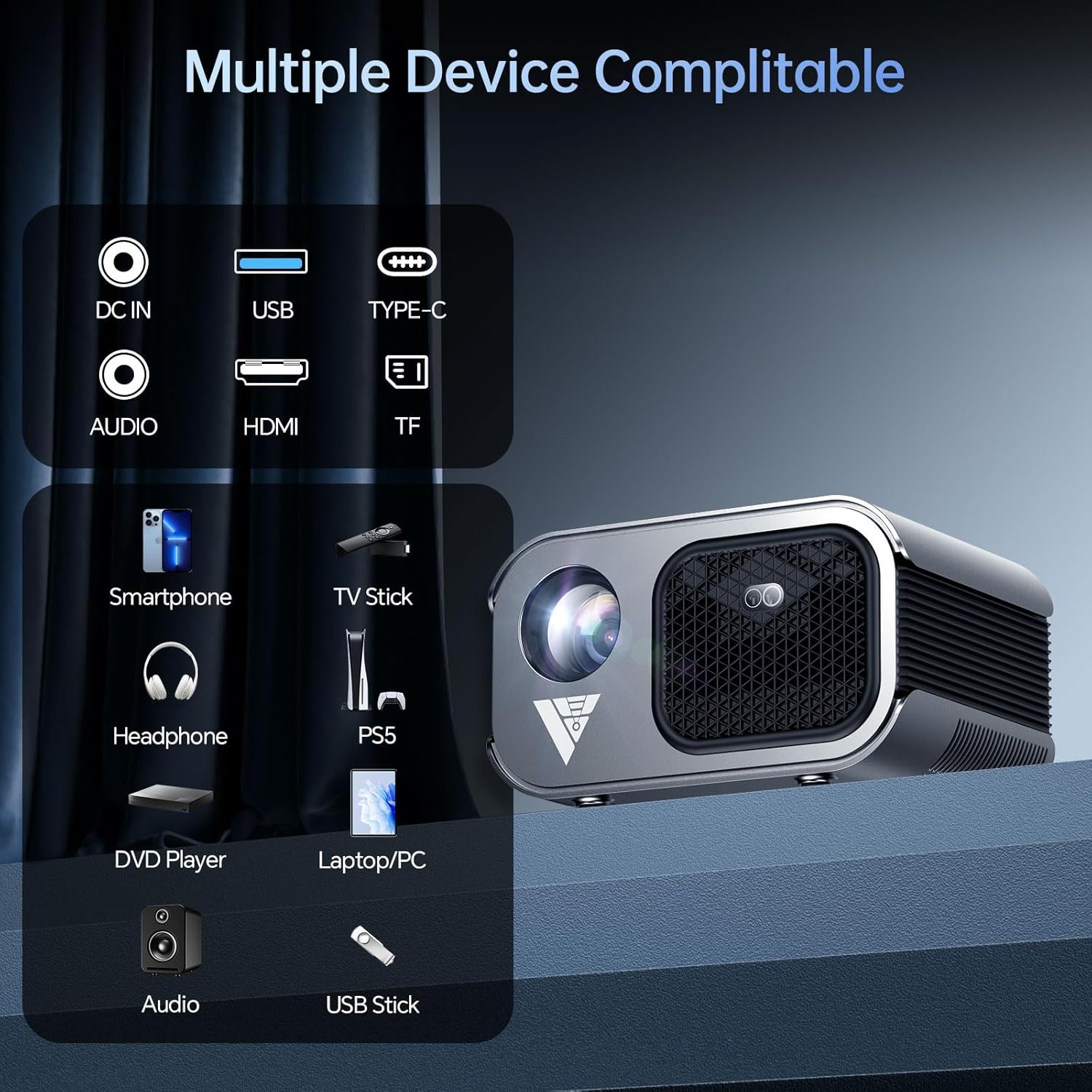
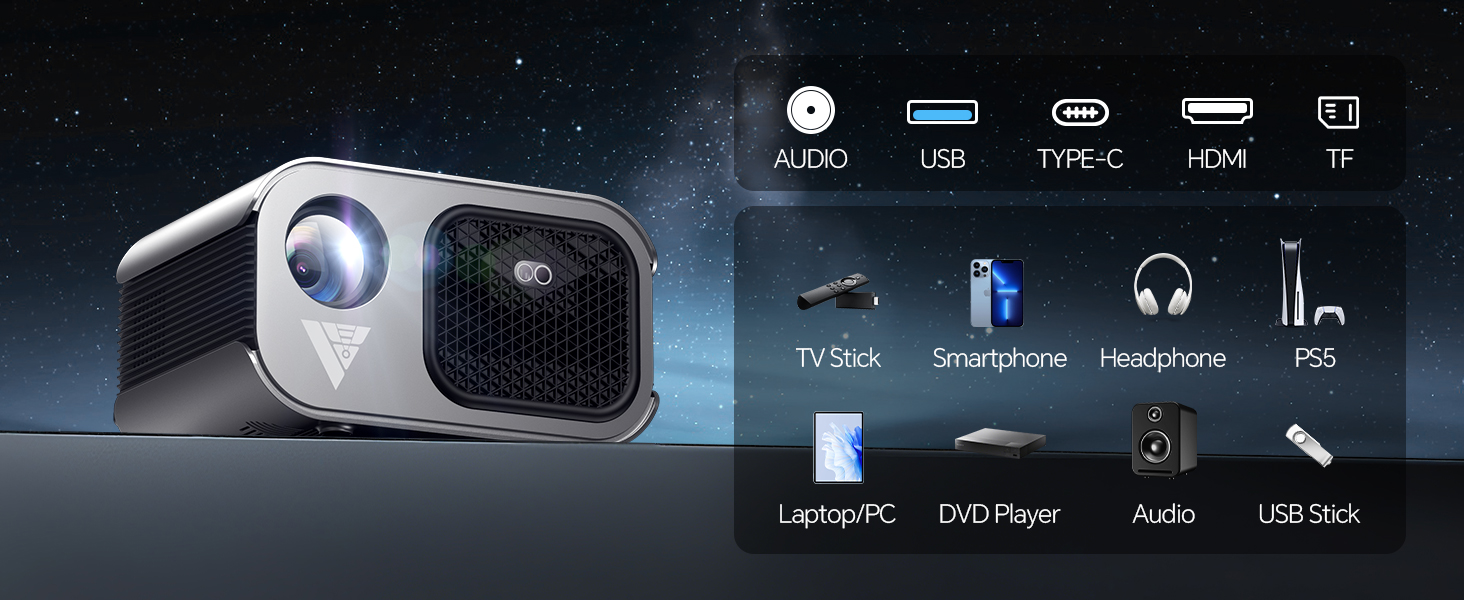
The side and rear panels house various input and output ports for connecting external devices. These include DC IN for power, HDMI for high-definition video and audio, USB for media playback, and an Audio Out (3.5mm) jack for external speakers or headphones. Some models may also feature a Type-C port and TF card slot.
Ajust d'enfocament i Keystone
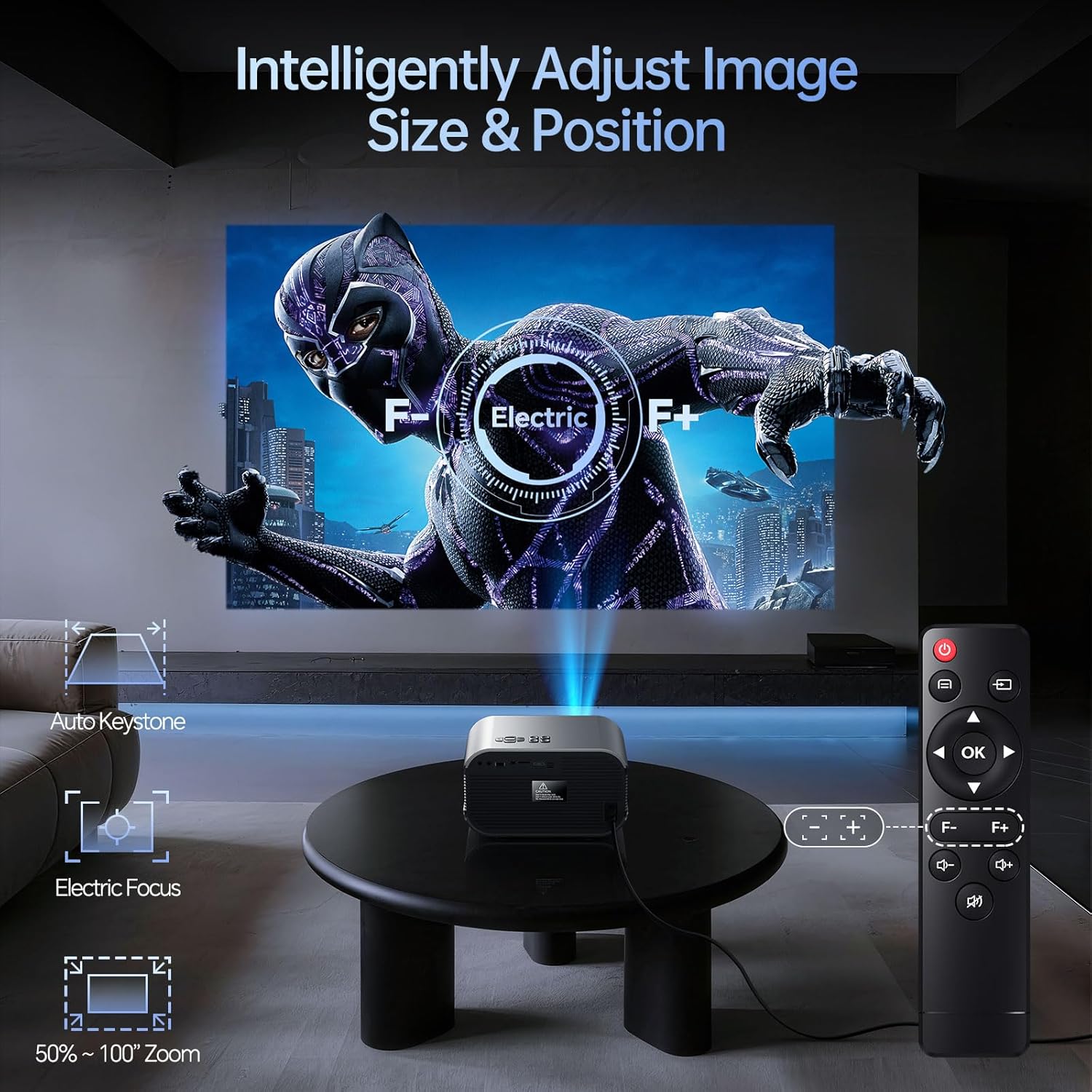
The projector features an electric focus mechanism, allowing for sharp image adjustment via the remote control. Automatic keystone correction helps to square the image even when the projector is not perfectly aligned with the screen.
4. Configuració
4.1 Connexió d'alimentació
- Connecteu l'adaptador d'alimentació al port DC IN del projector.
- Connecteu l'adaptador d'alimentació a una presa de corrent adequada.
- The power indicator light will illuminate, indicating the projector is ready for use.
4.2 Placement and Screen Adjustment
Optimal projection quality depends on proper placement and image adjustment.
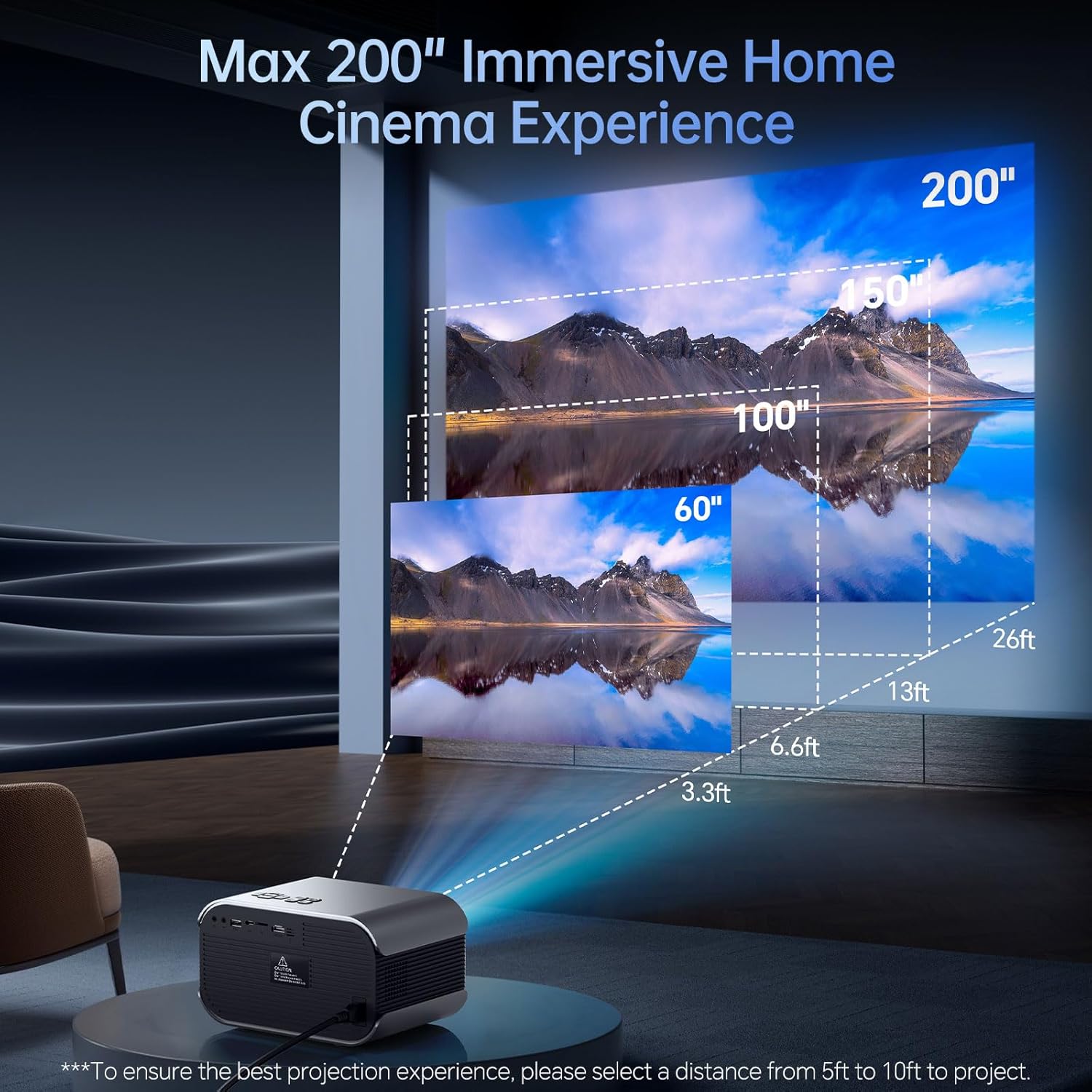
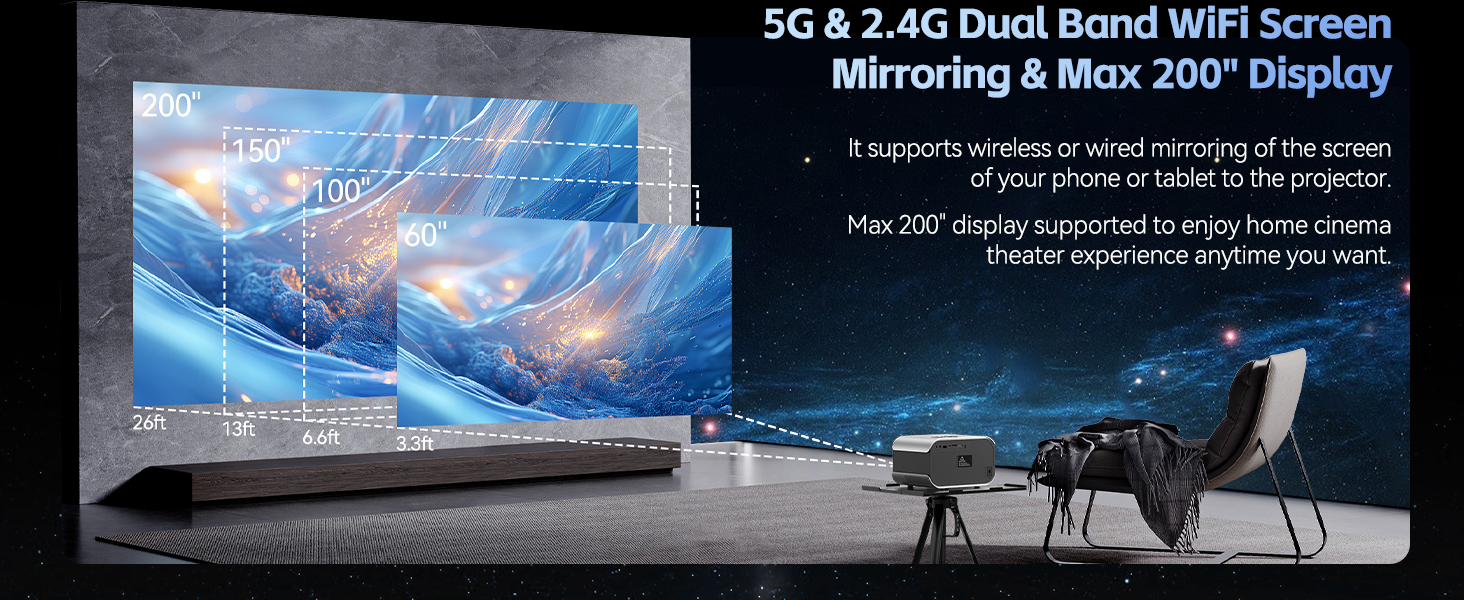
The Vamvo VF340 supports a maximum display size of 200 inches. For the best projection experience, select a distance from 5ft to 10ft to project.
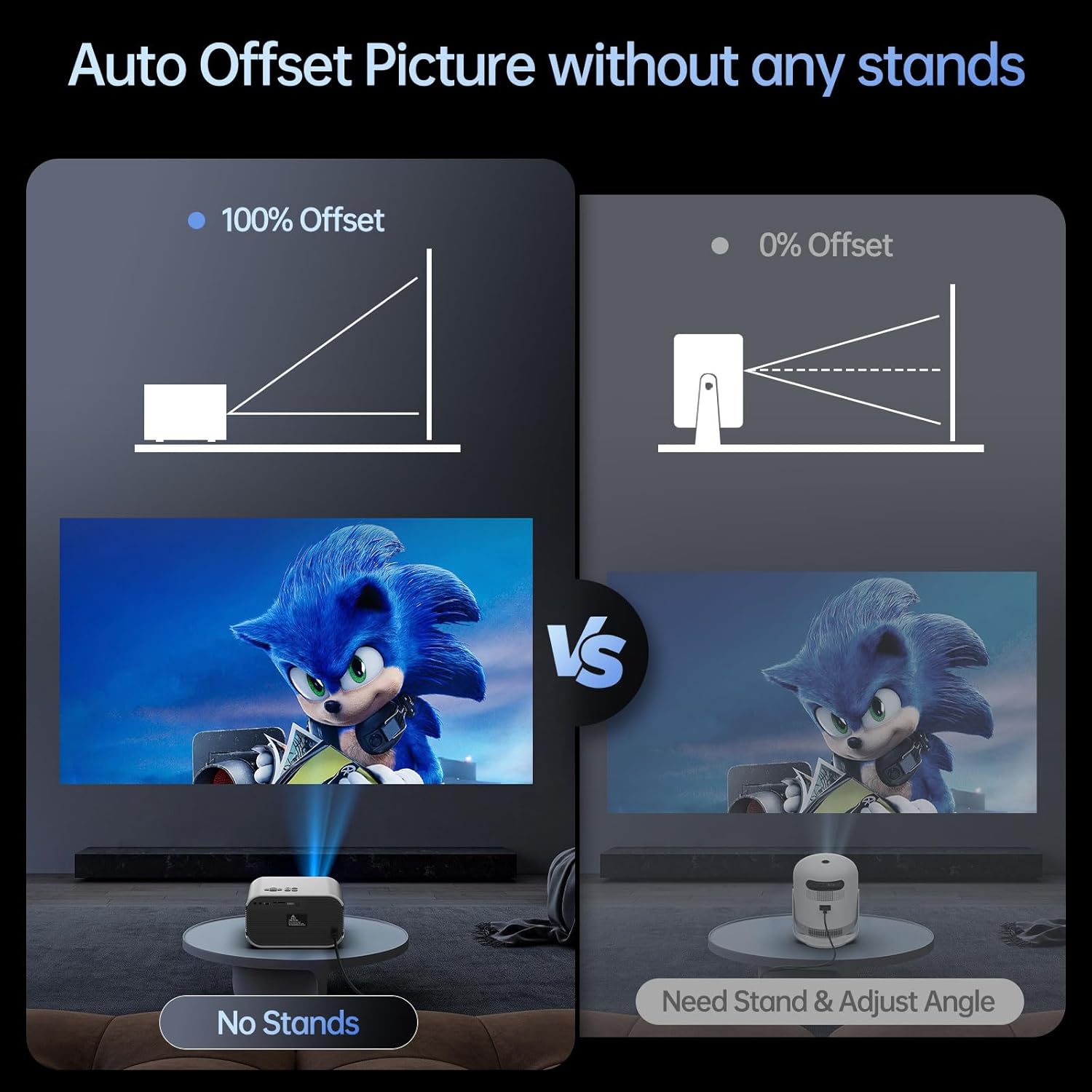
The projector features an auto offset picture function, which can adjust the image without needing external stands, simplifying setup.
4.3 Connexió de dispositius
The projector offers versatile connectivity options for various devices.
Connexió HDMI
- Connect an HDMI cable from your device (e.g., laptop, PS5, TV Stick) to the HDMI port on the projector.
- Select 'HDMI' as the input source in the projector's menu.
Connexió USB
- Inseriu una unitat flaix USB al port USB.
- Select 'USB' as the input source to browse and play media files.
Wireless Connection (WiFi)
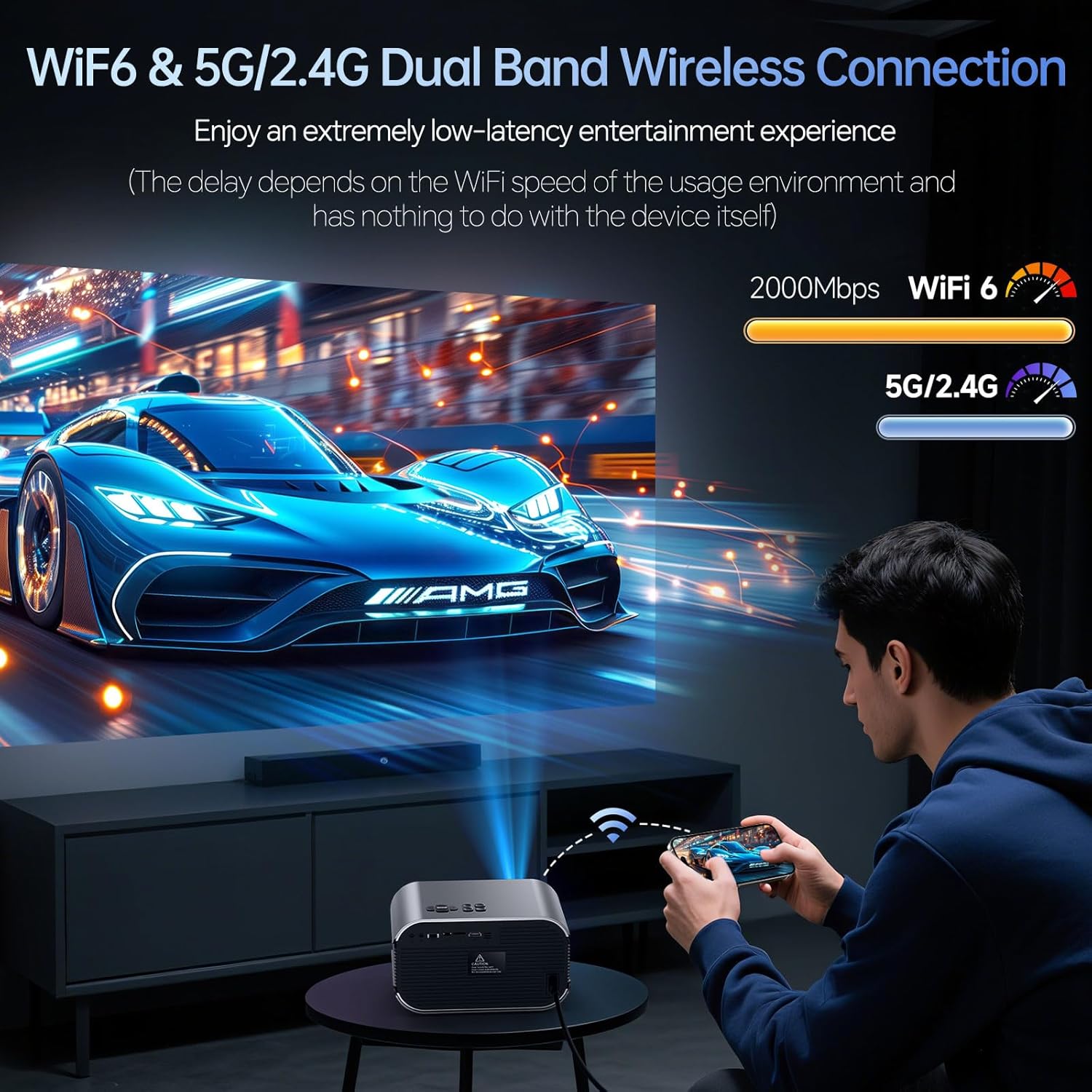
The projector supports dual-band 5G/2.4G WiFi for faster speeds and reduced interference, enabling screen mirroring from compatible devices.
- Navigate to the WiFi settings in the projector's menu.
- Seleccioneu la xarxa desitjada i introduïu la contrasenya.
- Once connected, you can use screen mirroring features for Android, iOS, or PC devices.
Connexió Bluetooth
The projector features Bluetooth 5.2 for audio transmission only. It can connect to external Bluetooth speakers, headphones, or soundbars.
- Aneu a la configuració de Bluetooth al menú del projector.
- Activa el Bluetooth i cerca els dispositius disponibles.
- Select your audio device to pair.
- Nota: La funció Bluetooth només admet la transmissió d'àudio, no de vídeo.
5. Instruccions de funcionament
5.1 Encès/Apagat
- Encès: Premeu el botó d'encesa del projector o del comandament a distància.
- Apagar: Press the power button again. Confirm shutdown if prompted.
5.2 Navegació de menús
- Use the directional buttons on the projector or remote to navigate through menu options.
- Premeu el botó "D'acord" per confirmar les seleccions.
- Press the 'Back' button to return to the previous menu or exit.
5.3 Ajust de l'enfocament i la distorsió trapezoidal
- Enfocament elèctric: Use the dedicated focus buttons on the remote control (F+/F-) to achieve a sharp image.
- Correcció Keystone: The projector features automatic keystone correction. If manual adjustment is needed, navigate to the 'Image Settings' menu.
5.4 Configuració d'àudio
- Altaveus integrats: The projector has built-in 3D Stereo Hi-Fi Audio Sound Speakers.
- Àudio extern: Connect external speakers or headphones via the 3.5mm Audio Out jack or pair via Bluetooth for enhanced sound.
- Adjust volume using the remote control or the projector's control panel.
5.5 Mirall de pantalla
- Ensure your device (Android/iOS/PC) and the projector are connected to the same WiFi network.
- Select the 'Screen Mirroring' or 'Wireless Display' option on the projector.
- Follow the on-screen instructions to connect your device.
5.6 Reproducció multimèdia
- Select the appropriate input source (HDMI, USB) for your connected device.
- Use the projector's navigation controls or remote to play content.
Consell càlid: This projector is designed for home theater use and is not recommended for PPT or business presentations. Due to APP copyright reasons, movies on streaming services like Netflix and Prime Video can only be watched through laptops, TV sticks, or Roku devices connected via HDMI.
6. Manteniment
Regular maintenance helps prolong the life and performance of your projector.
- Neteja de lents: Use a professional lens cleaning cloth or air blower to clean the projector lens. Avoid touching the lens directly with your fingers.
- Neteja del filtre de pols: Periodically check and clean the dust filter (if applicable) to ensure optimal airflow and prevent dust buildup.
- Ventilació: Ensure the projector's ventilation vents are clear and unobstructed. Do not place the projector on soft surfaces that may block airflow.
- Emmagatzematge: Quan no l'utilitzeu durant períodes prolongats, guardeu el projector en un entorn fresc, sec i sense pols.
7. Solució De Problemes
If you encounter issues with your Vamvo VF340 Mini Projector, refer to the following common problems and solutions:
- Sense imatge:
- Assegureu-vos que l'adaptador de corrent estigui connectat correctament i que el projector estigui encès.
- Check that the input source is correctly selected (e.g., HDMI, USB).
- Verify that the connected device is powered on and outputting a signal.
- Imatge borrosa:
- Adjust the electric focus using the remote control (F+/F-).
- Assegureu-vos que la distància de projecció estigui dins del rang recomanat.
- Netegeu la lent del projector si sembla bruta.
- Sense so:
- Comproveu el nivell de volum tant del projector com del dispositiu connectat.
- If using external speakers, ensure they are properly connected or paired via Bluetooth.
- Verify that the audio output settings on your source device are correct.
- Problemes de connectivitat (WiFi/Bluetooth):
- Ensure the projector and your device are within range of the WiFi router or each other for Bluetooth.
- Restart the projector and your device.
- Comproveu si hi ha interferències d'altres dispositius sense fil.
8. Especificacions
Key technical specifications for the Vamvo VF340 Mini Projector:
| Característica | Especificació |
|---|---|
| Marca | Vamvo |
| Número de model | VF340 |
| Resolució de visualització | Natiu 1920 x 1080 (admet 4K) |
| Tecnologia de connectivitat | HDMI, USB, WiFi (5G/2.4G), Bluetooth 5.2 |
| Característiques especials | Built-In Speaker, Electric Focus, Keystone Correction |
| Usos recomanats | Jocs, Cinema a casa |
| Pes de l'article | 1.46 lliures |
| Dimensions del paquet | 10.67 x 9.92 x 6.77 polzades |
9. Garantia i Suport
Vamvo is committed to providing exceptional after-sales service for your VF340 Mini Projector.
- Atenció al client: Enjoy 24/7 support for any concerns or issues.
- Pla de protecció: The product includes a 3-year protection plan.
- Lifetime Customer Care: Benefit from lifetime customer care for your purchase.
- Suport tècnic: Long-life technical support is offered. Please feel free to contact us with any product questions.
For further assistance, please visit the official Vamvo Store: Vamvo Store on Amazon