1. Introducció
This manual provides detailed instructions for the setup, operation, and maintenance of your ARZOPA D10 Gold 10.1" Digital Picture Frame. Please read this manual thoroughly before using the device to ensure proper functionality and to maximize your user experience.
The ARZOPA D10 Gold Digital Picture Frame features a 10.1-inch HD IPS touchscreen, Wi-Fi connectivity, and a durable metal frame. It allows for easy sharing of photos and videos with family and friends through the dedicated ARZOPA app, offering unlimited cloud storage and additional 32GB built-in storage.
2. Contingut del paquet
Si us plau, verifiqueu que tots els elements siguin presents al vostre paquet:
- ARZOPA D10 Gold 10.1" Digital Picture Frame
- Adaptador d'alimentació
- Manual d'usuari
- Suport de suport
3. Producte acabatview
Familiarize yourself with the components of your digital picture frame.

Figura 3.1: Davant view of the ARZOPA D10 Gold Digital Picture Frame, showcasing its 10.1-inch display and a smartphone displaying the ARZOPA app interface.

Figura 3.2: posterior view of the ARZOPA D10 Gold Digital Picture Frame, highlighting the built-in speakers, wall mounting holes, stand hole, power button, USB port, Micro SD card slot, and DC power input.
Components del marc:
- Pantalla tàctil IPS de 10.1 polzades: High-definition display for vibrant photo and video playback.
- Marc metàl·lic: Durador i estèticament agradableasing gold-colored metal casing.
- Altaveus integrats: For audio playback with videos.
- Botó d'encesa: To turn the frame on/off or activate sleep mode.
- Port USB: For connecting USB drives for media transfer.
- Ranura per a targetes Micro SD: For expanding storage up to 128GB (SD card not included).
- Entrada d'alimentació de CC: Per connectar l'adaptador de corrent.
- Stand Bracket: For tabletop display.
- Forats de paret: Per muntar el marc a la paret.
4. Configuració
4.1 Configuració inicial
- Connectar l'alimentació: Plug the power adapter into the DC power input on the back of the frame, then plug the adapter into a wall outlet. The frame will automatically power on.
- Selecció d'idioma: Segueix les instruccions que apareixen a la pantalla per seleccionar l'idioma que prefereixis.
- Connexió Wi-Fi: Select your Wi-Fi network from the list and enter the password. Ensure a stable internet connection for optimal performance.
- Download ARZOPA App: Download the free ARZOPA app from the App Store (iOS) or Google Play Store (Android) on your smartphone.
- Registre del compte: Open the ARZOPA app and register a new account or log in if you already have one.
- Pair Frame: In the app, follow the instructions to add a new device. You will typically scan a QR code displayed on your digital frame to pair it with your app account.

Figura 4.1: Visual guide for connecting the ARZOPA app to the digital picture frame, showing steps from opening the app to uploading photos.
4.2 Opcions de muntatge
- Tabletop Display: Attach the included stand bracket to the designated hole on the back of the frame for stable placement on any flat surface.
- Muntatge a la paret: Use the wall holes on the back of the frame to mount it securely on a wall. Ensure appropriate wall anchors and screws are used (not included) for safe installation.
5. Instruccions de funcionament
5.1 Funcionament bàsic
- Navegació per pantalla tàctil: The frame features a responsive touchscreen. Swipe left/right to navigate through photos, tap to access menus, and pinch to zoom (if supported by software).
- Encès/apagat: Press and hold the power button for a few seconds to turn the frame on or off. A short press will activate/deactivate sleep mode.
- Mode de repòs: Configure smart sleep mode settings in the frame's settings menu to automatically turn the screen off during specific hours (e.g., overnight) to save energy.
- Ajust de brillantor: Adjust screen brightness via the settings menu or quick access controls (if available) for optimal viewen diferents condicions d'il·luminació.
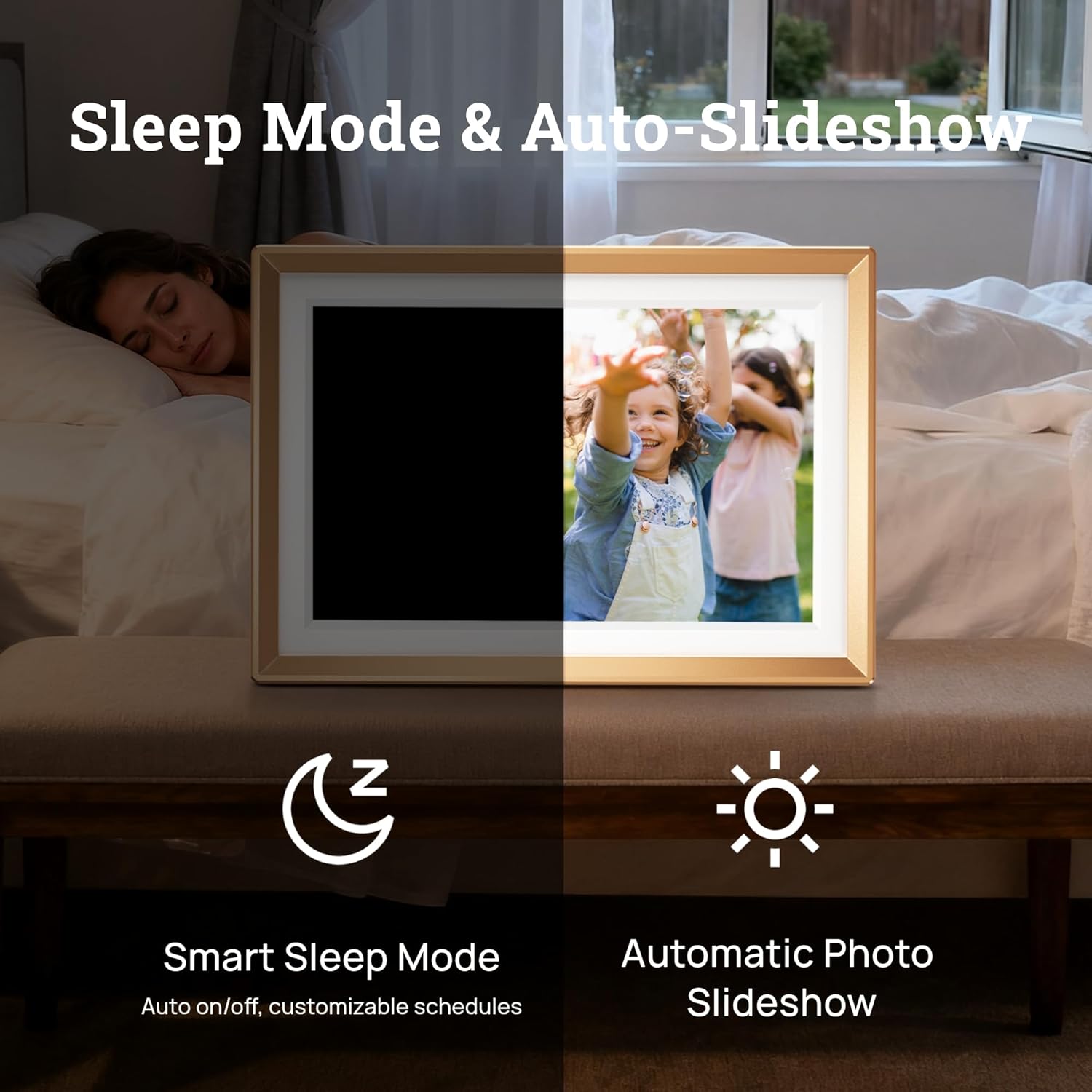
Figura 5.1: Illustration of the Smart Sleep Mode, where the frame automatically turns off, and the Automatic Photo Slideshow feature.
5.2 Gestió de fotos i vídeos
- Uploading via ARZOPA App: Open the ARZOPA app, select the frame, and choose photos or videos from your device to upload. The app supports unlimited uploads to cloud storage.
- Uploading via SD Card/USB: Insert a Micro SD card (up to 128GB) or a USB drive into the respective port. The frame will detect the storage, allowing you to import media to the internal 32GB storage.
- Managing Content: Access the gallery or file management section on the frame's touchscreen to view, delete, or organize your uploaded photos and videos.
- Configuració de la presentació de diapositives: Customize slideshow intervals, transition effects, and playback order in the frame's settings.

Figura 5.2: Acabatview of various methods to upload photos and videos to the ARZOPA frame: via the ARZOPA app, external storage (SD card/USB), PC connection, and free cloud storage.
5.3 Sharing Features
- Invite Others to Share: Through the ARZOPA app, you can invite family and friends to share photos and videos directly to your frame. They will need to download the app and create an account.
- Característiques interactives: The app may include features like 'like' and 'comment' to create a shared, interactive space for memories.
5.4 Funcions avançades
- Weather and Calendar: The frame can display real-time weather information and a calendar. These features can be enabled and configured in the settings.
- Rotació automàtica: The built-in gravity sensor automatically adjusts the display orientation (landscape or portrait) based on how the frame is positioned.

Figura 5.3: The digital picture frame displaying a photo along with real-time weather and calendar information.
6. Manteniment
- Neteja de la pantalla: Feu servir un drap suau i sense borrissol per netejar suaument la pantalla. Per a taques difícils, fregueu lleugeramentampRenta el drap amb aigua o una solució netejadora de pantalles. Evita productes químics agressius.
- Actualitzacions de programari: Periodically check for software updates in the frame's settings menu to ensure you have the latest features and performance improvements.
- Gestió d'emmagatzematge: Regularment review your stored photos and videos. Delete unnecessary files to free up internal storage, especially if you are not using cloud storage exclusively.
7. Solució De Problemes
If you encounter issues with your ARZOPA Digital Picture Frame, refer to the following common problems and solutions:
| Problema | Possible solució |
|---|---|
| El marc no s'encén. | Assegureu-vos que l'adaptador de corrent estigui connectat correctament tant al marc com a una presa de corrent que funcioni. Proveu una altra presa de corrent. |
| No es pot connectar a la Wi-Fi. | Check if your Wi-Fi router is working. Re-enter the Wi-Fi password carefully. Ensure the frame is within range of your Wi-Fi signal. Restart the frame and your router. |
| No apareixen les fotos/vídeos. | Verify that media has been successfully uploaded via the ARZOPA app or transferred from an SD card/USB. Check the frame's internal storage. Ensure file els formats són compatibles. |
| ARZOPA app not pairing with frame. | Ensure both the frame and your smartphone are connected to the internet. Re-scan the QR code on the frame. Restart both the app and the frame. |
| La pantalla no respon. | Restart the frame by holding down the power button. If the issue persists, perform a factory reset (refer to settings menu, note this will erase all data). |
8. Especificacions
| Característica | Detall |
|---|---|
| Dimensions del producte | 10.35 x 7.15 x 0.99 polzades |
| Pes de l'article | 2.97 lliures |
| Mida de la pantalla | 10.1 polzades |
| Resolució | 1280 x 800 |
| Color | D10-Gold |
| Emmagatzematge intern | 32 GB |
| Emmagatzematge ampliable | Up to 128GB (Micro SD card, not included) |
| Connectivitat | WiFi |
| Dispositius compatibles | Android, iOS, Personal Computer, Smartphone |
| Fabricant | ARZOPA |
9. Informació de la garantia
ARZOPA products are covered by a manufacturer's warranty. For specific details regarding your product's warranty period and terms, please refer to the warranty card included in your package or visit the official ARZOPA weblloc web. Conserveu el rebut de compra com a comprovant de compra per a reclamacions de garantia.
10. Suport
For technical assistance, product inquiries, or warranty support, please contact ARZOPA customer service. Our dedicated support team aims to respond within 48 hours to provide personalized technical assistance.
- Assistència en línia: Visit the official ARZOPA weblloc web amb preguntes freqüents, recursos d'assistència i formularis de contacte.
- Suport per correu electrònic: Refer to your product packaging or the ARZOPA weblloc web per a l'adreça de correu electrònic del servei d'atenció al client.


