Introducció
This manual provides detailed instructions for the setup, operation, maintenance, and troubleshooting of your HOMPOW Mini Projector. Please read this manual thoroughly before using the product to ensure optimal performance and longevity.
Què hi ha a la caixa
- Control remot
- Manual d'usuari
- Adaptador d'alimentació
- Cable HDMI
- Targeta de garantia
Característiques del producte
- Resolució d'alta definició: Supports 1080P Full HD with a native resolution of 720P (1280x720) for clear and vibrant images.
- Eye-Protective Technology: Features low-blue-light technology and reflected imaging to reduce eye strain.
- Replica de pantalla: Easy screen mirroring from Android phones (Micro USB/Type-C to HDMI adapter required, sold separately) and iPhones/iPads (Lightning to HDMI adapter required, sold separately). Supports TV sticks (sold separately) for HDCP-compliant streaming.
- Two-Way Bluetooth: Bidirectional Bluetooth 5.1 allows connection to external Bluetooth speakers for enhanced sound or using the projector as a Bluetooth speaker.
- Compacte i portàtil: Weighs just 0.7 kg, offering a projection size of 40 to 120 inches for indoor and outdoor use.
- Low Noise & Kid-Friendly: Whisper-quiet operation and an auto-off timer for screen time management.
- Connectivitat eficient: Includes USB 2.0 and HDMI 2.0 ports for seamless connections with smartphones, TV sticks, PS4, PS5, tablets, and laptops.
- Altaveus estèreo integrats: Features built-in 5W high-powered speakers for rich, clear sound.
- Kids’ Bedtime Stories: Ideal for creating an engaging atmosphere for bedtime stories.
Configuració
Follow these steps to set up your HOMPOW Mini Projector for the first time.
- Unboxing: Carefully remove all components from the packaging. Verify that all items listed in the 'What's in the Box' section are present.
- Connexió d'alimentació: Connect the power adapter to the projector's DC input port and then plug it into a power outlet.
- Col·locació: Place the projector on a stable, flat surface. Ensure there are no obstructions in front of the lens. The optimal projection distance will vary based on desired screen size (40 to 120 inches).
- Encès: Premeu el botó d'encesa del projector o del comandament a distància per encendre el dispositiu.
- Ajust del focus: Rotate the focus ring around the lens until the projected image is clear and sharp.

Image: The HOMPOW Mini Projector, showcasing its compact and portable design, measuring approximately 4.9 x 4.9 x 2.1 inches.
Video: An unboxing and initial setup guide for the HOMPOW Mini Projector, demonstrating its compact size and included accessories.
Instruccions de funcionament
Dispositius de connexió
The projector offers multiple connectivity options for various devices:
- Connexió HDMI: Use the provided HDMI cable to connect your laptop, TV stick, gaming console (PS4, PS5), or other HDMI-enabled devices to the projector's HDMI port. Select 'HDMI' as the input source using the remote control.
- Connexió USB: Inseriu una unitat USB al port USB 2.0 per reproduir contingut multimèdia files directly. Navigate through the 'Movie', 'Music', or 'Photo' menus to select your content.
- Bluetooth Connection (Two-Way):
- To connect external Bluetooth speakers: Go to 'Settings' -> 'BT Setting' and select 'Send'. The projector will search for available Bluetooth speakers. Pair with your desired speaker.
- To use the projector as a Bluetooth speaker: Go to 'Settings' -> 'BT Setting' and select 'Receive'. On your smartphone or tablet, search for 'Project_BT' in your Bluetooth settings and connect.
- Screen Mirroring (Wired): For Android phones, use a Micro USB/Type-C to HDMI adapter (sold separately). For iPhones/iPads, use a Lightning to HDMI adapter (sold separately). Connect the adapter to your phone and then to the projector's HDMI port. Select 'HDMI' as the input source.
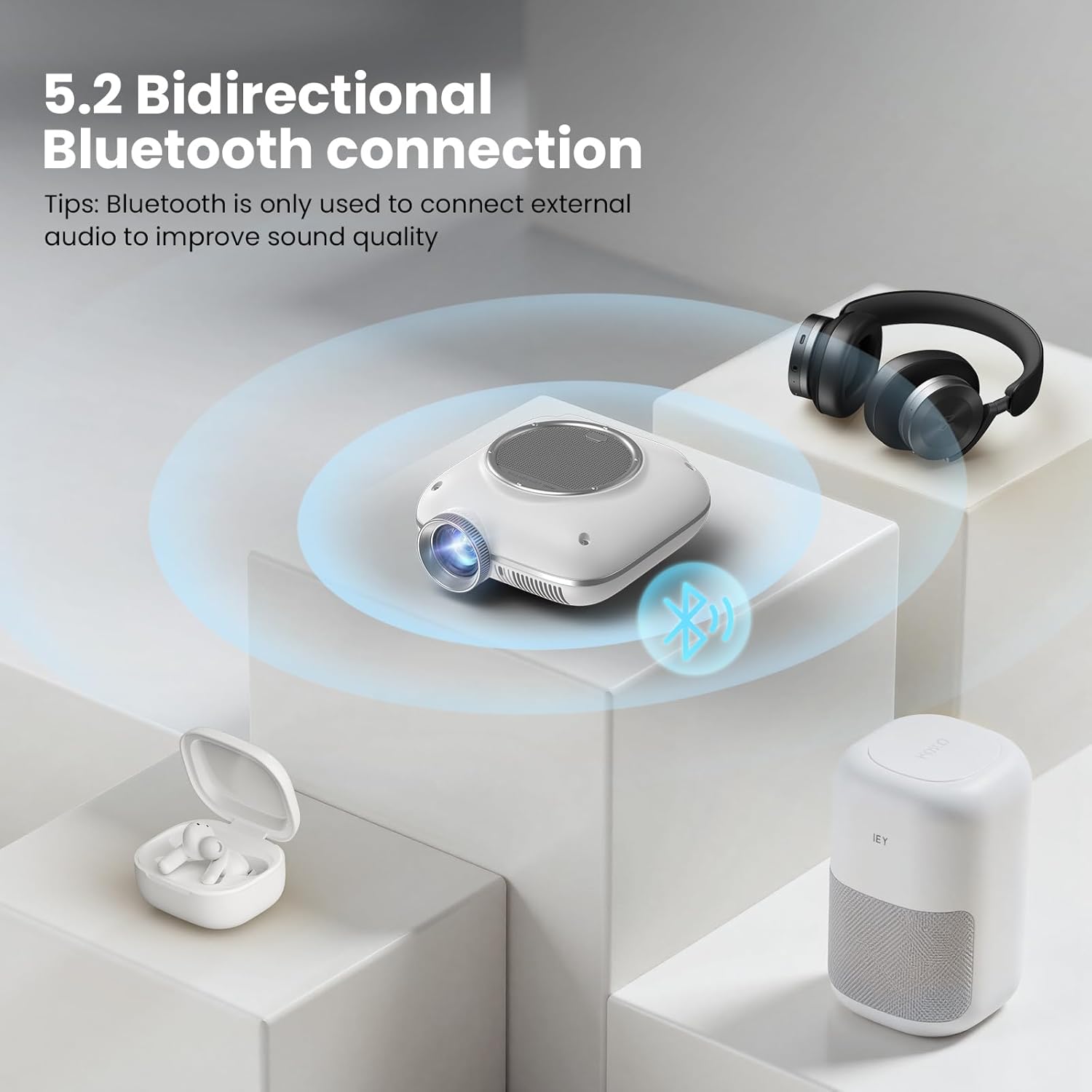
Image: The HOMPOW Mini Projector connected to various devices including a laptop, smartphone, gaming controller, and headphones, illustrating its versatile input options.

Image: A diagram showing how to connect smartphones and tablets to the projector using Micro USB/Type-C to HDMI or Lightning to HDMI adapters.

Image: An illustration of the projector's bidirectional Bluetooth capability, connecting to external headphones and a Bluetooth speaker.
Video: A demonstration of connecting a smartphone to the HOMPOW Mini Projector via Bluetooth to play music, highlighting the two-way Bluetooth functionality.
Configuració de projecció
Adjust the projection to suit your viewentorn i preferències.
- Mida de la pantalla: The projector supports a projection size from 40 to 120 inches. Adjust the distance of the projector from the wall or screen to achieve your desired size.
- Mode d'imatge: Access the 'Settings' menu to adjust picture parameters such as Contrast, Brightness, Sharpness, and Color Temperature.
- Protecció ocular: The projector incorporates eye-protective technology. For optimal eye comfort, especially during extended viewing, ensure the room lighting is appropriate and avoid direct viewing of the lens.
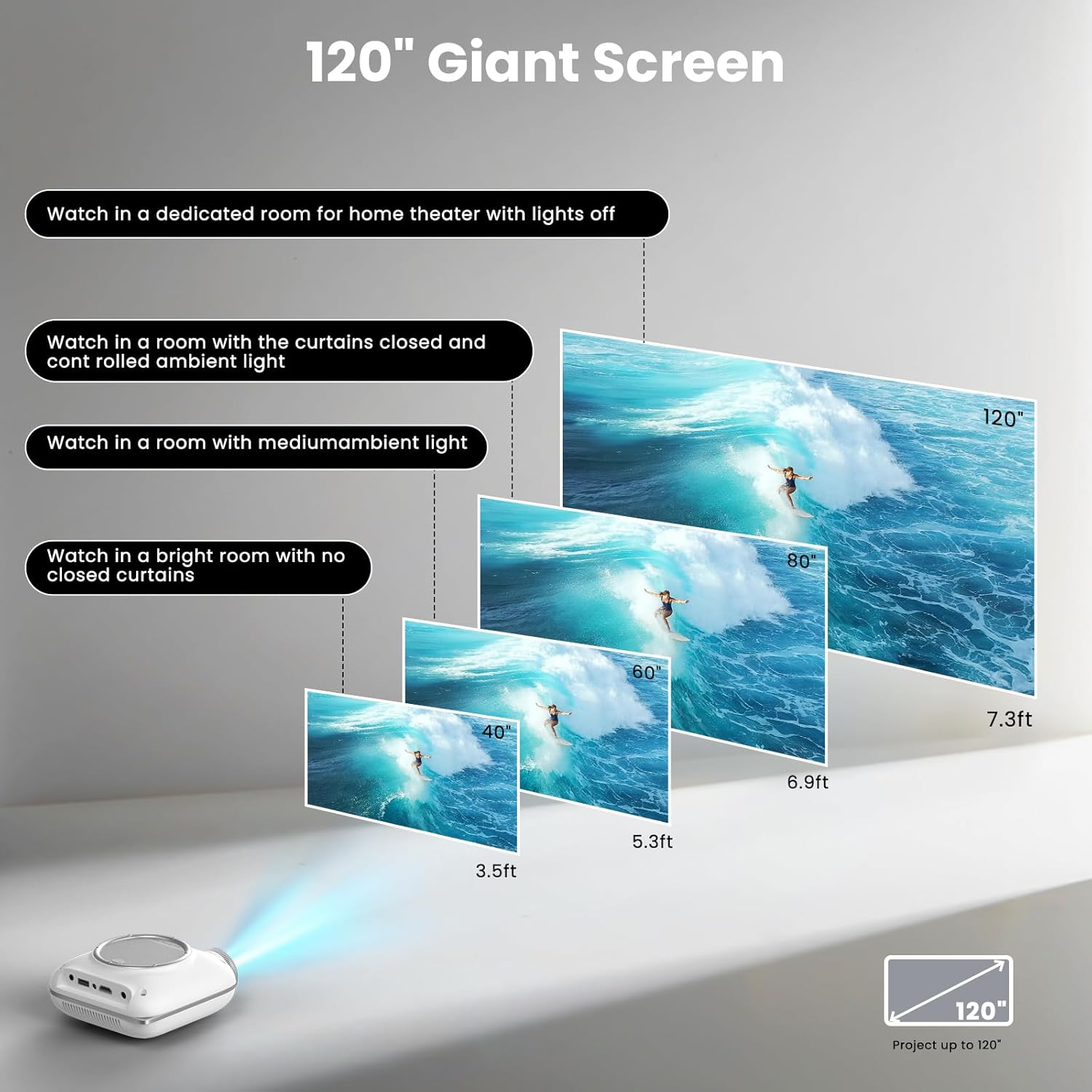
Image: Visual representation of the projector's capability to display screen sizes from 40 to 120 inches, suitable for various room conditions.
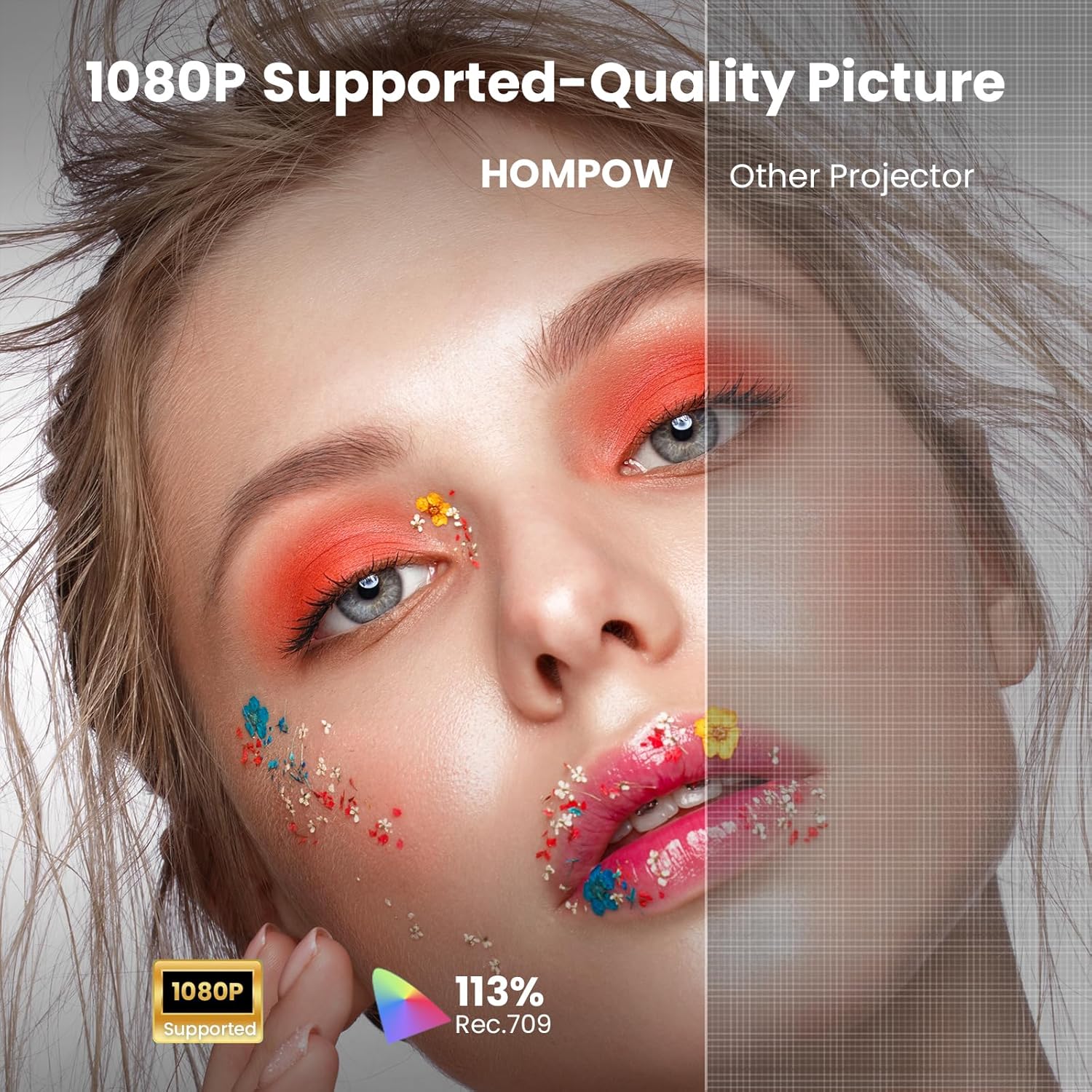
Image: A split image demonstrating the 1080P supported quality picture of the HOMPOW projector compared to a standard projector.
Manteniment
Un manteniment adequat garanteix la longevitat i el rendiment del vostre projector.
- Neteja de lents: Use a soft, lint-free cloth or the provided cleaning tool to gently wipe the projector lens. Avoid using abrasive cleaners or excessive force.
- Eliminació de pols: Regularly clean the ventilation openings to prevent dust buildup, which can affect cooling and performance.
- Emmagatzematge: When not in use, store the projector in a cool, dry place, away from direct sunlight and extreme temperatures. Use the lens cap to protect the lens from dust and scratches.
Resolució de problemes
Si teniu problemes amb el projector, consulteu els problemes i solucions més comuns següents:
- Imatge borrosa: Adjust the focus ring on the projector lens. Ensure the projector is placed at an appropriate distance from the screen.
- Sense imatge: Check all cable connections (HDMI, USB). Ensure the correct input source is selected on the projector. Verify the power adapter is securely connected.
- Sense so: Check the volume settings on both the projector and the connected device. If using external speakers via Bluetooth, ensure they are properly paired and powered on.
- Problemes de connectivitat Bluetooth: Ensure both the projector and the external device are in Bluetooth pairing mode. Try restarting both devices.
Per a més ajuda, poseu-vos en contacte amb l'atenció al client.
Especificacions
| Característica | Especificació |
|---|---|
| Marca | HOMPOW |
| Model | B0F43KV5L5 |
| Pes de l'article | 1.43 lliures |
| Dimensions del producte | 4.9 x 4.9 x 2.1 polzades |
| Color | Blanc |
| Tecnologia de connectivitat | 3.5mm Jack, Bluetooth, HDMI, IR, USB |
| Resolució de visualització | 1280 x 720 (Supports 1080P Full HD) |
| Característiques especials | Two-way Bluetooth 5.1 & Built-In Speaker, Compact and Portable, Low Noise, Kid-Friendly, Eye-Protective, Built-In Cooling System, 50%-100% Zoom |
| Usos recomanats | Home Cinema, Gaming, Business, Education |
Garantia i Suport
HOMPOW is committed to providing excellent customer service and product support.
- 30-Day Replacement Window: Enjoy a 30-day replacement period for any product defects or issues.
- Cobertura de reparació de 2 anys: Your projector is covered by a 2-year repair warranty.
- Suport tècnic de tota la vida: Benefit from 24/7 technical assistance for any questions or optimization needs.
For support, please refer to the contact information provided on your Warranty Card or visit the official HOMPOW weblloc.


