1. Introducció
The Genius Ergo 8250S Wireless Vertical Ergonomic Silent Mouse is designed to provide a natural and comfortable posture for your right hand, reducing fatigue and muscle strain in the forearm and shoulder. This advanced mouse features 6 buttons, selectable DPI settings, silent click technology, a concealed receiver slot, and a stable wireless connection up to 10 meters.

Figura 1.1: De dalt a baix view of the Genius Ergo 8250S mouse, showcasing its ergonomic design and Champagne Gold accent.
2. Característiques
- Natural Ergonomic Posture: Designed with a comfortable thumb rest to promote a natural hand position.
- Connexió sense fil estable: Utilizes 2.4G wireless technology for a reliable connection up to 10 meters.
- Multi-Button Functionality: Equipped with 6 buttons: left click, right click, scroll wheel (center click), forward, reverse, and DPI switch.
- DPI ajustable: Easily switch between 800, 1200 (standard), and 1600 DPI for customized cursor sensitivity.
- Clic silenciós: Reduces click noise for a quieter working environment.
- Receiver Card Slot: Conveniently store the USB receiver within the mouse when not in use.
- USB Plug and Play: Simple setup without the need for additional drivers.
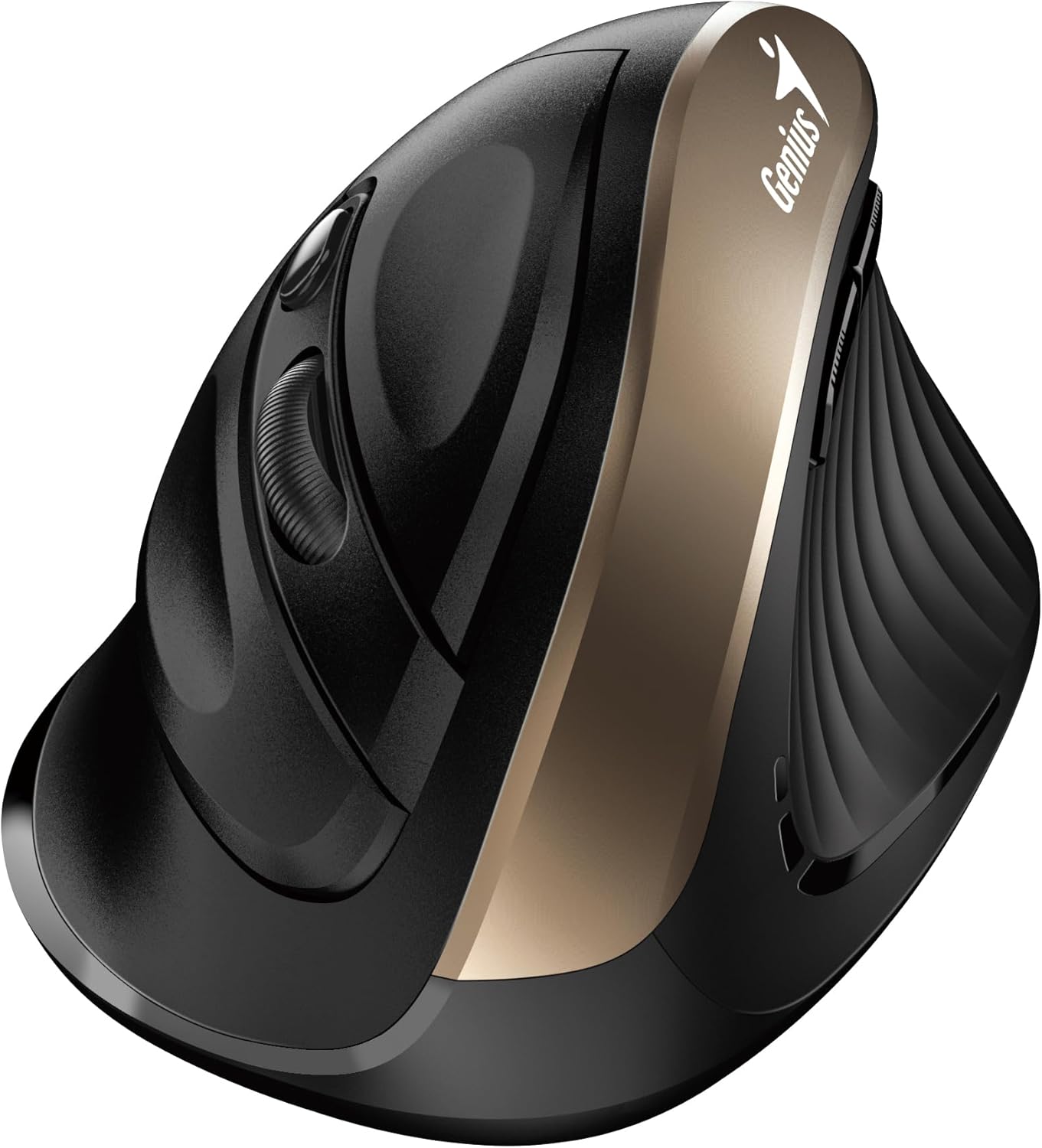
Figura 2.1: lateral view highlighting the vertical ergonomic design and thumb rest of the mouse.
3. Contingut del paquet
Si us plau, reviseu el paquet amb cura per assegurar-vos que hi hagi tots els elements:
- Ratolí silenciós ergonòmic vertical sense fil Genius Ergo 8250S
- Receptor USB
- AA Alkaline Battery (1 included)
- Guia ràpida

Figura 3.1: Product packaging displaying the mouse, its features, and package contents.
4. Requisits del sistema
To ensure proper functionality, your computer system must meet the following requirements:
- Sistema operatiu: Windows® 8, 10, 11 o posterior
- Sistema operatiu: Mac OS X 10.8 o posterior
- Port: Port USB disponible
5. Configuració
- Instal·la la bateria: Open the battery compartment cover on the bottom of the mouse. Insert the provided AA alkaline battery, ensuring correct polarity (+/-). Close the cover securely.
- Connecteu el receptor USB: Locate the USB receiver stored in its slot on the bottom of the mouse. Remove it and plug it into an available USB port on your computer.
- Encès: Turn on the mouse using the power switch located on the bottom. The mouse should automatically connect to your computer.
- Instal·lació del controlador (automàtica): El sistema operatiu detectarà i instal·larà automàticament els controladors necessaris. Aquest procés pot trigar uns instants.
6. Instruccions de funcionament
The Ergo 8250S mouse features multiple buttons for enhanced productivity:

Figura 6.1: A dalt view of the mouse, indicating the positions of the various buttons.
- Botó esquerre de clic: Funció de clic principal estàndard.
- Botó dret: Standard secondary click function, typically opening context menus.
- Scroll Wheel / Middle Click: Desplaça't pels documents i web pages. Pressing the wheel acts as a middle click.
- Botó Endavant: Navega cap endavant web navegadors o file explorers. (Located on the side, near the thumb rest)
- Botó invers: Navega cap enrere web navegadors o file explorers. (Located on the side, near the thumb rest)
- Botó de commutació de DPI: Press this button to cycle through DPI settings (800/1200/1600). The default setting is 1200 DPI.
7. Manteniment
- Neteja: Feu servir un drap suau i sec per netejar el ratolí. Per a la brutícia persistent, fregueu lleugerament.ampNetegeu el drap amb aigua o una solució de neteja suau. Eviteu productes químics agressius o materials abrasius.
- Substitució de la bateria: Quan el rendiment del ratolí disminueixi o l'indicador lluminós (si n'hi ha) indiqui que la bateria està baixa, substituïu la pila AA. Assegureu-vos que el ratolí estigui apagat abans de substituir la pila.
- Emmagatzematge: When not in use for extended periods, turn off the mouse to conserve battery life. Store the USB receiver in its dedicated slot on the mouse to prevent loss.
8. Solució De Problemes
| Problema | Causa possible | Solució |
|---|---|---|
| El ratolí no respon |
|
|
| Cursor erràtic o salts |
|
|
| Els botons no funcionen |
|
|
9. Especificacions
| Característica | Detall |
|---|---|
| Model | Ergo 8250S |
| Marca | Geni |
| Connectivitat | 2.4G sense fil |
| Distància d'operació | Fins a 10 metres |
| Botons | 6 (Left, Right, Middle/Scroll, Forward, Reverse, DPI Switch) |
| Configuració de DPI | 800 / 1200 (Standard) / 1600 |
| Feu clic a Tipus | Clic silenciós |
| Font d'alimentació | 1 bateries AA (incloses) |
| Color | Champagne Gold |
| Primera data disponible | 12 de juny de 2025 |
10. Garantia i Suport
For warranty information and technical support, please refer to the official Genius weblloc web o poseu-vos en contacte amb el seu servei d'atenció al client. Conserveu el rebut de compra com a comprovant de compra per a reclamacions de garantia.
Fabricant: Geni
Weblloc: www.geniusnet.com (Please note: This is a general link and may not be the exact support page for your region or product. Refer to your product packaging or quick guide for specific support contacts.)


