Introducció
This manual provides comprehensive instructions for the setup, operation, maintenance, and troubleshooting of your JOYACCESS 2.4G Wireless Keyboard. Please read this manual carefully before using the product to ensure optimal performance and longevity.
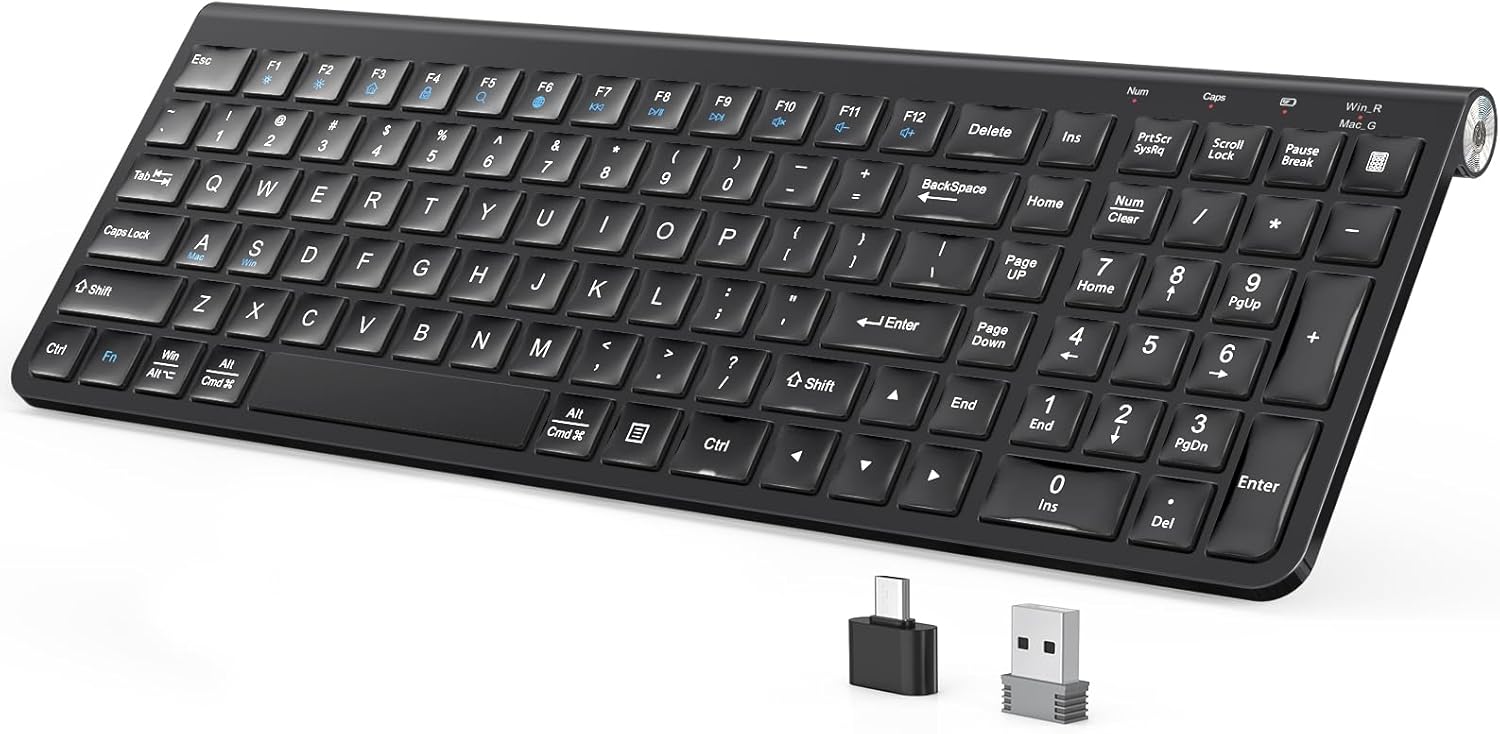
Image: The JOYACCESS 2.4G Wireless Keyboard, showcasing its full-size layout and the included USB-A and USB-C receivers.
Contingut del paquet
Verifiqueu que tots els elements siguin presents al paquet:
- 1 x JOYACCESS Wireless Keyboard
- 1 x Receptor USB-A
- 1 x Receptor USB-C
- 1 x Dustproof Protective Film
- 1 x Manual d'usuari
Note: 2 AA batteries are not included and must be purchased separately. No mouse is included with this keyboard.

Imatge: Part inferior view of the keyboard showing the battery compartment, power switch, and approximate dimensions.
Guia de configuració
1. Instal·lació de la bateria
- Localitzeu el compartiment de la bateria a la part inferior del teclat.
- Obriu la tapa del compartiment de la bateria.
- Introduïu dues (2) piles AA, assegurant-vos de la polaritat correcta (+/-).
- Tanqueu bé la tapa del compartiment de la bateria.
2. Connexió del receptor
The keyboard comes with both a USB-A and a USB-C receiver for broad compatibility.
- Per a ports USB-A: Plug the USB-A receiver into an available USB-A port on your computer or device.
- Per a ports USB-C: Plug the USB-C receiver into an available USB-C port on your computer or device.
Note: Only one receiver (USB-A or USB-C) is needed for operation. The USB-C adapter requires pairing with the USB-A receiver if used with a USB-C device.
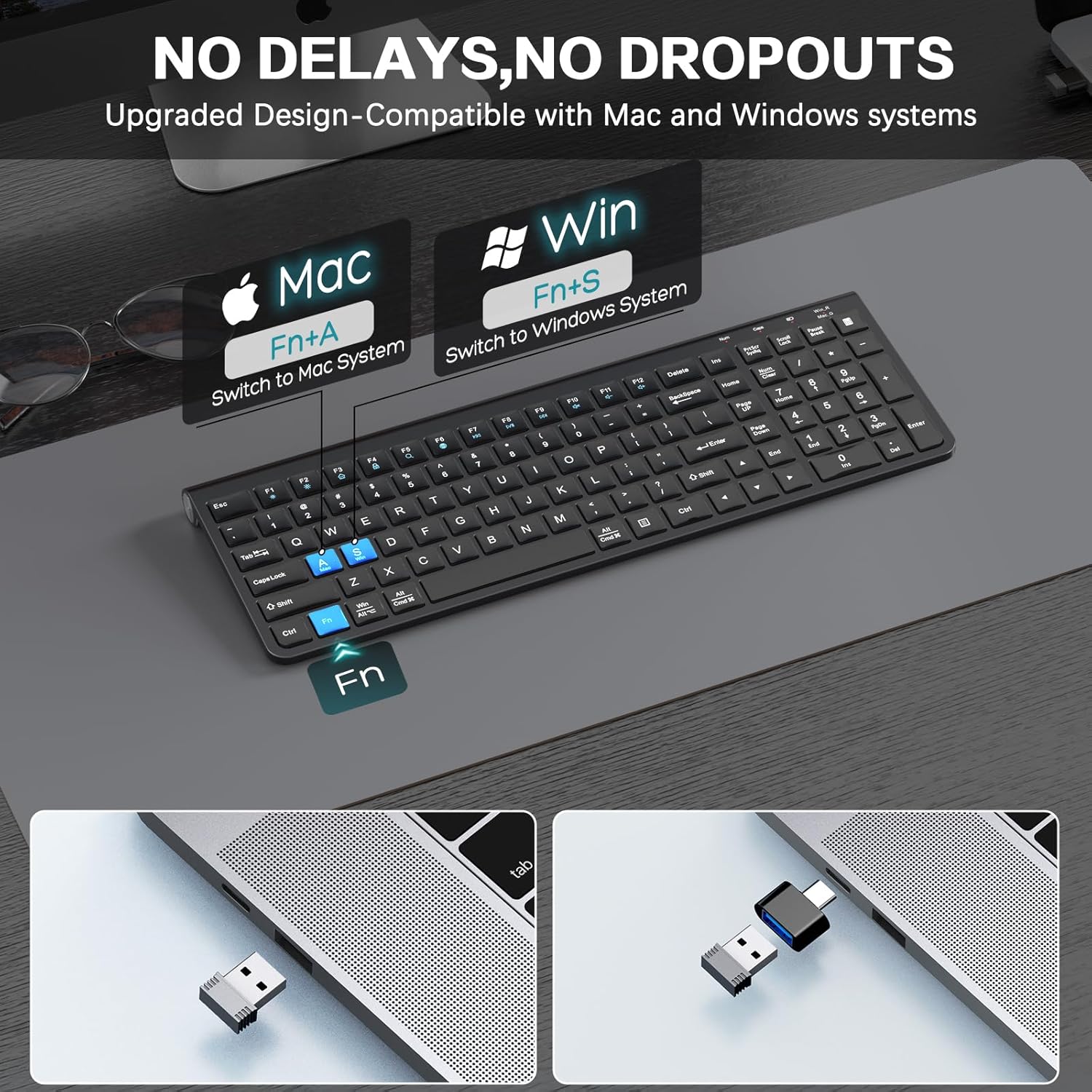
Image: The keyboard demonstrating the use of Fn+A for Mac system and Fn+S for Windows system switching.
3. Encès
Locate the power switch on the top right side of the keyboard. Slide the switch to the 'ON' position. The keyboard should automatically connect to the receiver.
Funcionament
System Switching (Windows/macOS)
The keyboard supports seamless switching between Windows and macOS layouts.
- Per canviar a disseny de macOS: Premeu Fn+A
- Per canviar a Disseny de Windows: Premeu Fn + S
Multimedia Functions and Shortcut Keys
The keyboard features 12 multifunctional keys and multimedia shortcuts. These keys are typically accessed by pressing the Fn en combinació amb la tecla de funció corresponent (F1-F12).
| Combinació de tecles | Funció |
|---|---|
| Fn + F1 | Reproductor multimèdia |
| Fn + F2 | Baixa el volum |
| Fn + F3 | Puja el volum |
| Fn + F4 | Silenciar |
| Fn + F5 | Pista anterior |
| Fn + F6 | Pista següent |
| Fn + F7 | Reproduir/Pausa |
| Fn + F8 | Atureu-vos |
| Fn + F9 | Web Navegador |
| Fn + F10 | Correu electrònic |
| Fn + F11 | El meu ordinador |
| Fn + F12 | Calculadora |
Suport ergonòmic
The keyboard features an adjustable foldable stand. Gently pull out the stand from the underside of the keyboard to elevate it to a comfortable typing angle (approximately 7 degrees). This design helps reduce wrist pressure during extended use.

Image: The keyboard showing its adjustable legs extended to provide an ergonomic typing angle of 7 degrees.
Mode d'estalvi d'energia
To conserve battery life, the keyboard is equipped with an auto-sleep mode. If left idle for a period, it will automatically enter a low-power state. To wake the keyboard, simply press any key. It will instantly reconnect and be ready for use.

Image: Illustration of the keyboard's auto-sleep function, 2.4GHz wireless technology, and 33ft/10m range, highlighting its power efficiency.
Manteniment
Neteja
The keyboard includes a dustproof and waterproof protective film. To clean the keyboard, gently wipe the surface with a soft, damp cloth. Ensure the keyboard is powered off before cleaning. Avoid using harsh chemicals or abrasive materials.

Image: The keyboard with its transparent dustproof and waterproof protective film, demonstrating its protective features.
Canvi de bateria
When the keyboard's performance degrades or it fails to power on, it is likely time to replace the batteries. Follow the battery installation steps outlined in the Setup Guide.
Resolució de problemes
- El teclat no respon:
- Assegureu-vos que el teclat estigui encès.
- Comproveu si les piles estan correctament instal·lades i tenen prou càrrega. Substituïu-les si cal.
- Ensure the USB receiver is securely plugged into a working USB port on your device.
- Prova de connectar el receptor a un port USB diferent.
- Acosteu el teclat al receptor per descartar problemes de rang.
- Keys are sticky or unresponsive:
- Clean the keyboard surface and around the keys, especially if using the protective film.
- The keyboard uses a scissor-switch mechanism for responsive keystrokes. Ensure no debris is obstructing key movement.
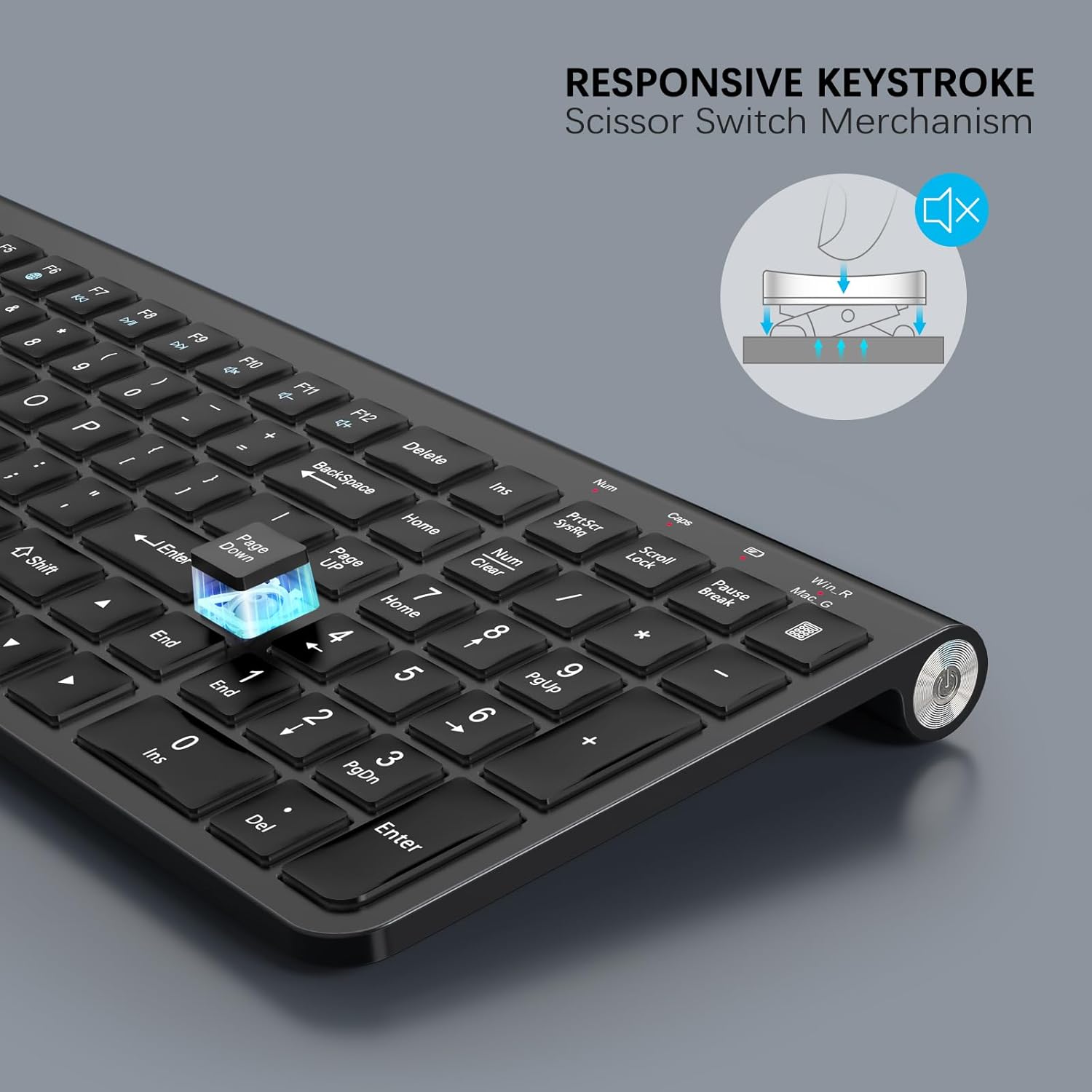
Imatge: Primer pla view of a key demonstrating the responsive scissor-switch mechanism for quiet and comfortable typing.
- System layout issues (e.g., @ key types ", etc.):
- Ensure the keyboard is set to the correct operating system layout (Fn+A for Mac, Fn+S for Windows).
- Check your computer's operating system settings for keyboard layout and language.
Especificacions del producte
| Característica | Detall |
|---|---|
| Marca | JOIA ACCÉS |
| Model | B0F4CYYYYB |
| Tecnologia de connectivitat | 2.4G USB sense fil |
| Dispositius compatibles | Laptop, PC, Smart TV, Tablet |
| Descripció del teclat | Numeric, Full-size, Slim, Black, 2.4G wireless connectivity, Waterproof and dust-proof protective film, Compact keyboard |
| Característiques especials | Dustproof, Ergonomic, Portable, Wireless, Quiet |
| Color | Negre |
| Dimensions del producte | 15.35" de llargada x 5.3" d'amplada x 1.38" d'alçada (39.0 cm x 13.5 cm x 3.5 cm) |
| Pes de l'article | 1.36 lliures (0.62 kg) |
| Material | Plàstic |
| Font d'alimentació | 2 piles AA (no incloses) |
| abast sense fils | Fins a 33 peus (10 metres) |
Informació de seguretat
- Do not expose the keyboard to extreme temperatures or humidity.
- Eviteu deixar caure el teclat ni sotmetre'l a impactes forts.
- Mantenir fora de l'abast dels nens.
- Eliminar les bateries segons la normativa local.
Atenció al client
For further assistance or inquiries, please contact JOYACCESS customer support through the retailer's platform or the official JOYACCESS weblloc.
