1. Introducció
The Flowlife Flowtens Connect is an advanced TENS (Transcutaneous Electrical Nervous Stimulation) and EMS (Electrical Muscle Stimulation) device designed to provide effective pain relief and promote muscle recovery. This manual provides essential information on how to set up, operate, maintain, and troubleshoot your device to ensure optimal performance and safety.

Figure 1: Flowlife Flowtens Connect device with its accompanying mobile application interface.
2. Què hi ha a la caixa
Carefully unpack your Flowtens Connect and ensure all components are present:
- Flowtens Connect Control Unit
- Electrode Cables (2 sets)
- Self-adhesive Electrode Pads (various sizes and shapes)
- Cable de càrrega USB
- Bossa d'emmagatzematge
- Manual d'usuari (aquest document)

Figure 2: All included components of the Flowlife Flowtens Connect system.
3. Configuració
3.1 Càrrega del dispositiu
Before first use, fully charge the Flowtens Connect control unit. Connect the USB charging cable to the charging port on the control unit and plug the other end into a standard USB power adapter (not included) or a computer USB port. The indicator light will show charging status and turn off when fully charged.
3.2 Baixant l'aplicació
The Flowtens Connect is controlled wirelessly via a dedicated mobile application. Download the "Flowlife" app from your device's app store (available for iOS and Android).
3.3 Vinculació del dispositiu
- Assegureu-vos que el Bluetooth del vostre telèfon intel·ligent estigui activat.
- Turn on the Flowtens Connect control unit by pressing and holding the power button.
- Open the Flowlife app on your smartphone.
- Follow the in-app instructions to search for and pair with your Flowtens Connect device.
3.4 Attaching Electrodes
- Connect the electrode cables to the control unit.
- Attach the self-adhesive electrode pads to the ends of the electrode cables.
- Ensure the skin where you intend to apply the pads is clean, dry, and free of lotions or oils for optimal adhesion and conductivity.
- Carefully peel off the protective film from the electrode pads and apply them firmly to the desired treatment area on your body.
4. Instruccions de funcionament
4.1 Encès/Apagat
Press and hold the power button on the control unit to turn the device on or off. The device will also power off automatically after a period of inactivity or at the end of a program.
4.2 Using the Flowlife App
The Flowlife app is your primary interface for controlling the Flowtens Connect. It offers 43 customized treatment programs categorized for different needs:
- RECUPERACIÓ: For muscle relaxation and post-exercise recovery.
- MUSCLE PAIN: For general muscle aches and localized pain relief.
- PERIOD PAIN: Specifically designed programs for menstrual discomfort.
Dins de l'aplicació, pots:
- Browse and select from the various treatment programs.
- Adjust the intensity level of the stimulation.
- Set the duration of the treatment session.
- Monitor the remaining treatment time.
4.3 Electrode Placement Guidelines
Proper electrode placement is crucial for effective treatment. Refer to the app for specific program-related placements. General guidelines include:
- Place electrodes on clean, dry skin.
- Ensure electrodes are not placed over open wounds, irritated skin, or directly over joints where movement might dislodge them.
- For pain relief, place electrodes around or on the area of pain.
- For muscle stimulation, place electrodes on the muscle belly.
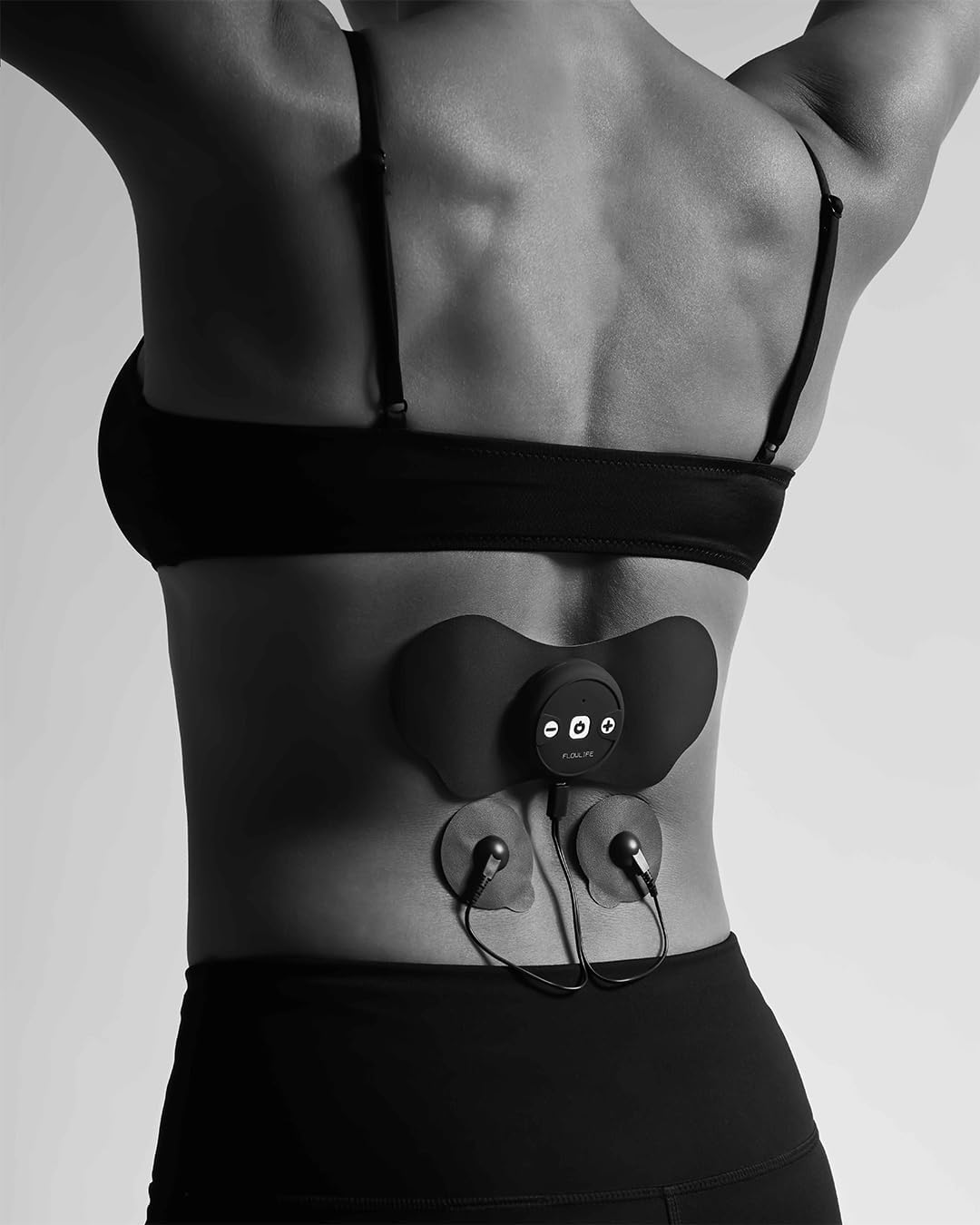
Figura 3: Example of electrode placement on the lower back for pain relief.
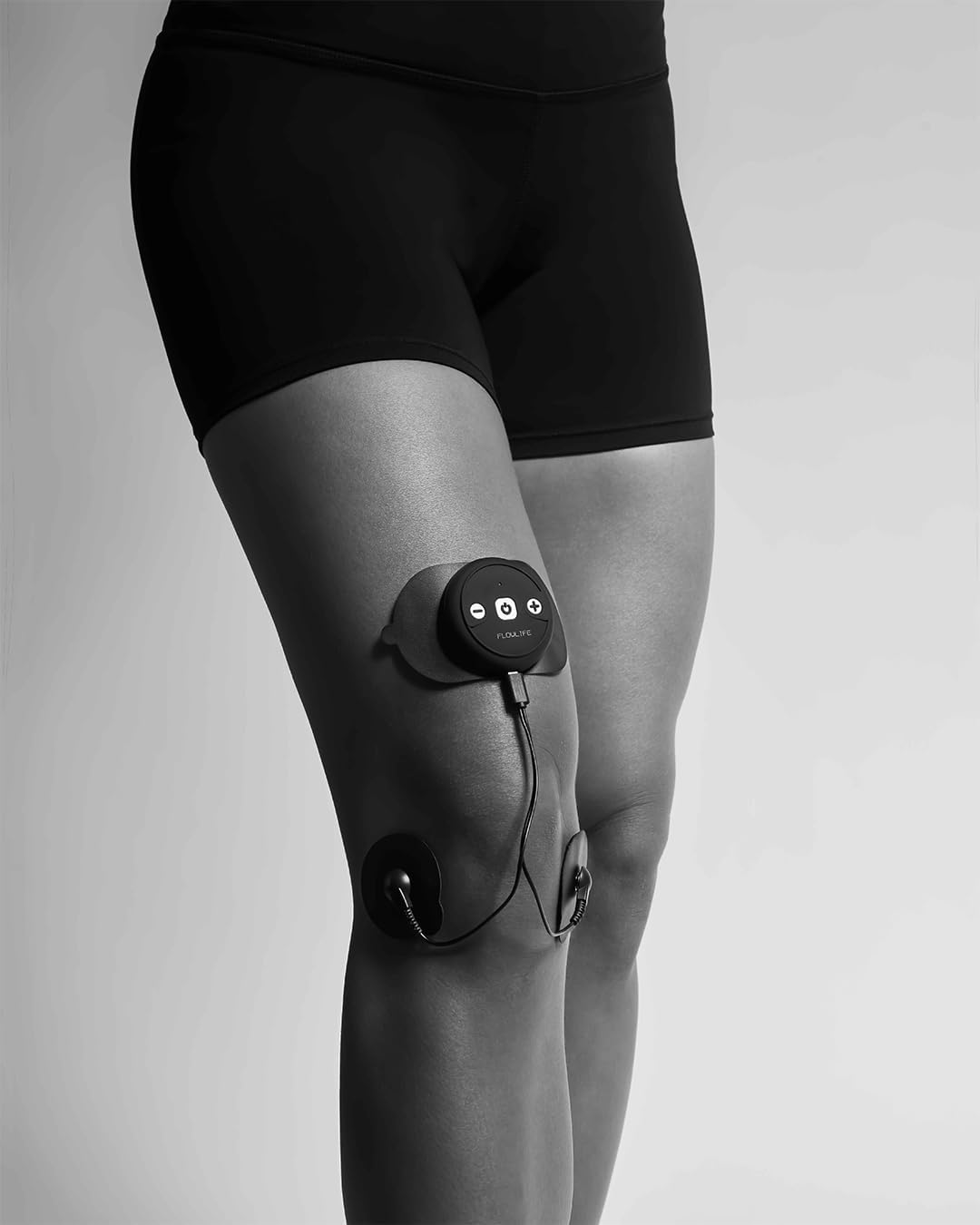
Figura 4: Example of electrode placement on the knee.

Figura 5: Example of electrode placement on the calf muscle.
5. Manteniment
5.1 Cleaning the Device and Electrodes
- Netegeu la unitat de control amb un drap suauamp tela. No utilitzeu netejadors abrasius ni submergiu el dispositiu en aigua.
- After each use, reattach the protective film to the electrode pads to preserve their adhesive quality.
- If electrode pads lose their stickiness, they may need to be replaced.
5.2 Emmagatzematge
Store the Flowtens Connect and its accessories in the provided storage pouch in a cool, dry place, away from direct sunlight and extreme temperatures.
6. Solució De Problemes
| Problema | Causa possible | Solució |
|---|---|---|
| El dispositiu no s’encén. | Bateria baixa. | Carregueu el dispositiu completament. |
| L'aplicació no es pot connectar al dispositiu. | Bluetooth off; device not in pairing mode; interference. | Ensure Bluetooth is on. Restart device and app. Move closer to device. |
| Sense sensibilitat o sensació feble. | Electrodes not properly applied; pads worn out; intensity too low. | Ensure pads are firmly attached to clean skin. Replace old pads. Increase intensity gradually via the app. |
| Skin irritation. | Allergic reaction; prolonged use in one spot; dirty skin. | Discontinue use if irritation persists. Change electrode placement. Clean skin thoroughly before use. |
7. Especificacions
| Característica | Detall |
|---|---|
| Model | FLTENSVX1 |
| Tecnologia | TENS I EMS |
| Programes | 43 customized programs |
| Control | Wireless via iOS/Android App |
| Bateria | 1 bateria de polímer de liti (inclosa) |
| Dimensions del paquet | 22.5 x 13 x 5 cm |
| Pes | 35 kg (pes del paquet) |
| Fabricant | Flowlife |
| País d'origen | Xina |
8. Garantia i Suport
The Flowlife Flowtens Connect comes with a manufacturer's warranty. Please refer to the warranty card included in your packaging or visit the official Flowlife weblloc web per obtenir informació detallada sobre els termes i condicions de la garantia.
For technical support, troubleshooting assistance, or inquiries about replacement parts, please contact Flowlife customer service through their official weblloc web o la informació de contacte proporcionada a l'aplicació.


