1. Introducció
Gràcies per la compraasing the IRRADIO IR-M5 Classic Portable Speaker. This manual provides essential information for the safe and efficient operation of your device. Please read it thoroughly before use and keep it for future reference.
2. Informació de seguretat
- No exposeu l'altaveu a temperatures extremes ni a la llum solar directa durant períodes prolongats.
- Eviteu deixar caure o sotmetre l'altaveu a forts impactes.
- Do not disassemble, repair, or modify the device yourself. Refer to qualified service personnel.
- Mantingueu l'altaveu allunyat de dispositius mèdics, ja que conté imants.
- Assegureu-vos que el port de càrrega estigui sec abans de connectar el cable de càrrega.
- This device is IPX7 water-resistant, meaning it can be submerged in up to 1 meter of water for 30 minutes. Do not intentionally submerge it for longer periods or deeper than specified.
3. Contingut del paquet
Si us plau, comproveu el paquet per veure si hi ha els elements següents:
- IRRADIO IR-M5 Classic Portable Speaker
- Cable de càrrega USB
- Manual d'usuari
4. Producte acabatview
Familiaritzeu-vos amb els components i els controls de l'altaveu.

Figura 4.1: Frontal view of the IRRADIO IR-M5 Classic speaker, showing the speaker grille, IRRADIO logo, and RGB LED light bar.
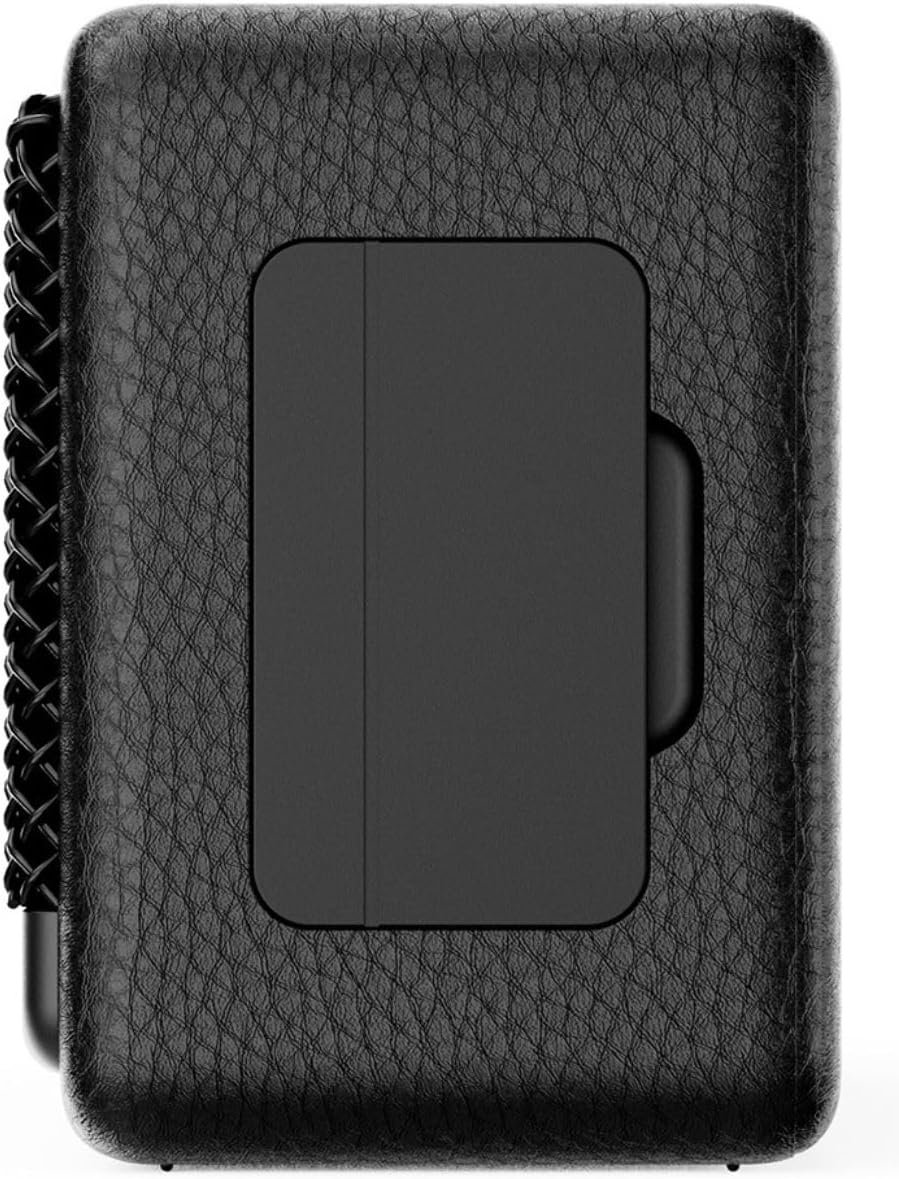
Figura 4.2: Esquena view of the IRRADIO IR-M5 Classic speaker, highlighting the passive subwoofer panel.

Figura 4.3: lateral view of the IRRADIO IR-M5 Classic speaker, showing the integrated strap for portability.
Controls i ports:
- Botó d'encesa: Manteniu premut per activar/desactivar.
- Augment de volum / pista següent: Premeu curt per pujar el volum, premeu llargament per passar a la següent pista.
- Baixada de volum / pista anterior: Premeu curt per baixar el volum, premeu llargament per anar a la pista anterior.
- Botó Reproduir/Pausa/Trucada: Press to play/pause music or answer/end calls.
- Botó de mode (M): Press to switch between Bluetooth and USB playback modes.
- Botó LED RGB: Press to cycle through RGB lighting modes or turn off the lights.
- Port de càrrega USB-C: Per carregar l'altaveu.
- Port USB-A: For external USB music playback.
- AUX Input (3.5mm Mini Jack): Per a connexió d'àudio amb cable.
5. Configuració
5.1 Càrrega de l'altaveu
Before first use, fully charge the speaker. Connect the provided USB charging cable to the USB-C port on the speaker and the other end to a compatible USB power adapter (not included).
- L'indicador LED mostrarà l'estat de càrrega.
- Una càrrega completa triga aproximadament 3.5 hores.
5.2 Encès/Apagat
- To power on, press and hold the Power button until you hear an audible prompt.
- To power off, press and hold the Power button again until the speaker shuts down.
5.3 Vinculació Bluetooth
- Engegueu l'altaveu. Entrarà automàticament en mode d'emparellament Bluetooth, cosa que indicarà un LED intermitent.
- Al dispositiu (telèfon intel·ligent, tauleta, ordinador portàtil), activeu el Bluetooth i cerqueu els dispositius disponibles.
- Select "IR-M5 Classic" from the list of devices.
- Once paired, the LED indicator will stop flashing and remain solid. You are now ready to play music.
6. Instruccions de funcionament
6.1 Reproducció de música
- Mode Bluetooth: After successful pairing, play music from your connected device.
- Reproducció USB: Insert a USB drive with MP3/WAV files into the USB-A port. The speaker will automatically switch to USB mode and begin playback. Use the Mode button to switch if necessary.
- Mode AUX: Connect an audio device using a 3.5mm AUX cable to the AUX input. The speaker will automatically switch to AUX mode.
6.2 Control de volum
- Press the Volume Up (+) button to increase volume.
- Press the Volume Down (-) button to decrease volume.
6.3 Track Navigation
- Long press the Volume Up (+) button for the next track.
- Long press the Volume Down (-) button for the previous track.
Funció estèreo sense fil 6.4 (TWS)
To pair two IR-M5 Classic speakers for a stereo experience:
- Assegureu-vos que tots dos altaveus estiguin encesos i no connectats a cap dispositiu Bluetooth.
- On one speaker, double-press the Play/Pause button. It will enter TWS pairing mode.
- The speakers will automatically connect to each other. You will hear a confirmation sound.
- Once TWS paired, connect your device to one of the speakers via Bluetooth as described in section 5.3. Both speakers will now play in stereo.
Il·luminació LED RGB 6.5
Press the RGB LED button to cycle through different lighting modes or to turn the lights off.
7. Manteniment
- Netegeu l'altaveu amb un drap suau i sec. No utilitzeu productes de neteja abrasius ni dissolvents.
- Guardeu l'altaveu en un lloc fresc i sec quan no l'utilitzeu.
- If the speaker will not be used for an extended period, charge it every 3 months to maintain battery health.
8. Solució De Problemes
| Problema | Causa possible | Solució |
|---|---|---|
| L'altaveu no s'encén. | Bateria baixa. | Carregueu l'altaveu completament. |
| No es pot emparellar per Bluetooth. | L'altaveu no està en mode d'emparellament o ja està connectat a un altre dispositiu. | Ensure speaker is in pairing mode. Disconnect from other devices. Restart speaker and device. |
| Sense so. | Volum massa baix; mode d'entrada incorrecte; dispositiu no reprodueix. | Increase volume. Check input mode (Bluetooth/USB/AUX). Ensure source device is playing. |
| L'emparellament TWS falla. | Speakers are already connected to a device or each other. | Ensure both speakers are disconnected from all devices before initiating TWS pairing. |
9. Especificacions
| Característica | Detall |
|---|---|
| Nom del model | IR-M5 clàssic |
| Marca | IRRADIO |
| Potència de sortida | 20W (Rated), 28W (Music) |
| Conductors | 2 x 50mm Full-Range, 1 x Passive Subwoofer |
| Resposta de freqüència | 85 Hz - 20 kHz |
| Versió Bluetooth | 5.4 |
| abast sense fils | Fins a 10 metres (sense obstacles) |
| Capacitat de la bateria | 2000mAh (3.7V, 7.4 Wh) |
| Temps de reproducció | Aprox. 8 hores (al 50% del volum) |
| Temps de càrrega | Aprox. 3.5 hores |
| Resistència a l'aigua | IPX7 |
| Dimensions (L x A x A) | 17.4 x 8 x 5.3 cm (6.8 x 3.15 x 2.1 polzades) |
| Pes | 506 grams (0.506 kg) |
| Formats d'àudio compatibles | MP3, WAV |
10. Garantia i Suport
This product comes with a standard manufacturer's warranty. For detailed warranty terms and conditions, please refer to the warranty card included in your package or contact your local distributor. For technical support or service inquiries, please visit the official IRRADIO weblloc o poseu-vos en contacte amb el seu servei d'atenció al client.
Note: Product specifications and design are subject to change without notice for improvement.


