1. Introducció
This manual provides detailed instructions for the installation and operation of your CAMECHO 8-Core Qualcomm Snapdragon 4G+64G Car Radio. This Android 15 head unit features a 10-inch IPS touch screen, CarPlay, Android Auto, DSP, Hi-Res audio, Bluetooth 5.1, GPS, WiFi, FM radio, and AHD backup camera support. It is designed for Nissan Sentra and Sylphy models from 2013, 2014, and 2015 (low-end versions without Canbus). Please read this manual thoroughly before installation and use to ensure proper functionality and safety.
Nota: This unit is not compatible with original car radios that have a large navigation screen.
2. Què hi ha a la caixa
El vostre paquet ha de contenir els elements següents:
- 1 unitat principal Android
- 1 x AHD Backup Camera
- 1 x micròfon extern
- 1 x Antena GPS
- 1 x cable d'alimentació
- 1 x Cable d'entrada de la càmera posterior
- 1 x cable RCA
- 2 x cables USB
- 1 x Kit d'accessoris
- 1 x Kit d'eines d'instal·lació

Imatge: Detallada view de tots els components inclosos al paquet, juntament amb les dimensions de la unitat principal.
3. Configuració i instal·lació
Una instal·lació correcta és crucial per a un rendiment òptim. Es recomana que la instal·lació la realitzi un professional qualificat.
3.1. Comprovació prèvia a la instal·lació
- Verify all components listed in the 'What's in the Box' section are present.
- Ensure your vehicle is a Nissan Sentra/Sylphy (2013-2015) low-end version without a factory large navigation screen.
3.2. Connexions de cablejat
Follow the wiring diagram carefully. Ensure all connections are secure to prevent malfunctions.
Video: This video demonstrates the general wiring connections for the car radio, including power, RCA, USB, and GPS antenna connections.
Video: This video provides a general guide for car radio installation, covering various steps and considerations.
3.3. AHD Backup Camera Installation
The AHD rear view camera is equipped with an IP67 waterproof rating and enhanced night vision for clear images on the car radio touchscreen.
- Connect the yellow RCA video cable from the camera to the 'CAM-IN' port on the head unit.
- Connect the camera's power wire to the vehicle's reverse light power source.
- Ensure the reversing input is plugged in, even if the camera is not used.
- After connecting, set the camera resolution via: Configuració del cotxe > Configuració de fàbrica (Password: 8888) > Protocol parameter settings > Invertir la configuració > Reverse video resolution (NTSC/PAL or AHD/25) and restart your car.

Image: Diagram illustrating the wiring connections for the AHD backup camera.
3.4. Steering Wheel Control Learning
After connecting the power cable, you need to configure the steering wheel controls.
- Vés a Configuració del cotxe > Direcció Aprèn.
- Segueix les instruccions que apareixen a la pantalla per assignar funcions als botons del volant.
- If learning fails, repeat the process.

Image: Screenshot of the steering wheel control learning interface.
4. Instruccions de funcionament
4.1. Apple CarPlay i Android Auto sense fil
Connecta el teu telèfon intel·ligent sense fil per a una integració perfecta de navegació, música, trucades i missatges.
- Per a Apple CarPlay: Enable Bluetooth on your iPhone and pair with the car radio. Open the 'ZLINK' app. If connection fails, connect your phone to the car radio's hotspot and reopen 'ZLINK'. Maintain both Bluetooth and hotspot connections.
- Per a Android Auto: Ensure you have the Android Auto app installed on your phone. Enable Bluetooth on your Android phone and pair with the car radio. Open the 'ZLINK' app.
Video: This video demonstrates the wireless CarPlay and Android Auto connection process and features.
Video: This video shows the wireless CarPlay functionality in a Nissan Sentra.
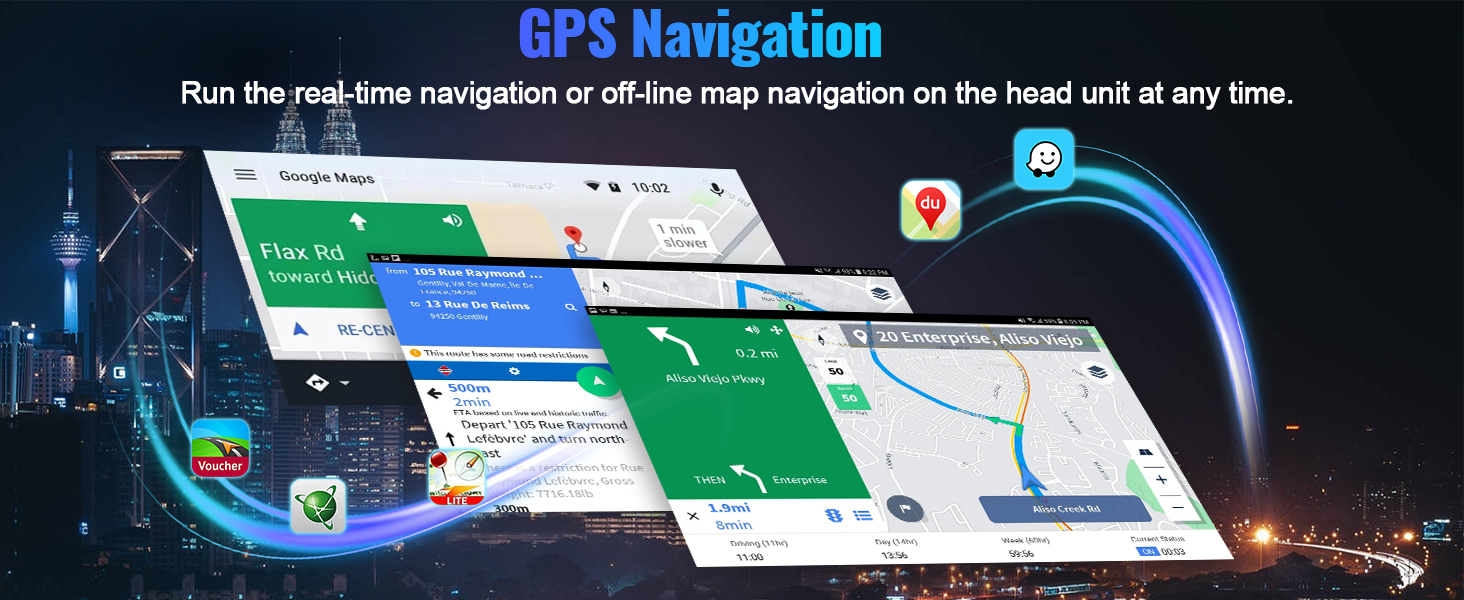
Image: The car radio display showing the CarPlay and Android Auto interfaces with various app icons.
4.2. Navegació GPS i WiFi
The unit features a built-in GPS module for both online and offline navigation. Connect to WiFi via your mobile hotspot to access third-party apps from the Google Play Store.

Image: The car radio displaying GPS navigation and various app icons for WiFi connectivity.
4.3. DSP Hi-Res Audio & Equalizer
Experience dynamic sound quality with the built-in DSP Hi-Res audio processor. Customize your listening experience with the equalizer settings.

Image: Screenshot of the DSP and equalizer settings interface.
4.4. Bluetooth 5.1 & FM RDS Radio
Enjoy distraction-free hands-free calling and wireless audio streaming via Bluetooth 5.1. Tune into FM/RDS radio with 10-station presets for live broadcasting.

Image: The car radio displaying Bluetooth calling and FM radio interfaces.
4.5. Altres característiques
- 1080P Video Playback: Supports video playback with a resolution of 1280*720.
- Enllaç mirall: Supports phone mirror link function (Note: Does not support video output).
- 3D Car Model Display: Features a decent user interface with 3D car model display and multiple UI design options.
- Ports USB dobles: Per connectar dispositius externs.
5. Solució De Problemes
If you encounter any issues with your CAMECHO car radio, please refer to the following common solutions:
- Sense energia: Check all power connections. Ensure the power cable is securely connected and the vehicle's fuse is intact.
- Sense so: Verify speaker connections. Check audio settings (DSP, equalizer, balance). Ensure the volume is not muted or set too low.
- Problemes de connexió Bluetooth: Ensure Bluetooth is enabled on both the car radio and your smartphone. Delete previous pairings and try reconnecting. Restart both devices if necessary.
- CarPlay/Android Auto no es connecta: Confirm Bluetooth and/or hotspot connections are active. Reopen the 'ZLINK' app. Ensure your phone's operating system is up to date.
- Pèrdua de senyal GPS: Assegureu-vos que l'antena GPS estigui instal·lada correctament i que tingui una vista clara view del cel. Comproveu la configuració del GPS a la unitat.
- Els comandaments del volant no funcionen: Re-perform the steering wheel learning process as described in Section 3.4.
- Backup Camera Display Issues: Check camera wiring and ensure the video input is correctly selected. Verify camera resolution settings in Factory Settings.
Per a problemes persistents, poseu-vos en contacte amb l'atenció al client.
6. Especificacions
| Característica | Detall |
|---|---|
| Pes de l'article | 4.4 lliures |
| Dimensions del producte | 13.3 x 1.97 x 8 polzades |
| Mida de la pantalla | 10.1 polzades |
| Nom del model | 8-Core Qualcomm Snapdragon 4G+64G Car Radio |
| Sistema operatiu | Android 15 |
| Característica especial | 4GB RAM + 64GB ROM, 8-Core Qualcomm Snapdragon, Android Auto, Apple CarPlay, Bluetooth 5.1, DSP Hi-Res |
| Tecnologia de connectivitat | Bluetooth, Wi-Fi, USB |
| Tipus de servei del vehicle | Car (Nissan Sentra 2013-2015) |
| Tipus de mapa | Worldwide (GPS) |
7. Garantia i assistència
7.1. Informació de la garantia
This product comes with a 1-year manufacturer's warranty. For specific details regarding warranty claims, please refer to your purchase documentation.
7.2. Política de devolució
A 30-day refund/replacement policy is available from the date of purchase. Please check the seller's return policy for full details.
7.3. Atenció al client
For technical assistance, troubleshooting, or any inquiries regarding your CAMECHO car radio, please contact the seller directly through the Amazon platform. The seller, Dongguan Yanningqiu Trading Company, can be reached by clicking on their name in the product listing and then selecting 'Ask a question'.

Image: Visual guide on how to contact customer support via Amazon.


