SANSUI W28 Wireless Earbuds User Manual
Model: W28
1. Introducció
Thank you for choosing the SANSUI W28 Wireless Earbuds. These earbuds are designed to provide a superior audio experience with advanced features such as Active Noise Cancellation (ANC), crystal-clear call quality, and extended battery life. This manual will guide you through the setup, operation, and maintenance of your new earbuds to ensure optimal performance and longevity.

Image: SANSUI W28 Wireless Earbuds and Charging Case in Dolomite White.
2. Contingut del paquet
Si us plau, comproveu el paquet per veure si hi ha els elements següents:
- SANSUI W28 Wireless Earbuds (Left and Right)
- Estoig de càrrega
- Cable de càrrega USB-C
- Puntes d'orella de silicona (talles S, M, L)
- Manual d'usuari
3. Producte acabatview
Components dels auriculars
- Àrea de control tàctil: Per a la reproducció, la gestió de trucades i el canvi de mode.
- Micròfons: Multiple microphones for ANC and ENC (Environmental Noise Cancellation) during calls.
- Sensor de llum: For advanced in-ear detection, automatically pausing/playing audio.
- Punta de l'orella: Soft silicone tips for comfort and secure fit.
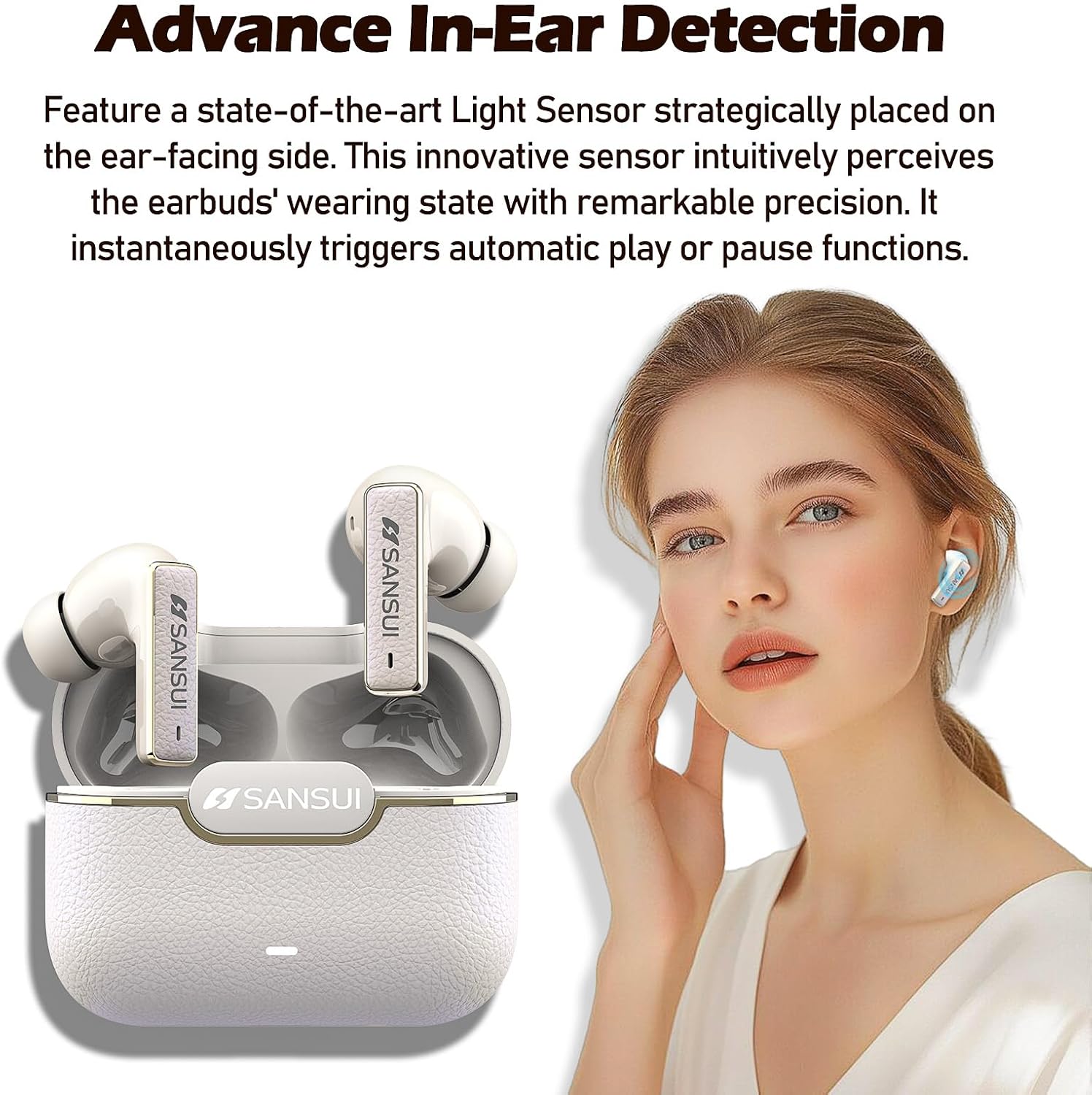
Image: SANSUI W28 Earbuds highlighting the advanced in-ear detection sensor.
Estoig de càrrega
- Port de càrrega: Port USB-C per carregar la funda.
- Llum indicadora: Mostra l'estat de càrrega i el nivell de la bateria.
- Botó de restabliment: Located inside the case, used for factory reset.

Image: SANSUI W28 Earbuds and Charging Case illustrating up to 28 hours of total playtime.
4. Configuració
4.1 Càrrega dels auriculars i l'estoig
Before first use, fully charge the earbuds and the charging case. Place the earbuds into the charging case. Connect the USB-C charging cable to the case and a power source. The indicator light on the case will show charging status.
4.2 Emparellament amb el dispositiu
- Assegureu-vos que els auriculars estiguin carregats.
- Obre la tapa de l'estoig de càrrega. Els auriculars entraran automàticament en mode d'emparellament, cosa que s'indicarà amb una llum intermitent a l'estoig.
- Al dispositiu (telèfon intel·ligent, tauleta, etc.), activeu el Bluetooth.
- Cerca "SANSUI W28" in the list of available Bluetooth devices.
- Select "SANSUI W28" to connect. Once connected, the indicator light on the case will turn off or show a steady light, depending on the model.
Els auriculars es tornaran a connectar automàticament a l'últim dispositiu emparellat quan es treguin de l'estoig, si el Bluetooth està activat al dispositiu.
5. Instruccions de funcionament
5.1 Controls tàctils
The SANSUI W28 earbuds feature intuitive touch controls. Refer to the diagram below for specific functions:

Image: Detailed guide for SANSUI W28 Earbuds touch controls and reset procedure.
- Volum + (R): Single tap on the Right earbud.
- Volum - (L): Single tap on the Left earbud.
- Pause/Play (L/R): Fes doble toc a qualsevol dels auriculars.
- Answer Calls/Hang Up (L/R): Fes doble toc a qualsevol dels auriculars.
- Cançó anterior (L): Triple tap on the Left earbud.
- Cançó següent (R): Triple tap on the Right earbud.
- Voice Assistant (L): Long press for 2 seconds on the Left earbud.
- ANC ON/ANC OFF/Transparency Mode (R): Long press for 2 seconds on the Right earbud to cycle through modes.
- Reject Calls (L/R): Premeu llargament durant 2 segons a qualsevol dels auriculars.
- Power ON (L/R): Long press for 3 seconds on either earbud (when off).
- Power OFF (L/R): Long press for 5 seconds on either earbud (when on).
5.2 Active Noise Cancellation (ANC) & Transparency Mode
The SANSUI W28 offers three listening modes:
- Mode ANC: Reduces external noise by up to -52dB, ideal for noisy environments like subways or airplanes.
- Mode de transparència: Allows you to hear your surroundings clearly without removing the earbuds, enhancing safety during outdoor activities.
- Mode normal: Standard listening mode without active noise cancellation or transparency.
Cycle through these modes by long-pressing the touch control area on the Right earbud for 2 seconds.

Image: A person using SANSUI W28 Earbuds in Transparency Mode, indicating awareness of surroundings.
5.3 Detecció intraauricular
The earbuds feature smart light sensors that detect when they are in your ears. Audio playback will automatically pause when you remove an earbud and resume when you put it back in.
6. Manteniment
To ensure the longevity and optimal performance of your SANSUI W28 earbuds, follow these maintenance guidelines:
- Neteja: Netegeu regularment els auriculars i l'estoig de càrrega amb un drap suau, sec i sense borrissol. No utilitzeu productes químics agressius ni materials abrasius.
- Consells per a les orelles: Remove and clean the silicone ear tips periodically with water and mild soap. Ensure they are completely dry before reattaching.
- Resistència a l'aigua: The earbuds are IPX4 waterproof, meaning they are resistant to splashes and sweat. Do not submerge them in water or expose them to heavy rain. Dry them thoroughly if they get wet.
- Emmagatzematge: Guarda els auriculars a l'estoig de càrrega quan no els facis servir per protegir-los i mantenir-los carregats. Evita temperatures extremes.
7. Solució De Problemes
If you encounter any issues with your SANSUI W28 earbuds, please refer to the following common solutions:
- Auriculars que no s'emparellan: Ensure both earbuds are in the charging case and the lid is open. Check if Bluetooth is enabled on your device. Try resetting the earbuds (see below).
- Només funciona un auricular: Torna a col·locar els dos auriculars a l'estoig de càrrega, tanca la tapa, espera uns segons i torna-la a obrir. Sovint això els torna a sincronitzar.
- Sense so: Comprova el nivell de volum tant del dispositiu com dels auriculars. Assegura't que els auriculars estiguin connectats correctament al dispositiu.
- Disconnection issues: Ensure the earbuds are within the Bluetooth range of your device. Avoid obstacles that might interfere with the signal.
Restabliment de fàbrica
Si els problemes persisteixen, un restabliment de fàbrica sovint els pot resoldre:
- Obriu la tapa de la caixa de càrrega.
- Locate the small button inside the charging case (refer to the 'Key Operation' image in section 5.1).
- Long-press this button for 5 seconds.
- The external blue indicator light on the case will flash 5 times, and the earbuds will power off while disconnecting from Bluetooth.
- The reset is successful. You can now re-pair the earbuds with your device.
8. Especificacions
| Característica | Especificació |
|---|---|
| Nom del model | W28 |
| Control de soroll | Cancel·lació activa de soroll (-52dB ANC híbrid) |
| Tecnologia de connectivitat | Sense fil (Bluetooth 5.4) |
| Durada de la bateria | Fins a 28 hores (amb estoig de càrrega) |
| Nivell de resistència a l'aigua | IPX4 impermeable |
| Mètode de control | Toca |
| Interval de freqüència | 20-18,000 Hz |
| Forma de l'auricular | Bud (In-Ear) |
| Impedància | 32 ohms |
| Pes de l'article | 5.6 unces |
9. Garantia i Suport
SANSUI products are designed and manufactured to the highest quality standards. For warranty information and customer support, please refer to the warranty card included in your package or visit the official SANSUI website. If you have any questions or require assistance, please contact our customer service team.
SANSUI Official Store: Visit the SANSUI Store on Amazon


