1. Introducció
This manual provides essential information for setting up, operating, and maintaining your Hisense 32E5Q Smart QLED Google TV. Please read it thoroughly before using the television to ensure proper functionality and safety. Keep this manual for future reference.
The Hisense 32E5Q is an 80 cm (32-inch) HD Ready Smart QLED Google TV, featuring HDR10 support, 30W powerful speakers with Dolby Audio, a Super Bright Panel, Google Assistant, and built-in Chromecast for an enhanced viewexperiència.
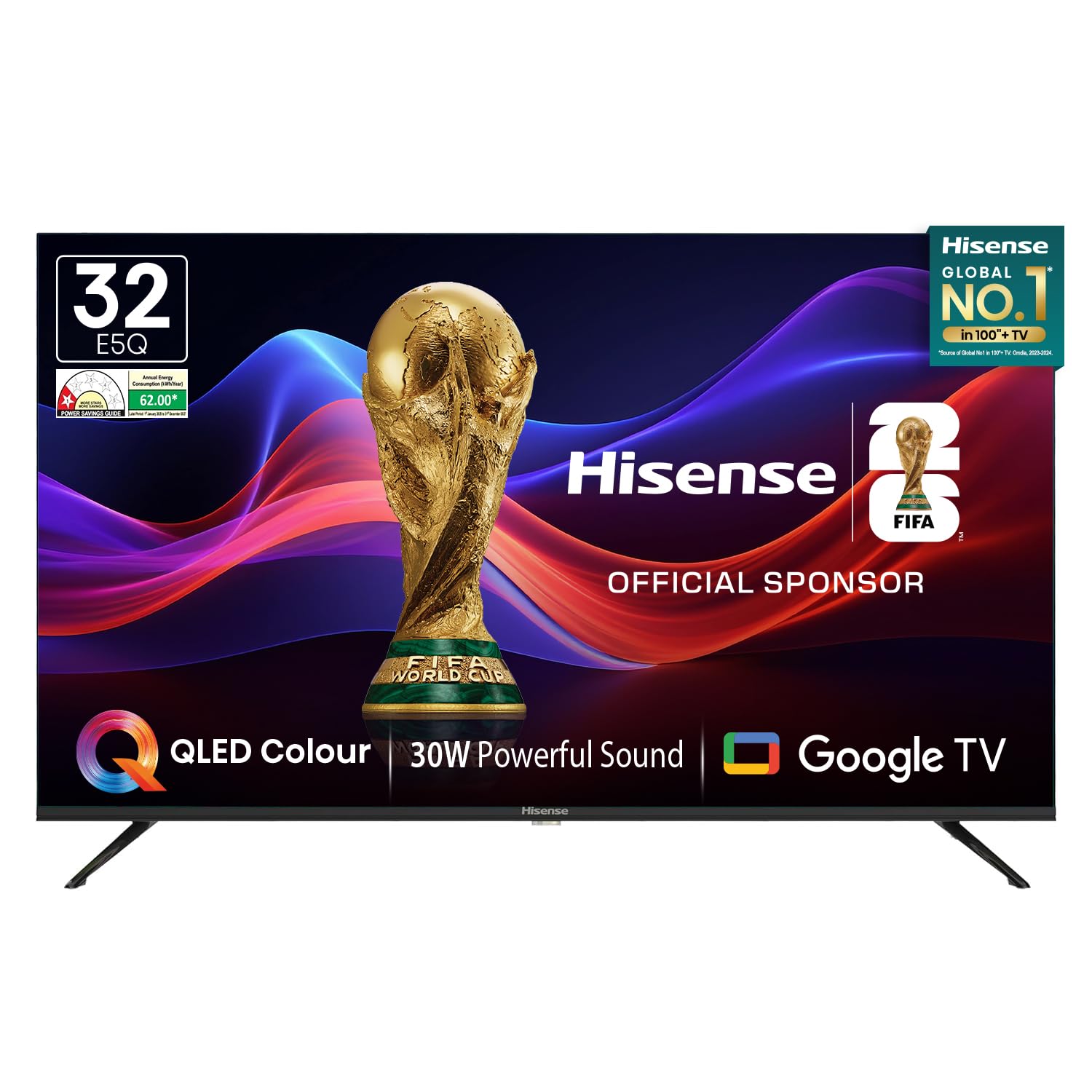
Image: Hisense 32E5Q Smart QLED Google TV, front view.
2. Què hi ha a la caixa
Desembaleu la caixa amb cura i assegureu-vos que tots els articles hi siguin presents i no estiguin danyats. Si falta algun article o està danyat, poseu-vos en contacte amb el vostre distribuïdor immediatament.
- 1 x Hisense 32E5Q LED TV
- 2 x Base de suport de taula
- 1 x Manual d'usuari (aquest document)
- 1 x Targeta de garantia
- 1 x comandament a distància
- 2 x piles AAA

Image: Diagram showing the Hisense TV, remote, table stands, batteries, warranty card, and manual included in the box.
3. Configuració
3.1. Instal·lació de l'estand
To install the table stand bases:
- Col·loqueu la pantalla del televisor amb la pantalla cap avall sobre una superfície suau i plana per evitar ratllades.
- Align each stand base with the corresponding slots on the bottom of the TV.
- Fixeu els suports amb els cargols proporcionats. Assegureu-vos que estiguin ben fixats.

Image: Diagram illustrating the dimensions of the Hisense E5Q QLED TV and how the table stands attach.
3.2. Muntatge a la paret
This TV supports wall mounting. For wall mounting, please refer to the instructions provided with your wall mount kit. Ensure the wall mount is compatible with the TV's VESA mounting pattern and weight. Professional installation is recommended for wall mounting.
3.3. Dispositius de connexió
Connect your external devices to the TV using the appropriate ports. Ensure the TV and all devices are powered off before making connections.
- Ports HDMI (x3): Per connectar descodificadors, consoles de jocs, reproductors de Blu-ray, etc.
- Ports USB 2.0 (x2): For connecting USB storage devices (hard drives, flash drives) to play media.
- Ethernet (RJ45): Per a una connexió a Internet per cable.
- Port dels auriculars: Per connectar auriculars.
- Entrada AV: Per connectar dispositius antics mitjançant cables de vídeo compost i àudio estèreo.
- Entrada VGA: Per connectar un ordinador.
- FORMIGA: For connecting an antenna for terrestrial broadcasting.

Image: Detailed diagram of the Hisense TV's rear and side connectivity ports, including HDMI, USB, Ethernet, AV, VGA, and Headphone.
4. Funcionament del televisor
4.1. Encendre/apagar
Connect the power cord to the TV and a power outlet. Press the power button on the remote control or the TV to turn it on or off.
4.2. Initial Setup (Google TV)
En engegar-lo per primera vegada, el televisor us guiarà pel procés de configuració inicial. Això inclou:
- Selecció de la llengua.
- Connexió de xarxa (Wi-Fi o Ethernet).
- Inici de sessió al compte de Google per a les funcions de Google TV.
- Google Assistant setup.
- Channel scanning (if using an antenna).
4.3. Funcions de Smart TV
Your Hisense 32E5Q TV runs on Google TV, offering a personalized entertainment experience.
- Google TV: Access a vast library of movies, shows, and apps from various streaming services.
- Chromecast integrat: Emet contingut directament des del teu telèfon intel·ligent, tauleta o ordinador al televisor.
- Assistent de Google: Feu servir ordres de veu per cercar contingut, controlar dispositius domèstics intel·ligents i obtenir informació.
- Aplicacions compatibles: Pre-installed and downloadable apps include Netflix, YouTube, Prime Video, Hotstar, SonyLiv, Hungama, JioCinema, Zee5, Eros Now, and many more.

Image: Screenshot of the Google TV home screen displaying popular streaming applications like Prime Video, Netflix, YouTube, and Disney+ Hotstar.
4.4. Control remot
The included remote control features dedicated buttons for popular streaming services and voice control functionality.
- Control de veu: Press the Google Assistant button and speak into the remote to issue commands.
- One-touch Access: Quickly launch Netflix, YouTube, Prime Video, and other apps with dedicated buttons.

Image: The Hisense voice remote control, highlighting the power, volume, channel, navigation, and dedicated app buttons.
4.5. Configuració de la pantalla
Optimitzeu el vostre viewing experience with the following display features:
- Pantalla QLED: Delivers vibrant colors and enhanced picture quality.
- HDR10: Provides superior contrast and color accuracy for compatible content.
- Super Bright Panel: Ensures high brightness levels for clear visibility in various lighting conditions.
- Modes d'imatge: Choose from Standard, Dynamic, Movie, ECO, Gentle, Vivid, Sport, Game, and Personal to suit your content.
- Natural Colour Enhancer: Fine-tunes colors for a more realistic and immersive visual experience.
- Reducció de soroll: Reduces visual noise and graininess for a clearer picture.
- Contrast dinàmic: Enhances the contrast between light and dark areas of the screen.

Image: Visual representation of key display technologies including QLED Color, HDR10 comparison, and 4K Digital Noise Reduction.
4.6. Configuració d'àudio
Experience rich and powerful sound with the TV's audio features:
- 30W Powerful Speakers: Delivers clear and immersive audio.
- Dolby Audio: Provides enhanced sound quality for movies, music, and games.
- Modes de so: Select from Standard, Music, Cinema, News, and Personal to optimize audio for different content types.

Image: Graphic illustrating the Dolby Audio and 30W Powerful Sound features, showing sound waves emanating from the TV.
4.7. Mirall de pantalla
Share content from your devices to the TV screen:
- Chromecast integrat: Easily cast videos, photos, and music from compatible apps on your smartphone or tablet.
- DLNA, Miracast, Airplay: Supports various screen mirroring protocols for seamless content sharing.
5. Especificacions
| Característica | Especificació |
|---|---|
| Model | 32E5Q |
| Mida de la pantalla | 32 polzades (80 cm) |
| Tecnologia de visualització | QLED |
| Resolució | HD Ready (1366x768) |
| Freqüència d'actualització | 60 Hz |
| Viewangle ing | 178 graus |
| Brillantor | 330 Nit |
| Relació de contrast | 3000:1 (nadiu) |
| Suport HDR | HDR 10 |
| Sistema operatiu | Google TV |
| Memòria RAM | 1.5 GB |
| Capacitat d'emmagatzematge | 8 GB |
| Sortida dels altaveus | 30 watts |
| Tecnologia d'àudio | Dolby Audio |
| Ports HDMI | 3 |
| Ports USB | 2 (USB 2.0) |
| Connectivitat | Built-in Wi-Fi, Bluetooth 5.0, Ethernet RJ45 |
| Dimensions del producte (amb suport) | 71.6 x 48.78 x 22.45 cm |
| Dimensions del producte (sense suport) | 71.6 x 43.34 x 8.61 cm |
| Pes de l'article | 3.9 kg |
| Consum d'energia | 55 watts |
6. Manteniment
6.1. Neteja del televisor
- Desendolla sempre el televisor abans de netejar-lo.
- Feu servir un drap suau, sec i sense borrissol per netejar la pantalla i la carcassa.
- Per a marques difícils, esbandiu lleugeramentampNetegeu el drap amb aigua o un netejador de pantalles suau. No ruixeu mai el netejador directament sobre la pantalla.
- Eviteu utilitzar netejadors abrasius, ceres o dissolvents, ja que poden danyar l'acabat del televisor.
6.2. Pautes de seguretat
- No bloquejar les obertures de ventilació.
- Mantingueu el televisor allunyat de la llum solar directa, de fonts de calor i de l'excés de pols.
- Avoid placing liquids or heavy objects on top of the TV.
- If the TV emits smoke or unusual odors, immediately unplug it and contact customer support.
7. Solució De Problemes
Si teniu problemes amb el televisor, consulteu les solucions habituals següents:
- Sense energia: Ensure the power cord is securely plugged into both the TV and a working power outlet. Check if the power outlet is active.
- Sense imatge/so: Verify that the correct input source is selected. Check all cable connections (HDMI, AV, etc.). Try restarting the TV.
- El control remot no funciona: Replace the AAA batteries in the remote. Ensure there are no obstructions between the remote and the TV.
- Problemes de connexió de xarxa: For Wi-Fi, check your router and ensure the TV is within range. For Ethernet, verify the cable connection. Try restarting your router and the TV.
- Problemes de qualitat d'imatge: Ajusteu la configuració de la imatge (brillantor, contrast, color) al menú del televisor. Assegureu-vos que la font de contingut sigui d'alta qualitat.
For more detailed troubleshooting or persistent issues, please contact Hisense customer support.
8. Garantia i Suport
8.1. Informació de la garantia
Your Hisense 32E5Q TV comes with a 1 any de garantia from the date of purchase on the television set and a 1 any de garantia on the remote control, provided by the brand.
Warranty claims can be processed using your Amazon e-invoice as proof of purchase. Please retain your invoice for warranty purposes.
8.2. Atenció al client
For technical assistance, service requests, or any other inquiries, please contact Hisense customer support. Refer to the warranty card or Hisense's official weblloc per obtenir dades de contacte.
You may also consider extended warranty plans offered by third-party providers for additional coverage beyond the standard manufacturer's warranty.
9. Vídeo del producteview
Mireu aquest vídeo per obtenir una visió generalview of the Hisense E5Q Series HD Ready Smart QLED Google TV's features and benefits.
Vídeo: Un breu resumview highlighting the QLED display, HD Ready resolution, 60Hz refresh rate, 178-degree viewing angle, 330 nits brightness, 3000:1 contrast ratio, HDR10, Google TV, Chromecast, Google Assistant, 3 HDMI ports, 2 USB 2.0 ports, built-in Wi-Fi, Bluetooth 5.0, Ethernet RJ45, headphone port, 30W speaker output, and Dolby Audio. It also shows the contents of the box and warranty information.


