1. Introducció i finalview
Thank you for choosing the KOSCHEAL KS-UK-C16R Smartphone Gimbal Stabilizer. This device is designed to enhance your mobile photography and videography experience by providing stable, smooth footage and intelligent tracking capabilities. It integrates a gimbal, selfie stick, and tripod into one compact unit, featuring advanced AI face and object tracking, dual-axis anti-shake motors, a detachable wireless remote control, and an adjustable LED fill light. This manual provides detailed instructions for setup, operation, and maintenance to help you get the most out of your device.
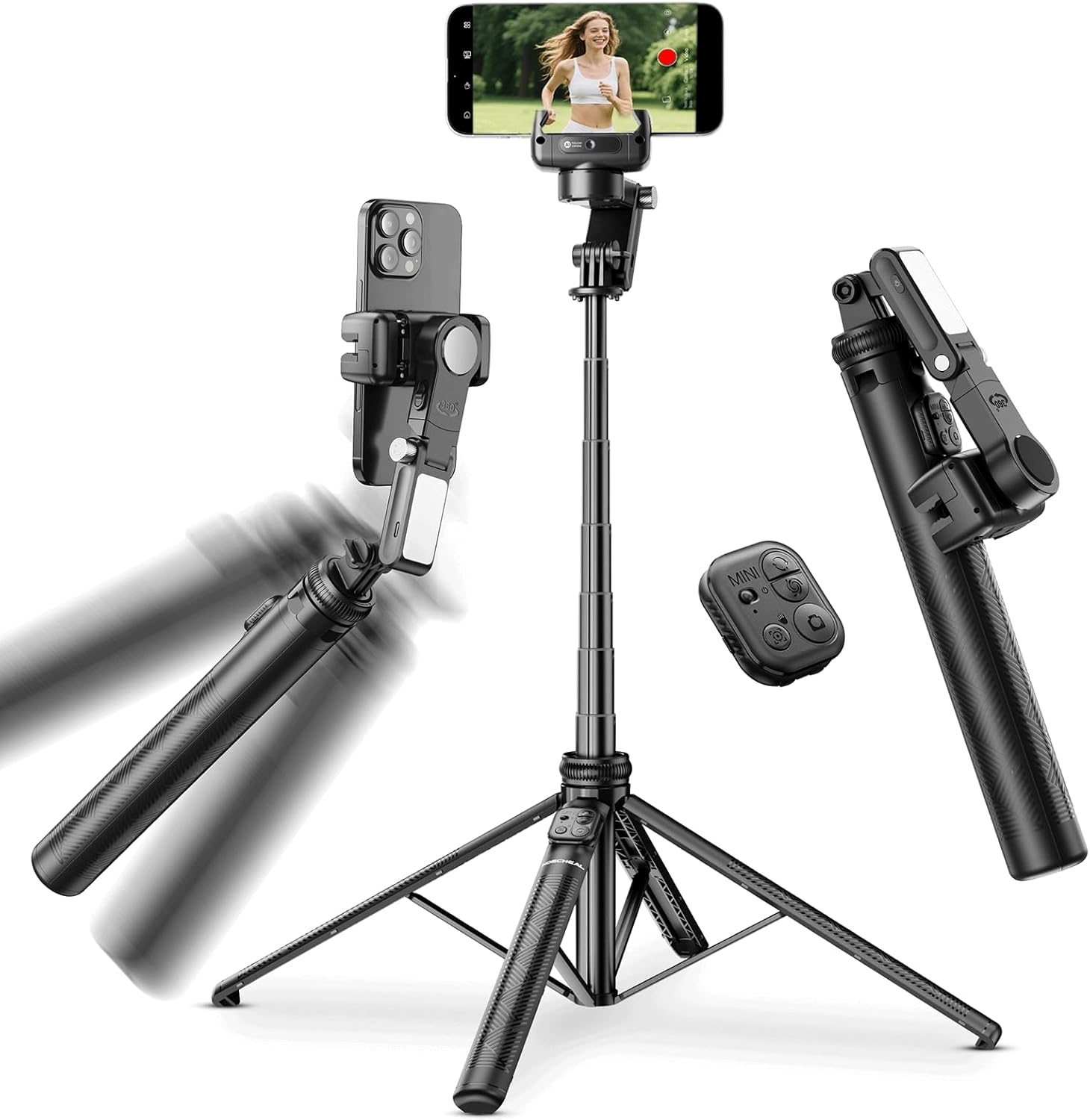
Un acabatview of the KOSCHEAL KS-UK-C16R, illustrating its primary components including the gimbal head, extendable pole, tripod base, and detachable remote control.
2. Què hi ha a la caixa
- KOSCHEAL KS-UK-C16R Gimbal Stabilizer
- Llum d’ompliment LED
- Base de trípode
- Manual d'usuari
3. Característiques del producte
3.1. Advanced AI Tracking and Anti-Shake Stabilization
The KS-UK-C16R features an advanced AI-powered subject tracking system that ensures your subject remains in focus, whether you are vlogging, live streaming, or capturing family moments. Its intelligent anti-shake core, combined with dual-axis anti-shake motors (R-axis for horizontal and P-axis for longitudinal movement), eliminates blurry and shaky footage, providing cinematic fluidity for high-quality content even while walking or running.
Illustrates the AI face and object tracking capabilities, showing how the gimbal automatically follows a subject. It also details gesture controls for starting and stopping tracking.

This visual comparison demonstrates the advanced anti-shake performance of the KOSCHEAL C16R, ensuring steady and smooth video capture even during fast-paced activities.
3.2. Multiple Operating Modes
The stabilizer includes various modes for unique results:
- AI Face/Object Tracking Mode: Automatically follows the designated subject.
- Inception Mode (360° Rotation): Creates dynamic, rotating video effects.
- Semi-Tracking Mode: Provides controlled movement while maintaining stability.
- Slow Rotation Mode: For smooth, deliberate panning shots.
3.3. Extendable and Portable Design
The gimbal features an integrated alloy bar that extends up to 158 cm (61.81 inches) and folds down to a compact 32 cm (12.59 inches). This lightweight and foldable design makes it highly portable and ready for use in various scenarios, from creative selfies to group photos and expansive landscapes.
Illustrates the compact and portable design of the gimbal when folded (32cm) and its impressive extendable length (up to 157cm), making it easy to carry and adapt for various shooting angles.
3.4. Detachable Wireless Remote Control
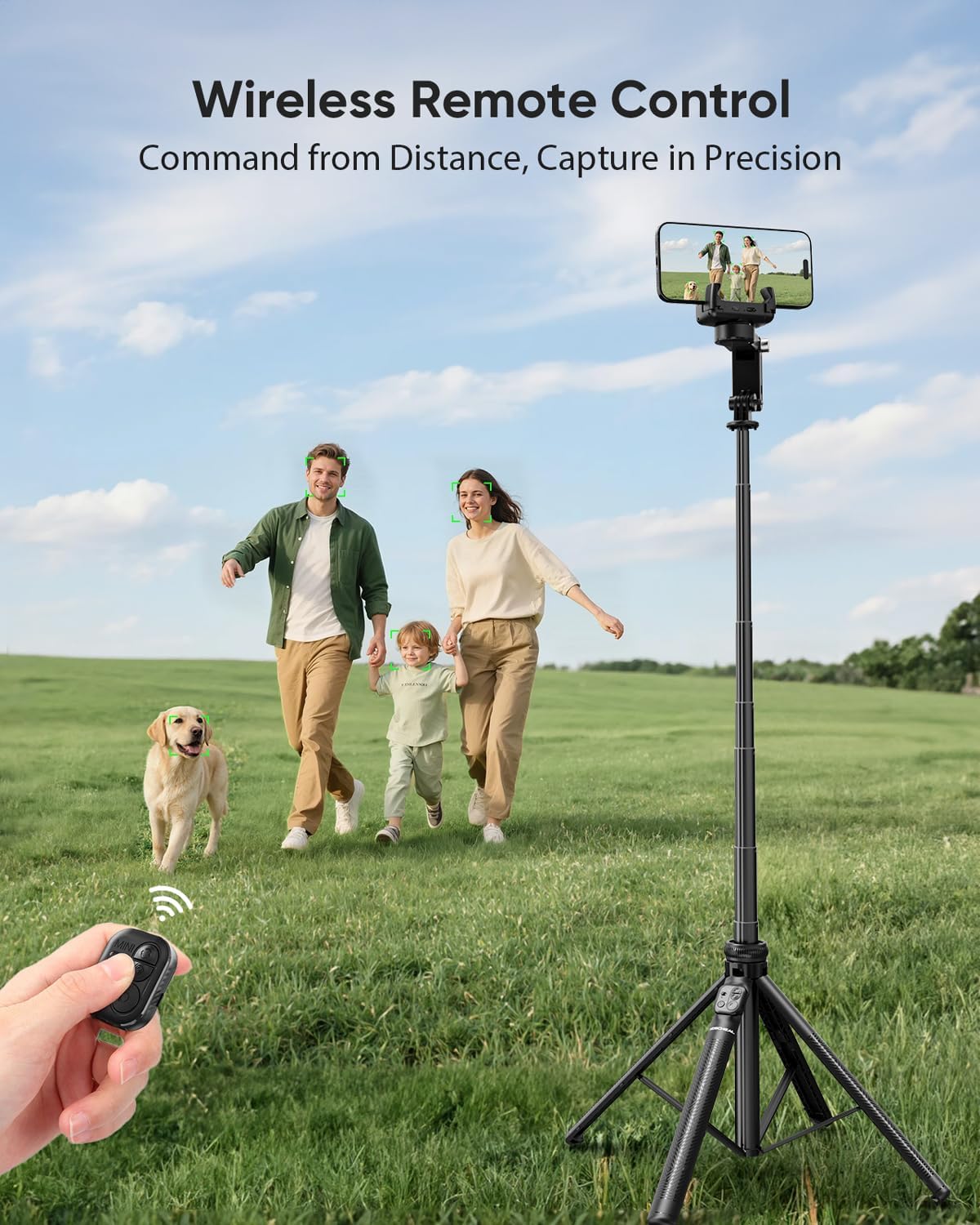
Operate your gimbal remotely with the detachable multifunctional wireless remote control. It allows you to capture photos and videos from up to 10 meters away, offering greater flexibility in your shots. No app is required for remote control functionality.

This image highlights the convenience of the detachable wireless remote control, enabling users to capture photos and videos from up to 10 meters away.
3.5. Integrated LED Fill Light
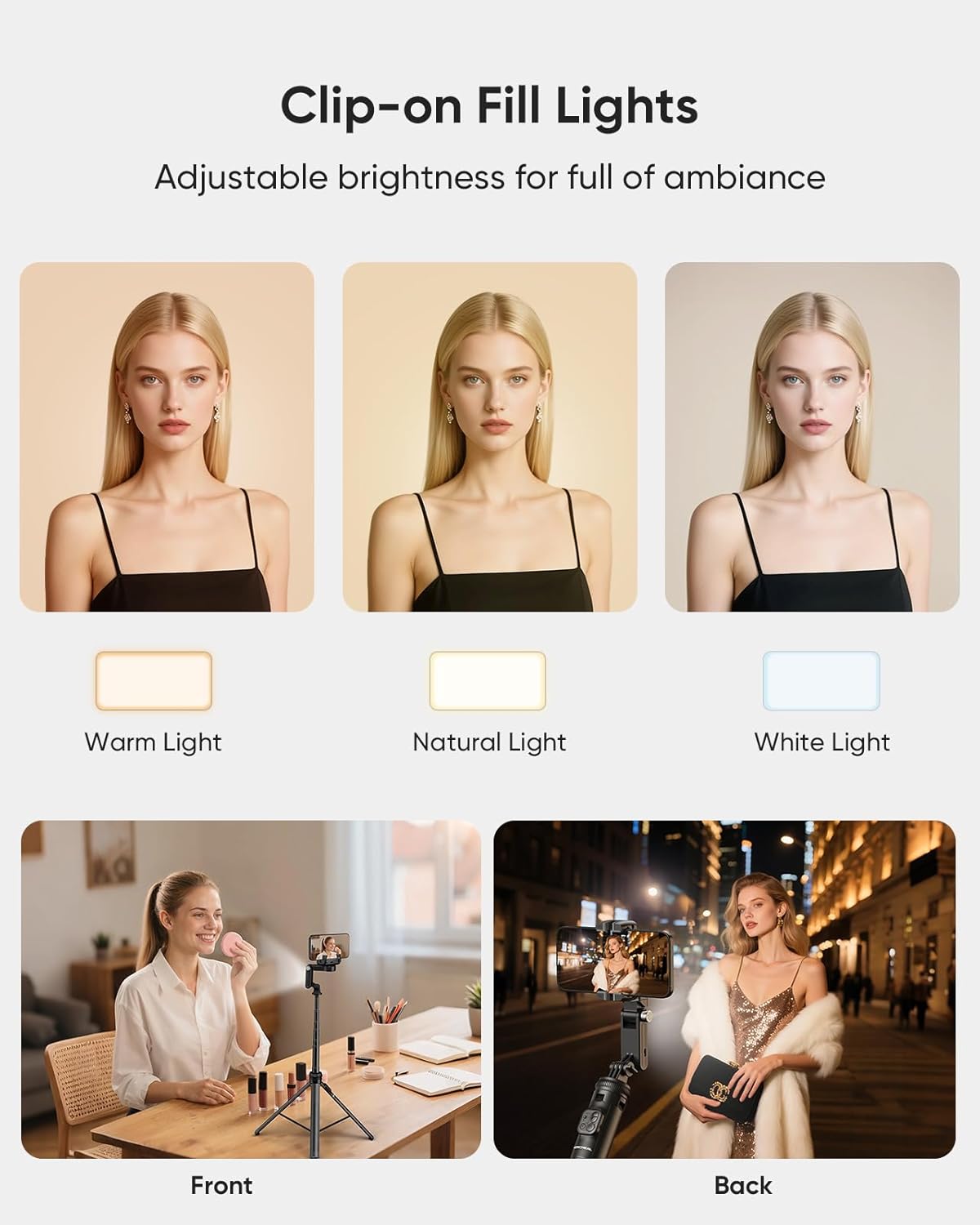
The device includes an LED fill light with 3 distinct color tones (Warm, Natural, White) and 9 levels of brightness. This feature ensures optimal lighting for your subjects, whether for selfies or night shots, illuminating every detail.

Showcases the integrated LED fill light with its three adjustable color temperatures (warm, natural, white) and nine brightness levels, providing optimal lighting for various shooting conditions.
3.6. 3-in-1 Design
The KOSCHEAL KS-UK-C16R combines three essential tools into one compact device: a gimbal stabilizer for smooth footage, an extendable selfie stick for wider angles, and a portable tripod for stable static shots. This versatility makes it ideal for recording TikToks, vlogs, or live streams with total stability.

This image demonstrates the versatile 3-in-1 functionality of the device, highlighting its use as an extendable selfie stick, a stable tripod, and a handheld gimbal stabilizer for dynamic shots.
3.7. Long-Lasting Battery
Equipped with a non-standard battery, the gimbal provides up to 8 hours of continuous operation, allowing you to capture moments without interruption.

Depicts the extended battery life of the gimbal, capable of providing up to 8 hours of continuous operation for capturing moments without interruption.
4. Guia de configuració
4.1. Unboxing i Inspecció Inicial
- Traieu amb cura tots els components de l'embalatge.
- Verify that all items listed in the 'What's in the Box' section are present and undamaged.
- Familiarize yourself with the physical buttons and ports on the device.
4.2. Càrrega del dispositiu
Before first use, fully charge the gimbal. Connect the provided charging cable to the charging port on the gimbal and to a standard USB power adapter (not included). The charging indicator light will show the charging status and turn off or change color when fully charged.
4.3. Connectar el telèfon intel·ligent
- Gently pull open the phone clamp al cap del cardan.
- Introduïu el vostre telèfon intel·ligent al clamp, ensuring it is securely held and centered for optimal balance.
- Ensure the phone's camera is not obstructed by the clamp.
4.4. Encès / apagat
- Per encendre: Press and hold the power button (usually located on the handle) for 3 seconds until the indicator light illuminates.
- Per apagar: Manteniu premut el botó d'engegada durant 3 segons fins que s'apagui el llum indicador.
4.5. Vinculació del comandament a distància
- Ensure the gimbal is powered on.
- Turn on the remote control (if it has a separate power switch).
- The remote control should automatically pair with the gimbal. If not, refer to the remote control's specific pairing instructions, usually involving holding a button until an indicator light flashes.
- No app is required for the remote control to function with the gimbal.
5. Instruccions de funcionament
5.1. Basic Gimbal Operation
- Hold the gimbal firmly by the handle.
- Ensure your smartphone is balanced in the clamp before powering on the gimbal for optimal performance.
- The gimbal will automatically stabilize your phone, keeping it level and smooth during movement.
5.2. AI Tracking (Face/Object)
- Position yourself or the object you wish to track in front of the phone's camera.
- Use the designated gesture (e.g., 'OK' gesture with your hand) to initiate face or object tracking. The gimbal will then automatically follow the detected subject.
- To stop tracking, use the designated gesture (e.g., 'PALM' gesture) or double-click the lock button on the remote control.
5.3. Modes del cardan
Switch between modes using the mode button on the gimbal or remote control:
- Mode de seguiment AI: For automatic subject following.
- Inception Mode (360° Rotation): Activates a continuous 360-degree rotation for creative shots.
- Semi-Tracking Mode: Allows for horizontal panning while maintaining vertical stability.
- Slow Rotation Mode: Provides a slower, more controlled rotation for cinematic effects.
5.4. Using the Fill Light
- The LED fill light is typically attached to the phone clamp.
- Press the light button to turn it on/off.
- Press the button repeatedly to cycle through the 3 color tones (Warm, Natural, White) and 9 brightness levels.
5.5. Selfie Stick Functionality
- To extend the selfie stick, gently pull the top section of the gimbal upwards.
- Extend it to your desired length, up to 158 cm.
- To retract, push the extended section back down until it is fully collapsed.
5.6. Tripod Functionality
- To deploy the tripod, spread the legs at the base of the handle outwards.
- Place the gimbal on a flat, stable surface.
- Ensure the tripod legs are fully extended and locked for maximum stability.
5.7. Ús del control remot
Once paired, use the remote control to:
- Trigger the camera shutter for photos.
- Iniciar/aturar la gravació de vídeo.
- Control gimbal movement (if applicable to specific modes).
- Initiate or stop AI tracking (double-click lock button).
6. Manteniment
6.1. Neteja
- Wipe the gimbal body with a soft, dry cloth.
- No utilitzeu netejadors líquids ni dissolvents, ja que poden fer malbé el dispositiu.
- Mantingueu el port de càrrega net de pols i deixalles.
6.2. Emmagatzematge
- Store the gimbal in a cool, dry place, away from direct sunlight and extreme temperatures.
- Assegureu-vos que el dispositiu estigui apagat abans de guardar-lo.
- If storing for an extended period, charge the battery to approximately 50% every three months to prolong battery life.
6.3. Cura de la bateria
- Eviteu descarregar completament la bateria amb freqüència.
- Utilitzeu només el cable de càrrega subministrat.
- No exposeu la bateria a altes temperatures ni la punxeu.
7. Solució De Problemes
If you encounter issues with your KOSCHEAL KS-UK-C16R, please refer to the following common problems and solutions:
- El cardan no s'estabilitza:
Ensure your smartphone is properly centered and securely clamped. Power off and restart the gimbal. Check if the battery level is sufficient. - El comandament a distància no es connecta:
Ensure both the gimbal and remote control are powered on. Check the remote control's battery. If issues persist, try re-pairing the remote control as described in Section 4.5. - AI Tracking Not Working:
Ensure there is sufficient lighting for the camera to detect faces or objects clearly. Make sure the subject is within the camera's frame and try the gesture command again. - El dispositiu no es carrega:
Verify that the charging cable is securely connected to both the gimbal and the power source. Try a different USB power adapter or cable. Ensure the charging port is clean. - Gimbal Feels Loose or Unresponsive:
Check for any physical damage. Ensure all movable parts are securely fastened. If the issue persists, contact customer support.
8. Especificacions
| Marca | KOCHEAL |
| Número de model | KS-UK-C16R |
| Dimensions del producte (plegat) | 93 x 7.5 x 32.3 cm (36.6 x 2.95 x 12.7 polzades) |
| Pes del producte | 530.7 grams (1.17 lliures) |
| Longitud extensible | Fins a 158 cm (61.81 polzades) |
| Tipus de bateria | 1 bateria no estàndard (inclosa) |
| Durada de la bateria | Aproximadament 8 hores |
| Interval de control remot | Fins a 10 metres |
| Fill Light Features | 3 Tones, 9 Brightness Levels |
9. Return Policy and Support Information
For information regarding returns or warranty claims, please refer to the retailer's return policy where the product was purchased. For specific support or technical assistance, please contact KOSCHEAL customer service through their official channels or the retailer's support services.


