Introducció
This manual provides essential information for the safe and effective use of your TCL TP300K Portable Bluetooth Party Speaker. Please read this guide thoroughly before operating the device and retain it for future reference. The TCL TP300K is designed to deliver powerful sound with dynamic RGB light shows, an 18-hour battery life, and an IPX4 splash-proof rating, making it suitable for various environments.
Què hi ha a la caixa
Desembaleu amb cura tots els articles de la caixa. Assegureu-vos que hi hagi tots els components abans de llençar els materials d'embalatge.
- TCL TP300K Portable Bluetooth Party Speaker
- Cable d'alimentació
- Guia d'inici ràpid
- Informació sobre garantia i seguretat

Image: The TCL TP300K speaker shown with its dimensions and a list of included accessories.
Producte acabatview
The TCL TP300K features a robust design with intuitive controls and versatile placement options. It can be positioned horizontally or vertically thanks to its integrated handles.
Components i controls de l'altaveu
Familiarize yourself with the speaker's main components and control panel.

Imatge: Un angle view of the TCL TP300K speaker, highlighting its overall design.
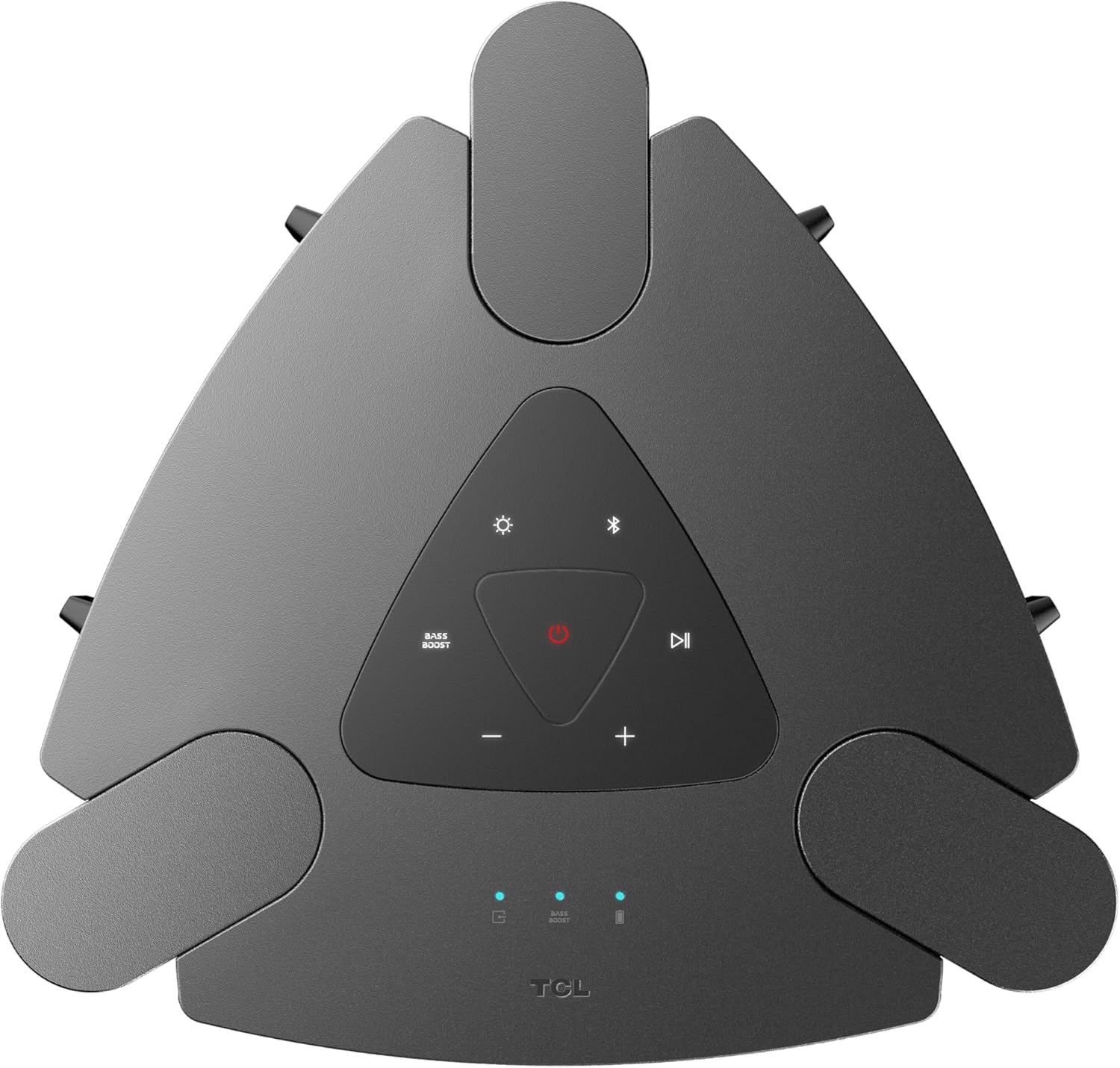
Imatge: Un primer pla view of the top control panel, showing buttons for power, Bluetooth, light modes, volume, and bass boost.

Imatge: Una imatge detallada view of the rear input panel, featuring ports for guitar, microphone, USB, and AUX connections.
Configuració
Carregant l'altaveu
- Connect the provided power cord to the speaker's power input.
- Connecteu l'altre extrem del cable d'alimentació a una presa de corrent adequada.
- The charging indicator will illuminate. A full charge provides approximately 18 hours of playback (at 25% volume with static light effects).

Image: The speaker shown in a party setting, illustrating its 18-hour battery life.
Encès/Apagat
- Per encendre, premeu i manteniu premut Poder botó del tauler de control.
- Per apagar-lo, manteniu premut el botó Poder botó de nou.
Instruccions de funcionament
Connexió Bluetooth
- Assegureu-vos que l'altaveu estigui encès.
- Premeu el botó Bluetooth button on the control panel to enter pairing mode. The Bluetooth indicator will flash.
- On your mobile device, enable Bluetooth and search for "TCL TP300K".
- Select the speaker from the list to pair. Once connected, the Bluetooth indicator will glow solid.

Image: Two individuals wirelessly streaming music to the speaker from their mobile devices.
Reproducció d'àudio USB
- Inseriu una unitat USB que contingui àudio files al port USB del panell posterior.
- The speaker will automatically switch to USB mode and begin playing music.
- Utilitza el Reproduir/Pausa i Saltar buttons on the control panel to manage playback.
Mode Karaoke
- Connect a microphone or guitar to the respective input jacks on the rear panel.
- Adjust the microphone/guitar volume and echo effect using the dedicated knobs.
- Play music via Bluetooth or USB and sing along.

Image: Individuals using the speaker for karaoke, demonstrating the microphone and guitar input functionality.
Wireless Party Link (Multi-Speaker Connection)
- Ensure both TCL TP300K speakers are powered on and not connected to any Bluetooth device.
- On one speaker (the primary speaker), press and hold the TWS/LINK button until you hear a confirmation tone.
- On the second speaker (the secondary speaker), press the TWS/LINK botó breument.
- The speakers will connect wirelessly. Once connected, pair your mobile device to the primary speaker via Bluetooth. Both speakers will play synchronized audio.

Image: A party scene with multiple TCL TP300K speakers linked together for a synchronized audio experience.
Vinculació True Wireless Stereo (TWS).
For a stereo sound experience, you can pair two TP300K speakers.
- Follow the Wireless Party Link instructions to connect two speakers.
- Once linked, the speakers will automatically configure for left and right channel stereo playback.

Image: A visual representation of two speakers configured for True Wireless Stereo pairing, indicating left and right audio channels.
RGB Dynamic Light Shows
- Premeu el botó Mode de llum button on the control panel to cycle through 8 different RGB dynamic light show presets.
- Manteniu premut el botó Mode de llum botó per apagar els llums.

Imatge: El programa del ponentasing its vibrant RGB dynamic light shows, creating an energetic atmosphere.
Funció de reforç de greus
- Premeu el botó Bass Boost button on the control panel to enhance low-frequency audio.
- Press the button again to deactivate the Bass Boost.

Imatge: Una imatge superior view of the speaker in a social setting, illustrating the impact of the Bass Boost feature.
Manteniment
Neteja
- Assegureu-vos que l'altaveu estigui apagat i desendollat abans de netejar-lo.
- Feu servir un drap suau i sec per netejar les superfícies exteriors.
- No utilitzeu netejadors abrasius, ceres ni dissolvents.
Splash-Proof Rating (IPX4)
The speaker has an IPX4 splash-proof rating, meaning it is resistant to splashing water from any direction. This makes it suitable for outdoor use where light splashes may occur. However, it is not designed to be submerged in water or exposed to high-pressure water jets.
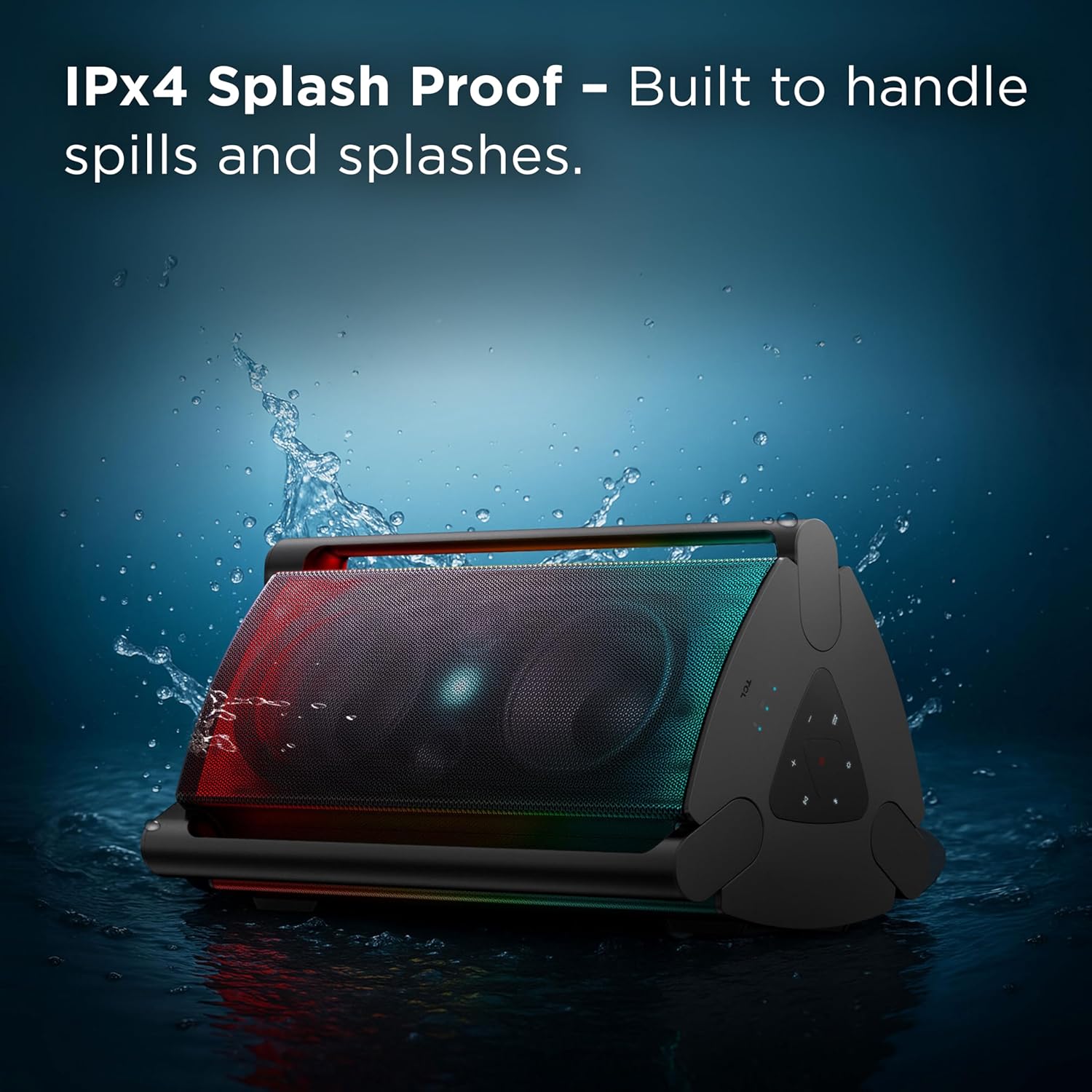
Image: The speaker shown with water splashing on it, illustrating its IPX4 anti-splash protection.
Resolució de problemes
| Problema | Causa possible | Solució |
|---|---|---|
| L'altaveu no s'encén. | Bateria baixa o sense connexió a l'alimentació. | Carregueu l'altaveu amb el cable d'alimentació proporcionat. Assegureu-vos que la presa de corrent funcioni. |
| No hi ha so de l’altaveu. | Volume too low, incorrect source selected, or device not paired. | Increase volume on both the speaker and your connected device. Press the Font button to select the correct input (Bluetooth, USB, AUX). Re-pair your Bluetooth device. |
| Bluetooth connection unstable or failing. | Device too far from speaker, interference, or previous pairing issue. | Move your device closer to the speaker. Avoid obstacles between devices. Forget the speaker from your device's Bluetooth list and re-pair. |
| L'entrada de micròfon/guitarra no funciona. | Cable not fully inserted, volume knob too low. | Ensure cables are securely connected. Adjust the microphone/guitar volume knob on the speaker. |
| Wireless Party Link not connecting. | Incorrect pairing procedure or speakers already connected to other devices. | Ensure both speakers are in pairing mode and not connected to any other Bluetooth device. Follow the Wireless Party Link instructions carefully. |
Especificacions
| Característica | Detall |
|---|---|
| Nom del model | TP300K |
| Marca | TCL |
| Tipus d'altaveu | Altaveu portàtil |
| Tecnologia de connectivitat | Bluetooth, USB, Auxiliar |
| Potència de sortida màxima dels altaveus | 340 watts |
| Durada de la bateria | Up to 18 hours (at 25% volume with static light effects) |
| Nivell de resistència a l'aigua | IPX4 a prova d'esquitxades |
| Espectacles de llum | 8 RGB Dynamic Light Show Presets |
| Característiques especials | Bass Boost, Portable, RGB Light Show, Waterproof (Splash-Proof) |
| Dimensions del producte (P x A x A) | 15.07" x 15.63" x 26.68" |
| Pes de l'article | 34.4 lliures |
| Material | Plàstic |
| Components inclosos | Power Cord, Quick Start Guide |

Image: A diagram illustrating the physical dimensions of the TCL TP300K speaker.
Garantia i Suport
Your TCL TP300K Portable Bluetooth Party Speaker comes with a limited warranty. Please refer to the included Warranty and Safety Information document for details regarding warranty coverage, terms, and conditions.
For technical support, service, or further inquiries, please visit the official TCL support website or contact their customer service as provided in your warranty documentation.


