1. Introducció
This manual provides comprehensive instructions for the setup, operation, maintenance, and troubleshooting of your GMKtec EVO-X2 AI Mini PC. Please read this manual thoroughly before using the device to ensure optimal performance and longevity.
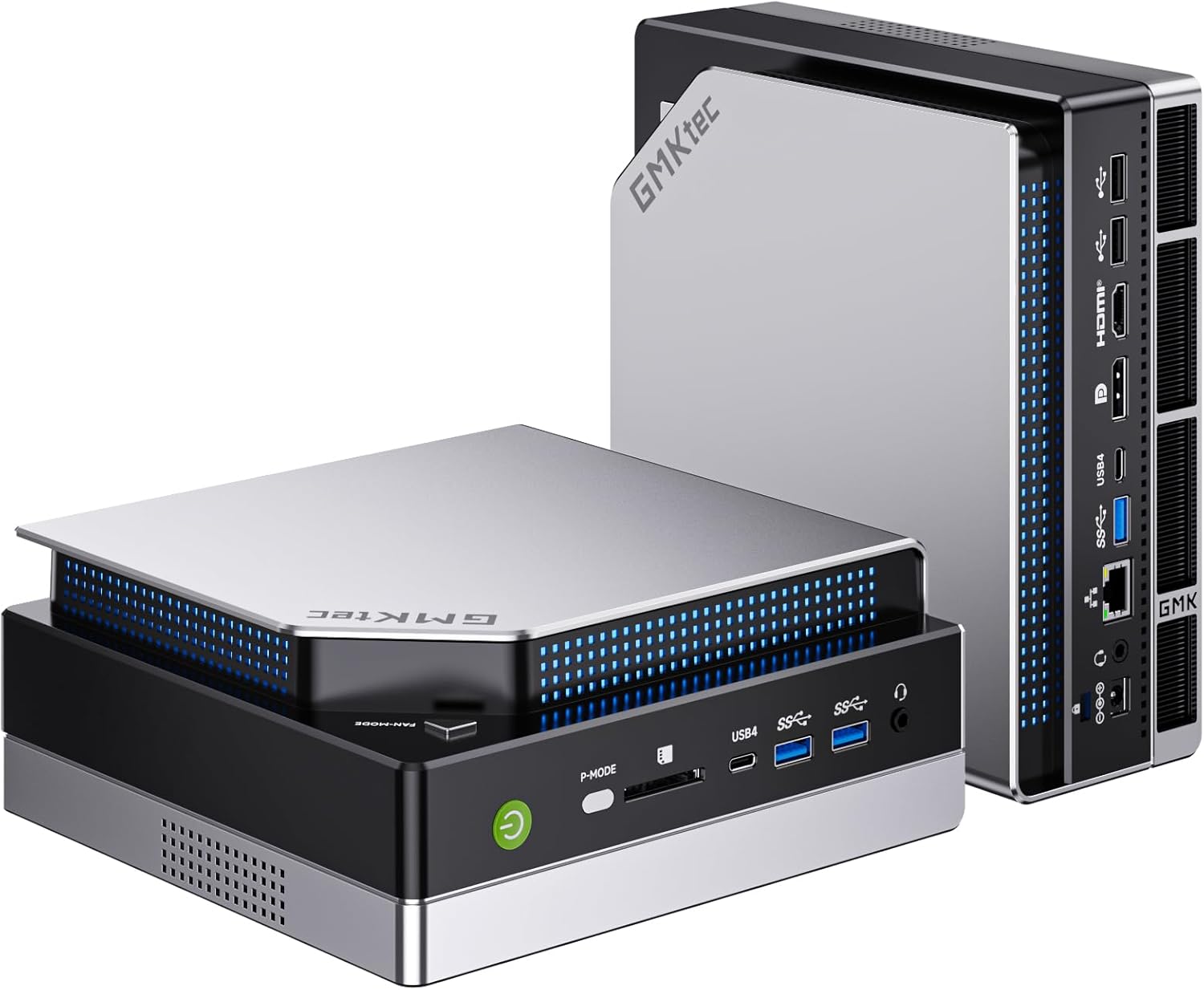
Image: The GMKtec EVO-X2 AI Mini PC, showcasinel seu disseny compacte i els seus diversos ports.
2. Què hi ha a la caixa
En obrir el paquet, comproveu que hi hagi tots els elements següents:
- GMKtec Nucbox EVO AMD Ryzen AI Max+ 395 Mini PC Computer
- Power Supply & Cable
- Cable HDMI
- Manual d'usuari
3. Guia de configuració
Follow these steps to set up your GMKtec EVO-X2 Mini PC:
- Desembalatge: Carefully remove the Mini PC and all accessories from the packaging.
- Connecteu els perifèrics:
- Connect your monitor(s) to the HDMI 2.1, DisplayPort 1.4, or USB4 ports. The device supports up to four 8K displays.
- Connecteu el teclat i el ratolí als ports USB 3.0 o USB 2.0 disponibles.
- For wired network access, connect an Ethernet cable to the 2.5GbE LAN port.
- Connexió d'alimentació: Connect the power supply cable to the DC IN port on the Mini PC, then plug the power adapter into a wall outlet.
- Engegada inicial: Press the power button located on the front of the Mini PC. The system will begin to boot. Follow the on-screen instructions to complete the operating system setup (OS Pro).

Imatge: Detallada view of the GMKtec EVO-X2's front and rear ports, including USB, HDMI, DisplayPort, and Ethernet connections.
4. Instruccions de funcionament
The GMKtec EVO-X2 is designed for high performance and versatility. Here are key operating features:
4.1 Encès/Apagat
- Encès: Premeu el botó d'engegada del panell frontal.
- Apagar: Access the operating system's shutdown menu to perform a graceful shutdown. Alternatively, press and hold the power button for 5 seconds for a forced shutdown (not recommended for regular use).
4.2 Modes de rendiment
The EVO-X2 features three distinct performance modes, allowing you to optimize power consumption and performance based on your needs. Switch between modes using the dedicated performance mode toggle key (P-MODE button) on the front panel.
- Quiet Mode (54W): Ideal for light tasks, general browsing, and energy efficiency. Operates with minimal fan noise (approx. 35dB).
- Balanced Mode (85W): Suitable for everyday computing, productivity applications, and moderate workloads.
- Performance Mode (140W): Maximizes CPU and GPU performance for demanding applications, gaming, and AI workloads.
An on-screen symbol will confirm the active mode when switched.

Image: An infographic highlighting the key features of the GMKtec EVO-X2, including its processor, display support, and cooling system.
5. Característiques i components principals
5.1 AMD Ryzen AI Max+ 395 Processor
The EVO-X2 is powered by the AMD Ryzen AI Max+ 395 processor, featuring 16 "Zen 5" CPU cores and 32 threads, with a boost clock up to 5.1 GHz. It includes 64 MB of L3 cache and is designed for high-performance computing and AI workloads, leveraging its 50+ peak AI TOPS XDNA 2 NPU.

Image: Close-up of the AMD Ryzen AI Max+ 395 processor, illustrating its advanced architecture.
5.2 Integrated AMD Radeon 8060S Graphics
Equipped with the AMD Radeon RX 8060S iGPU, featuring 40 CUs and up to 2.9 GHz graphics clock based on the RDNA 3.5 architecture. This integrated GPU provides robust performance for gaming and graphic-intensive applications, capable of utilizing the full 64GB memory pool.

Image: Visual representation of the integrated AMD Radeon 8060S graphics chip.
5.3 XDNA 2 Architecture for AI
The integrated NPU with XDNA 2 architecture provides over 50 peak AI TOPS, enhancing performance for AI computing tasks and applications like LM Studio, enabling local execution of large language models.
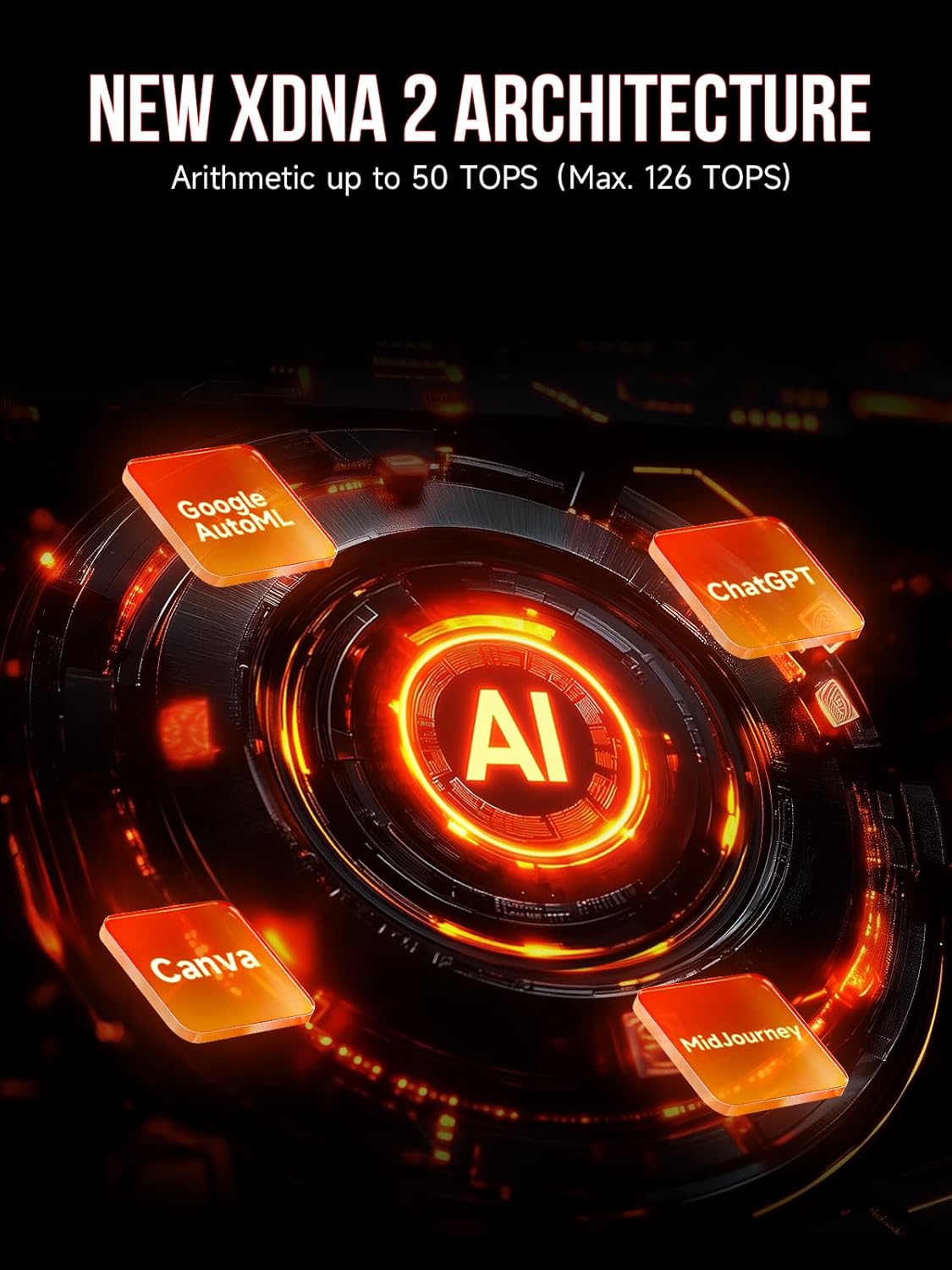
Image: Diagram illustrating the new XDNA 2 architecture and its AI capabilities.
5.4 LPDDR5X Memory
The EVO-X2 features eight-channel LPDDR5X memory, offering speeds up to 8000MT/s. This advanced memory solution provides significantly faster performance compared to DDR5 SODIMMs, improving productivity and digital content workloads.
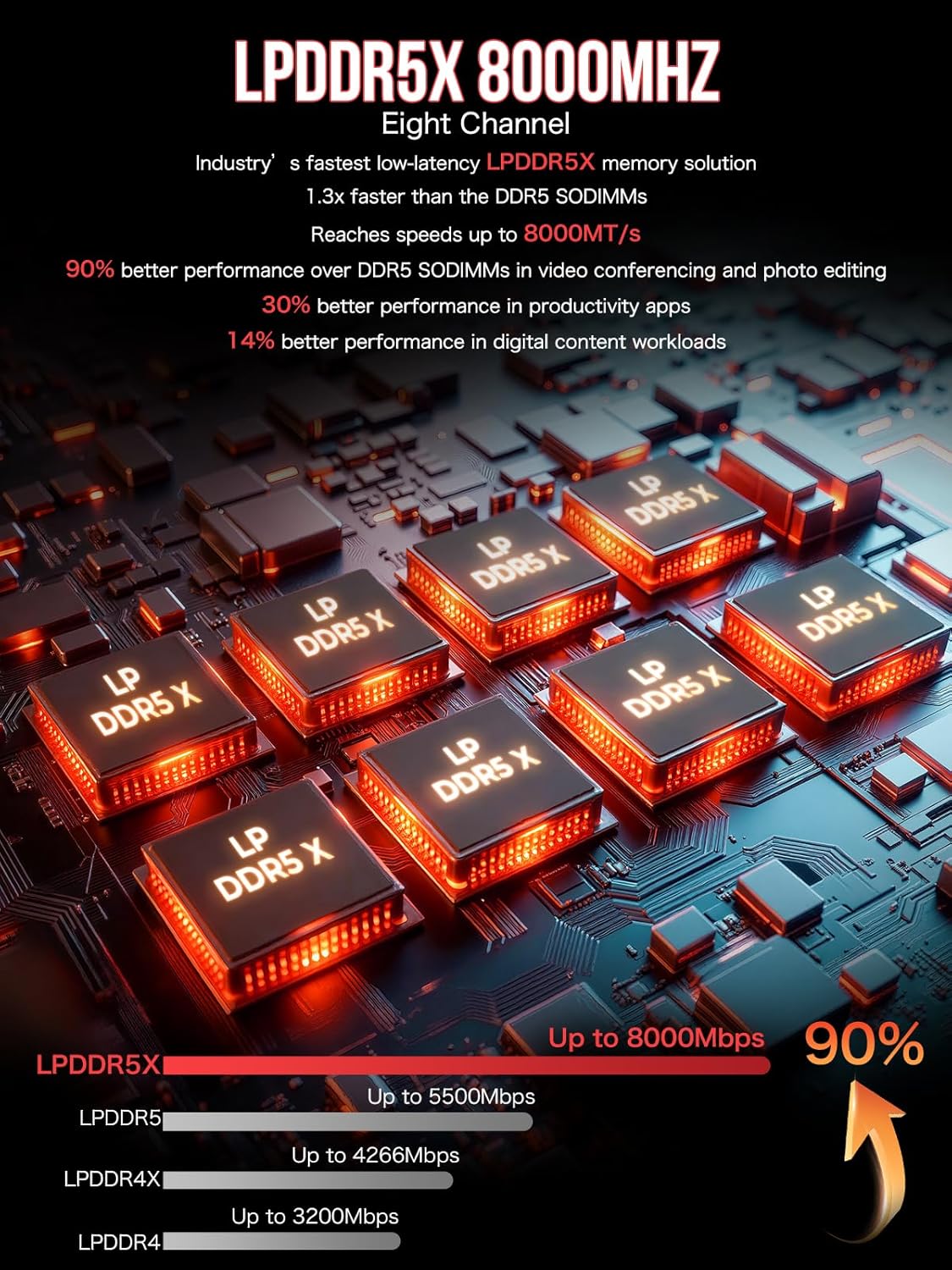
Image: Representation of LPDDR5X memory modules, highlighting their high-speed capabilities.
5.5 Emmagatzematge
Equipped with a 1TB PCIe 4.0 M.2 2280 SSD, the Mini PC supports dual slots, allowing for expansion up to 4TB per slot, totaling 8TB of high-speed storage.
5.6 Connectivitat
- Xarxa per cable: Features a 2.5GbE LAN port for high-speed wired internet and network connections.
- Connectivitat sense fils: Supports Wi-Fi 7 (802.11be) for theoretical throughputs up to 46Gbps, and Bluetooth 5.4 for stable connections to wireless peripherals.
- Ports USB: Includes dual USB4 40Gbps ports (supporting PD3.0/DP1.4/DATA), multiple USB 3.0, and USB 2.0 ports for various devices.
- Lector de targetes SD: An integrated SD 4.0 Card Reader supports SD/TF 4.0 and UHS-II cards for fast data transfer.

Image: A comparison chart detailing the speed improvements of WiFi 7 over previous generations, alongside Bluetooth 5.4 capabilities.

Image: Visuals demonstrating the high-speed 2.5GbE Ethernet and USB4.0 connectivity of the Mini PC.
5.7 Sistema de refrigeració
The EVO-X2 incorporates a triple cooling fan system, including dual turbo CPU fans and a dedicated DDR5/SSD cooling fan. Three advanced heatpipes and 360° airflow ensure efficient heat dissipation, maintaining optimal temperatures even under heavy loads. The system also features 13 dazzling RGB lighting modes for personalization.
6. Manteniment
Regular maintenance helps ensure the longevity and optimal performance of your Mini PC:
- Neteja: Feu servir un drap suau i sec per netejar l'exterior del Mini PC. Per a les reixetes de ventilació, feu servir aire comprimit per eliminar l'acumulació de pols. Assegureu-vos que el dispositiu estigui apagat i desendollat abans de netejar-lo.
- Ventilació: Ensure the Mini PC is placed in a well-ventilated area. Avoid blocking the air vents to prevent overheating.
- Actualitzacions de programari: Regularly update your operating system and drivers to ensure stability, security, and performance improvements.
7. Solució De Problemes
If you encounter issues with your GMKtec EVO-X2, refer to the following common troubleshooting steps:
| Problema | Causa possible | Solució |
|---|---|---|
| Sense poder | Power cable not connected; Power outlet issue; Power supply failure. | Ensure power cable is securely connected to the PC and wall outlet. Test the outlet with another device. Try a different power supply if available. |
| Sense sortida de visualització | Monitor cable loose; Incorrect input source on monitor; Monitor issue. | Check HDMI/DisplayPort/USB4 cable connections. Ensure monitor is set to the correct input source. Test the monitor with another device. |
| System Freezes/Crashes | Overheating; Software conflict; Driver issue. | Ensure proper ventilation. Update drivers and operating system. Check for conflicting software. Run system diagnostics. |
| No Internet Connection (Wired) | Ethernet cable loose; Router/modem issue; Network driver issue. | Check Ethernet cable connection. Restart router/modem. Update network drivers. |
| Sense connexió sense fil | Wi-Fi disabled; Incorrect password; Router issue; Wi-Fi driver issue. | Ensure Wi-Fi is enabled in OS settings. Verify Wi-Fi password. Restart router. Update Wi-Fi drivers. |
If the problem persists after attempting these solutions, please contact GMKtec customer support for further assistance.
8. Especificacions
| Característica | Detall |
|---|---|
| Marca | GMKtec |
| Model | EVO-X2 |
| Processador | AMD Ryzen AI Max+ 395 (up to 5.1 GHz, 16 Cores, 32 Threads, 64 MB L3 Cache) |
| Coprocessador gràfic | AMD Radeon 8060S Graphics (40Cores RDNA3.5) |
| RAM | 64GB LPDDR5X 8000MT/S (Eight Channel) |
| Emmagatzematge | 1 TB PCIe 4.0 M.2 2280 SSD (Dual Slots, Max. 4TB Each Slot) |
| Resolució de pantalla màxima | 7680x4320 Pixels (8K) |
| Sortida de visualització | HDMI 2.1 (8K@60Hz), DisplayPort 1.4 (4K@60Hz), Dual USB4 (PD3.0/DP1.4/DATA) - Quad Screen Support |
| Tipus sense fil | Wi-Fi 7 (802.11be), Bluetooth 5.4 |
| Ethernet | Port LAN de 2.5 GbE |
| Ports USB | 2x USB4, 3x USB 3.0, 2x USB 2.0 |
| Lector de targetes | SD 4.0 Card Reader (supports SD/TF 4.0 and UHS-II) |
| Sistema operatiu | OS Pro (Compatible with Win 11 Pro, Linux, Ubuntu) |
| Sistema de refrigeració | Triple Cooling Fans (Dual CPU, 1 DDR5/SSD), 3 Heatpipes, 360° Airflow, RGB Lighting |
| Modes de rendiment | Quiet (54W), Balanced (85W), Performance (140W) |
| Pes de l'article | 7.19 lliures |
| Dimensions del paquet | 15.04 x 9.88 x 3.7 polzades |
| Color | Slivery |
9. Garantia i Suport
GMKtec offers a 1-year limited warranty for each Mini PC, effective from the date of purchase. This warranty covers defects due to design and workmanship.
For technical support, warranty claims, or any inquiries, please refer to the contact information provided on the official GMKtec website or the documentation included with your product. The professional after-sales team is available to assist you.
Recursos en línia: For the latest drivers, FAQs, and additional support, visit the official GMKtec weblloc: GMKtec Official Store


