1. Introducció
This manual provides comprehensive instructions for the Dell Latitude 5420 laptop. It is designed to assist users with initial setup, daily operation, maintenance, and basic troubleshooting. Please read this manual thoroughly to ensure proper use and longevity of your device.
The Dell Latitude 5420 is a 14-inch business laptop featuring an Intel Quad-Core i5-1145G7 processor, 16GB DDR4 RAM, and a 256GB SSD, running Windows 11 Pro. This particular unit is a renewed product, which means it has been inspected and restored to full functionality.
2. Producte acabatview
The Dell Latitude 5420 is engineered for productivity and reliability. Its compact design and robust specifications make it suitable for various professional tasks.
Característiques principals:
- Processador: Intel Quad-Core i5-1145G7 for efficient performance.
- Memòria: 16GB DDR4 RAM for smooth multitasking.
- Emmagatzematge: 256GB Solid State Drive (SSD) for fast boot times and data access.
- Visualització: 14-inch Full HD (1920 x 1080) screen.
- Sistema operatiu: Preinstal·lat amb Windows 11 Pro.
- Connectivitat: Includes HDMI and various USB ports.
- Integrat Weblleva: For video conferencing and online communication.
Portàtil Views:

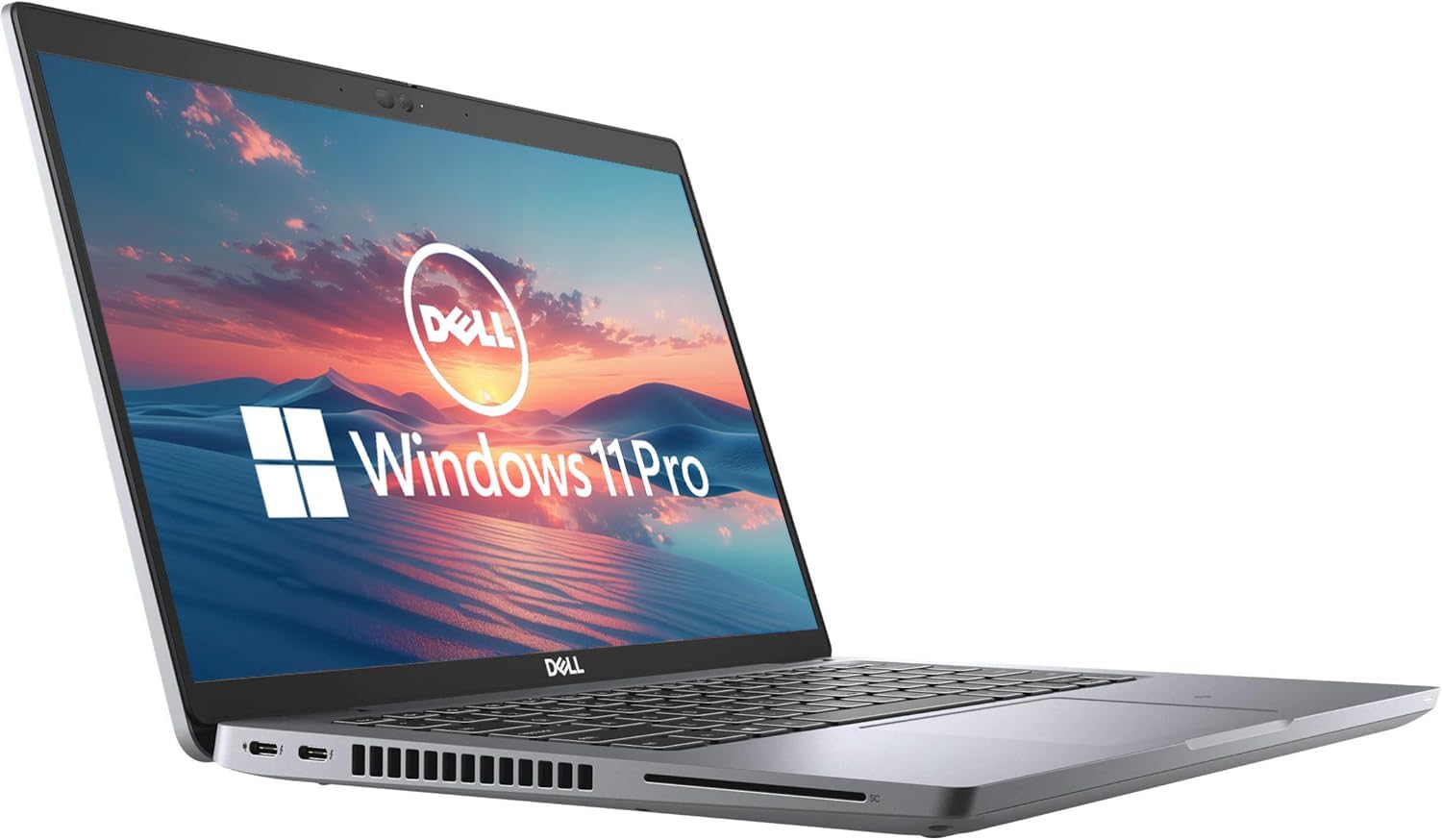


3. Instruccions de configuració
3.1 Engegada inicial
- Desembalar: Traieu amb cura el portàtil i tots els accessoris de l'embalatge.
- Connectar l'alimentació: Connecteu l'adaptador de CA al port d'alimentació del portàtil i després a una presa de corrent.
- Encès: Open the laptop lid and press the power button, usually located on the top-right of the keyboard deck.
- Configuració de Windows: Segueix les instruccions que apareixen a la pantalla per completar la configuració del Windows 11 Pro. Això inclou seleccionar la regió i l'idioma, connectar-te a una xarxa Wi-Fi i crear un compte d'usuari.
3.2 Connexió de perifèrics
You can connect external devices such as a mouse, keyboard, or external monitor using the available ports:
- Ports USB: Use the USB-A or USB-C ports for connecting external storage, mouse, or keyboard.
- Port HDMI: Connect an external display using an HDMI cable.
- Port Ethernet: Per a una connexió de xarxa amb cable.
- Jack d'àudio: Per a auriculars o altaveus externs.
4. Instruccions de funcionament
4.1 Funcionament bàsic
- Encès/apagat: Premeu el botó d'engegada per engegar. Per apagar, feu clic al botó Inici i, a continuació, a Engegada > Apaga.
- Teclat i Touchpad: Feu servir el teclat integrat per escriure i el touchpad per navegar. El touchpad admet gestos multitàctils.
- Ajust de volum: Use the function keys (F-keys) on the keyboard, often F1-F12, in combination with the Fn key, to adjust volume. Refer to the keyboard icons for specific functions.

4.2 Connexió a Wi-Fi
- Feu clic a Icona de xarxa (Wi-Fi or Ethernet) in the taskbar.
- Seleccioneu la xarxa Wi-Fi que vulgueu de la llista.
- Feu clic Connecta't i introduïu la clau de seguretat de xarxa (contrasenya) si se us demana.
5. Manteniment
5.1 Neteja del portàtil
- Pantalla: Utilitzeu un drap suau i sense pelusa dampNetegeu amb aigua o un netejador de pantalles. No ruixeu líquid directament sobre la pantalla.
- Teclat i xassís: Feu servir un drap suau i sec. Per a la brutícia persistent, feu servir un drap lleugerament sec.amp Es pot fer servir un drap amb sabó suau, assegurant-se que no entri líquid a les obertures.
- Ventilació: Periodically clean the ventilation grilles with compressed air to prevent dust buildup and ensure proper cooling.
5.2 Cura de la bateria
- Eviteu temperatures extremes.
- No descarregueu completament la bateria amb freqüència.
- Per a un emmagatzematge prolongat, carregueu la bateria al 50-60%.
5.3 Actualitzacions de programari
Regularly check for and install Windows updates and Dell driver updates to ensure optimal performance and security. Go to Configuració > Actualització de Windows per comprovar si hi ha actualitzacions.
6. Solució De Problemes
This section addresses common issues you might encounter with your Dell Latitude 5420 laptop.
6.1 El portàtil no s'encén
- Assegureu-vos que l'adaptador de CA estigui connectat correctament tant al portàtil com a una presa de corrent que funcioni.
- Comproveu si la presa de corrent funciona connectant-hi un altre dispositiu.
- Si la bateria està completament esgotada, el portàtil pot trigar uns minuts a carregar-se abans que es pugui engegar.
6.2 Problemes de connectivitat Wi-Fi
- Verifiqueu que el Wi-Fi estigui habilitat a la configuració de Windows.
- Reinicieu el router i el mòdem.
- Assegureu-vos que esteu introduint la contrasenya de Wi-Fi correcta.
- Try connecting to a different Wi-Fi network if available to isolate the issue.
6.3 Rendiment lent
- Tanca les aplicacions innecessàries que s'executen en segon pla.
- Comproveu i instal·leu les actualitzacions pendents de Windows.
- Assegureu-vos que l'emmagatzematge (SSD) no estigui gairebé ple.
- Executeu una anàlisi de programari maliciós.
For more complex issues, refer to the Dell support website or contact the seller for assistance.
7. Especificacions
| Característica | Detall |
|---|---|
| Nom del model | Latitud 5420 |
| Mida de la pantalla | 14 polzades |
| Resolució de pantalla | 1920 x 1080 píxels (FHD) |
| Processador | 2.4 GHz Intel Core i5-1145G7 |
| RAM | 16 GB DDR4 SDRAM |
| Disc dur | SSD de 256 GB |
| Coprocessador gràfic | Gràfics integrats Intel |
| Sistema operatiu | Windows 11 Pro |
| Tipus sense fil | 802.11n |
| Pes de l'article | 2.2 lliures |
| Dimensions del producte | 8.35 x 12.76 x 0.76 polzades |
| Característica especial | Àudio HD |
8. Garantia i Suport
As a renewed product, the Dell Latitude 5420 typically comes with a limited warranty provided by the seller or the Amazon Renewed program. Please refer to your purchase documentation for specific warranty details. The buybox winner indicates a 90-day return policy.
8.1 Contactar amb l'assistència
- For product-specific issues or technical support, visit the official Suport de Dell weblloc.
- For questions regarding your purchase, returns, or the renewed product condition, please contact the seller directly through your Amazon order history.
8.2 Amazon Renewed Conditions
Amazon Renewed products are pre-owned and professionally inspected, tested, and cleaned by Amazon-qualified suppliers. They are fully functional and come with generic or original accessories and packaging. Cosmetic condition varies by grade (Excellent, Good, Acceptable).


