1. Introducció
The MakeID L1-C is a compact and portable label printer designed for efficient organization in both home and office environments. It utilizes thermal printing technology, eliminating the need for ink, and connects wirelessly via Bluetooth to a dedicated smartphone application. This manual provides essential information for setting up, operating, and maintaining your device to ensure optimal performance.
2. Contingut del paquet
Si us plau, verifiqueu que tots els elements que s'enumeren a continuació estiguin inclosos al vostre paquet:
- 1 x MakeID L1-C Label Printer
- 1 x cable de càrrega USB-C
- 1 x Quick Start Guide (including Japanese version manual)
- 3 x (LC) Waterproof Continuous Label Tape 16mm x 4m (2 white, 1 transparent)
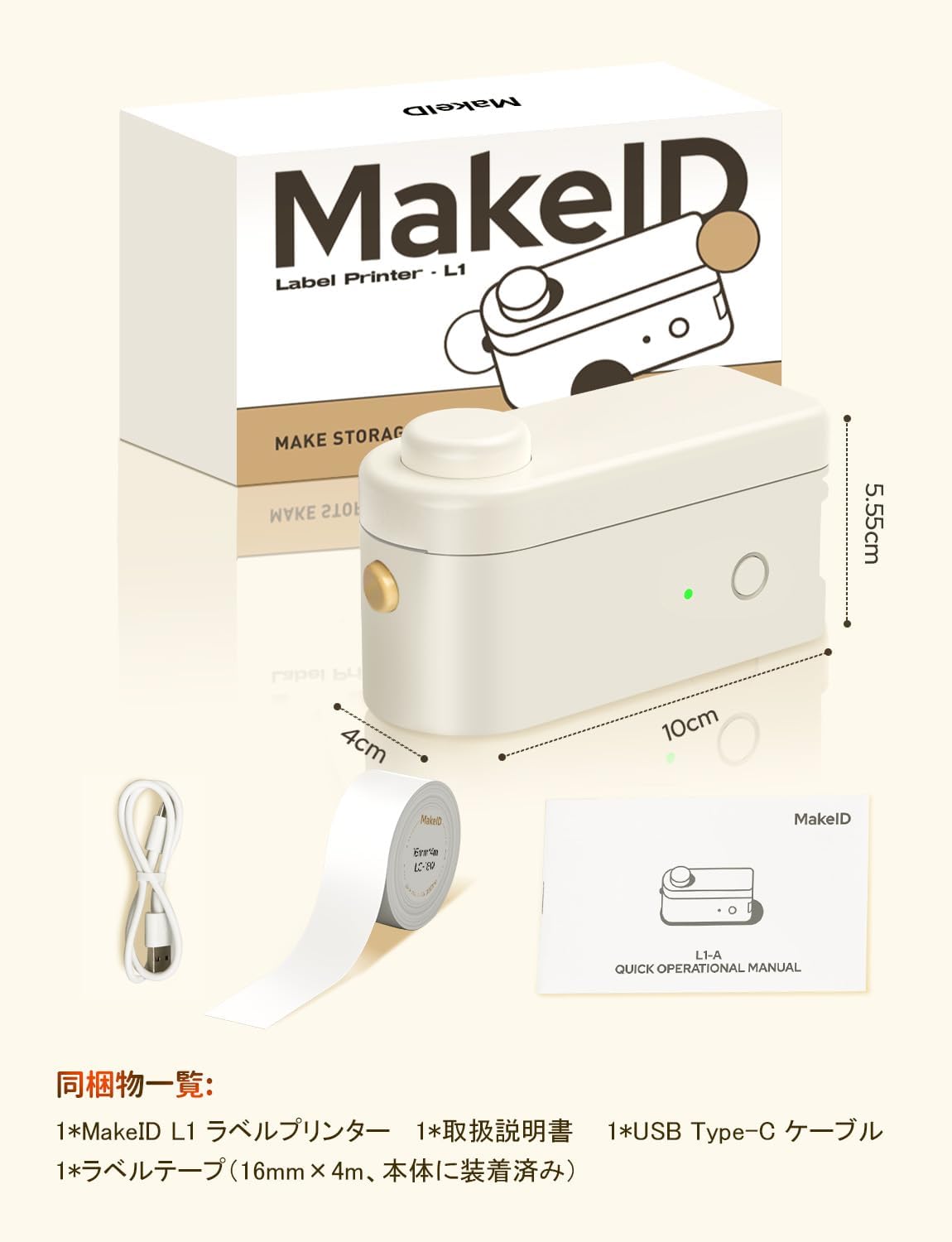
Image: MakeID L1-C Label Printer, USB-C cable, quick start guide, and label tapes.
3. Configuració
3.1. Càrrega de la cinta d'etiquetes
- Open the printer cover by gently lifting it.
- Insert the label roll into the designated slot, ensuring the label tape feeds out correctly.
- Pull out approximately 0.5 cm of the label tape from the paper exit slot.
- Tanqueu la coberta de la impressora de manera segura.

Imatge: Detallada view of how to load the label tape into the printer.
3.2. Encendre/apagar
To power on the device, press and hold the power button located on the side of the printer until the indicator light turns green. To power off, press and hold the same button until the light turns off.
3.3. Instal·lació de l'aplicació i connexió Bluetooth
- Download the dedicated "Make ID-Life" application from the App Store (per a iOS) o Google Play (for Android).
- Assegureu-vos que el Bluetooth estigui habilitat al vostre telèfon intel·ligent.
- Open the "Make ID-Life" app and grant any necessary Bluetooth permissions.
- The app will automatically detect the label size using the RFID chip embedded in the label tape, preventing waste.
- Select your printer model (L1-C) within the app to establish a connection.
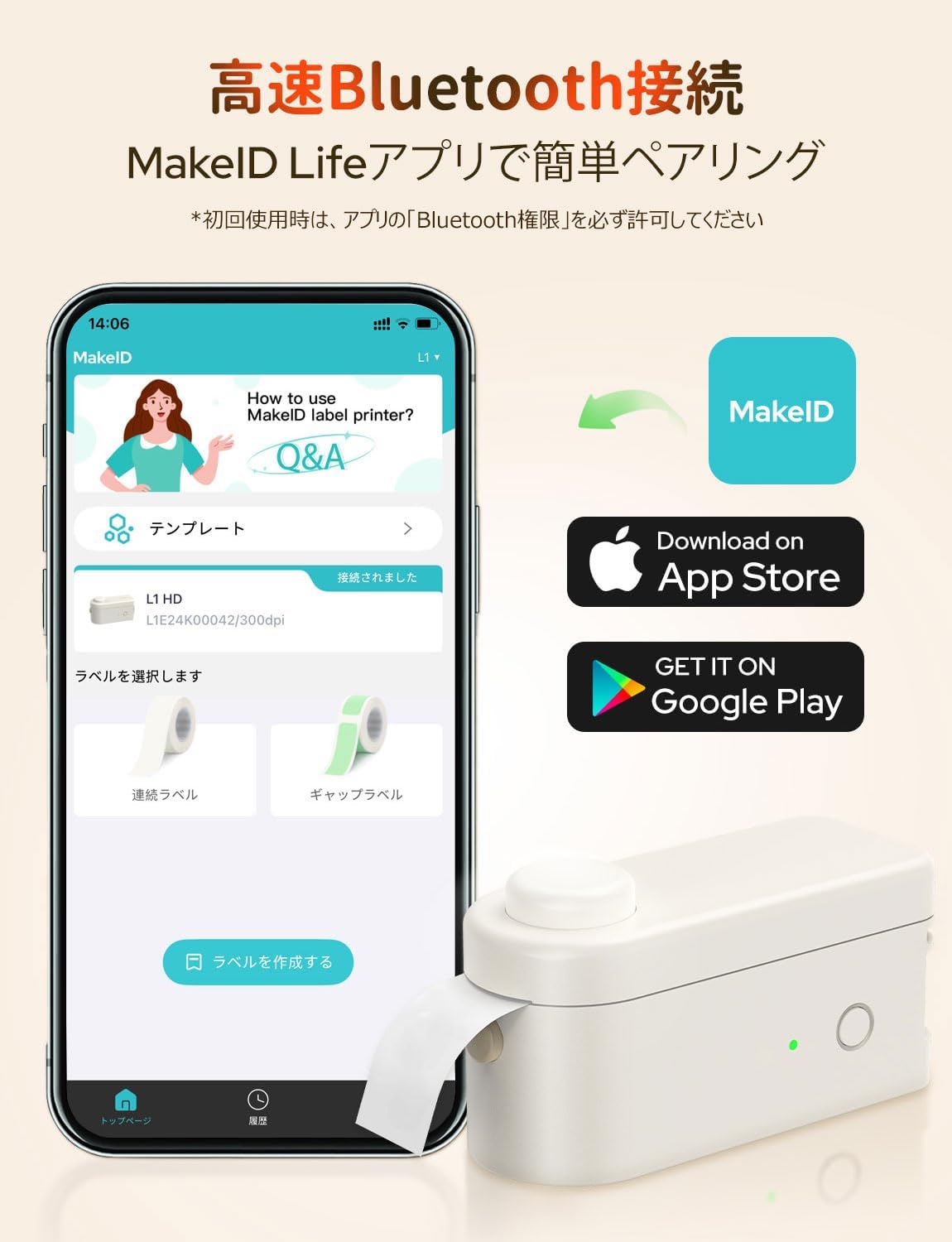
Image: MakeID-Life app interface and download options for iOS and Android.

Image: The app automatically detects label size using RFID technology.
Video: This video demonstrates the process of loading label tape, connecting the printer via Bluetooth to the MakeID-Life app, designing a label, printing it, and applying it to a container. It also shows various applications for organizing items in a refrigerator, office, and personal care products.
4. Instruccions de funcionament
4.1. Creació d'etiquetes
The "Make ID-Life" app offers extensive customization options for creating labels:
- Entrada de text: Easily type and edit text for your labels.
- Tipus de lletra: Trieu entre més de 20 tipus de lletra per personalitzar les vostres etiquetes.
- Stickers & Symbols: Access over 300 stickers and numerous symbols to enhance your designs.
- Marcs: Select from over 60 decorative frames.
- Plantilles: Utilize over 100 pre-designed templates, including QR code templates, for quick and easy label creation.
- Image & QR Code Integration: Incorporate images and QR codes into your labels.

Image: The MakeID-Life app provides a wide range of creative templates and design tools.
4.2. Impressió d'etiquetes
Once your label design is complete in the app:
- Tap the "Print" icon in the app.
- Review la preimpressióview and adjust the print density or number of copies if necessary.
- Confirm your settings and tap the print button to send the design to the printer.
4.3. Tallar etiquetes
The MakeID L1-C features a built-in cutter for clean and precise label separation. After printing, simply press the circular button on the top of the printer to cut the label.
Image: The built-in cutter allows for easy and clean separation of printed labels.
4.4. Aplicacions d'etiquetes
The MakeID L1-C supports various label types, including fluorescent, metallic, transparent, and color tapes, making it suitable for diverse applications:
- Organizing kitchen items, food containers, and pantry.
- Labeling office supplies, documents, and folders.
- Creating personalized labels for gifts, crafts, and personal belongings.
- Identifying cables and electronic devices.
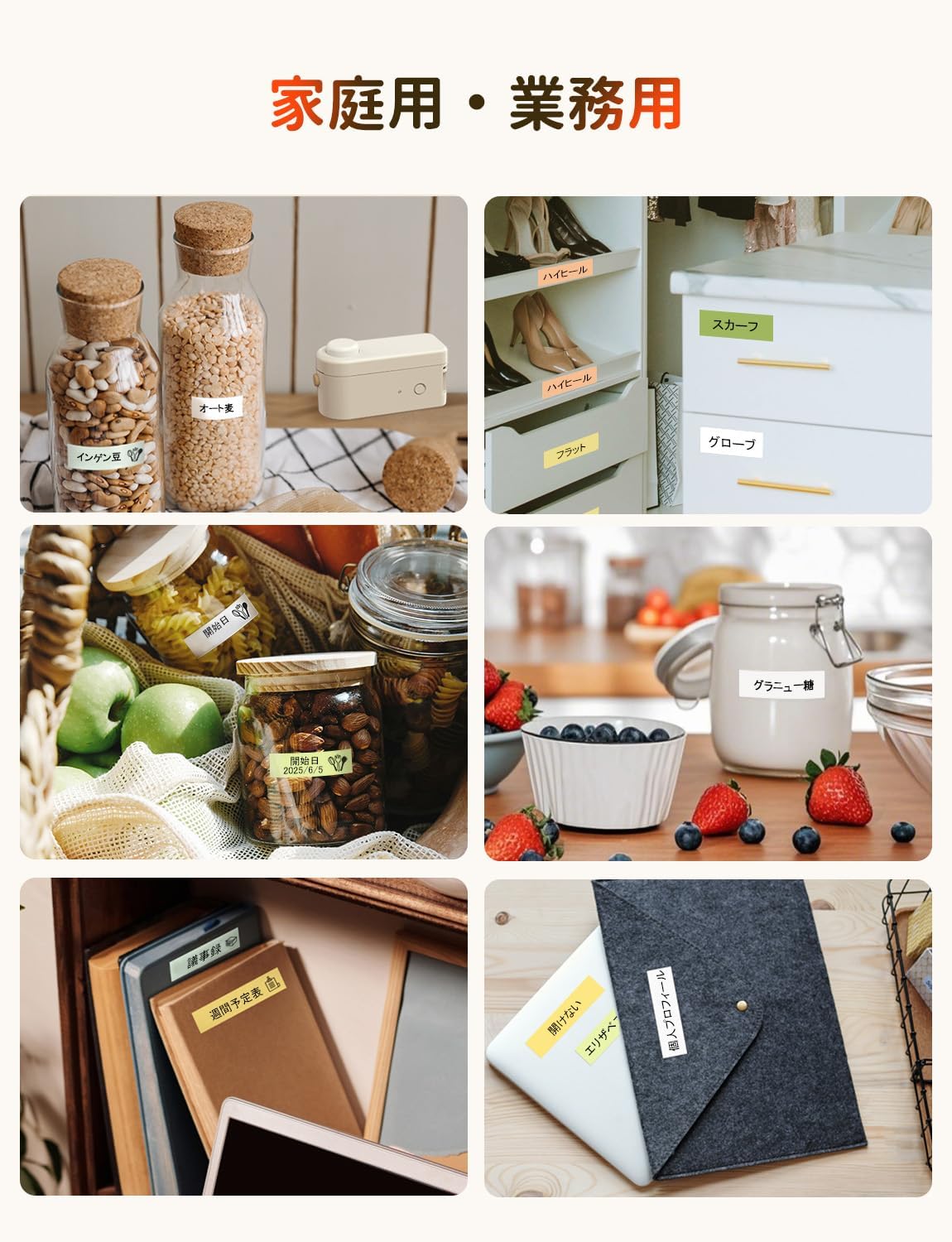
Imatge: Examples of labels used for home and business organization.
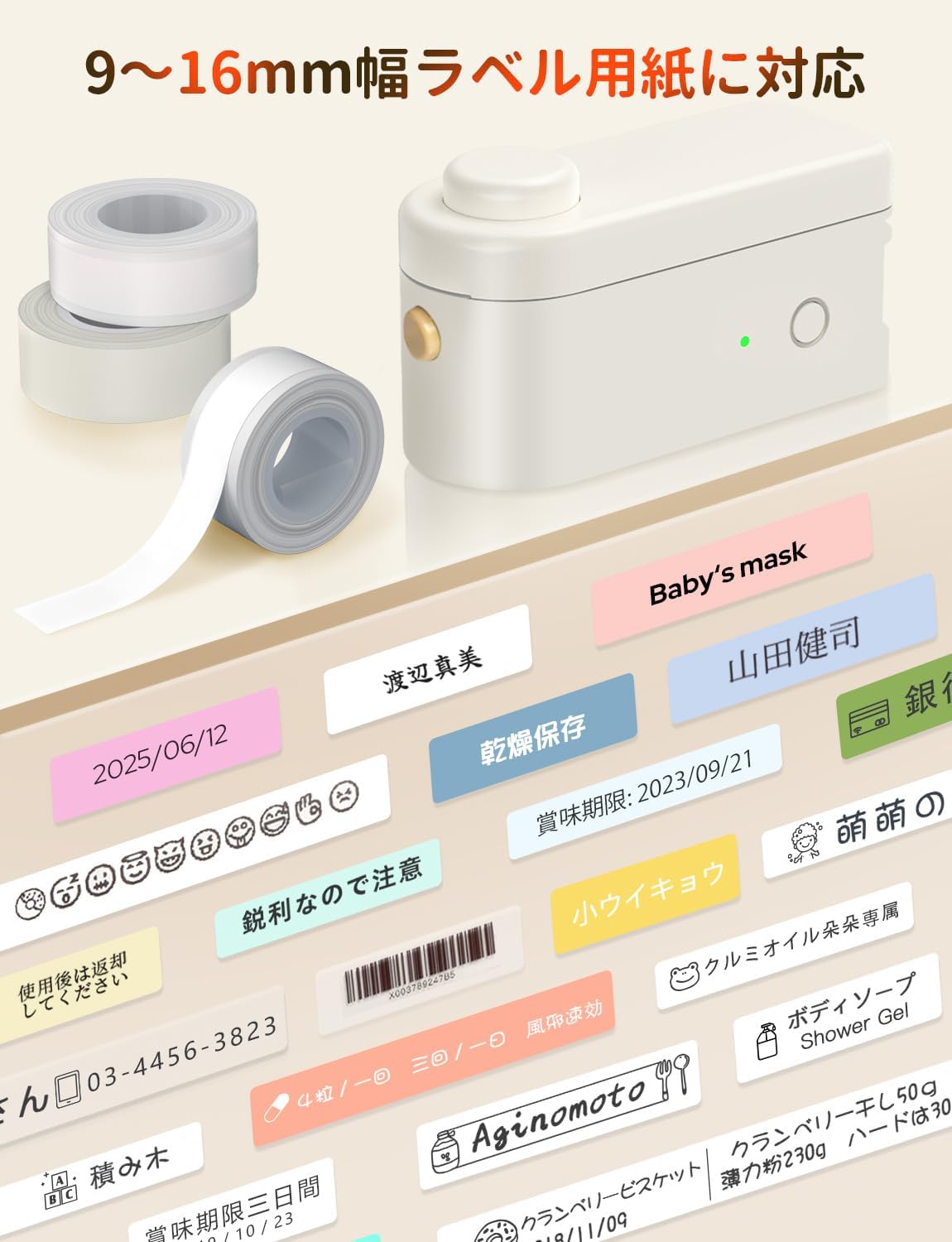
Image: A variety of labels printed with the MakeID L1-C, showcasing different designs and uses.
5. Manteniment
To ensure the longevity and optimal performance of your MakeID L1-C Label Printer, follow these maintenance guidelines:
- Neteja: Regularly wipe the exterior of the printer with a soft, dry cloth. Avoid using abrasive cleaners or solvents.
- Cura del capçal d'impressió: For best print quality, ensure the print head is clean. Refer to the quick start guide for specific instructions on how to clean the print head if needed.
- Emmagatzematge: Guardeu la impressora en un lloc fresc i sec, allunyat de la llum solar directa i de temperatures extremes.
- Bateria: Charge the built-in Li-ion battery regularly, even if not in frequent use, to maintain battery health.
6. Solució De Problemes
If you encounter any issues with your MakeID L1-C Label Printer, please refer to the following common troubleshooting steps:
- La impressora no es connecta per Bluetooth: Ensure Bluetooth is enabled on your smartphone and the printer is powered on. Try restarting both devices and reconnecting through the "Make ID-Life" app.
- Mala qualitat d'impressió: Check if the label tape is correctly installed and not damaged. Ensure the print head is clean. You can also try adjusting the print density setting within the app.
- Embús d'etiquetes: Turn off the printer immediately. Carefully open the cover and remove any jammed label tape. Re-insert the label roll correctly and close the cover before powering on again.
- La impressora no s'encén: Verify that the built-in Li-ion battery is charged. Connect the printer to a power source using the provided USB-C cable.
Si el problema persisteix després d'intentar aquests passos, poseu-vos en contacte amb l'atenció al client.
7. Especificacions
| Característica | Especificació |
|---|---|
| Marca | MakeID |
| Nom del model | L1-C-W2T1 |
| Número de model de producte | L1-C-W203&W2T1-CRJP |
| Dimensions del producte (W x H x D) | 6.8 x 12.8 x 6.2 cm |
| Pes del producte | 260 g |
| Tecnologia de connectivitat | Bluetooth |
| Tecnologia d'impressió | Tèrmica |
| Sortida de la impressora | Monocrom |
| Resolució màxima d'impressió (monocrom) | 203 ppp |
| Velocitat màxima d'impressió (monocrom) | 15 pàgines/minut |
| Mida màxima del suport | 16 mm |
| Amplades d'etiqueta compatibles | 9, 12, 16 mm |
| Dispositius compatibles | Telèfon intel·ligent (Android, iOS) |
| Tipus de bateria | Built-in Li-ion Battery (3.7 Watt-hours) |
| Característiques especials | Portable, Lightweight, Inkless Printing, Automatic Label Recognition |
8. Garantia i Suport
The MakeID L1-C Label Printer comes with a limited warranty. Please refer to the included Quick Start Guide for detailed warranty information and terms.
For technical support, troubleshooting assistance, or any inquiries regarding your product, please contact MakeID customer support through the official weblloc web o la informació de contacte que es proporciona a la documentació del producte.