1. Introducció
This manual provides comprehensive instructions for the safe and efficient operation of your xTool F1 Dual Laser Engraver Deluxe Bundle. The xTool F1 is a versatile 2-in-1 laser engraving and cutting machine featuring both a 2W infrared laser for metal and a 10W diode laser for various other materials. This deluxe bundle includes essential accessories: the xTool F1 Laser Engraver, a Desktop Air Purifier, a Slide Extension, and a Rotary Extension (RA2 Pro). Please read this manual thoroughly before operating the device to ensure proper usage and to maximize the lifespan of your product.
2. Informació de seguretat
ADVERTIMENT: The xTool F1 is a Class 4 laser product. Direct exposure to the laser beam can cause severe eye damage and skin burns. Always wear appropriate laser safety goggles during operation.
- Protecció ocular: Always wear certified laser safety goggles that block both 1064nm (infrared) and 455nm (blue diode) wavelengths when the laser is active. The enclosed cover provides some protection, but direct viewing without goggles is not recommended.
- Ventilació: Operate the engraver in a well-ventilated area. The included Air Purifier helps manage smoke and odors, but additional ventilation may be required depending on materials and environment.
- Perill d'incendi: Laser engraving and cutting can ignite flammable materials. Never leave the machine unattended during operation. Keep a fire extinguisher nearby.
- Seguretat del material: Only engrave or cut materials specified as safe for laser processing. Avoid materials that produce toxic fumes or can catch fire easily.
- Tancament: Ensure the protective cover is properly closed during operation to contain laser light and fumes.
- Nens i animals de companyia: Mantingueu els nens i les mascotes lluny de la zona d'operacions.
- Parada d'emergència: Familiaritzeu-vos amb la ubicació i la funció del botó d'aturada d'emergència.
3. Contingut del paquet
Your xTool F1 Deluxe Bundle includes the following components:
- xTool F1 Laser Engraver Unit
- Purificador d'aire d'escriptori
- Extensió de diapositives
- Rotary Extension (RA2 Pro)
- Adaptador d'alimentació i cables
- Cable USB
- Ulleres de seguretat
- Material Pack (for testing)
- Panell de tall

Imatge: Més deview of the xTool F1 with its key accessories: Rotary Attachment, Smoke Purifier, and Slide Extension.
4. Guia de configuració
4.1 Desembalatge i col·locació
- Traieu amb cura tots els components de l'embalatge.
- Place the xTool F1 engraver on a stable, level surface in a well-ventilated area.
- Ensure there is adequate space around the machine for operation and heat dissipation.
4.2 Connecting Power and USB
- Connect the power adapter to the xTool F1 and then to a power outlet.
- Connect the USB cable from the xTool F1 to your computer.
4.3 Instal·lació de programari
The xTool F1 is compatible with xTool Creative Space and LightBurn software.
- xTool Creative Space: Download the latest version from the official xTool weblloc (www.xtool.com). Seguiu les instruccions que apareixen a la pantalla per a la instal·lació.
- LightBurn: If you prefer LightBurn, ensure you have a compatible version and license. Refer to the LightBurn documentation for setup.
Image: xTool Creative Space and LightBurn software interfaces for design and control.
4.4 Instal·lació d'accessoris
Desktop Air Purifier:
- Connect the air hose from the xTool F1 to the inlet port of the Air Purifier.
- Connect the Air Purifier to a power source. The purifier will sync with the engraver's operation.
Slide Extension:
- Attach the Slide Extension to the base of the xTool F1 according to the provided accessory manual.
- This accessory expands the working area for larger projects.
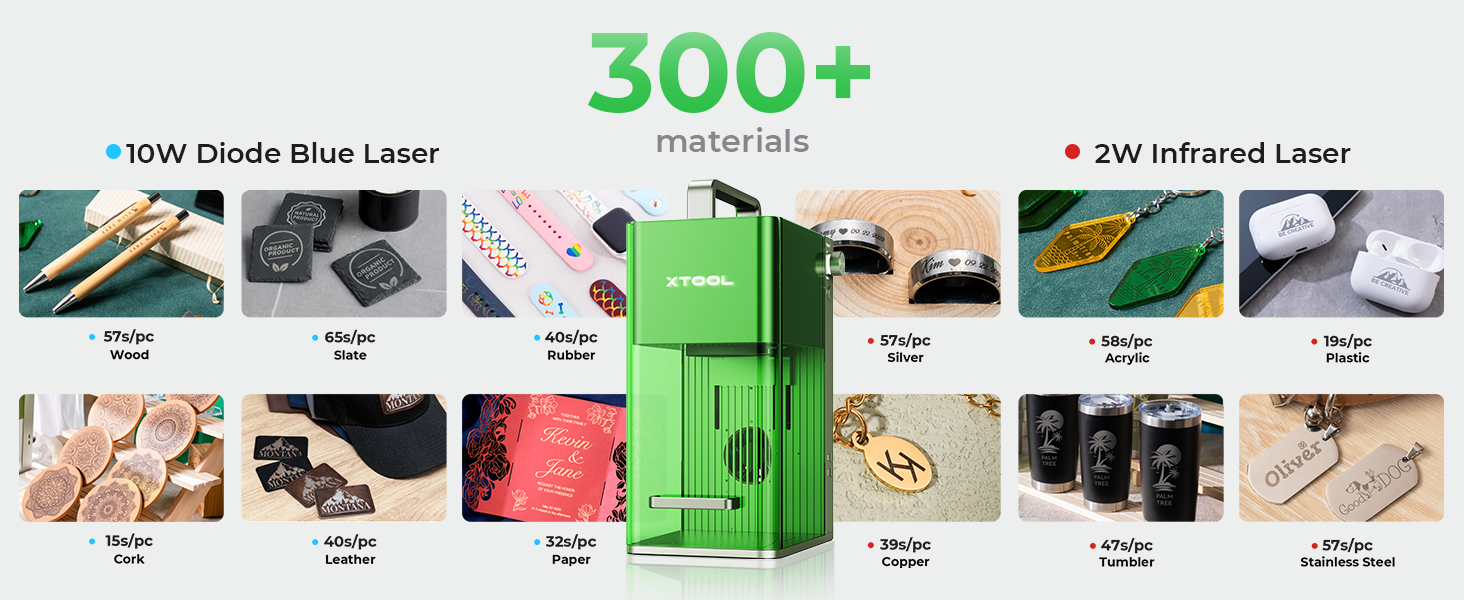
Image: The xTool F1 with the Slide Extension, demonstrating the expanded working area.
Rotary Extension (RA2 Pro):
- Refer to the RA2 Pro specific manual for detailed installation instructions.
- Connect the RA2 Pro to the xTool F1. This accessory is used for engraving cylindrical objects.
5. Instruccions de funcionament
5.1 Powering On and Material Placement
- Press the power button on the xTool F1 to turn it on.
- Place your material securely on the working platform. Ensure it is flat and stable.
- For cylindrical objects, install and configure the RA2 Pro Rotary Attachment.
5.2 Enfocament del làser
Accurate focusing is crucial for optimal engraving and cutting results.
- Enfocament automàtic: In the software, enter the material thickness. The laser head will automatically adjust its height to achieve focus.
- Enfocament manual: Turn the knob on the side of the laser head until the two red laser dots converge into a single point on the material surface.

Image: Illustration of both automatic and manual focusing procedures.
5.3 Software Workflow (Design, Preview, Engrave)
- Disseny: Create or import your design in xTool Creative Space or LightBurn. Adjust parameters such as power, speed, and passes based on the material type.
- Preview and Positioning: Feu servir la preinstal·lació del programariview function to visualize the engraving area on your material. The xTool F1 offers a live preview feature to ensure precise placement.
- Comença el gravat: Un cop satisfet amb la preview and safety checks are complete, press the start button in the software and then the physical button on the xTool F1 to begin the process.

Image: The three-step process for engraving: Design, Preview and Positioning, and initiating the engraving.
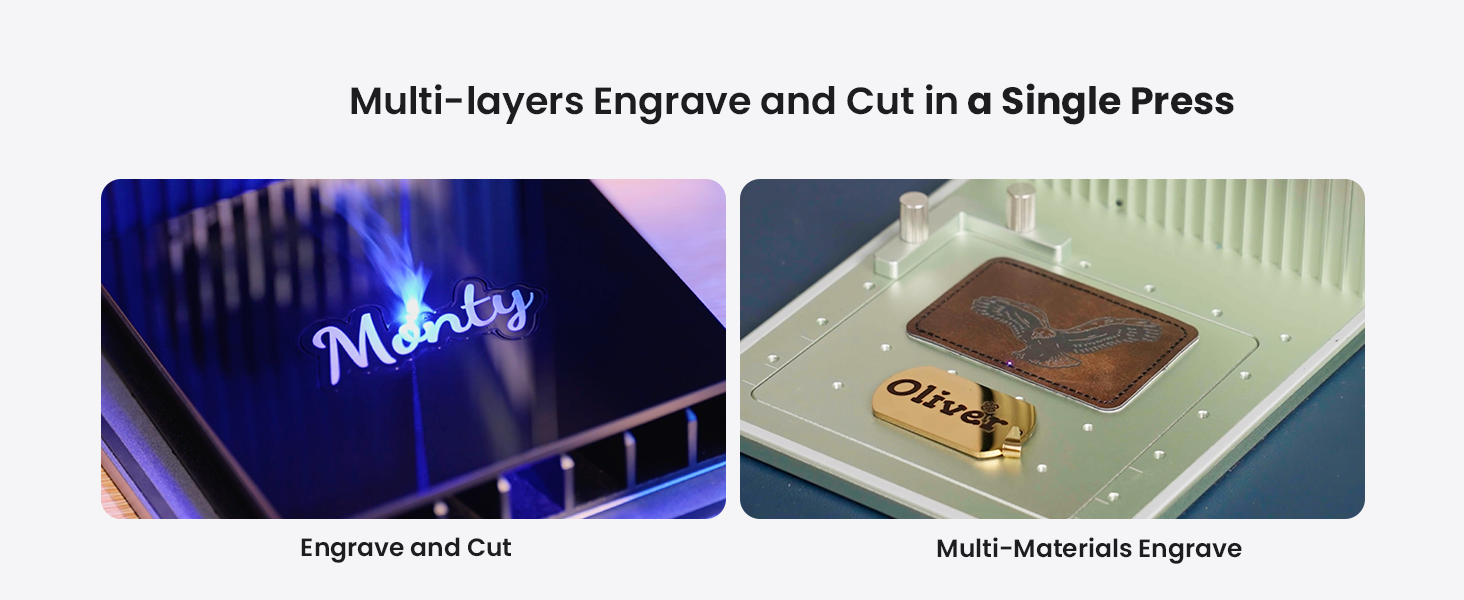
5.4 Dual Laser Capabilities
The xTool F1 features two distinct lasers for broad material compatibility:
- 2W 1064nm Infrared Laser: Ideal for engraving all metal materials, as well as some plastics.
- 10W 455nm Blue Diode Laser: Suitable for engraving and cutting wood, acrylic, leather, paper, and other organic materials. It can cut up to 10mm wood and 6mm acrylic.
Imatge: Interna view of the xTool F1, illustrating the 2W infrared laser and 10W blue diode laser.

Image: A visual representation of the wide range of materials (over 300) compatible with the xTool F1.
6. Manteniment
6.1 Neteja de la màquina
- Regularly clean the interior of the engraver to remove dust and debris. Use a soft, dry cloth.
- For stubborn residue, use a lint-free cloth lightly dampamb alcohol isopropílic.
- Ensure the laser lens is clean and free of smudges or particles. Use a specialized lens cleaning solution and cloth if necessary.
6.2 Air Purifier Maintenance
- Periodically check and replace the filter cartridges in the Air Purifier as recommended by the manufacturer.
- Clean the exterior of the Air Purifier with a soft, dry cloth.

Image: Visual comparison of air quality, highlighting the effectiveness of the smoke extraction and purification system.
7. Solució De Problemes
| Problema | Causa possible | Solució |
|---|---|---|
| Poor Engraving Quality / Incomplete Cuts | Incorrect focus, wrong power/speed settings, dirty lens, material not flat. | Re-focus the laser. Adjust power/speed settings in software. Clean the laser lens. Ensure material is flat and secured. |
| La màquina no respon | Loose USB connection, software error, power issue. | Check USB cable connection. Restart software and machine. Verify power supply. |
| Excessive Smoke/Odor | Air Purifier not connected/working, filter needs replacement, inadequate ventilation. | Ensure Air Purifier is connected and powered. Check/replace filters. Improve room ventilation. |
| Laser Not Firing | Safety cover open, emergency stop engaged, software error, laser module issue. | Close the safety cover. Disengage emergency stop. Restart software/machine. Contact support if issue persists. |
8. Especificacions
- Model: xTool F1
- Laser Type 1: 2W 1064nm Infrared Laser
- Laser Type 2: 10W 455nm Blue Diode Laser
- Velocitat de gravat: Fins a 4000 mm/s
- Motion Accuracy: 0.00199 mm
- Àrea de treball: Standard, expandable with Slide Extension (up to 4X)
- Compatibilitat de materials: Over 300 materials (metals, wood, acrylic, leather, paper, etc.)
- Capacitat de tall: Up to 10mm wood, 6mm acrylic (with 10W diode laser)
- Pes: 4.6 kg
- Dimensions (aprox.): 235 mm (amplada) x 334 mm (alçada)
- Característiques de seguretat: Fully enclosed cover, built-in fan, air purifier, emergency stop.
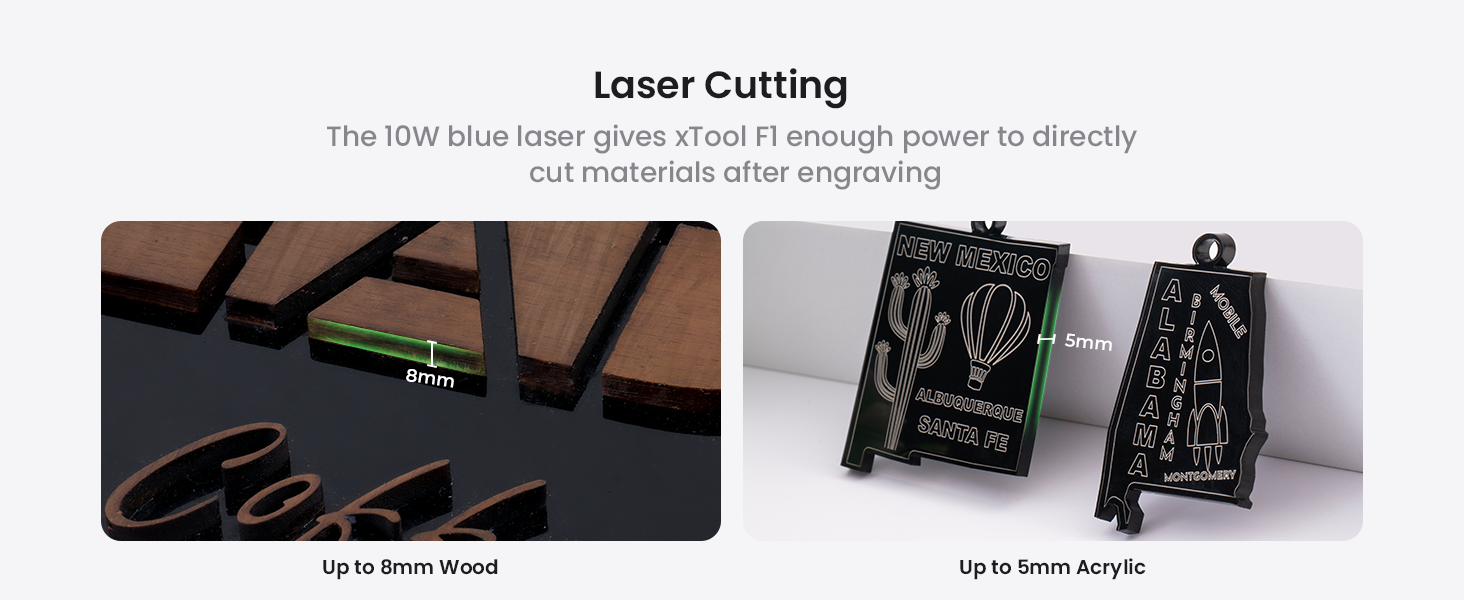
Image: The xTool F1 highlighting its engraving speed of 4000 mm/s.

Image: The xTool F1 being carried, illustrating its compact size and portability (4.6kg, 235mm width, 334mm height).
9. Garantia i Suport
The xTool F1 Dual Laser Engraver Deluxe Bundle comes with a manufacturer's warranty. Please refer to the warranty card included in your package or visit the official xTool weblloc web per obtenir informació detallada sobre els termes i condicions de la garantia.
For technical support, troubleshooting assistance, or inquiries about replacement parts, please contact xTool customer service through their official weblloc web o la informació de contacte que es proporciona a la documentació del producte.
Oficial Weblloc: www.xtool.com


