1. Introducció
This manual provides comprehensive instructions for the installation, operation, and maintenance of your Fortdows Car Radio Head Unit. Please read this manual thoroughly before installation and use to ensure proper function and safety. This unit is designed to enhance your driving experience with advanced features and seamless integration into your Jeep Wrangler JK.
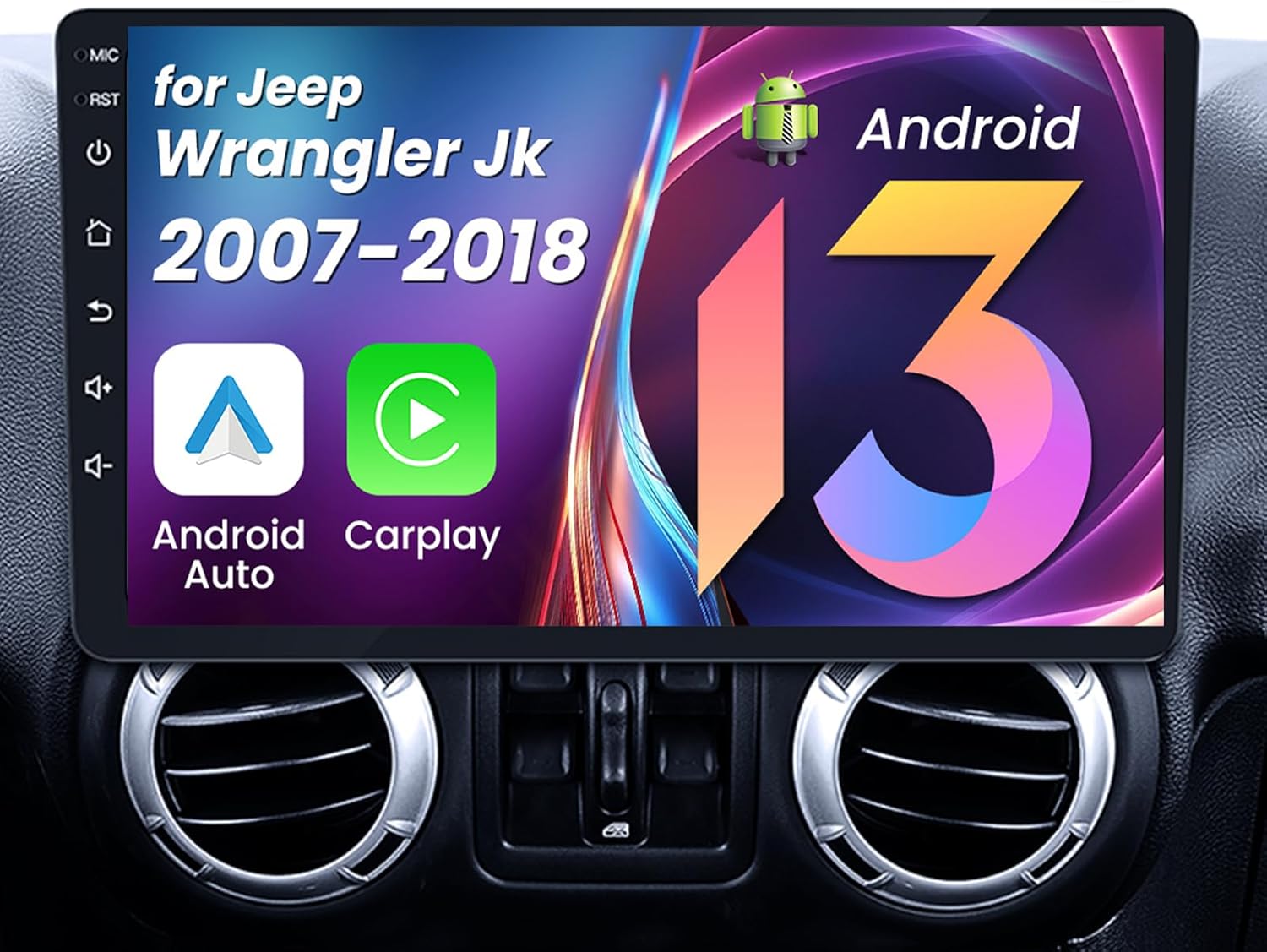
Image: Fortdows Car Radio Head Unit with a 10.1-inch IPS HD touchscreen, featuring Android 13, Android Auto, and CarPlay icons, seamlessly integrated into a Jeep Wrangler JK dashboard.
2. Contingut del paquet
Verifiqueu que tots els elements que s'enumeren a continuació s'inclouen al vostre paquet:
- Car Radio Head Unit (10.1-inch 2G RAM 32G ROM)
- Cable d'alimentació
- Kit de muntatge
- Cable USB original
- USB cable x2
- Cable RCA
- CANBus Decoder
- Antena GPS
- Línia inversa
- Càmera de seguretat
- Micròfon extern
- Crowbar (Pry Tool)
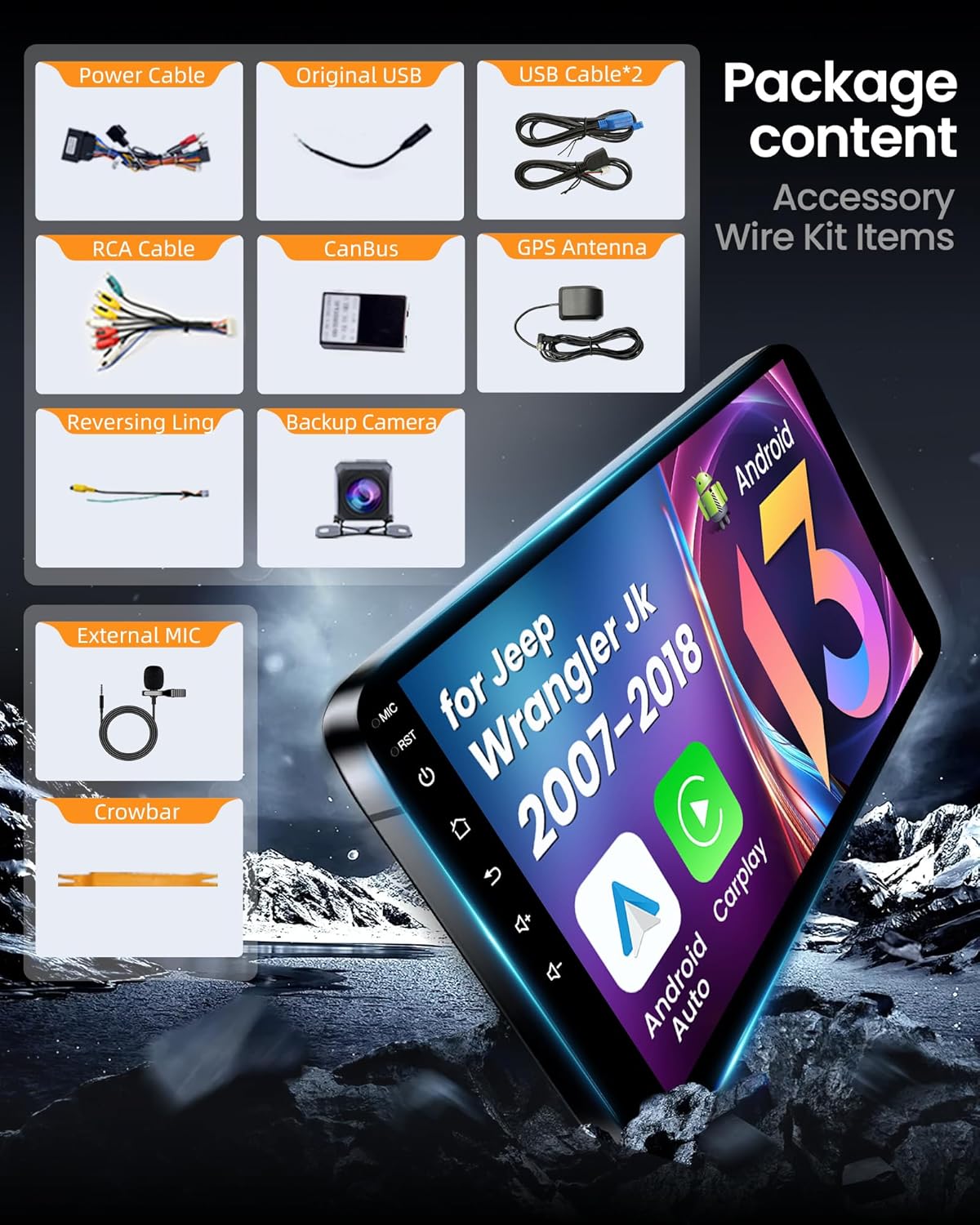
Image: A visual representation of the complete package contents, including the main head unit, various cables (power, USB, RCA), CANBus, GPS antenna, backup camera, external microphone, and pry tool.
Video: An unboxing video demonstrating the contents of a car radio upgrade package for Jeep and Dodge RAM vehicles, providing a visual guide to the included accessories.
3. Configuració i instal·lació
Follow these steps carefully to install your new Fortdows Car Radio Head Unit. Professional installation is recommended if you are unfamiliar with car audio systems.
3.1. Removing the Original Head Unit
- Using the provided pry tool, carefully remove the plastic decorative strip around the original radio.
- Disconnect any wiring harnesses attached to the removed panels.
- Unscrew all retaining screws holding the original car radio in place.
- Gently pull out the old radio and disconnect all wires from its rear.
3.2. Connecting the New Head Unit Wiring
- Connect the main power cable harness to the corresponding port on the new head unit. Ensure to select the correct AMP connector (with or without amplifier) based on your vehicle's configuration.
- Connect the GPS antenna cable to the GPS port on the head unit. Route the antenna to a suitable location, typically on the dashboard or A-pillar, for optimal signal reception.
- Connect the radio antenna adapter cable to the head unit and the vehicle's existing radio antenna cable.
- Connect the USB cables to the head unit. Route these cables to the passenger glove compartment or another accessible location.
- Connect the external microphone to the head unit and route it to a desired location, such as near the rearview mirror or on the A-pillar.
- For the backup camera, connect the reversing signal cable to the head unit. The red wire of the camera should be connected to the backup light's positive terminal, and the black wire to ground.
- Connect the RCA cables for audio output, auxiliary input, or external video sources as needed.
Video: A detailed installation guide for the car radio in a Jeep JK Wrangler, demonstrating the steps for removing the old unit and connecting the new wiring.
Video: An installation video for a car radio in a Jeep Wrangler, showing the process of disassembling the dashboard and connecting the new head unit.
Video: Instructions on how to install a car radio in a Jeep Wrangler, covering the essential steps for a successful setup.
3.3. Installing the New Head Unit
- Carefully tuck all connected wires into the dashboard cavity, ensuring they are not pinched or obstructing any components.
- Align the new head unit with the dashboard opening and gently push it into place until it clicks securely.
- Reinstall any decorative panels and screws that were removed earlier.

Image: A side-by-side comparison showing the original car radio in a Jeep Wrangler JK dashboard (Before) and the new 10.1-inch Fortdows Car Radio Head Unit installed (After).
4. Instruccions de funcionament
Your Fortdows Car Radio Head Unit offers a variety of features to enhance your driving experience.
4.1. CarPlay sense fil i Android Auto
Enjoy seamless integration of your smartphone with built-in wireless CarPlay and Android Auto. Access navigation, music, calls, and messaging apps directly on the car stereo's screen. This feature allows for safe and convenient use of your phone's functionalities while driving.

Image: The car radio screen displaying both Apple CarPlay and Android Auto interfaces, showing navigation, music, and phone applications for seamless smartphone integration.
Video: A short demonstration on how to connect CarPlay using Bluetooth and Tlink on the car radio unit.
4.2. Connectivitat Bluetooth
Connect your smartphone via Bluetooth for hands-free calling and audio streaming. The system supports Bluetooth 5.0 for stable and high-quality connections.
Video: A tutorial demonstrating how to connect your car radio via Bluetooth and Zlink, including steps for manual WiFi connection if needed.
4.3. Navegació GPS
The integrated GPS system offers real-time navigation with both online and offline map support. This ensures you can navigate with ease whether you're connected to a network or not.

Image: The car radio screen showing a detailed GPS navigation map with route guidance and points of interest.
4.4. 5G WiFi Connectivity
Stay connected with 5G WiFi, allowing for faster streaming, downloads, and browsing. Whether accessing your favorite media or using GPS maps, the strong connection keeps your system running smoothly.
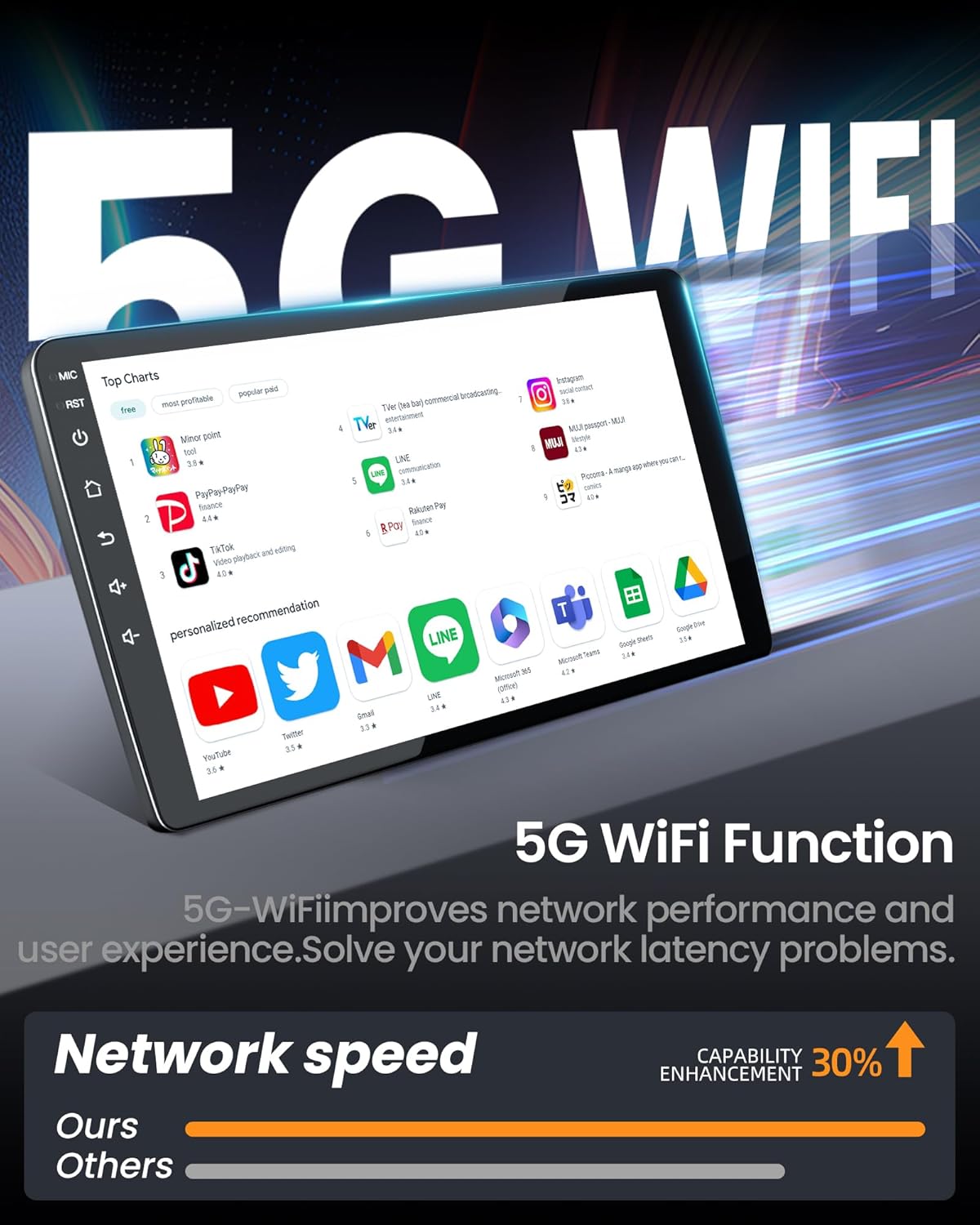
Image: The car radio screen showcasing the 5G WiFi function with various app icons, indicating improved network speed and capability enhancement.
4.5. FM Radio with DSP Sound
Tune into your favorite FM radio stations for music, news, and entertainment. The stereo is equipped with high-fidelity DSP sound, ensuring a premium audio experience with customizable equalizer settings.

Image: The car radio screen displaying the DSP (Digital Sound Processor) sound settings and equalizer interface, allowing for fine-tuning of audio output.
4.6. Comandaments al volant (SWC)
La unitat és compatible amb els controls originals del volant del vehicle, cosa que permet gestionar l'àudio, les trucades i altres funcions sense treure les mans del volant.

Image: A close-up of a car's steering wheel with integrated controls, highlighting how they can be used to operate the central car radio screen.
4.7. 1080P Rear-View Càmera
The stereo supports a backup camera, providing added safety and convenience when reversing. The display automatically switches to the rearview camera, giving you a clear 1080P view of what's behind your vehicle.

Image: The car radio screen displaying a 1080P rear-view camera feed with parking guidelines, showing a clear view darrere del vehicle.
5. Manteniment
To ensure the longevity and optimal performance of your Fortdows Car Radio, follow these maintenance guidelines:
- Neteja de pantalla: Feu servir un drap suau i sense borrissol per netejar suaument la pantalla tàctil. Per a taques difícils, fregueu lleugeramentampNetegeu el drap amb aigua o un netejador de pantalles. Eviteu productes químics agressius o materials abrasius.
- Actualitzacions de programari: Periodically check for software updates through the unit's settings menu. Keeping the software updated ensures you have the latest features and performance improvements.
- Cura del medi ambient: Eviteu exposar la unitat a temperatures extremes, a la llum solar directa durant períodes prolongats o a una humitat excessiva.
- Connexions de cable: Assegureu-vos que tots els cables estiguin connectats correctament. Les connexions soltes poden provocar un funcionament intermitent.
6. Solució De Problemes
If you encounter any issues with your car radio, please refer to the common problems and solutions below. For persistent problems, contact customer support.
- Sense energia: Comproveu totes les connexions del cable d'alimentació. Assegureu-vos que el vehicle estigui engegat. Verifiqueu el fusible del cable d'alimentació.
- Sense so: Check speaker connections. Ensure volume is not muted or set to zero. Verify audio settings (DSP, EQ).
- Problemes de connexió Bluetooth: Ensure Bluetooth is enabled on both the head unit and your smartphone. Delete previous pairings and try reconnecting.
- Pèrdua de senyal GPS: Assegureu-vos que l'antena GPS estigui instal·lada correctament i que tingui una visió clara view del cel.
- Pantalla tàctil que no respon: Try restarting the unit. If the issue persists, a factory reset might be necessary (note: this will erase all custom settings).
- Càmera de marxa enrere no es mostra: Check the camera's power and video signal connections. Ensure the reversing wire is correctly connected to the vehicle's reverse light circuit.
Video: An essential troubleshooting guide that addresses 90% of common issues encountered with car stereo systems, offering solutions and tips.
7. Especificacions
| Característica | Detall |
|---|---|
| Model | 2G RAM 32G ROM |
| Sistema operatiu | Android |
| Mida de la pantalla | 10.1 polzades |
| Resolució | 1280x800 IPS HD Touchscreen |
| Capacitat d'emmagatzematge de memòria | 32 GB |
| Tecnologia de connectivitat | Bluetooth, Wi-Fi (5G) |
| Característiques especials | Wireless CarPlay, Android Auto, DSP, GPS Navigation, 1080P Rear-View Suport de càmera |
| Mode de sortida d'àudio | estèreo |
| Pes de l'article | 3.67 lliures |
| Dimensions del paquet | 12.2 x 8.39 x 5.47 polzades |
8. Garantia i Suport
Your Fortdows Car Radio Head Unit comes with the following:
- 1 any de garantia: Cobreix defectes de fabricació i avaries en condicions d'ús normal.
- Política de devolució de 7 dies: For returns due to defects or dissatisfaction.
- Retorn de defectes: Specific policy for products found to be defective.
For technical assistance, troubleshooting, or warranty claims, please contact our customer support:
- Correu electrònic: fortdows.cam@gmail.com
- Weblloc: www.fancygod.com