1. Informació de seguretat
Please read all instructions carefully before using the printer. Keep this manual for future reference.
- No exposeu la impressora a l'aigua ni a la humitat.
- Eviteu col·locar la impressora sota la llum solar directa o a prop de fonts de calor.
- Utilitzeu només l'adaptador d'alimentació subministrat.
- Do not attempt to disassemble or repair the printer yourself. Contact customer support if service is required.
- Ensure proper ventilation around the printer during operation.
2. Producte acabatview
The Bewinner Portable 58mm Thermal Receipt Printer is designed for efficient and reliable receipt printing in various environments such as restaurants, takeaways, supermarkets, and convenience stores. It features dual USB and Bluetooth connectivity and operates inklessly.
2.1 Contingut del paquet
Verifiqueu que tots els elements siguin presents al paquet:
- 1 x Receipt Printer
- 1 x Power Supply Cord (US Plug)
- 1 x Printing Paper Roll
- 1 x cable USB
- 1 x Manual d'usuari

Figura 2.1: Contingut del paquet
2.2 Components de la impressora
Familiarize yourself with the main parts of the printer:
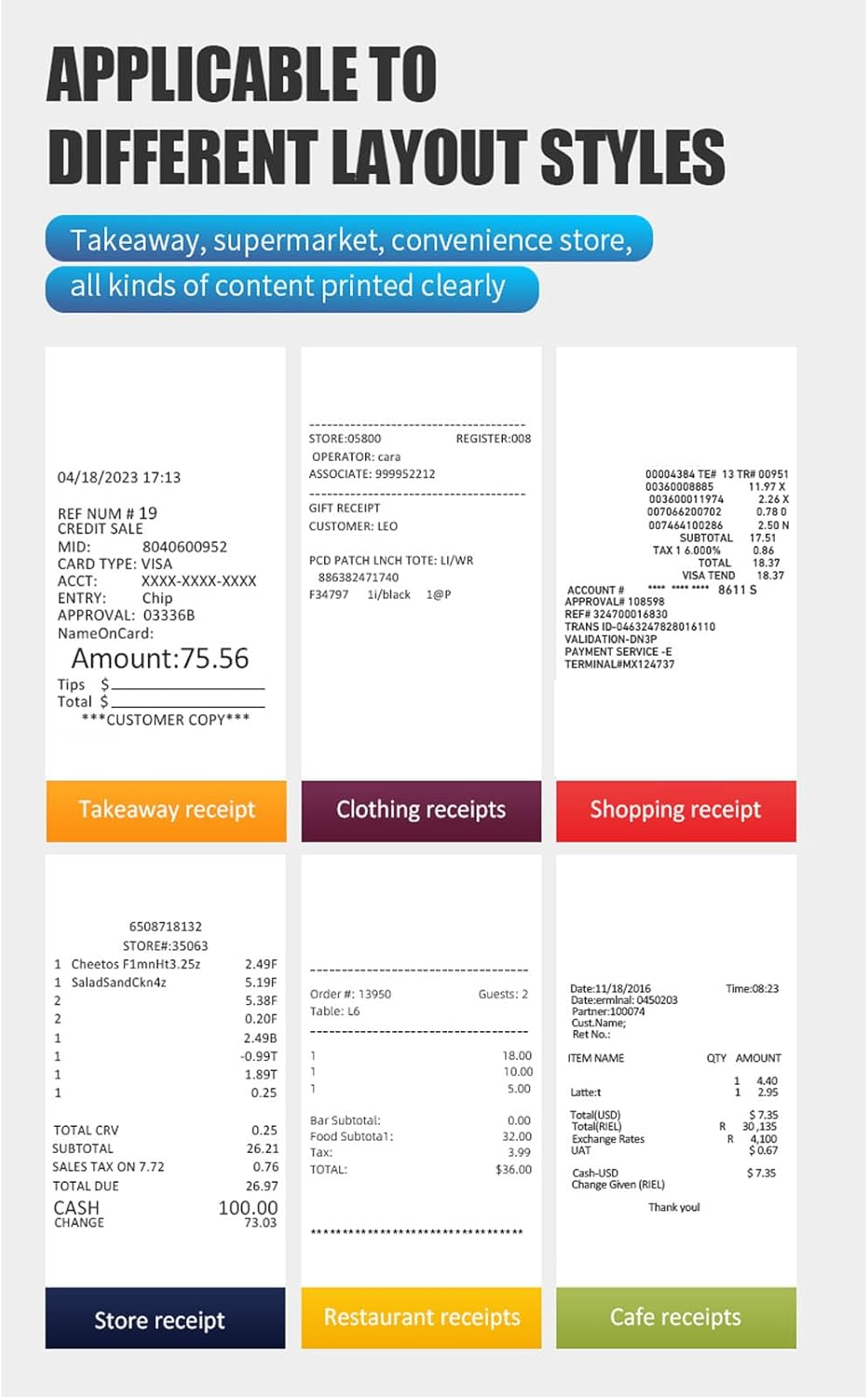
Figura 2.2: superior View (Power Switch, Status Indicator, Feed Button)
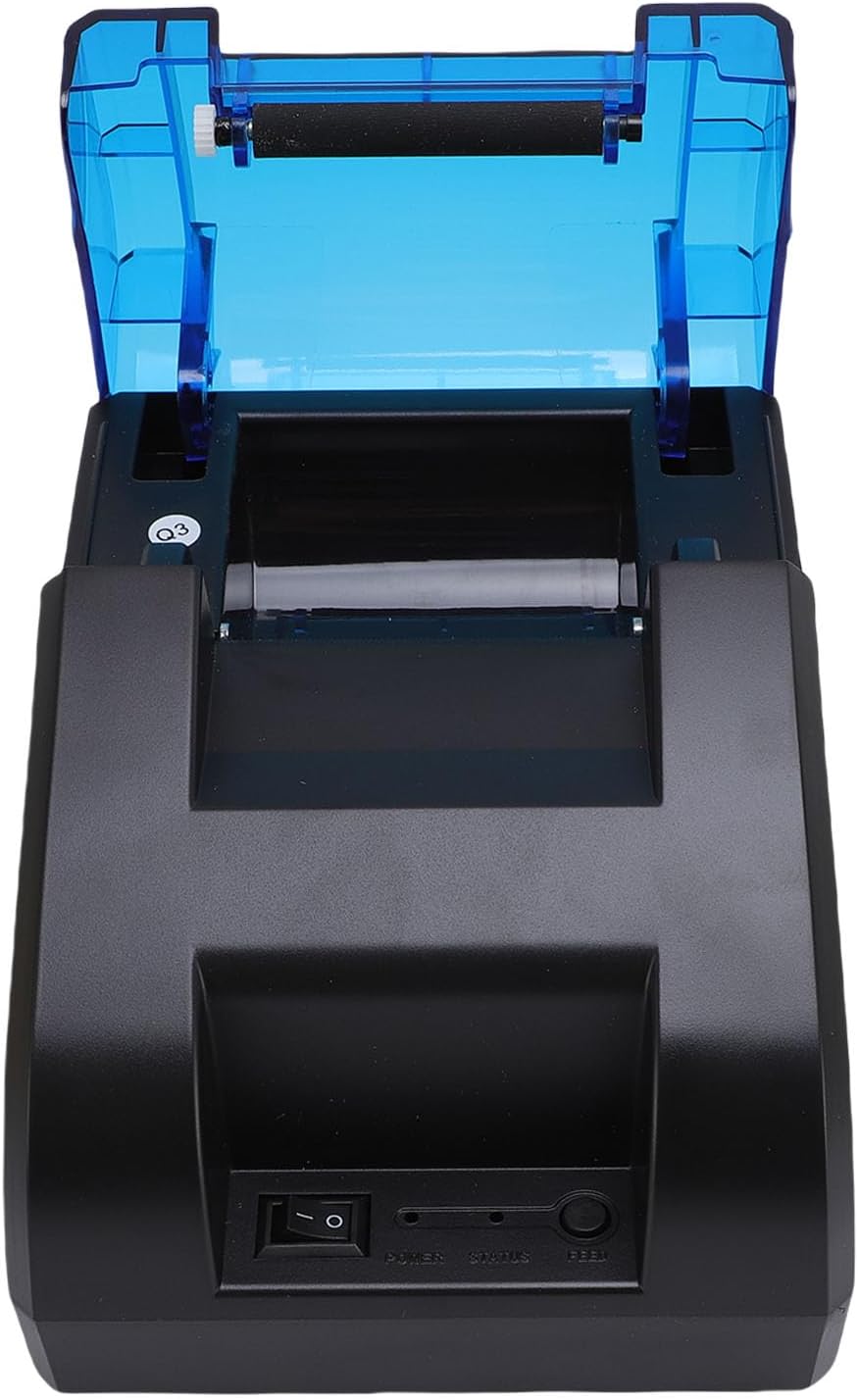
Figura 2.3: posterior View (USB Port, Power Port)
3. Configuració
3.1 Instal·lació del rotllo de paper
- Open the top cover of the printer by pressing the release button or lifting the cover firmly.
- Introduïu el rotlle de paper tèrmic al compartiment, assegurant-vos que el paper s'alimenti des de la part inferior i que la vora davantera estigui recta.
- Estireu una petita quantitat de paper més enllà de la vora de tall.
- Tanqueu la coberta superior fermament fins que encaixi al seu lloc.

Figure 3.1: Paper Roll Compartment
3.2 Connexió d'alimentació
- Connect the power supply cord to the power port on the rear of the printer.
- Plug the other end of the power supply cord into a standard electrical outlet.
- Flip the power switch (located on the front of the printer) to the 'ON' position. The power indicator light should illuminate.
4. Connectivitat
The printer supports both USB and Bluetooth connections for versatile use with various devices.
4.1 Connexió USB
- Assegureu-vos que la impressora estigui engegada.
- Connect one end of the provided USB cable to the USB port on the rear of the printer.
- Connect the other end of the USB cable to an available USB port on your computer or POS system.
- Install the necessary printer drivers on your computer. Refer to the driver installation guide (if provided separately) or the manufacturer's weblloc per obtenir instruccions específiques.
4.2 Connexió Bluetooth
The printer can connect to up to 7 Android phones simultaneously and one additional phone for maximum convenience.
- Assegureu-vos que la impressora estigui engegada i que estigui dins de l'abast del dispositiu.
- On your mobile device or computer, enable Bluetooth.
- Cerca available Bluetooth devices. The printer will typically appear as a device named 'POS Printer' or similar.
- Select the printer from the list to pair. If prompted for a PIN, enter '0000' or '1234'.
- Once paired, you can select the printer within your application for printing.

Figure 4.1: Bluetooth Connection Example
5. Funcionament
5.1 Impressió bàsica
After connecting the printer via USB or Bluetooth and installing any necessary drivers or applications, you can initiate printing from your software. The printer supports ESC/POS commands for various printing functions.
- Botó d'alimentació: Press the 'FEED' button on the front of the printer to advance the paper manually.
- Indicador d'estat: The status light indicates the printer's current state (e.g., solid blue for ready, flashing for error).

Figure 5.1: High-Performance Print Head and Inkless Operation
5.2 Supported Receipt Types
The printer is capable of printing various receipt layouts clearly, making it suitable for diverse business needs.

Figura 5.2: Example of a Printed Receipt
6. Manteniment
6.1 Neteja de la impressora
Una neteja regular ajuda a mantenir la qualitat d'impressió i allarga la vida útil de la impressora.
- Apagueu la impressora i desendolleu el cable d'alimentació abans de netejar-la.
- Utilitzeu un drap suau i sense pelusa dampened with water or isopropyl alcohol to clean the exterior of the printer.
- Gently wipe the print head with a cotton swab dampenriquit amb alcohol isopropílic. Deixeu-ho assecar completament abans d'usar-lo.
- Remove any paper dust or debris from the paper compartment.
6.2 Substitució del rotlle de paper
Follow the steps outlined in Section 3.1 for paper roll installation when the current roll runs out.
7. Solució De Problemes
If you encounter issues with your printer, refer to the following common problems and solutions:
| Problema | Causa possible | Solució |
|---|---|---|
| La impressora no s'encén | Power cord not connected, power outlet faulty, power switch off | Check power connections, try a different outlet, ensure power switch is ON. |
| La impressora no es connecta per Bluetooth | Bluetooth off on device, printer not in pairing mode, incorrect PIN | Ensure Bluetooth is enabled, restart printer, re-attempt pairing with correct PIN. |
| No printing or blank pages | Paper installed incorrectly, paper roll empty, print head dirty, driver issue | Reinstall paper correctly, replace paper roll, clean print head, reinstall drivers. |
| Poca qualitat d'impressió | Low quality paper, dirty print head, print density settings | Use recommended thermal paper, clean print head, adjust print density in software. |
| Embús de paper | Incorrect paper loading, foreign object | Turn off printer, open cover, carefully remove jammed paper, ensure no obstructions. |
If the problem persists after trying these solutions, please contact Bewinner customer support.
8. Especificacions
Detailed technical specifications for the Bewinner Portable 58mm Thermal Receipt Printer:
- Número de model de l'article: Bewinnerm4f6ydgk7q-12
- Dimensions del producte: 6.69 x 5.12 x 4.72 polzades
- Pes de l'article: 1.19 lliures
- Interfície: USB, BT
- Ordre d'impressió: ESC, POS command
- Velocitat d'impressió: 70 mm/s
- Resolució: 203DPI (8 points/mm)
- TPH Reliability: 50 km
- Suport de logotip: Download and print logo
- Densitat d'impressió: 384 punts/línia
- Mida del caràcter: ANK, font A: 1.5x3.0mm (12x24 dots); font B: 1.1x2.1mm (9x17 dots) Chinese; Traditional Chinese: 3.0x3.0mm (24x24 dots)
- Codis de barres 1D: UPC A / UPC E / JAN13 (EAN13) / JAN8 (EAN8) / CODE39 / ITF / CODABAR / CODE93 / CODE128
- Codis de barres 2D: QR Code, PDF417
- Suport del sistema operatiu: For Windows, for Linux, for OS X, for OPOS, for Android
- Amplada d'impressió: Aprox. 48 mm/1.89 polzades
- Diàmetre del rotllo de paper: ≤50 mm
- Amplada del paper: ≤58 mm
- Entrada d'alimentació: DC 5V/2A
9. Garantia i Suport
For warranty information, technical support, or service inquiries, please refer to the documentation included with your purchase or contact Bewinner customer support directly. Keep your purchase receipt as proof of purchase.


