1. Introducció
This manual provides essential information for setting up, operating, and maintaining your NIMO 17.3-inch Business Laptop, Model N171. Please read this guide thoroughly to ensure proper use and to maximize the performance and longevity of your device. Keep this manual for future reference.

Image 1.1: NIMO 17.3-inch Business Laptop overview.
2. Contingut del paquet
Verifiqueu que tots els elements siguin presents al paquet:
- 1 x Nimo N171 Laptop
- 1 x Carregador ràpid tipus C 65 W PD
- 1 x Manual d'usuari (aquest document)
- Windows 11 Home Operating System (pre-installed)
3. Configuració
3.1 Càrrega inicial
Before first use, connect the provided 65W Type-C PD Fast Charger to the laptop and a power outlet. Allow the battery to charge fully. The charging indicator light will confirm the charging status.

Image 3.1: The 65W Type-C PD Fast Charger.
3.2 Engegada i configuració inicial de Windows
- Obriu la tapa de l'ordinador portàtil.
- Premeu el botó d'engegada que es troba al teclat.
- Follow the on-screen instructions to complete the Windows 11 Home initial setup, including language selection, network connection, and user account creation.
4. Instruccions de funcionament
4.1 Gestió de l'energia
- Encès: Premeu el botó d'encesa.
- Mode de repòs: Tanqueu la tapa o premeu breument el botó d'engegada.
- Apagar: Feu clic al botó Inici i, a continuació, a Energia > Apagar.
4.2 Lector d'empremtes dactilars
The laptop features a fingerprint reader integrated into the touchpad for secure login. To set up:
- Navegueu a Configuració de Windows > Comptes > Opcions d'inici de sessió.
- Select 'Fingerprint recognition (Windows Hello)' and follow the prompts to register your fingerprints.

Image 4.1: Fingerprint reader location on the touchpad.
Teclat retroil·luminat 4.3
The keyboard features backlighting for improved visibility in low-light conditions. Use the dedicated function key (usually Fn + Fx) to toggle the backlight on/off or adjust its brightness levels.

Image 4.2: The backlit keyboard illuminated for use in dim lighting.
4.4 Connectivitat
The NIMO N171 laptop offers various connectivity options:
- Wi-Fi 6: Per a accés a Internet sense fil d'alta velocitat.
- Bluetooth 5.2: Per connectar perifèrics sense fil com ara auriculars o ratolins.
- Ports USB: Includes USB 3.2 Gen1, USB 2.0, and USB Type-C ports for connecting external devices.
- Port HDMI 2.1: Per connectar pantalles o projectors externs.
- Ranura per a targetes Micro SD: Per ampliar l'emmagatzematge o transferir files.
- Jack d'àudio: Per a auriculars o altaveus externs.

Image 4.3: Diagram illustrating the various ports on the NIMO N171 laptop.
4.5 Pantalla
The laptop features a 17.3-inch Full HD (1920x1080) IPS anti-glare display, providing clear visuals and wide viewing angles. The narrow bezels contribute to an immersive viewexperiència.

Image 4.4: The 17.3-inch FHD IPS display with narrow bezels.
4.6 180-degree Lay-Flat Hinge
The laptop is equipped with a 180-degree lay-flat hinge, allowing the screen to be opened completely flat. This feature is useful for sharing content with others or adjusting the viewing angle for various scenarios.

Image 4.5: Illustration of the laptop's 180-degree lay-flat hinge capability.
5. Manteniment
5.1 Neteja
- Utilitzeu un drap suau i sense pelusa lleugerament dampesbandiu amb aigua o un netejador de pantalles per netejar la pantalla.
- Per al teclat i el xassís, feu servir un drap suau i sec. Eviteu productes químics agressius o materials abrasius.
- Assegureu-vos que el portàtil estigui apagat i desendollat abans de netejar-lo.
5.2 Emmagatzematge
Store the laptop in a cool, dry environment away from direct sunlight and extreme temperatures. If storing for an extended period, ensure the battery is charged to approximately 50% to preserve its lifespan.
6. Solució De Problemes
Aquesta secció tracta problemes comuns que podeu trobar.
6.1 El portàtil no s'encén
- Ensure the charger is properly connected to both the laptop and a working power outlet.
- Verifiqueu que l'adaptador de corrent funciona correctament.
- Si la bateria està completament esgotada, el portàtil pot trigar uns minuts a carregar-se abans que es pugui engegar.
6.2 Problemes de connectivitat Wi-Fi
- Comproveu si el Wi-Fi està habilitat a la configuració de Windows.
- Reinicieu el router i el mòdem.
- Ensure you are within range of a Wi-Fi network and have entered the correct password.
6.3 Keyboard Backlight Not Working
- Press the dedicated function key combination (e.g., Fn + Fx) to toggle or adjust the backlight.
- Check power settings, as some configurations may disable backlighting to conserve battery.
Per obtenir més ajuda, consulteu la secció Garantia i assistència.
7. Especificacions
Key technical specifications for the NIMO N171 laptop:
| Característica | Detall |
|---|---|
| Marca | NIMO |
| Nom del model | Nimo N171S |
| Mida de la pantalla | 17.3 polzades |
| Resolució de pantalla | 1920 x 1080 píxels (FHD) |
| Processador | Intel Core i3-1215U (6 nuclis, fins a 4.4 GHz) |
| RAM | 16 GB de DDR4 (3200 MHz) |
| Disc dur | 1 TB PCIe SSD |
| Coprocessador gràfic | Gràfics integrats Intel |
| Sistema operatiu | Windows 11 Home |
| Tipus sense fil | 802.11a/b/g/n/ac (Wi-Fi 6), Bluetooth 5.2 |
| Ports | USB 3.0 (x2), USB 2.0 (x1), USB Type-C (x2, one charge only), HDMI 2.1, Micro SD, Audio Jack |
| Característiques especials | Backlit Keyboard, Fingerprint Reader, HD Audio, Memory Card Slot, Numeric Keypad |
| Durada mitjana de la bateria | 5 Hours (53.58 Wh Capacity) |
| Pes de l'article | 3.8 lliures |
| Dimensions del producte | 15.61 x 9.84 x 0.78 polzades |
| Color | Plata Natural |

Image 7.1: Details of the 12th Gen Intel Core i3-1215U Processor.
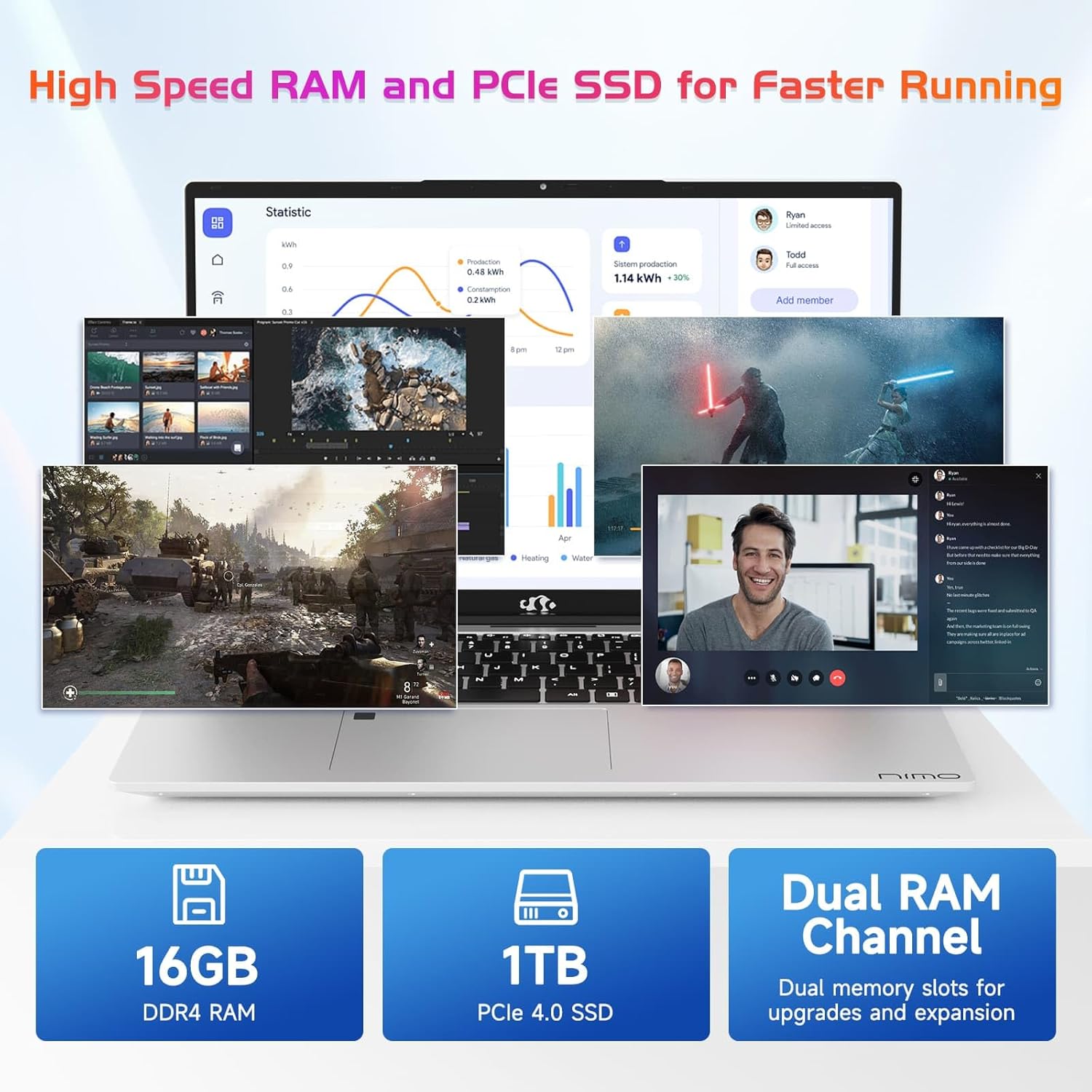
Image 7.2: Information on the 16GB DDR4 RAM and 1TB PCIe SSD.
8. Garantia i Suport
NIMO provides comprehensive support for your laptop:
- 2-Year Manufacturer's Warranty: Cobreix defectes de materials i fabricació en condicions d'ús normal.
- Política de devolució de 90 dies: Permet devolucions en un termini de 90 dies des de la compra.
- 24/7 Customer Service Support: Contact NIMO customer service for technical assistance or warranty claims. Refer to the contact information provided with your purchase or on the official NIMO weblloc.

Imatge 8.1: acabatview of NIMO's after-sales support services.
9. Informació de seguretat
Per evitar lesions o danys al dispositiu, observeu les precaucions de seguretat següents:
- No exposeu el portàtil a temperatures extremes, llum solar directa ni humitat elevada.
- Eviteu col·locar objectes pesats sobre l'ordinador portàtil.
- Use only the provided charger or a NIMO-approved replacement.
- No intenteu desmuntar ni reparar el portàtil vosaltres mateixos. Poseu-vos en contacte amb personal de servei qualificat.
- Mantingueu els líquids allunyats del dispositiu.
10. Avís legal
This product is subject to Proposition 65 warning. The information in this manual is subject to change without notice. NIMO assumes no responsibility for any errors or omissions that may appear in this document. All trademarks and registered trademarks are the property of their respective owners.


