1. Introducció
This user manual provides comprehensive instructions for the safe and efficient operation of your pTron Dynamo Bolt 20000mAh Power Bank. Please read this manual thoroughly before using the device to ensure optimal performance and longevity.
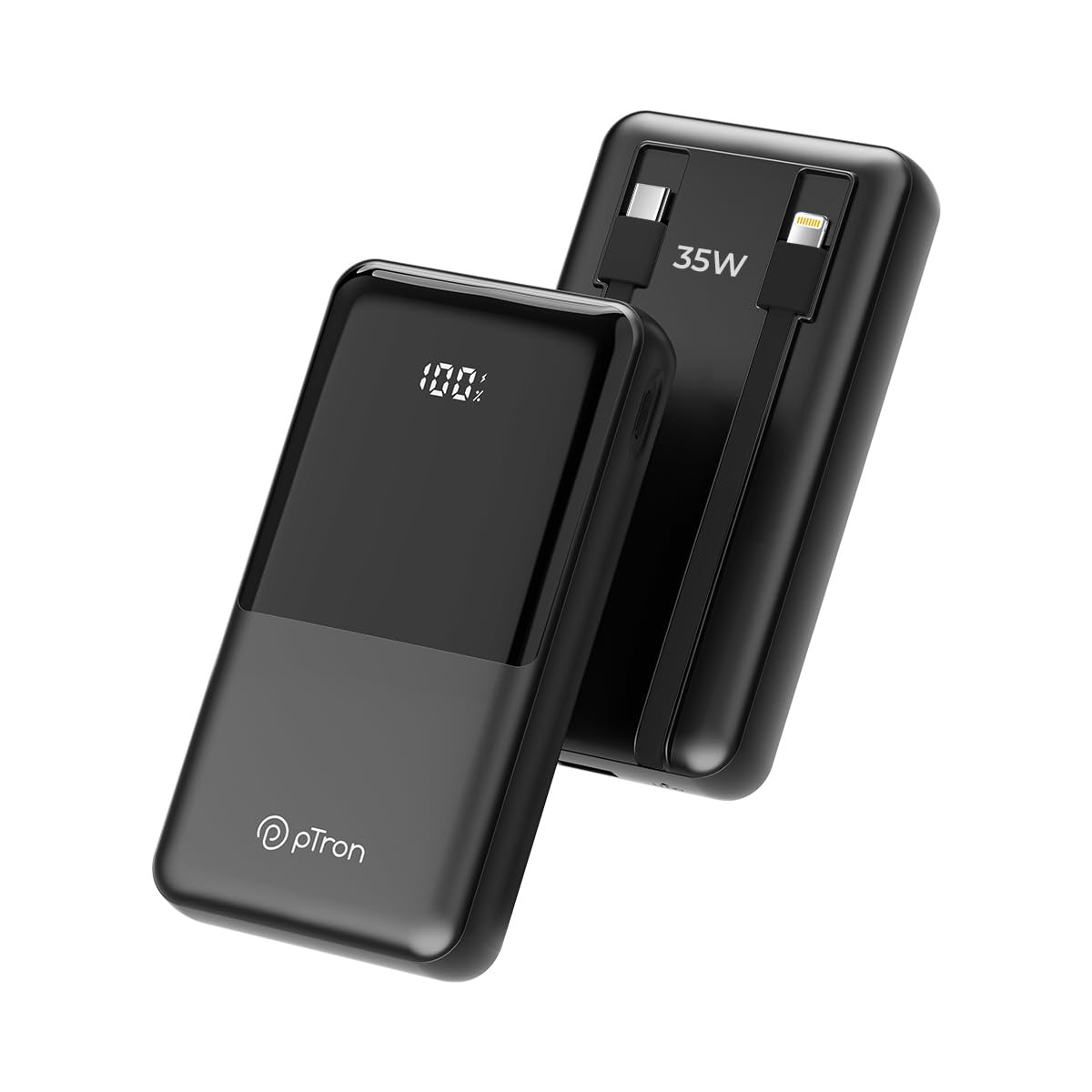
Imatge 1.1: Frontal view of the pTron Dynamo Bolt 20000mAh Power Bank.
2. Contingut del paquet
Verifiqueu que tots els elements siguin presents al paquet:
- 1N pTron Dynamo Bolt 20000mAh Power Bank
- 1N Charging Cable (USB-A to USB-C)
- Manual d'usuari (aquest document)
3. Producte acabatview
The pTron Dynamo Bolt is a high-capacity power bank designed for fast and efficient charging of multiple devices. It features built-in cables and a digital display for convenience.

Image 3.1: Diagram illustrating the multiple input and output ports of the power bank.
- A. 22.5W USB-A Output: Port USB estàndard per carregar dispositius.
- B. 35W Type-C Input & Output: Versatile Type-C port for both charging the power bank and charging devices.
- C. 10W iOS Output Cable: Cable integrat per a dispositius Apple.
- D. 35W Type-C Output Cable: Built-in cable for Type-C devices.
- E. Digital Display: Shows the exact battery percentage.

Imatge 3.2: acabatview of key features including 35W Type-C Fast Charging, QC3.0 and PD3.0 compatibility, 20000mAh capacity, Digital LED Indicator, ability to charge 4 devices simultaneously, multiple layers of protection, and travel-friendly design.
4. Configuració i ús inicial
4.1 Càrrega del banc d'energia extern
Before first use, fully charge the power bank. Connect the provided charging cable to the Type-C Input/Output port (B) on the power bank and the other end to a compatible USB wall adapter (not included). The digital display (E) will show the charging progress. Charging is complete when the display shows "100%".
- Use a 35W PD compatible adapter for fastest charging.
- Charging time may vary based on the adapter's output.
5. Instruccions de funcionament
5.1 Càrrega dels vostres dispositius
The pTron Dynamo Bolt offers multiple ways to charge your devices:
- Ús de cables integrats:
- For iOS devices, connect the built-in iOS cable (C) to your device.
- For Type-C devices, connect the built-in Type-C cable (D) to your device.
- Ús de ports USB:
- Connect your device's charging cable to the 22.5W USB-A Output port (A) or the 35W Type-C Input & Output port (B).
El banc d'energia detectarà automàticament el dispositiu connectat i començarà a carregar-se. La pantalla digital mostrarà el percentatge de bateria restant.tage.

Image 5.1: The power bank simultaneously charging three different mobile devices using its various output options.
5.2 Comprovació del nivell de la bateria
The digital display (E) on the power bank shows the precise remaining battery percentage. Briefly press the power button (if available, otherwise it activates automatically upon connection) to illuminate the display and check the battery status.

Image 5.2: The compact design of the pTron Dynamo Bolt makes it highly portable and easy to carry in a bag.

Image 5.3: The power bank is compatible with a wide range of devices including Android smartphones, iPhones, tablets, iPads, TWS earbuds, and smartwatches.
6. Manteniment i cura
- Mantingueu el banc d'energia sec. No l'exposeu a la humitat ni a líquids.
- Netegeu el dispositiu amb un drap suau i sec. No utilitzeu productes químics agressius ni materials abrasius.
- Guardeu el banc d'energia en un lloc fresc i sec, allunyat de la llum solar directa i de temperatures extremes.
- Eviteu deixar caure o sotmetre el banc d'energia a forts impactes.
- Per a una durada òptima de la bateria, carregueu i descarregueu completament el banc d'energia almenys un cop cada tres mesos si no l'utilitzeu regularment.

Image 6.1: The power bank incorporates multiple safety features including Overcharge Protection, Short Circuit Protection, Overload Protection, and Advanced Temperature Control, and is BIS Certified.
7. Solució De Problemes
| Problema | Causa possible | Solució |
|---|---|---|
| El banc d'energia no es carrega | Connexió de cable fluixa, adaptador defectuós, cable danyat. | Ensure cables are securely connected. Try a different charging cable or wall adapter. |
| El dispositiu no es carrega des del banc d'energia | Power bank battery low, incorrect cable, device not compatible, loose connection. | Check power bank battery level. Ensure correct cable is used. Reconnect the device. Try a different port. |
| Càrrega lenta | Non-fast charging cable/adapter, device not supporting fast charging. | Use original or certified fast-charging cables. Ensure your device supports fast charging protocols (QC3.0/PD3.0). |
| La pantalla digital no funciona | Power bank is off, temporary glitch. | Press the power button briefly. If problem persists, contact customer support. |
8. Especificacions
| Característica | Detall |
|---|---|
| Número de model | Dynamo Bolt |
| Capacitat de la bateria | 20000 mAh |
| Entrada (tipus C) | 35W PD |
| Output (Type-C Port) | 35W PD |
| Sortida (port USB-A) | 22.5W |
| Output (Built-in Type-C Cable) | 35W |
| Output (Built-in iOS Cable) | 10W |
| Característiques especials | Digital Display, Short Circuit Protection, Built-in Cables, Fast Charging, Pocket Size |
| Dimensions | 15.6 x 10.5 x 3.8 cm |
| Pes | 422 g |
| Color | Negre Jet |
| Fabricant | Palred Electronics Pvt. Ltd. |
| País d'origen | Índia |
9. Informació de la garantia
The pTron Dynamo Bolt Power Bank comes with a 1 any de garantia del fabricant from the date of purchase. This warranty covers manufacturing defects only. Please retain your purchase receipt as proof of purchase for warranty claims.
La garantia no cobreix els danys derivats de:
- Accidental damage, misuse, abuse, neglect, or improper installation.
- Reparacions o modificacions no autoritzades.
- Desgast normal.
- Danys causats per desastres naturals o actes de Déu.
10. Atenció al client
For any queries, technical support, or warranty claims, please contact pTron customer service:
- Telèfon: 040-67138888
- Correu electrònic: suport@ptron.in
- Adreça del fabricant: SY.NO. 56, 1ST FLOOR, GUNDLAPOCHAMPALLY VILLAGE, TECH PARK MTP, TSIIC-IALA NACHARAM, HYDERABAD - 500076, TELANGANA, ÍNDIA
Si us plau, tingueu a mà el número de model del producte i els detalls de compra quan us poseu en contacte amb el servei d'assistència.


