Introducció
Welcome to the world of advanced gaming with your GravaStar Mercury K1 Lite 75% Wireless Gaming Keyboard and Mercury M2 Wireless Gaming Mouse. This instruction manual provides essential information to help you get started, understand the features, and ensure optimal performance of your new devices. Please read this manual thoroughly before use.
Producte acabatview
The GravaStar Mercury K1 Lite keyboard and Mercury M2 mouse combine futuristic design with high-performance functionality, offering a superior gaming and typing experience.

Una sobrecàrrega view of the GravaStar Mercury K1 Lite keyboard and Mercury M2 mouse, showcasing their transparent design and vibrant RGB lighting.
Mercury K1 Lite Keyboard Features
- Disseny futurista: Unique hollow and skeletal design with durable PVC material and transparent keycaps.
- High-Performance Switches: Equipped with GravaStar x BSUN custom linear switches for smooth and responsive typing.
- Connectivitat trimodal: Supports 2.4GHz wireless, Bluetooth 5.0, and wired connections.
- Il·luminació RGB personalitzable: 13 different RGB lighting modes, with advanced customization via GravaStar Control Center software.
- Durada de la bateria ampliada: 4000mAh lithium-ion battery, offering up to 235 hours of use.
- Adjustable Kickstands: For ergonomic comfort.
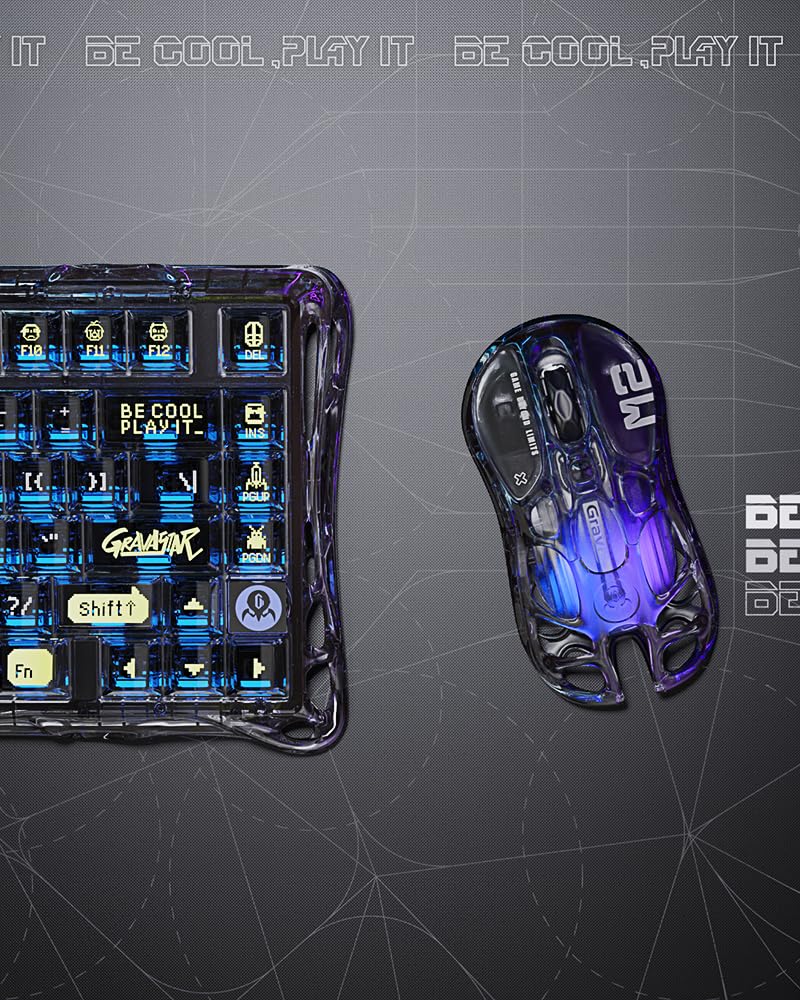
Un detallat view of the GravaStar Mercury K1 Lite keyboard, highlighting the transparent keycaps and the illuminated switches beneath.
Mercury M2 Mouse Features
- Disseny buit: Distinctive look with optimal airflow for grip comfort.
- Sensor d'alta precisió: PAW3395 sensor, supporting up to 26,000 DPI and a 1K Hz polling rate.
- Opcions de connexió versàtils: Ultra-fast 2.4G, Bluetooth, and wired connections.
- Customizable GLOWSYNC RGB: Five dynamic light modes and software-based profile creació.
- Durada de la bateria impressionant: Up to 82 hours (Bluetooth 5.1) or 50 hours (2.4GHz with RGB) on a single charge.

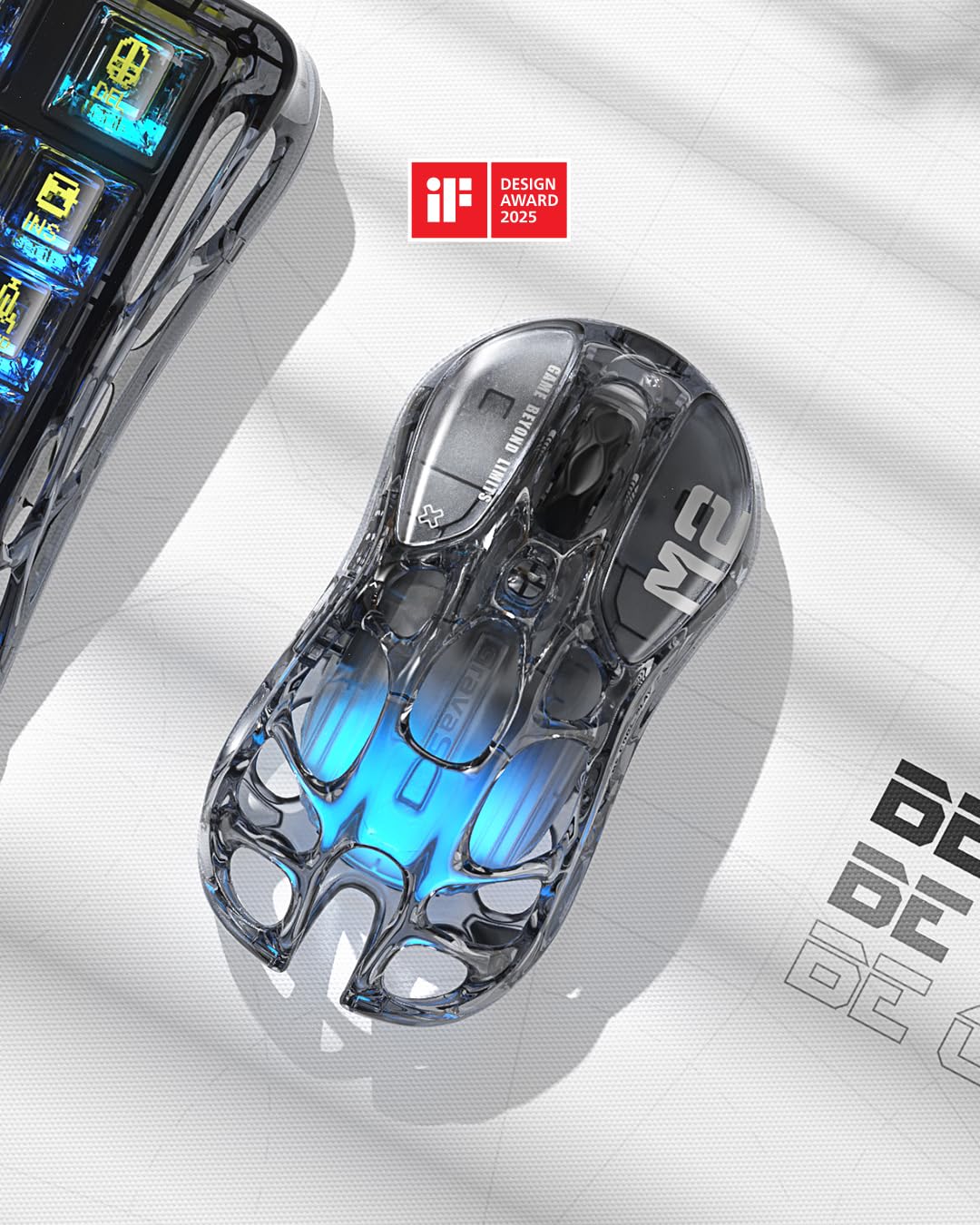
A close-up of the GravaStar Mercury M2 wireless gaming mouse, showing its hollowed-out transparent shell and internal blue lighting.
Configuració
Keyboard Setup (Mercury K1 Lite)
- Càrrega: Connect the keyboard to a USB power source using the provided USB-C cable. The RGB lighting will indicate charging status.
- Encès: Locate the power switch on the keyboard and slide it to the 'ON' position.
- Selecció de connectivitat: Use the mode switch to select your desired connection:
- Sense fil de 2.4 GHz: Insert the USB receiver into an available USB port on your computer. The keyboard should connect automatically.
- Bluetooth 5.0: Switch to Bluetooth mode. The keyboard will enter pairing mode (indicated by flashing RGB). Cerca 'GravaStar K1 Lite' on your device's Bluetooth settings and connect.
- Amb cable: Connect the keyboard directly to your computer using the USB-C cable.
- Adjust Kickstands: Flip out the adjustable kickstands on the underside of the keyboard for your preferred typing angle.
Mouse Setup (Mercury M2)
- Càrrega: Connect the mouse to a USB power source using the provided USB-C cable.
- Encès: Locate the power switch on the mouse and slide it to the 'ON' position.
- Selecció de connectivitat: Use the mode switch to select your desired connection:
- Sense fil de 2.4 GHz: Insert the USB receiver into an available USB port on your computer. The mouse should connect automatically.
- Bluetooth: Switch to Bluetooth mode. The mouse will enter pairing mode. Cerca 'GravaStar M2' on your device's Bluetooth settings and connect.
- Amb cable: Connect the mouse directly to your computer using the USB-C cable.
Instruccions de funcionament
Keyboard Connectivity Modes (Mercury K1 Lite)
The K1 Lite supports seamless switching between three connection types:
- Sense fil de 2.4 GHz: Offers low-latency performance ideal for gaming. Ensure the USB receiver is plugged into your device.
- Bluetooth 5.0: Connects to up to three devices simultaneously. Use the dedicated function keys (e.g., Fn + 1/2/3) to switch between paired devices.
- Amb cable: Provides a stable connection and charges the keyboard simultaneously.
Keyboard RGB Lighting (Mercury K1 Lite)
The K1 Lite features 13 immersive RGB lighting modes. You can cycle through these modes using dedicated function key combinations (refer to your keyboard's specific key layout for details). For advanced customization, including creating your own lighting profiles, download and install the GravaStar Control Center software from the official GravaStar weblloc.

A visual representation of the GravaStar Control Center software interface, demonstrating options for customizing the RGB lighting effects of the keyboard.
Mouse Functions (Mercury M2)
- Ajust de DPI: Use the dedicated DPI button on the mouse to cycle through different sensitivity levels (up to 26,000 DPI).
- GLOWSYNC RGB: Customize the mouse's RGB lighting with five dynamic modes. Further customization is available through the intuitive GravaStar software.
- Taxa de votació: The mouse operates at a 1K Hz polling rate for responsive gameplay.
Manteniment
To ensure the longevity and optimal performance of your GravaStar Mercury K1 Lite keyboard and Mercury M2 mouse, follow these maintenance guidelines:
- Neteja: Feu servir un drap suau i sec per netejar les superfícies dels dos dispositius. Per a la brutícia resistent, netegeu lleugeramentamp cloth with mild soap can be used, ensuring no liquid enters the internal components.
- Keycap Cleaning (Keyboard): Keycaps can be carefully removed for deeper cleaning. Use a keycap puller to avoid damage. Clean with a soft brush or a damp cloth. Ensure keycaps are completely dry before reattaching.
- Emmagatzematge: Guardeu els dispositius en un lloc fresc i sec, allunyat de la llum solar directa i de temperatures extremes.
- Cura de la bateria: Avoid fully discharging the batteries frequently. For long-term storage, charge the devices to about 50% to preserve battery health.
Resolució de problemes
If you encounter any issues with your GravaStar Mercury K1 Lite keyboard or Mercury M2 mouse, please refer to the following common solutions:
- El dispositiu no es connecta:
- Assegureu-vos que tots dos dispositius estiguin encesos i completament carregats.
- Verify the correct connectivity mode (2.4GHz, Bluetooth, Wired) is selected.
- Per a 2.4 GHz, assegureu-vos que el receptor USB estigui ben connectat. Proveu un altre port USB.
- For Bluetooth, ensure your device's Bluetooth is enabled and the keyboard/mouse is in pairing mode. Remove previous pairings and re-pair if necessary.
- Try connecting via wired mode to rule out wireless interference or battery issues.
- La il·luminació RGB no funciona:
- Check if the lighting is turned off or set to a very dim level.
- Assegureu-vos que els dispositius estiguin prou carregats.
- If using the software, ensure it is up-to-date and correctly configured.
- Lag or Unresponsive Input:
- Ensure the devices are within range of the receiver/Bluetooth host.
- Minimize wireless interference by moving other wireless devices away.
- Check battery levels; low battery can affect performance.
- Update drivers for your keyboard and mouse if available.
- Les tecles o els botons no responen:
- Gently clean around the affected key/button to remove any debris.
- If a keycap is removable, check the switch underneath for any obstructions.
If these steps do not resolve your issue, please contact GravaStar customer support for further assistance.
Especificacions
GravaStar Mercury K1 Lite Keyboard
- Disseny: 75% (80 tecles)
- Interruptors: GravaStar x BSUN Custom Linear Switches
- Material del marc: PVC durador
- Tecles de tecles: Transparent
- Connectivitat: Sense fil de 2.4 GHz, Bluetooth 5.0, amb cable (USB-C)
- Il·luminació RGB: 13 modes, customizable via software
- Bateria: 4000mAh Ió de liti
- Durada de la bateria: Fins a 235 hores (segons l'ús)
- Compatibilitat: Windows, macOS
An image illustrating the 75% layout of the GravaStar Mercury K1 Lite keyboard, showing its compact 80-key design and physical dimensions (343mm x 156mm).
GravaStar Mercury M2 Mouse
- Sensor: PAW3395
- DPI: Fins a 26,000
- Taxa de votació: 1 KHz
- Connectivitat: 2.4G Wireless, Bluetooth, Wired (USB-C)
- Il·luminació RGB: GLOWSYNC RGB, 5 dynamic modes, customizable via software
- Durada de la bateria: Up to 82 hours (Bluetooth 5.1), up to 50 hours (2.4GHz with RGB)
Garantia i Suport
GravaStar products are designed for quality and durability. For information regarding warranty coverage, technical support, or service inquiries, please visit the official GravaStar weblloc web o poseu-vos en contacte amb el seu departament d'atenció al client. Conserveu el rebut de compra com a comprovant de compra per a reclamacions de garantia.
Fabricant: GravaStar
Data de primera disponibilitat: 23 d'abril de 2025


