Producte acabatview
The Baseus 11-in-1 Triple 4K Display HDMI/DP Docking Station is designed to expand your laptop's connectivity and enhance productivity. It offers a comprehensive set of ports for various peripherals, multiple display outputs, fast data transfer, and power delivery.

Image: Baseus 11-in-1 Docking Station with included 100W GaN power adapter.
Característiques principals:
- High-Spec 11-in-1 Expansion: Includes 2 HDMI ports, 2 DisplayPorts, 1 USB-C and 2 USB-A 10Gbps data ports, an additional USB-A 2.0 port, 100W USB-C PD input, Gigabit Ethernet, and a 3.5mm AUX jack.
- Efficient Triple Display for Windows: Supports up to 3 monitors in 4K resolution via HDMI and DisplayPort. Note: macOS supports only one extended display by default.
- Càrrega ràpida PD de 100 W: Provides up to 85W power output to your laptop via the 100W PD port, with a high-quality 100W GaN power adapter included.
- Ultra-Fast 10Gbps Data Transfer: Equipped with USB 3.2 Gen 2 ports (1 USB-C and 2 USB-A) for rapid data transfer speeds.
- Innovative Upright Design with Screen-Lock: Sleek aluminum finish, vertical stand with magnetic base, and an 80cm cable. Features a built-in LED screen for port status and a screen-lock button for privacy.
Guia de configuració
Contingut del paquet:
- Baseus 11 en 1 Docking Station
- Adaptador d'alimentació GaN de 100 W
- Cable USB-C a USB-C (80 cm)
- Manual d'usuari (aquest document)
Connexió inicial:
- Connectar l'alimentació: Plug the included 100W GaN power adapter into a wall outlet, then connect its USB-C cable to the 100W PD input port on the docking station. The LED screen on the docking station will illuminate.
- Connectar-se al portàtil: Use the provided USB-C to USB-C cable to connect your laptop's USB-C port (which supports video output and power delivery) to the designated USB-C input port on the docking station.
- Instal·leu els controladors (si cal): For optimal performance, especially with multi-display setups on Windows, ensure your laptop's graphics drivers are up to date. In most cases, the docking station is plug-and-play.

Imatge: Detallada view of the 11-in-1 expansion ports on the Baseus docking station.
Instruccions de funcionament
Connecting External Displays:
The docking station supports multiple display configurations. Connect your monitors to the available HDMI and DisplayPort outputs.
- Sistemes Windows: Supports triple display output (HDMI1+HDMI2+DP, or DP1+DP2+HDMI) for extended desktop functionality. You can extend your desktop across up to three external monitors at 4K resolution.
- macOS Systems: Due to macOS limitations, only one extended display is supported. Other connected monitors will mirror the content of the extended display.

Imatge: Example of a triple display setup for Windows users, showcasing efficient multitasking.

Image: Comparison of triple display capabilities on Windows (extended) versus macOS (mirrored).
Data Transfer and Peripherals:
- Ports de dades USB: Utilize the USB 3.2 Gen 2 (1 USB-C, 2 USB-A) and USB-A 2.0 ports for connecting external hard drives, USB drives, keyboards, mice, and other peripherals. The 10Gbps ports enable fast data transfer.
- Gigabit Ethernet: Connect an Ethernet cable to the Gigabit Ethernet port for a stable and high-speed wired network connection.
- Jack d'àudio: Use the 3.5mm AUX jack to connect headphones, speakers, or microphones.
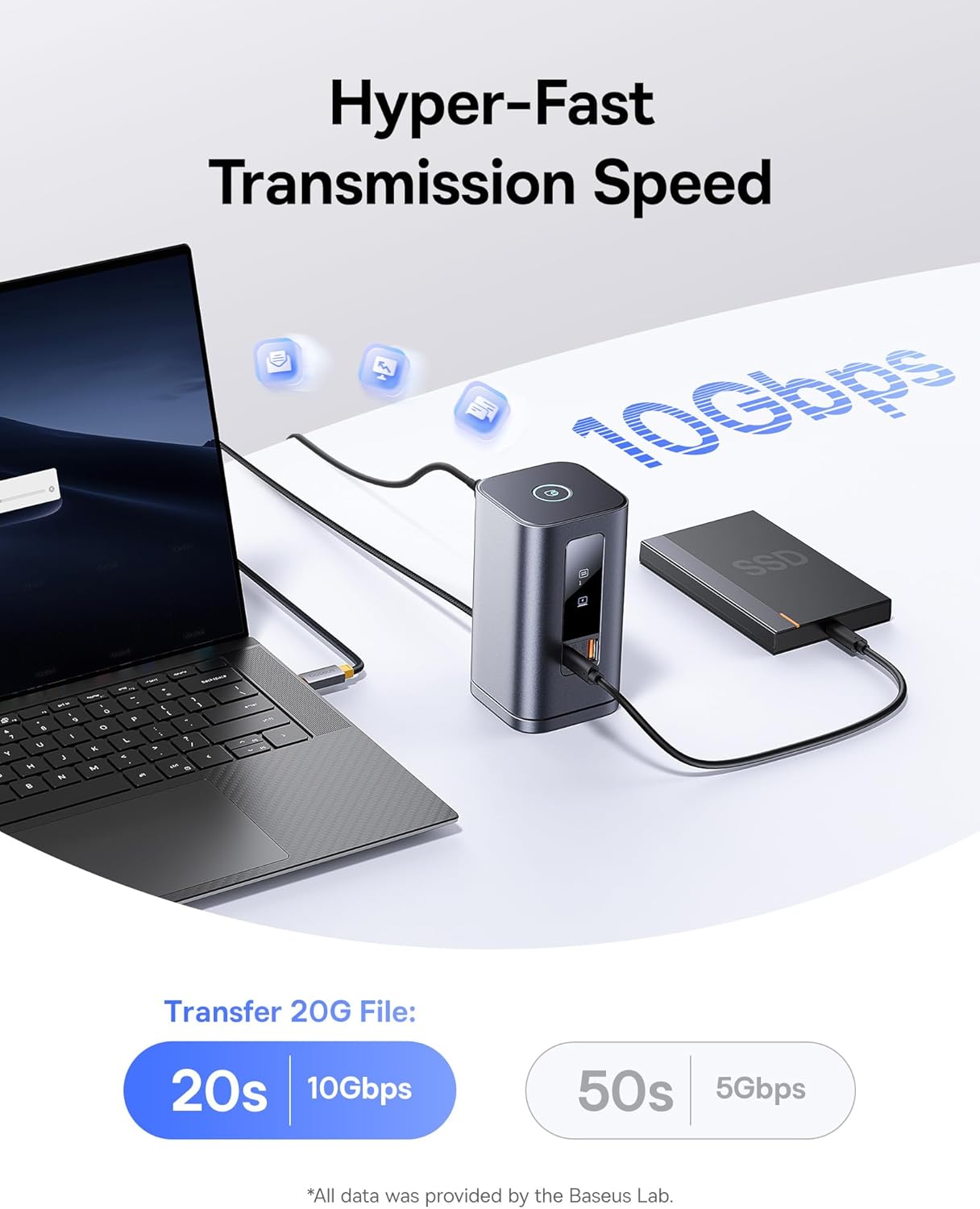
Image: Demonstrates the hyper-fast 10Gbps data transmission speed for large file transferències.
Subministrament d'energia:
The 100W PD input port not only powers the docking station but also provides up to 85W pass-through charging to your connected laptop, ensuring your device remains charged during use.

Image: Illustrates the fast charging capability for laptops via the 100W Power Delivery port.
Funció de bloqueig de pantalla:
The docking station features a convenient screen-lock button on top. Press it once for Windows systems or twice for macOS to instantly lock your screen, protecting your privacy.
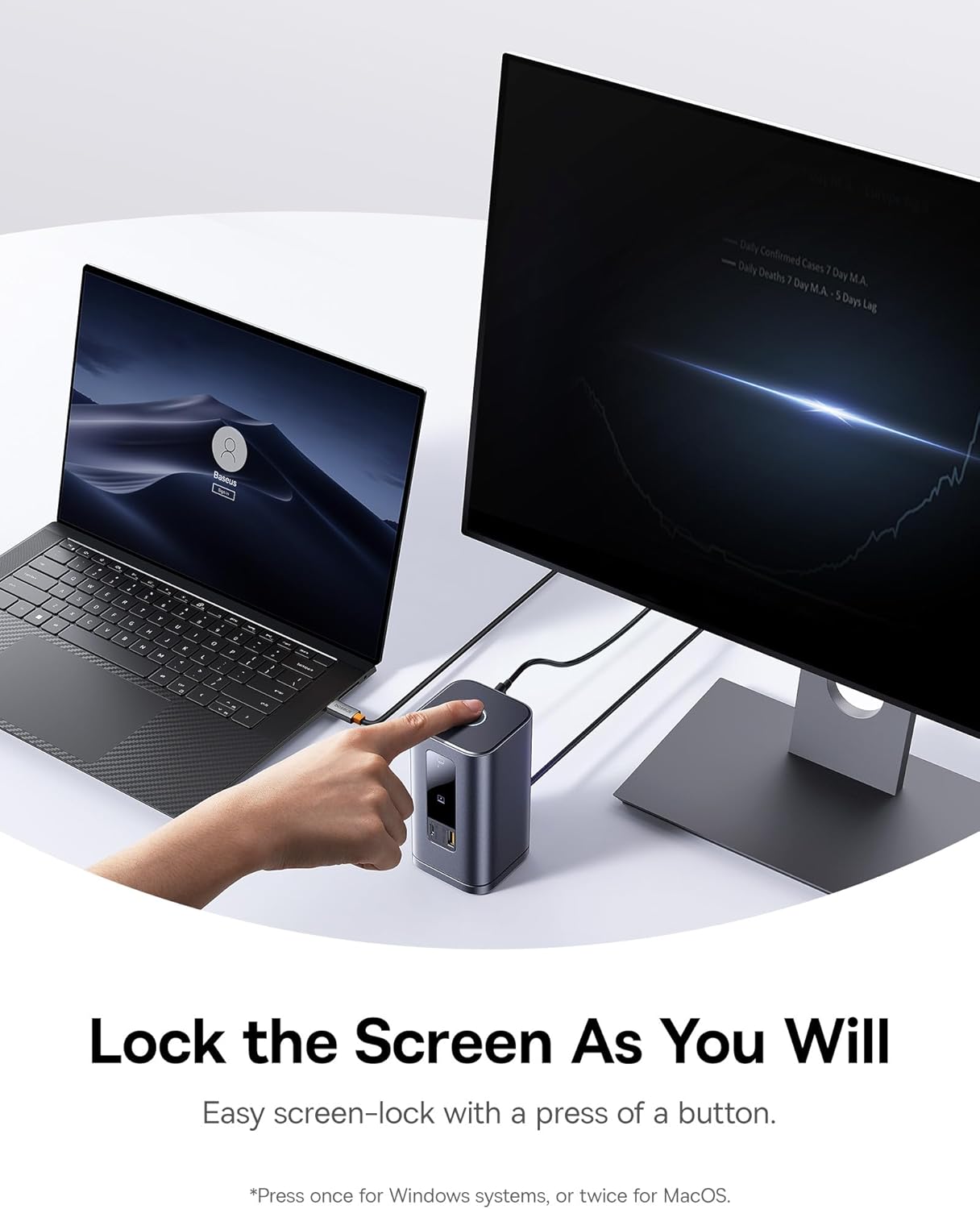
Image: Demonstrates the screen-lock button for quick privacy protection.
Pantalla digital LED:
The built-in LED screen provides real-time status of connected ports, indicating which ports are actively in use.

Image: Close-up of the smart digital display showing the operation info of each port.
Manteniment
- Neteja: Use a soft, dry cloth to wipe the surface of the docking station. Avoid using liquid cleaners or aerosols.
- Emmagatzematge: Guardeu l'estació d'acoblament en un lloc fresc i sec, allunyat de la llum solar directa i de temperatures extremes.
- Base desmuntable: The gel pad on the detachable base can be cleaned with water and reused if it loses its stickiness. Ensure it is dry before reattaching.
Resolució de problemes
- Problemes de projecció de pantalla HDMI: Seleccioneu la font de senyal HDMI correcta al monitor/televisor (per exemple, HDMI 1 o 2). Consulteu el manual del monitor per obtenir els passos específics.
- Reminder About Heating: La generació de calor durant el funcionament és normal. El xip integrat i les múltiples interfícies de l'estació d'acoblament generen calor, que la carcassa metàl·lica dissipa eficaçment per evitar el sobreescalfament i mantenir l'estabilitat.
- Limitacions de la pantalla múltiple als Mac: Mac computers do not support Multi-Stream Transport (MST) due to the Apple OS system's lack of multi-screen display functionality. Only one extended display is supported; others will mirror.
- Problemes de transmissió de dades amb diversos discs durs: Connecteu un carregador PD de 100 W si l'estació d'acoblament està completament carregada o connectada a diversos discs durs d'alta potència per evitar problemes amb la font d'alimentació.
- Com apagar el llum indicador: Premeu i manteniu premut el botó superior per desactivar el llum indicador frontal.
- Avís d'alimentació de l'ordinador DELL amb carregadors de tercers: Alguns protocols DELL PD són propietaris, cosa que provoca un baix volumtage charging reminders with third-party chargers. This does not affect normal charging.
Especificacions
| Característica | Detall |
|---|---|
| Marca | Baseus |
| Número de model | Spacemate RD1 11-in-1 (WIN) |
| Dimensions del producte | 6.61 x 2.76 x 9.53 polzades |
| Pes de l'article | 2.23 lliures |
| Color | Gris |
| Nombre de Ports | 11 |
| Interfície del maquinari | Ethernet, HDMI, MicroSD, USB 2.0, USB 3.1 Type A, USB 3.1 Type C |
| Ports HDMI totals | 2 |
| Ports USB totals | 4 (1 USB-C 10Gbps, 2 USB-A 10Gbps, 1 USB-A 480Mbps) |
| Lliurament d'energia | 100W PD Input (up to 85W output to laptop) |
| Dispositius compatibles | Windows/Dell/HP/Lenovo/Asus/Acer/Mac laptops, iPhone 15 Series, Samsung Galaxy S/Note series, ASUS ROG Ally / Steam Deck. (Note: macOS supports only one extended display) |
| UPC | 810196181885 |
Garantia i Suport
Per obtenir informació sobre la garantia i assistència tècnica, consulteu la pàgina oficial de Baseus. weblloc web o contacteu directament amb el servei d'atenció al client. Conserveu el rebut de compra per a reclamacions de garantia.
Recursos en línia:
- Baseus Oficial Weblloc: www.baseus.com
- Product Support Page: (Check official website for specific product support page)


