1. Introducció
The TP-Link TL-MR110-Outdoor is a robust 4G LTE Wi-Fi router specifically designed for outdoor use. It provides reliable internet connectivity in various environments, from gardens to construction sites or remote areas. This manual provides essential information for the proper installation, configuration, and operation of your device.
Les característiques clau inclouen:
- IP65 Certified: Weather-resistant casing, protected against dust and water.
- 4G LTE Cat 4: Download speeds up to 150 Mbps for stable internet.
- 300 Mbps Wi-Fi (2.4 GHz): Fast wireless connection for up to 32 devices simultaneously.
- Ampli rang de temperatures: Operates reliably from -30 ℃ to +60 ℃.
- Protecció millorada: 6 kV lightning protection and 15 kV electrostatic discharge (ESD) protection.
- Font d'alimentació flexible: Supports 12 V DC, passive PoE (48 V), and 802.3af PoE (44-57 V).
- Muntatge fàcil: Can be installed on a pole, wall, or window.
- Aplicació Tether: Convenient management via smartphone (iOS/Android).
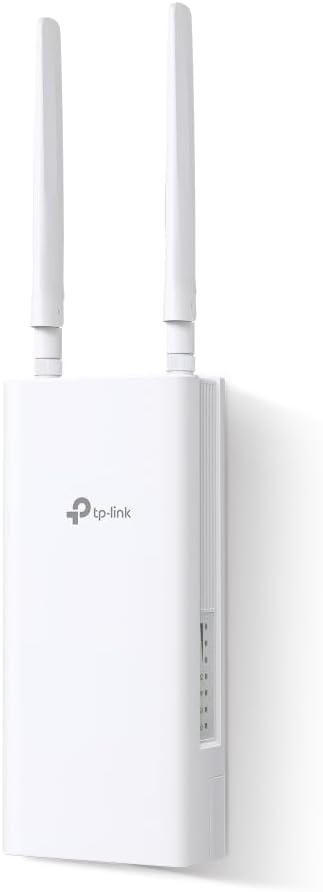
Image 1.1: TP-Link TL-MR110-Outdoor 4G LTE Router, front view amb antenes.
2. Contingut del paquet
Comproveu que el vostre paquet contingui els elements següents:
- 1 x TL-MR110-Outdoor Unit
- 1 x 10m RJ45 Ethernet Cable
- 1 x adaptador PoE
- 1 x cable d'alimentació
- 1 x Guia d'instal·lació ràpida
- Mounting Kits (for Window/Pole/Wall)
3. Sobrecàrrega físicaview
The TL-MR110-Outdoor features a durable, weather-resistant casing designed for outdoor deployment. It includes external antennas for optimal signal reception and transmission. The device typically has a SIM card slot, an Ethernet port (for PoE and data), and a power input port.

Image 3.1: TL-MR110-Outdoor router mounted outdoors, illustrating fast 4G Wi-Fi and stable connection.
4. Configuració
4.1 Instal·lació de la targeta SIM
- Assegureu-vos que el dispositiu estigui apagat.
- Locate the SIM card slot cover on the device.
- Open the cover and insert your 4G SIM card into the slot until it clicks into place.
- Close the SIM card slot cover securely to maintain IP65 protection.
4.2 Opcions de muntatge
The TL-MR110-Outdoor offers versatile mounting options:
- Muntatge al pal: Use the provided pole mounting kit to attach the device to a pole.
- Muntatge a la paret: Use the provided wall mounting kit to secure the device to a wall.
- Window Mounting: Use the provided window mounting kit for installation on a window.
Choose a location that provides optimal 4G signal reception and Wi-Fi coverage.

Image 4.1: Versatile mounting options for the TL-MR110-Outdoor.
4.3 Alimentació del dispositiu
The router supports flexible power options:
- PoE (alimentació per Ethernet): Connect the router to the PoE adapter using the Ethernet cable. The PoE adapter then connects to a power outlet. This is the recommended method for outdoor installations as it simplifies cabling.
- Potència CC: Connect the provided power cable to the DC input port on the router and then to a power outlet.

Image 4.2: Flexible power options: PoE, DC, and solar compatibility.
4.4 Configuració inicial
The TL-MR110-Outdoor is designed for quick Plug & Play setup with a SIM card, often requiring no complex configuration. However, for advanced settings, you can use the Tether app or the web interfície de gestió.
5. Funcionament del router
5.1 Connexió de dispositius
Once powered on and connected to the 4G network, the router will broadcast a Wi-Fi signal. You can connect devices via:
- Wi-Fi: Cerca the router's Wi-Fi network name (SSID) on your devices and enter the password (found on the product label).
- Ethernet: Connect devices directly to the router's Ethernet port using an RJ45 cable.
The router supports up to 32 simultaneous wireless connections.
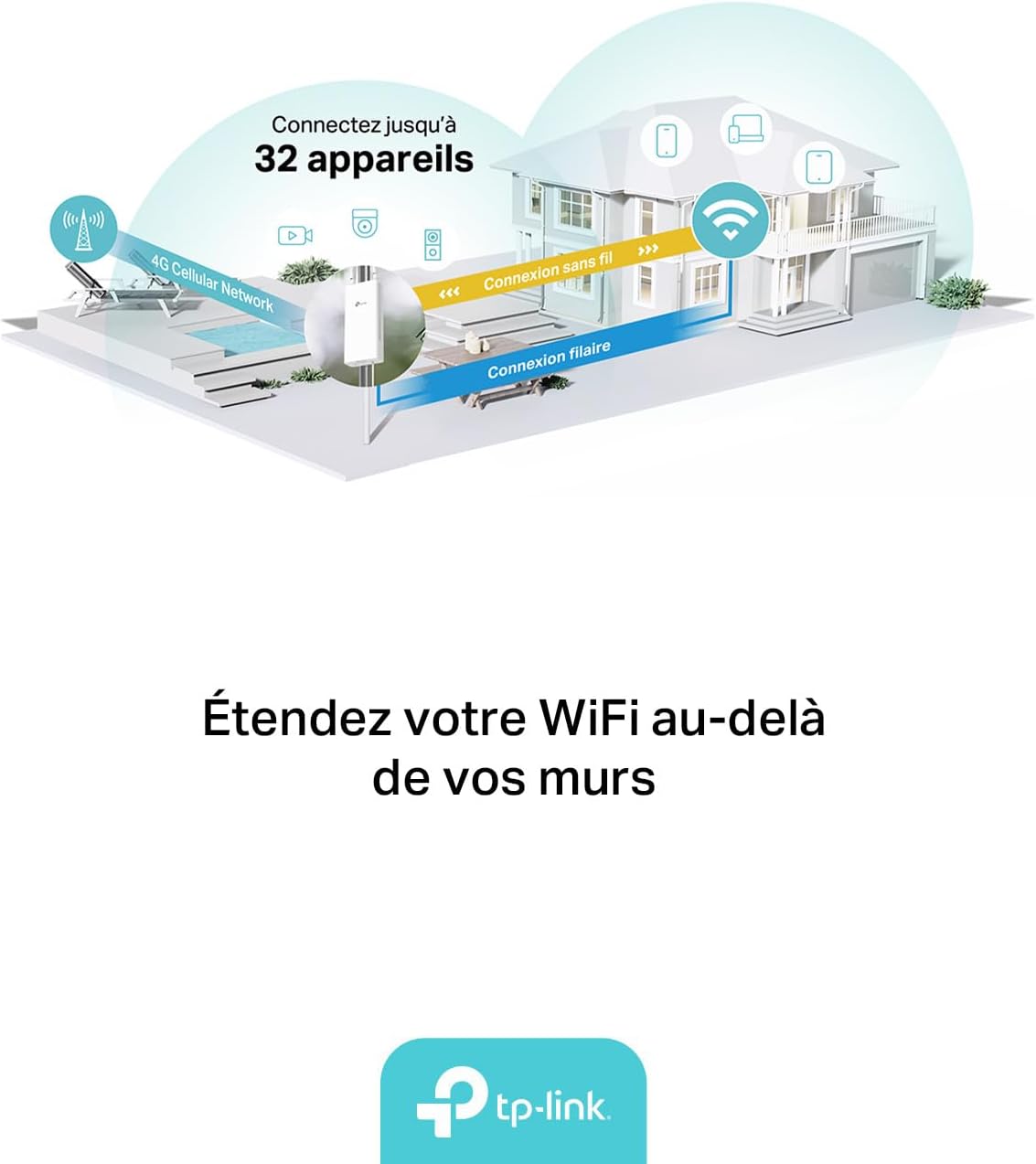
Image 5.1: Router distributing Wi-Fi and wired internet to multiple devices.
5.2 Managing the Router
You can manage your TL-MR110-Outdoor using the TP-Link Tether app or a web navegador.
- Aplicació Tether: Download the TP-Link Tether app from the App Store (iOS) or Google Play Store (Android). The app allows for easy setup, network management, parental controls, and more.
- Web Interfície de gestió: Connect a device to the router's Wi-Fi or Ethernet. Open a web navegador i introduïu l'adreça IP predeterminada (normalment
192.168.0.1ortplinkwifi.net) to access the management page.

Image 5.2: TP-Link Tether app for smartphone management.
For more information on the Tether app, visit: Aplicació TP-Link Tether
6. Manteniment
6.1 Consideracions ambientals
The TL-MR110-Outdoor is designed for harsh outdoor conditions:
- Classificació IP65: Ensures protection against dust ingress and low-pressure water jets from any direction.
- Interval de temperatura: Operates effectively between -30 ℃ and +60 ℃.
- Protecció contra llamps i ESD: Built-in 6 kV lightning protection and 15 kV ESD protection safeguard the device from electrical surges.

Image 6.1: Robust outdoor design features.
6.2 Neteja
Periodically inspect the device for any dirt or debris accumulation. Clean the exterior with a soft, dry cloth. Do not use liquid cleaners or aerosols.
6.3 actualitzacions de microprogramari
Revisa regularment el TP-Link website or the Tether app for available firmware updates to ensure optimal performance and security.
7. Solució De Problemes
7.1 Sense connexió a Internet
- Assegureu-vos que la targeta SIM estigui correctament inserida i activa.
- Check the signal strength indicators on the device or via the Tether app.
- Verify that the router is powered on and all cables are securely connected.
- Reinicieu el router i els dispositius connectats.
- Confirm your SIM card has an active data plan.
7.2 Wi-Fi Not Visible or Connectable
- Ensure the Wi-Fi function is enabled (check via Tether app or web interfície).
- Verifiqueu el nom de la xarxa Wi-Fi (SSID) i la contrasenya.
- Apropa't més al router per millorar la intensitat del senyal.
- Reset the router to factory defaults if issues persist (refer to the Quick Installation Guide for instructions).
8. Especificacions
| Característica | Detall |
|---|---|
| Marca | TP-Link |
| Nom del model | TL-MR110-Outdoor |
| Sistema operatiu | TP-Link Firmware |
| Tecnologia de connectivitat | Ethernet, Wi-Fi 2.4 GHz |
| Comunicació sense fils estàndard | 802.11n |
| Classe de banda de freqüència | Banda única |
| Velocitat 4G LTE | Up to 150 Mbps (Cat 4) |
| Velocitat Wi-Fi | Fins a 300 Mbps (2.4 GHz) |
| Dispositius compatibles | Personal Computer, Laptop, Smartphone, Tablet |
| Característiques especials | IP65 Casing, PoE/DC Power, Operating Temperature -30 ℃ to +60 ℃, 6 kV Lightning Protection, 15 kV ESD Protection |
| Font d'alimentació | 12 V DC, Passive PoE (48 V), 802.3af PoE (44-57 V) |
| Usos recomanats | A l'aire lliure |
| Components inclosos | TL-MR110 Outdoor Unit, 10m RJ45 Ethernet Cable, PoE Adapter, Power Cable, Quick Installation Guide, Mounting Kits |

Image 8.1: Key features summary of the TL-MR110-Outdoor.
9. Garantia i Suport
Per obtenir informació sobre la garantia, assistència tècnica i recursos addicionals, visiteu el lloc web oficial de TP-Link. website or contact their customer support. Details regarding warranty periods and service procedures are typically provided with your product documentation or on the manufacturer's weblloc.
Fabricant: TP-Link
País d'origen: Xina


