Introducció
This manual provides detailed instructions for the safe and efficient operation of your Kuephom PM24 Portable CD Player with Speakers. Please read this manual thoroughly before using the device and retain it for future reference.
The Kuephom PM24 is a versatile audio device offering multiple playback options including CD, Bluetooth, FM Radio, USB, and TF card. It features built-in stereo speakers, a rechargeable battery for portability, and a remote control for convenient operation.

Image: The Kuephom PM24 Portable CD Player, showcasing its design with an open CD lid, remote control, and an indicator for its rechargeable battery.
Contingut del paquet
Verifiqueu que tots els elements siguin presents al paquet:
- Kuephom PM24 Portable CD Player with Speakers x 1
- Cable de càrrega x 1
- Control remot x 1
- Manual d'usuari x 1
Producte acabatview
The PM24 offers a range of features for diverse audio playback. Familiarize yourself with the device's components and capabilities.

Image: A visual representation of the PM24's key features, including CD/MP3 playback, Bluetooth connectivity, USB and TF card support, FM radio, audio input, headphone jack, remote control, rechargeable battery, and sleep timer.
Característiques principals:
- CD/MP3 Playback: Supports standard audio CDs and MP3 files from CD-R/RW discs.
- Connectivitat Bluetooth: Transmissió d'àudio sense fil des de dispositius compatibles.
- USB & TF Card Support: Play MP3/WMA audio files directly from USB flash drives or TF cards (up to 32GB).
- Ràdio FM: Built-in FM tuner with retractable antenna and programmable presets.
- Entrada auxiliar: Connect external audio sources via a 3.5mm audio cable.
- Auriculars Jack: Per a una escolta privada.
- Comandament a distància: Full function remote for convenient operation.
- Bateria recarregable: Proporciona energia portàtil per a un ús prolongat.
- Temporitzador de son: Automatically turns off the device after a set period.
- Altaveus estèreo: Integrated speakers for clear audio output.
Configuració
1. Càrrega del dispositiu
Before first use, fully charge the PM24. Connect the provided charging cable to the DC 5V input port on the device and the other end to a standard USB power adapter (not included) or a computer USB port.
- El llum indicador de càrrega s'il·luminarà durant la càrrega.
- Una càrrega completa sol trigar aproximadament 4 hores.
- The device provides approximately 5-8 hours of playback on a full charge, depending on volume and mode.

Image: Visual representation of the PM24's rechargeable nature, highlighting its play time and charge time.
2. Encendre/apagar
Manteniu premut el botó PODER button on the device or remote control to turn the unit on or off.
3. Instal·lació de la bateria del control remot
The remote control requires 2 AAA batteries (not included). Open the battery compartment on the back of the remote and insert the batteries, observing the correct polarity (+/-).
Instruccions de funcionament
1. Ús del comandament a distància
The remote control allows for convenient operation of all functions from a distance.

Image: A user interacting with the PM24 using the remote control, illustrating various functions accessible from the remote.
- Botó d'encesa: Encén o apaga el dispositiu.
- Botó de mode: Switches between CD, Bluetooth, FM, USB, TF, and AUX modes.
- Botó Reproduir/Pausa: Inicia o posa en pausa la reproducció.
- Botons de pista anterior/següent: Salta a la pista/emissora anterior o següent.
- Botons de volum +/-: Ajusta el nivell de volum.
- Botó Repetir/Alejar: Changes playback repeat modes (e.g., repeat one, repeat all, shuffle).
- Botó de dormir: Activates and sets the sleep timer.
2. Reproducció de CD
- Obriu la tapa del compartiment del CD.
- Carefully place a CD (audio CD or MP3 CD) onto the spindle with the label side facing up.
- Tanqueu la tapa del compartiment del CD.
- Premeu el botó MODE button until "CD" mode is selected.
- The CD will begin playing automatically. If not, press the REPRODUCCIÓ/PAUSA botó.

Image: Icons illustrating various CD playback options such as sequential play, random play, repeating a single track, repeating all tracks, and the play memory function.
3. Mode Bluetooth
- Premeu el botó MODE button until "BT" (Bluetooth) mode is selected. The display will show "bt" and flash, indicating it's in pairing mode.
- Al dispositiu amb Bluetooth (telèfon intel·ligent, tauleta, etc.), activeu el Bluetooth i cerqueu els dispositius disponibles.
- Select "PM24" from the list of devices.
- Once paired, the "bt" indicator will stop flashing, and you can stream audio wirelessly to the PM24.

Image: A smartphone screen showing a successful Bluetooth connection to the PM24, with the player's display confirming 'bt' mode.
4. Mode de ràdio FM
- Esteneu l'antena telescòpica de la part posterior de la unitat per obtenir una recepció òptima.
- Premeu el botó MODE button until "FM" mode is selected.
- Manteniu premut el botó REPRODUCCIÓ/PAUSA button to initiate an automatic station scan. The radio will scan and save available stations.
- Utilitza el PISTA ANTERIOR/SEGUENT botons per navegar per les estacions desades.

Image: A user enjoying FM radio on the PM24, with visual cues indicating different radio frequencies.
5. Reproducció de targetes USB/TF
- Insert a USB flash drive into the USB port or a TF card into the TF card slot. Ensure the card is inserted correctly.
- Premeu el botó MODE button until "USB" or "TF" mode is selected.
- The device will automatically detect and begin playing MP3/WMA audio files from the inserted storage.
- Utilitza el PISTA ANTERIOR/SEGUENT buttons to navigate between files.

Imatge: Primer pla view of the USB and TF card slots on the PM24, indicating their function for playing media from external storage.
6. Auxiliary Input (AUX)
- Connect one end of a 3.5mm audio cable (not included) to the AUX IN port on the PM24.
- Connect the other end to the headphone jack or audio output of an external audio device (e.g., smartphone, MP3 player).
- Premeu el botó MODE botó fins que se seleccioni el mode "AUX".
- Controla la reproducció i el volum des del teu dispositiu d'àudio extern.
7. Funció de temporitzador de son
The sleep timer allows the device to automatically turn off after a set period.
- While the device is playing, press the DORMIR botó del comandament a distància.
- Premeu repetidament el botó DORMIR button to cycle through available timer settings (e.g., 10, 20, 30, 60, 90 minutes).
- The selected time will be displayed. The device will automatically power off once the timer expires.

Image: A visual demonstration of the sleep timer function, showing the PM24 on a nightstand while a person sleeps.
8. Ús d'auriculars
For private listening, connect 3.5mm headphones (not included) to the CONNEXA D'AURICULA on the device. The built-in speakers will automatically mute when headphones are connected.
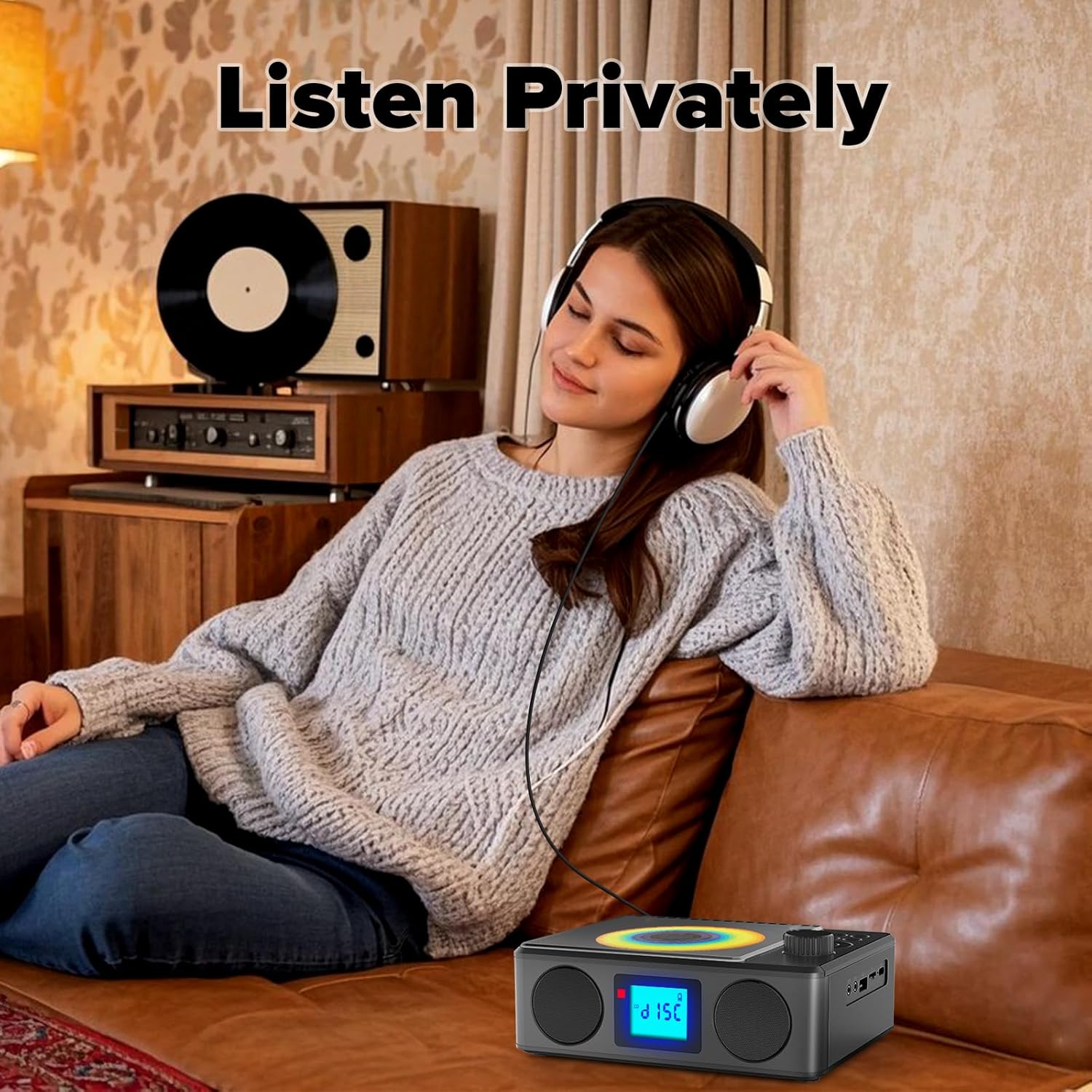
Image: A user enjoying private audio through headphones connected to the PM24.
Manteniment
- Neteja: Feu servir un drap suau i sec per netejar l'exterior del dispositiu. No utilitzeu productes de neteja abrasius ni dissolvents.
- Cura de CD: Manipuleu els CD per les vores. Netegeu els CD bruts amb un drap suau i sense borrissol, netejant des del centre cap a fora.
- Emmagatzematge: Quan no l'utilitzeu durant períodes prolongats, guardeu el dispositiu en un lloc fresc i sec, allunyat de la llum solar directa i de temperatures extremes.
- Bateria: Per allargar la durada de la bateria, eviteu descarregar-la completament amb freqüència. Carregueu el dispositiu regularment, fins i tot si no l'esteu fent servir.
Resolució de problemes
| Problema | Causa possible | Solució |
|---|---|---|
| El dispositiu no s'encén. | La bateria està esgotada. | Connect the charging cable and allow the device to charge. |
| No hi ha so dels altaveus. | Volume is too low or muted. Headphones are connected. | Augmenta el volum. Desconnecta els auriculars. |
| El CD salta o no es reprodueix. | El CD està brut, ratllat o inserit incorrectament. | Clean the CD. Ensure it is placed correctly. Try another CD. |
| L'aparellament de Bluetooth falla. | Device is too far, not in pairing mode, or already paired. | Ensure PM24 is in BT mode and flashing. Move devices closer. Disconnect from other devices. |
| Mala recepció de ràdio FM. | Antena no estesa o zona amb senyal deficient. | Fully extend the telescopic antenna. Reposition the device for better signal. |
| El comandament a distància no funciona. | Batteries are depleted or inserted incorrectly. Obstruction between remote and device. | Replace batteries, check polarity. Remove obstructions. Ensure remote is pointed at the device. |
Especificacions
- Model: PM24
- Marca: Kuephom
- Dimensions del producte: 7.5 x 6.3 x 2.5 polzades (19.05 x 16.00 x 6.35 cm)
- Pes de l'article: 1.96 lliures (0.89 kg)
- Tecnologia de connectivitat: Auxiliar, Bluetooth, USB
- Color: Negre
- Tipus d'altaveu: estèreo
- Bateries: 1 bateria no estàndard (inclosa)
- Temps de joc: 5-8 hores (aprox.)
- Temps de càrrega: 4 hores (aprox.)
Garantia i Suport
Kuephom products are designed for reliability and performance. For warranty information or technical support, please refer to the contact details provided on the product packaging or visit the official Kuephom weblloc.
Conserveu el vostre comprovant de compra per a reclamacions de garantia.


