Introducció
Thank you for choosing the Raddy N90 Wi-Fi Weather Station. This manual provides detailed instructions for setting up, operating, and maintaining your device. The Raddy N90 offers comprehensive weather monitoring, including indoor/outdoor temperature and humidity, barometric pressure, wind speed and direction, light intensity, UV index, PM2.5, and AQI. With smart app connectivity, you can access real-time data and 5-day forecasts from anywhere.
Producte acabatview
The Raddy N90 Weather Station consists of a main display unit and a wireless outdoor sensor. The main unit features an 8.8-inch HTN color display for clear visibility of all weather data.

Figura 1: Raddy N90 Main Display Unit and Wireless Outdoor Sensor. The image shows the main display unit on a surface, displaying various weather parameters. To its right is the compact wireless outdoor sensor. A smartphone screen in the upper right corner shows the accompanying app interface with real-time data.
Unitat de visualització principal
The main unit displays all collected weather data, including:
- Temperatura i humitat interiors/exteriors
- Pressió baromètrica
- Velocitat i direcció del vent
- Light Intensity and UV Index (UVI)
- PM2.5 and Air Quality Index (AQI)
- Fases de la Lluna
- Local Sunrise and Sunset Times
- Previsió meteorològica a 5 dies
- Hora i data

Figura 2: Key features of the Raddy N90 display. This image highlights icons for Internet Time, Celsius/Fahrenheit Switch, 12/24-Hour Format, Alarm Clock, and Adjustable Backlight, indicating the customizable options available on the weather station.
Sensor exterior sense fils
The wireless sensor collects outdoor temperature, humidity, wind data, and other environmental parameters, transmitting them to the main unit. It has a stable transmission range of up to 100 meters. The system supports connection with up to 3 outdoor sensors (additional sensors sold separately, ASIN B0DZTBWSZB).
Guia de configuració
1. Encès
- Connect the provided power adapter to the main display unit and plug it into a power outlet. The display will light up.
- Insert 2 x AA batteries (not included) into the wireless outdoor sensor, observing polarity.
2. Emparellament de sensors
The main unit and outdoor sensor should pair automatically upon power-up. If pairing fails:
- Ensure both devices are within range and free from interference.
- Press the "Sensor" button on the main unit to initiate a manual search for the sensor.
3. Connexió Wi-Fi i configuració de l'aplicació
To access smart features and 5-day forecasts, connect the station to your Wi-Fi network (2.4 GHz only) via the Tuya Smart app.
- Download the "Tuya Smart" app from your smartphone's app store (iOS or Android).
- Registra't o inicia la sessió al teu compte de Tuya Smart.
- On the Raddy N90 main unit, press and hold the Wi-Fi button until the Wi-Fi icon flashes, indicating pairing mode.
- In the Tuya Smart app, tap "+" to add a device. Select "Weather Station" or search for "Raddy N90".
- Follow the on-screen instructions in the app to connect the device to your 2.4 GHz Wi-Fi network.
- Once connected, the Wi-Fi icon on the display will become solid, and the station will automatically update time and weather forecasts.
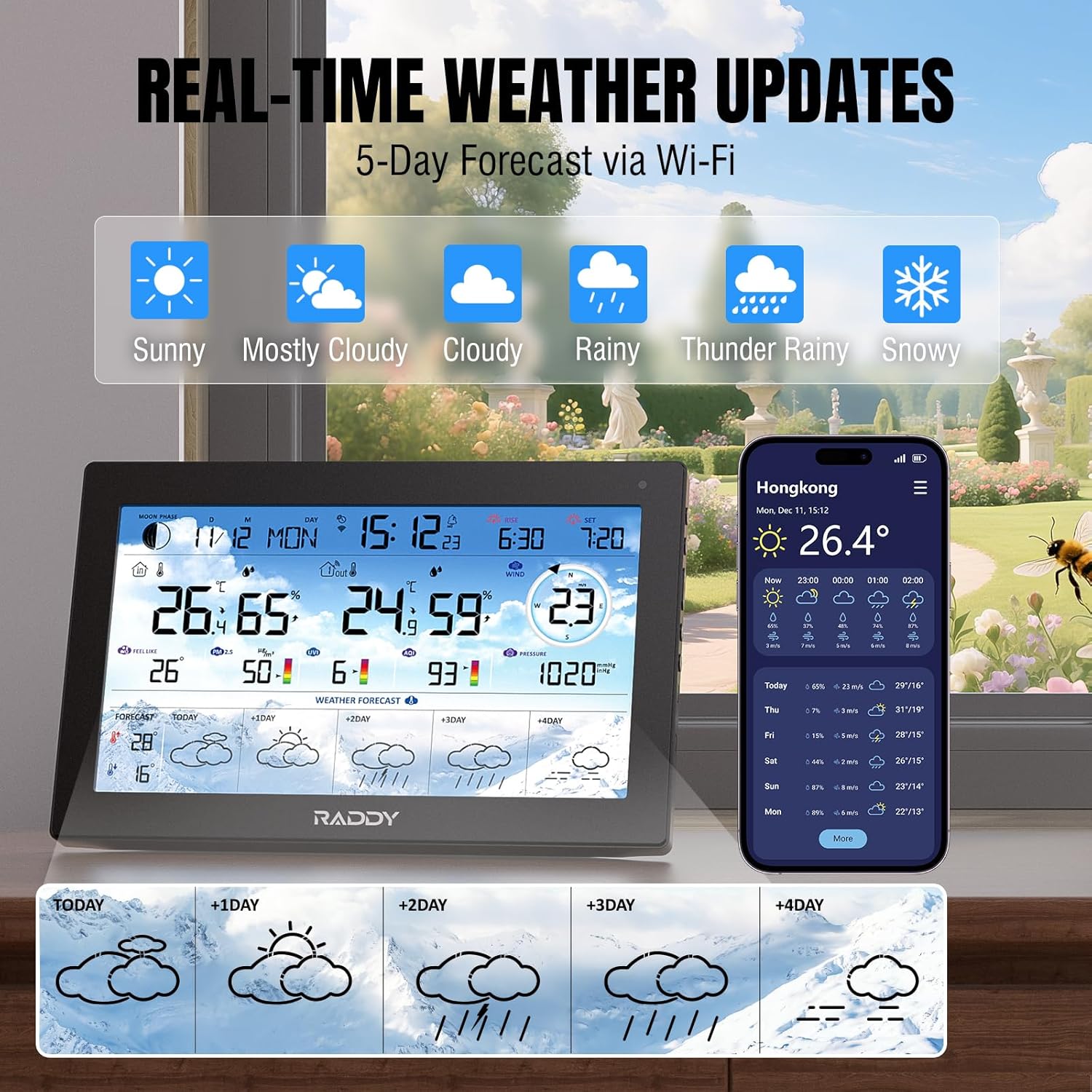
Figura 3: Raddy N90 displaying real-time weather updates and a 5-day forecast. The image shows the main unit with current weather conditions and a section at the bottom illustrating weather icons for the next five days (Today, +1 Day, +2 Day, +3 Day, +4 Day), indicating sunny, cloudy, rainy, thunder rainy, and snowy conditions.
Instruccions de funcionament
Mostra informació
The 8.8-inch HTN screen provides a clear and comprehensive overview of all weather data. Key areas include:
- Secció superior: Time, Date, Moon Phase, Wi-Fi status.
- Secció mitjana: Indoor and Outdoor Temperature/Humidity, Wind Speed/Direction.
- Secció inferior: Barometric Pressure, PM2.5, AQI, UVI, and 5-day weather forecast.

Figura 4: Raddy N90 displaying PM2.5, AQI, and UVI values. The image shows the main unit with prominent displays for PM2.5 (50 µg/m³), AQI (6), and UVI (93), each with a color-coded bar indicating the level.
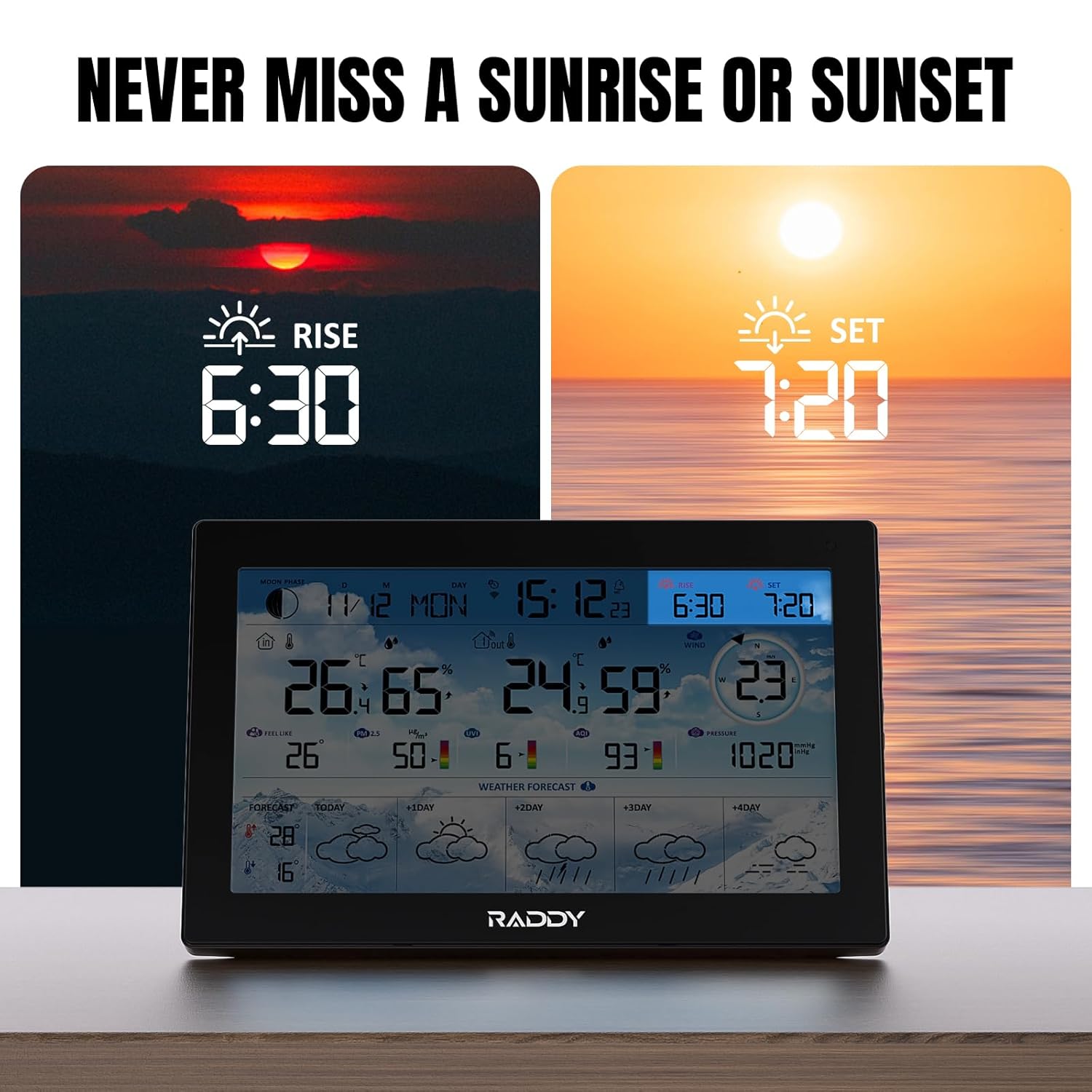
Figura 5: Raddy N90 displaying sunrise and sunset times. The image shows the main unit with "RISE 6:30" and "SET 7:20" prominently displayed, indicating the local sunrise and sunset times.
App Features (Tuya Smart)
The Tuya Smart app provides enhanced control and data analysis:
- Dades en temps real: View current indoor/outdoor conditions from anywhere.
- Dades històriques: Access and analyze data trends for up to one year.
- Alertes: Set custom alerts for temperature, humidity, or other parameters.
- Configuració: Adjust units, time format, and other preferences remotely.
Rellotges despertadors
The Raddy N90 supports up to 4 customizable alarms with a snooze function. Alarms can be set directly on the unit or through the Tuya Smart app.

Figura 6: Raddy N90 with customizable alarm clocks and snooze function. The image shows the main unit and a smartphone screen displaying the alarm settings within the app, with multiple alarm times listed and toggle switches for activation.
Retroil·luminació ajustable
The display features an automatic backlight adjustment and 5 manual brightness levels for optimal viewen diferents condicions d'il·luminació.

Figura 7: Raddy N90 demonstrating auto and 5-level brightness settings. The image shows the main unit with an icon indicating automatic brightness adjustment, and a row of smaller images below showing the display at different brightness levels: Closed, Night, Low, Middle, and High.
Built-in USB Charging
The main unit includes a built-in USB charging port (Output Voltage 5V, Output Current 1A) for conveniently charging small electronic devices.

Figura 8: Raddy N90 with built-in USB charging capability. The image shows the main unit plugged into a wall outlet, with a smartphone connected to its side via a USB cable, indicating that the weather station can charge other devices.
Garantia i Suport
Raddy products come with a standard manufacturer's warranty. For specific warranty details, technical support, or assistance with your Raddy N90 Weather Station, please contact Raddy customer service through their official weblloc web o el venedor on vau comprar el producte.
You can visit the official Raddy store on Amazon for more information: Raddy Amazon Store


