1. Introducció
Thank you for choosing the Monster Open Ear AC221 Headphones. These wireless earbuds are designed to provide a comfortable listening experience with open-ear design, clear audio, and extended battery life. This manual provides essential information for setting up, operating, and maintaining your device.

Image 1.1: Monster Open Ear AC221 Headphones. This image displays the two earbuds in their open-ear, clip-on design, showcasing their compact and ergonomic form factor.
2. Què hi ha a la caixa
Si us plau, comproveu el contingut del paquet per assegurar-vos que hi hagi tots els elements:
- Monster Open Ear AC221 Earbuds (1 pair)
- Cable de càrrega tipus C (1)
- Manual d'usuari (1)

Image 2.1: Package contents. This image illustrates the Monster Open Ear AC221 earbuds, their charging case, a Type-C charging cable, and the user manual, as they appear when unboxed.
3. Càrrega dels auriculars i l'estoig
Abans del primer ús, carregueu completament els auriculars i l'estoig de càrrega.
3.1 Càrrega dels auriculars
- Col·loca els auriculars a l'estoig de càrrega, assegurant-te que estiguin correctament col·locats.
- Els indicadors lluminosos dels auriculars mostraran el seu estat de càrrega.
3.2 Càrrega de la caixa de càrrega
- Connecteu el cable de càrrega tipus C proporcionat al port de càrrega de la carcassa.
- Connecteu l'altre extrem del cable a un adaptador de corrent USB (no inclòs) o al port USB d'un ordinador.
- The indicator light on the charging case will illuminate to show charging status. A full charge takes approximately 2 hours.
The earbuds provide up to 8 hours of playback on a single charge, with the charging case extending total playback time to approximately 30 hours.

Image 3.1: Earbuds and charging case with battery life indicators. This image highlights the 8 hours of single charge playback and 30 hours total playback with the charging case.
4. Configuració i emparellament
4.1 Emparellament inicial
- Assegureu-vos que els auriculars estiguin carregats.
- Obre l'estoig de càrrega. Els auriculars entraran automàticament en mode d'emparellament, cosa que s'indicarà amb un llum LED intermitent.
- Al dispositiu (telèfon intel·ligent, tauleta, etc.), activeu el Bluetooth.
- Cerca available Bluetooth devices and select "Monster AC221" from the list.
- Un cop connectats, els llums indicadors dels auriculars deixaran de parpellejar.
4.2 Reconnexió
After initial pairing, the earbuds will automatically connect to the last paired device when removed from the charging case and Bluetooth is enabled on the device.

Image 4.1: Bluetooth 6.0 Technology. This image illustrates the internal components of an earbud, highlighting the Bluetooth 6.0 chip, which enables faster pairing, wider range, and lower latency connections.
5. Com portar
The Monster Open Ear AC221 Headphones feature a clip-on design for secure and comfortable wear.
- Identifica esquerra i dreta: Locate the 'L' and 'R' markings on each earbud.
- Posicionament: Gently clip the earbud onto your ear, ensuring the speaker portion is aligned with your ear canal and the clip rests comfortably over the top of your ear.
- Ajusteu per a la comoditat: Adjust the earbud's position until it feels secure and comfortable. The open-ear design allows for ambient sound awareness.

Image 5.1: How to Wear. This diagram provides a step-by-step visual guide on correctly identifying the left/right earbuds, positioning them on the ear, and adjusting for optimal comfort and fit.
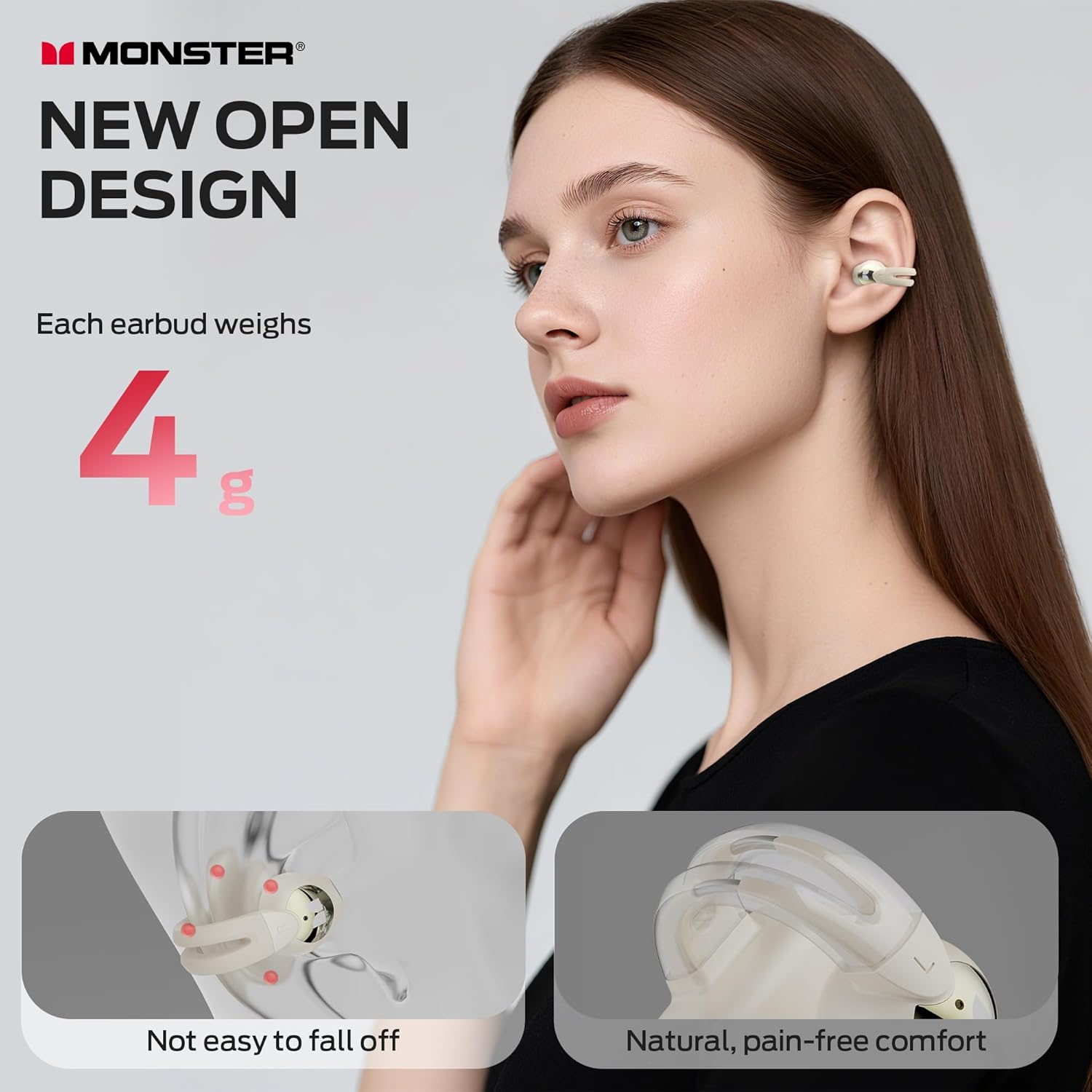
Image 5.2: Earbuds worn by a user. This image shows a person wearing the Monster Open Ear AC221 headphones, demonstrating their discreet and comfortable fit.
6. Funcionament dels auriculars (controls tàctils)
The Monster AC221 earbuds feature touch controls for various functions:
- Respondre/Finalitzar la trucada: Toqueu dues vegades els auriculars E/D.
- Rebutjar trucada telefònica: Premeu i manteniu premut l'auricular E/D durant 2 segons.
- Reproduir/pausa: Toqueu dues vegades els auriculars E/D.
- Assistent de veu: Premeu i manteniu premut l'auricular E/D durant 2 segons.
- Cançó anterior: Auricular L amb tres tocs.
- Següent cançó: Auriculars posteriors amb tres tocs.
- Augmenta el volum: Auriculars posteriors amb un sol toc.
- Reduir el volum: Auricular L amb un sol toc.

Image 6.1: Touch Control Functions. This diagram visually represents the various touch gestures on the earbuds and their corresponding functions, such as answering calls, controlling music playback, and activating the voice assistant.
6.1 Clear Call Technology
The earbuds incorporate technology to intelligently filter out ambient sounds, ensuring your voice is captured clearly during calls.
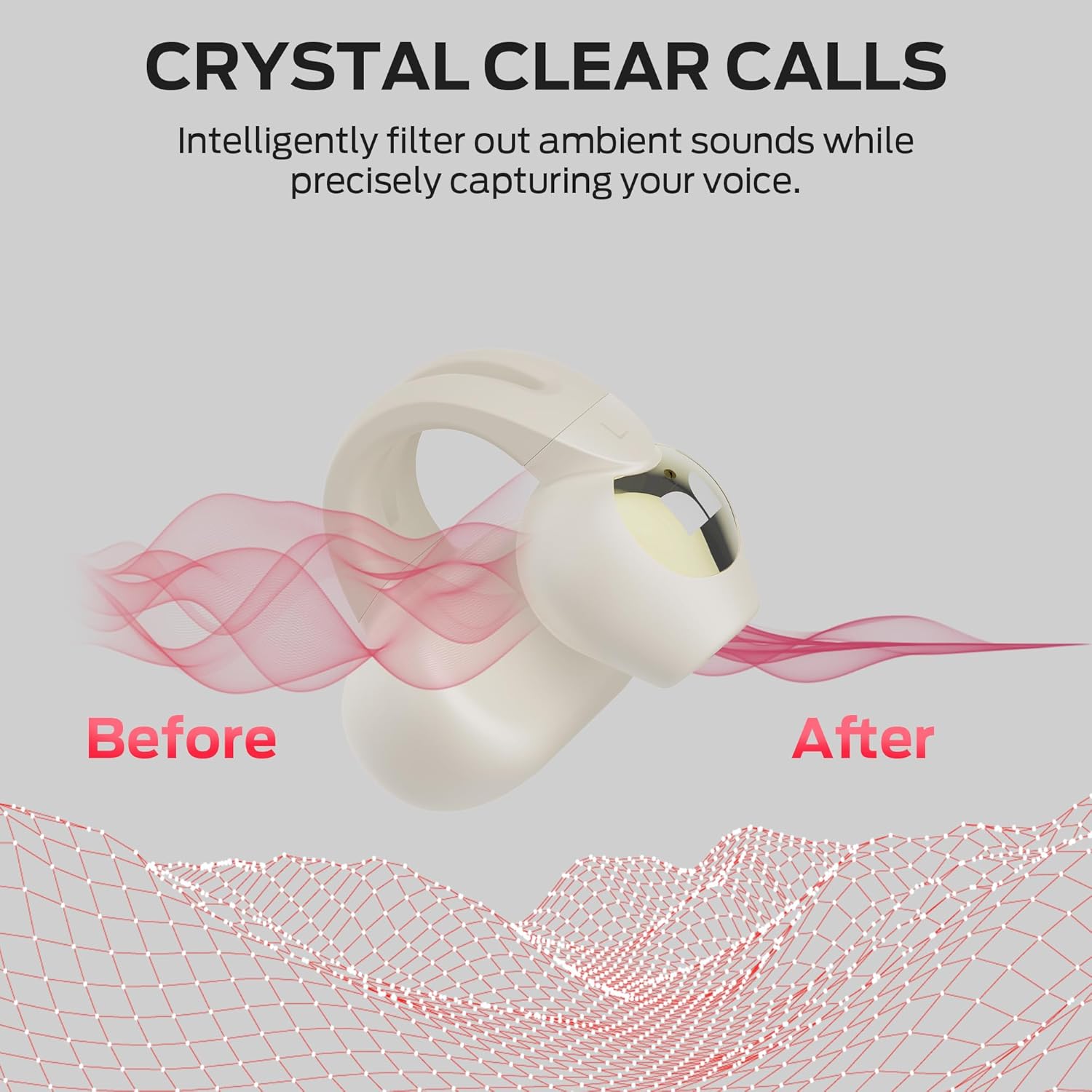
Image 6.2: Crystal Clear Calls. This image visually demonstrates the effect of the earbud's call technology, showing how ambient noise is filtered out to provide a clearer voice transmission.
7. Manteniment i cura
7.1 Neteja
- Netegeu suaument els auriculars i l'estoig de càrrega amb un drap suau, sec i sense borrissol.
- No utilitzeu netejadors abrasius, alcohol ni dissolvents químics.
7.2 Emmagatzematge
- Quan no els utilitzeu, guardeu els auriculars a la seva funda de càrrega per protegir-los i mantenir-los carregats.
- Emmagatzemar en un lloc fresc i sec, allunyat de temperatures extremes i de la llum solar directa.
7.3 Resistència a l'aigua (IPX6)
The earbuds are IPX6 water-resistant, meaning they can withstand heavy sweat and splashes. They are not designed for submersion in water.

Image 7.1: IPX6 Water Resistant. This image features an earbud with water droplets, emphasizing its IPX6 rating, which indicates resistance to strong jets of water, making it suitable for workouts and outdoor use.
8. Solució De Problemes
If you encounter issues with your Monster Open Ear AC221 Headphones, refer to the following common solutions:
| Problema | Possible solució |
|---|---|
| Els auriculars no s'aparellen |
|
| No hi ha so d'un auricular |
|
| Problema de càrrega |
|
| Els controls tàctils no responen |
|
9. Especificacions
| Característica | Detall |
|---|---|
| Nom del model | AC221 (E103) |
| Tecnologia de connectivitat | Sense fil (Bluetooth 6.0) |
| Col·locació de l'orella | Open Ear, Clip-on |
| Material | Plàstic |
| Durada de la bateria (càrrega única) | Fins a 8 hores |
| Durada total de la bateria (amb funda) | Fins a 30 hores |
| Temps de càrrega | Aproximadament 2 hores |
| Classificació de resistència a l'aigua | IPX6 |
| Tipus de control | Control tàctil |
| Distància màxima de funcionament | 35 peus (aprox. 10 metres) |
| Pes (cada auricular) | Aproximadament 4 grams |
10. Informació de seguretat
- No desmunteu, repareu o modifiqueu el producte.
- Keep the product away from extreme temperatures, humidity, and corrosive substances.
- Eviteu l'exposició prolongada a nivells de volum elevats per evitar danys auditius.
- Feu servir només el cable de càrrega proporcionat o un cable de tipus C certificat per carregar.
- Elimineu les piles i els components electrònics de manera responsable d'acord amb la normativa local.
11. Garantia i Suport
For warranty information, technical support, or customer service inquiries, please refer to the warranty card included with your product or visit the official Monster website. Contact details and support resources are typically available on the manufacturer's official channels.


