1. Introducció
This manual provides detailed instructions for the installation, operation, and maintenance of your MOES WiFi Smart Light Switch (1-Gang). This smart switch is designed to enhance your home lighting control with convenience and smart features.
Característiques principals:
- Supports both no-neutral wire and with-neutral wire configurations.
- No hub required; connects directly to your 2.4GHz Wi-Fi network.
- Compatible with Alexa and Google Assistant for voice control.
- Remote control via smartphone application.
- Timer and scheduling functions for automated lighting.
- Space-saving design fits most standard wall boxes.

Image 1.1: MOES WiFi Smart Light Switch packaging and the 1-gang switch unit.
2. Informació de seguretat
- Desconnecteu sempre l'alimentació a l'interruptor automàtic abans de la instal·lació o el manteniment.
- Si no teniu cap dubte sobre el cablejat elèctric, consulteu un electricista qualificat.
- This switch is designed for indoor use only.
- No supereu les capacitats de càrrega màximes especificades a les especificacions del producte.
3. Guia d'instal·lació
3.1. Llista de verificació prèvia a la instal·lació
- Ensure your home has a 2.4GHz Wi-Fi network. 5GHz networks are not supported.
- Confirm the existing wiring in your wall box (neutral wire present or not).
- Tools required: Screwdriver, wire strippers, voltage provador.
3.2. Instruccions de cablejat
The MOES Smart Light Switch supports both neutral wire and no-neutral wire configurations. Please identify your wiring type before proceeding.
3.2.1. No-Neutral Wire Installation
If your wall box does not have a neutral wire, a capacitor (included in the package) is required for proper operation. This capacitor must be connected across the light bulb terminals.
- Apagueu l'alimentació: Locate your circuit breaker and turn off the power to the switch you are replacing. Verify power is off with a voltage provador.
- Identifica els cables: In your wall box, identify the Line (Live) wire, Load wire(s), and Ground wire.
- Connect wires to the switch:
- Connect the Line wire to the 'L' terminal on the smart switch.
- Connect the Load wire(s) to the 'L1' (OUT) terminal. For 1-gang switches, typically only L1 is used.
- Connect the Ground wire to the 'GND' terminal.
- Install Capacitor: Connect the provided capacitor across the light bulb terminals (between the live and neutral wires at the light fixture). This is crucial for no-neutral setups to ensure stable power to the smart switch.
- Muntar l'interruptor: Secure the smart switch into the wall box and attach the faceplate.
- Restaurar l'energia: Torneu a encendre l'alimentació al disjuntor.

Image 3.1: Wiring diagram for no-neutral wire installation, showing capacitor connection.

Image 3.2: Comparison of Neutral + Live Wire and No Neutral Wire diagrams, highlighting the capacitor for no-neutral setups.
3.2.2. With-Neutral Wire Installation
If your wall box has a neutral wire, the installation is straightforward.
- Apagueu l'alimentació: Locate your circuit breaker and turn off the power to the switch you are replacing. Verify power is off with a voltage provador.
- Identifica els cables: In your wall box, identify the Line (Live) wire, Neutral wire, Load wire(s), and Ground wire.
- Connect wires to the switch:
- Connect the Line wire to the 'L' terminal on the smart switch.
- Connecteu el cable neutre al terminal 'N'.
- Connect the Load wire(s) to the 'L1' (OUT) terminal. For 1-gang switches, typically only L1 is used.
- Connect the Ground wire to the 'GND' terminal.
- Muntar l'interruptor: Secure the smart switch into the wall box and attach the faceplate.
- Restaurar l'energia: Torneu a encendre l'alimentació al disjuntor.
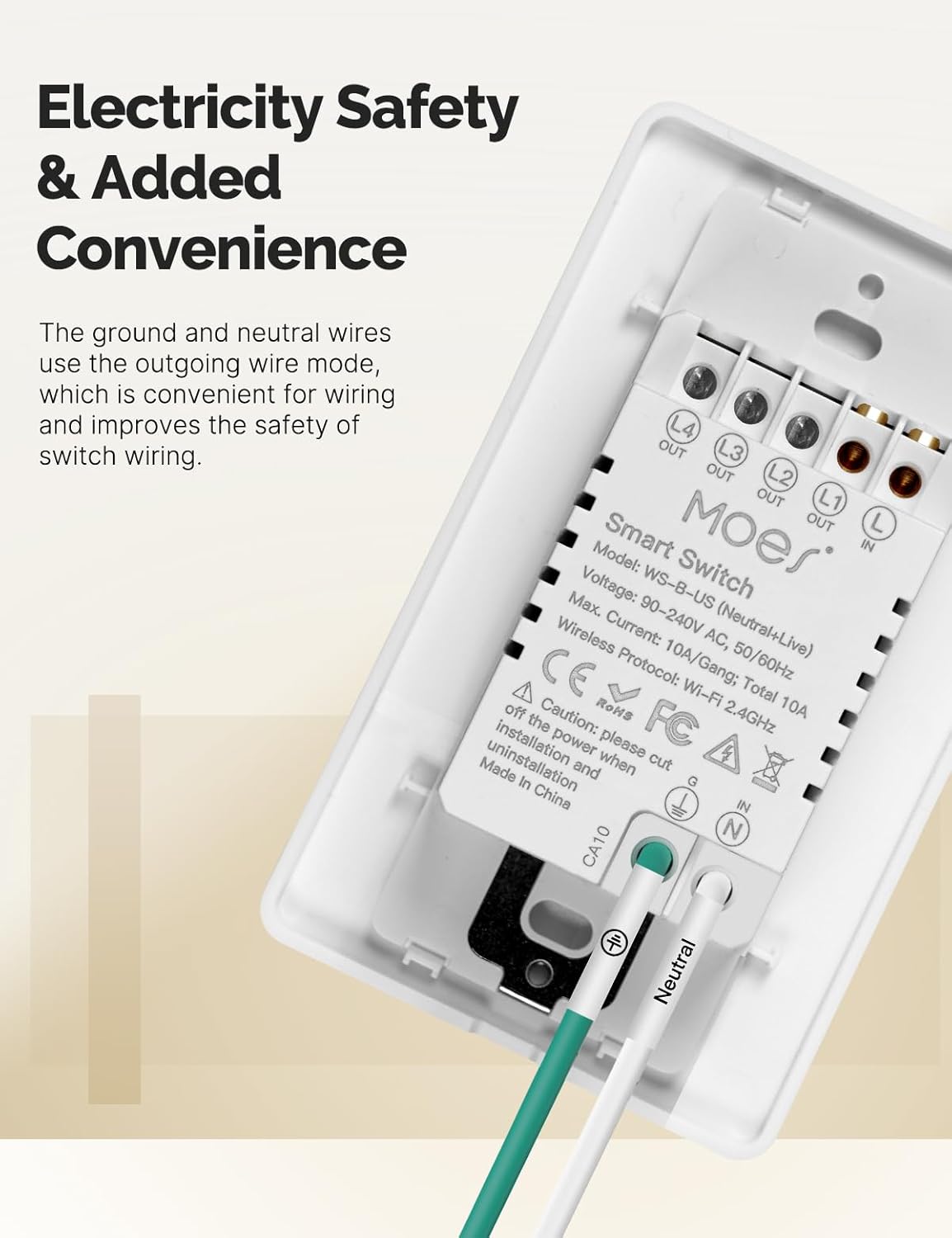
Imatge 3.3: posterior view of the MOES Smart Switch showing wiring terminals for Line, Neutral, Load, and Ground connections.
3.3. Emparellament d'aplicacions
- Descarrega l'aplicació: Download the "Smart Life" or "MOES" app from your smartphone's app store.
- Registra't/Inici de sessió: Creeu un compte o inicieu sessió a l'aplicació.
- Afegeix un dispositiu: Toqueu la icona "+" a la cantonada superior dreta de l'aplicació per afegir un dispositiu nou.
- Seleccioneu el tipus de dispositiu: Choose "Electrical" then "Light Switch" or "Switch (Wi-Fi)".
- Introduïu els detalls del Wi-Fi: Ensure your phone is connected to a 2.4GHz Wi-Fi network. Enter your Wi-Fi password.
- Mode de sincronització: The switch should automatically enter pairing mode (indicator light blinking rapidly). If not, press and hold the switch button for 5-10 seconds until it blinks rapidly.
- Maridatge complet: Follow the on-screen instructions in the app to complete the pairing process. Once connected, you can rename the switch.
Video 3.1: A visual guide demonstrating the general installation process for the MOES Smart Light Switch, including wiring and app pairing. (Note: Video may show a multi-gang switch, but principles apply to 1-gang).
4. Instruccions de funcionament
4.1. Control manual
Press the physical button(s) on the switch to turn the connected light(s) on or off. The switch features high-quality buttons for reliable operation.
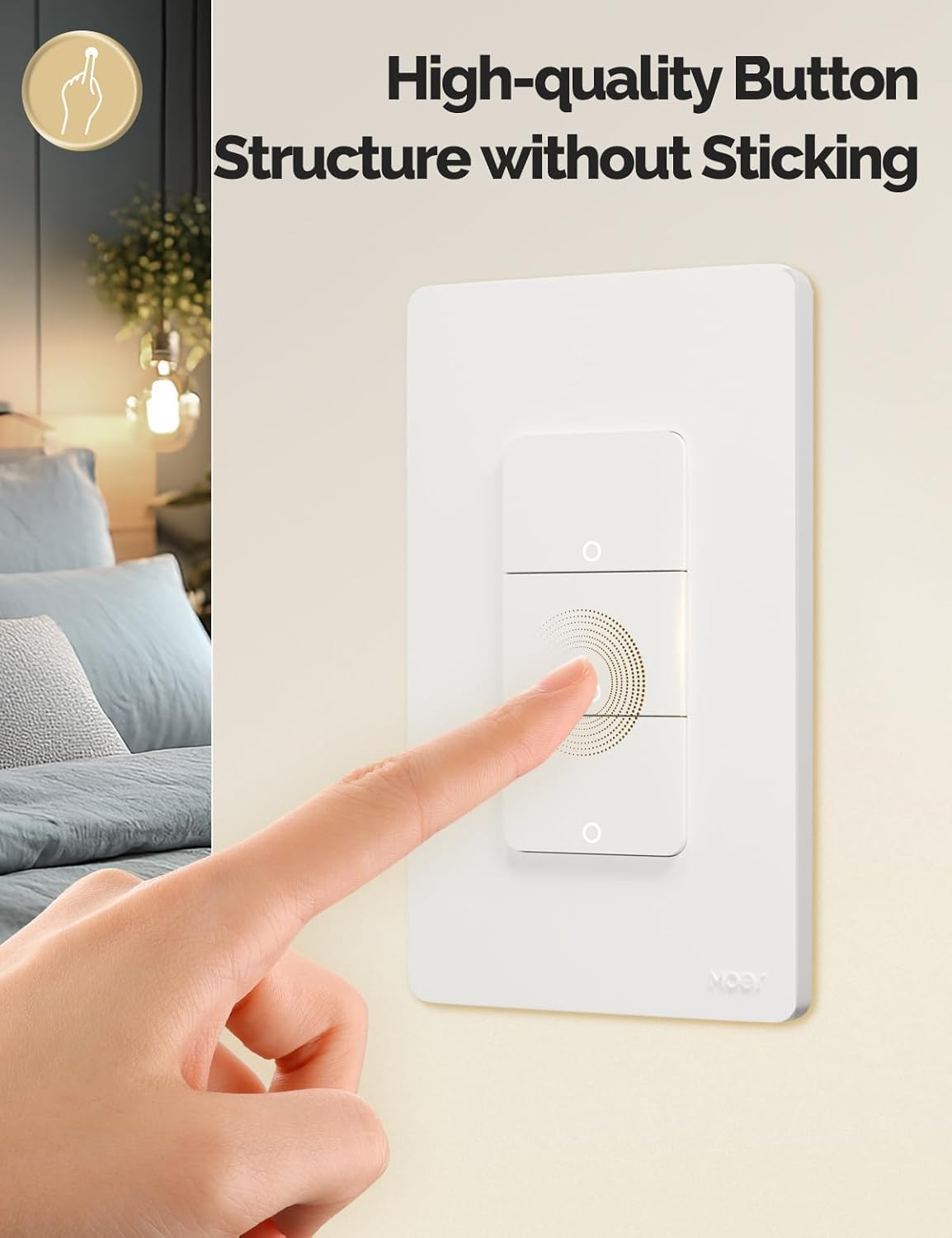
Image 4.1: Close-up of the MOES Smart Switch highlighting its high-quality button design.
4.2. App Control (Remote Control)
Once paired with the app, you can control your lights from anywhere using your smartphone.
- Open the "Smart Life" or "MOES" app.
- Select your smart switch from the device list.
- Tap the on/off icons to control your lights.

Image 4.2: Demonstrates remote control functionality of the smart switch via the mobile application.
4.3. Control per veu
The switch is compatible with Amazon Alexa and Google Assistant for hands-free control.
- Enllaça el compte: In your Alexa or Google Home app, link your "Smart Life" or "MOES" account.
- Descobriu els dispositius: Demana al teu assistent de veu que descobreixi nous dispositius.
- Comandaments de veu: Use commands like "Alexa, turn on the living room light" or "Hey Google, turn off the bedroom light."

Image 4.3: Setup showing smart speakers (Alexa, Google Home) interacting with the smart switch for voice control.
4.4. Timer and Schedule Functions
Automate your lighting with customizable timers and schedules through the app.
- Horari: Estableix hores específiques perquè els llums s'encenguin o s'apaguin diàriament o en dies seleccionats.
- Compte enrere: Set a countdown timer for lights to turn off after a set duration.
- Temps de cicle: Configure lights to cycle on and off at regular intervals.
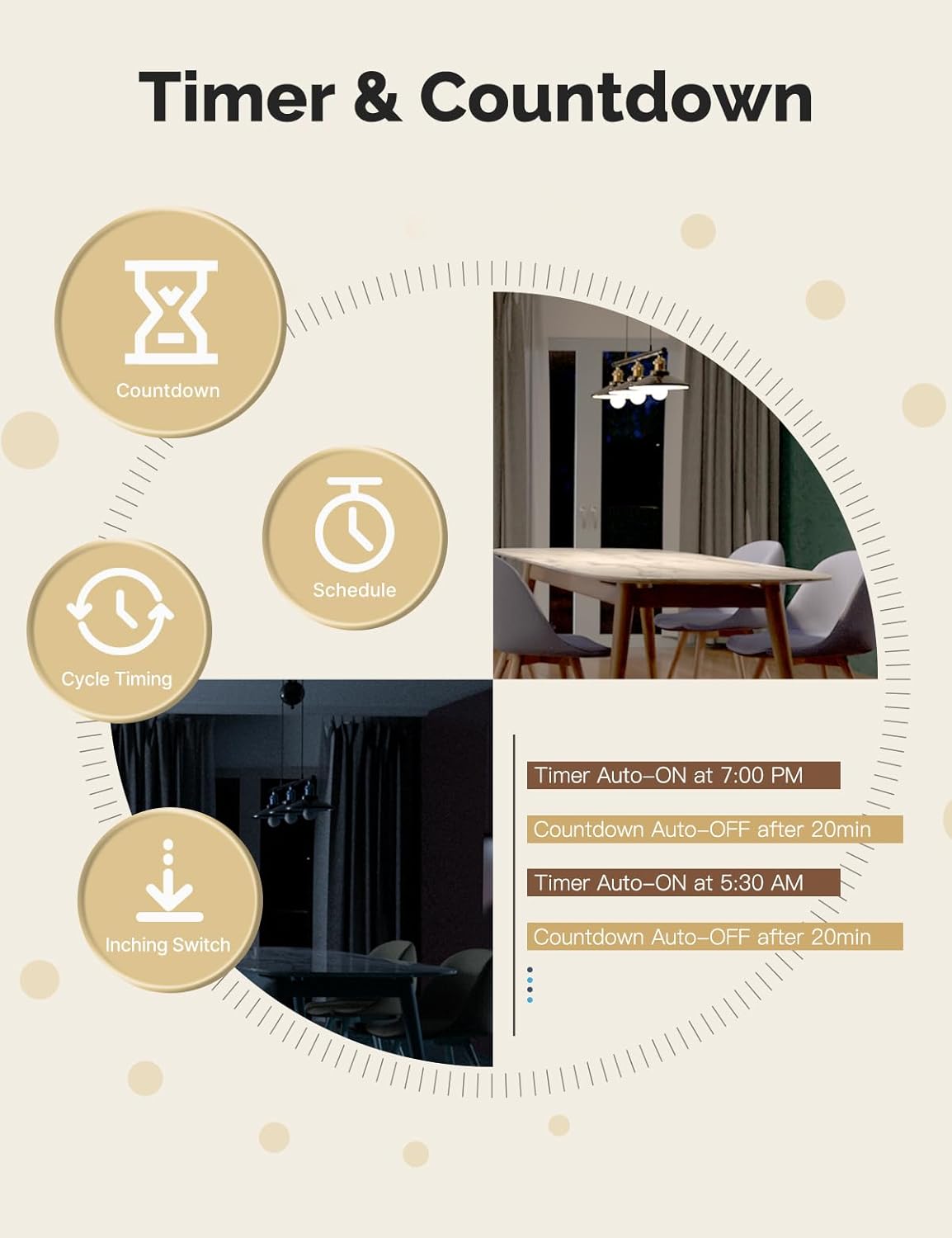
Image 4.4: Visual representation of timer and countdown settings available in the smart home application.
4.5. Indicator Light Mode
The switch features an indicator light that can be configured via the app to show ON/OFF status or switch location in the dark.

Image 4.5: Illustrates different indicator light modes, such as showing ON/OFF status or switch location.
4.6. Relay Status Settings
Configura el comportament del commutador després d'una apagadatage (Power-off, Power-on, or Restart Memory) through the app settings.

Image 4.6: Screenshot of the app interface for configuring relay status settings after a power interruption.
5. Manteniment
- Clean the switch faceplate with a soft, dry cloth. Avoid abrasive cleaners or solvents.
- Regularly check for app updates to ensure optimal performance and security.
- Ensure your Wi-Fi network is stable and within range of the switch.
6. Solució De Problemes
| Problema | Causa possible | Solució |
|---|---|---|
| Switch not responding to app/voice commands. |
|
|
| Lights flicker or do not turn off completely (no-neutral wiring). |
|
|
| Switch gets warm or burns out. |
|
|
| Difficulty with initial installation. |
|
|
7. Especificacions
| Característica | Detall |
|---|---|
| Marca | MOES |
| Model | WS-US-L (1-Gang) |
| Mode d'operació | Automàtic |
| Tipus de contacte | Normalment obert |
| Tipus de connector | Terminals de cargol |
| Terminal | Cargol |
| Tipus de circuit | 2 vies |
| Tipus de muntatge | Muntatge de paret |
| Material de contacte | coure |
| Nombre de llocs | 1 |
| Mètode de control | Aplicació, comandament a distància, tàctil, veu |
| Protocol sense fils | WiFi 2.4 GHz |
| Voltage | 90-240V AC, 50/60Hz |
| Max. Current (per gang) | 8A |
| Total Max. Current | 8A |

Image 7.1: Detailed dimensions and technical specifications of the MOES Smart Light Switch.
8. Garantia i Suport
MOES products are designed for reliability and performance. For warranty information, technical support, or further assistance, please visit the official MOES weblloc web o contacteu directament amb el seu servei d'atenció al client.
Podeu trobar més informació i recursos de suport a MOES Store on Amazon.


