1. Introducció
Thank you for choosing the TCL 98C6K 98-inch 4K QD-MiniLED Smart TV. This manual provides essential information for setting up, operating, maintaining, and troubleshooting your new television. Please read this manual thoroughly before using the product to ensure safe and optimal performance. Keep this manual for future reference.
2. Informació de seguretat
Seguiu sempre les precaucions de seguretat bàsiques quan utilitzeu aquest televisor per reduir el risc d'incendi, descàrrega elèctrica i lesions.
- No exposeu el televisor a la pluja o la humitat.
- No obriu el televisor casing; demaneu totes les tasques de manteniment a personal qualificat.
- Assegureu-vos una ventilació adequada al voltant del televisor.
- Mantingueu el televisor allunyat de la llum solar directa, de fonts de calor i de flames obertes.
- Use only the power cord and accessories provided by TCL.
- Desendolleu el televisor durant tempestes o quan no l'utilitzeu durant períodes prolongats.
3. Contingut del paquet
Verifiqueu que tots els elements siguin presents al paquet:
- TCL 98C6K 98-inch 4K QD-MiniLED Smart TV
- Control remot
- Manual d'usuari
- Components del suport de TV
- Cable d'alimentació
- Adaptador d'alimentació
4. Configuració
4.1 Desembalatge i col·locació
Carefully remove the TV from its packaging. It is recommended that two or more people handle the TV due to its size and weight. Place the TV on a stable, flat surface or mount it on a wall using a compatible VESA mount (sold separately).
4.2 Instal·lació de l'estand
If using the included stand, attach the stand components to the bottom of the TV using the provided screws. Ensure the stand is securely fastened before placing the TV upright.
4.3 Connexió de dispositius
Connect your external devices (e.g., Blu-ray player, game console, soundbar) to the TV using the appropriate ports.
- HDMI: Per a àudio i vídeo d'alta definició.
- USB: Per connectar dispositius d'emmagatzematge USB.
- Potència: Connecteu el cable d'alimentació al televisor i després a una presa de corrent.
The TV supports Bluetooth and Wi-Fi connectivity for wireless devices and internet access.

lateral view of the TCL 98C6K TV, illustrating the location of HDMI, USB, and other connectivity ports.

posterior view of the TCL 98C6K TV, detailing the back panel design and potential wall-mounting points.
4.4 Encès inicial
After connecting all necessary cables, plug the TV into a power outlet. Press the power button on the remote control or on the TV itself. Follow the on-screen instructions for initial setup, including language selection, network connection, and channel scanning.
5. Funcionament del televisor
5.1 Control remotview
The remote control allows you to access all TV functions. Familiarize yourself with the buttons for power, volume, channel selection, smart TV navigation, and input source selection.
5.2 Funcions bàsiques
- Encès/apagat: Premeu el botó d'encesa.
- Control de volum: Feu servir els botons de pujar/baixar el volum.
- Selecció de canals: Feu servir els botons de canal amunt/avall o el teclat numèric.
- Font d'entrada: Press the 'Source' button to switch between HDMI, USB, and other inputs.
5.3 Característiques del televisor intel·ligent
Your TCL 98C6K TV runs on a smart operating system, providing access to various applications and services. It includes features like Google Assistant for voice control and Chromecast for casting content from your mobile devices.
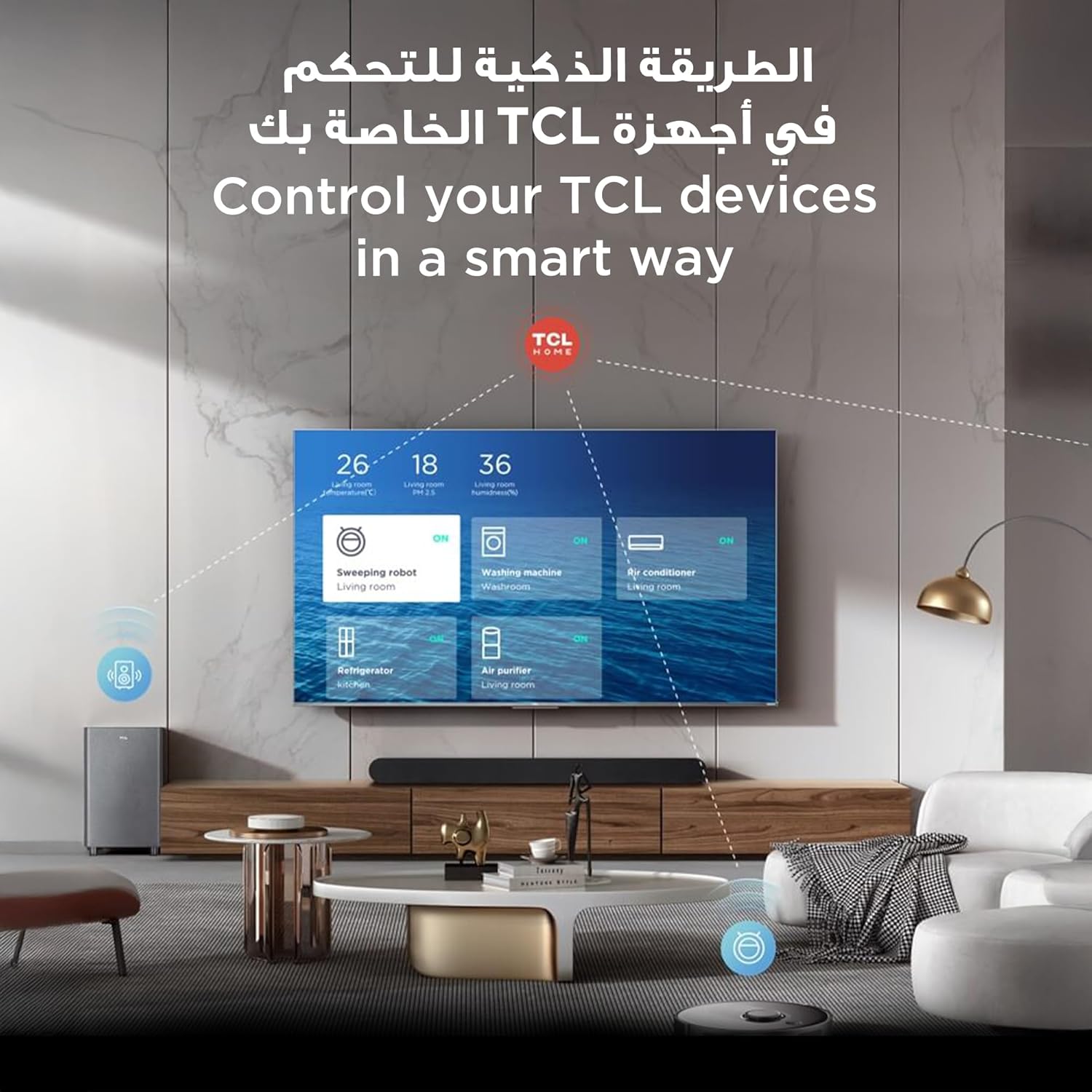
The TCL TV's smart interface allows for integrated control of other TCL smart home devices.
5.4 Configuració d'imatge i so
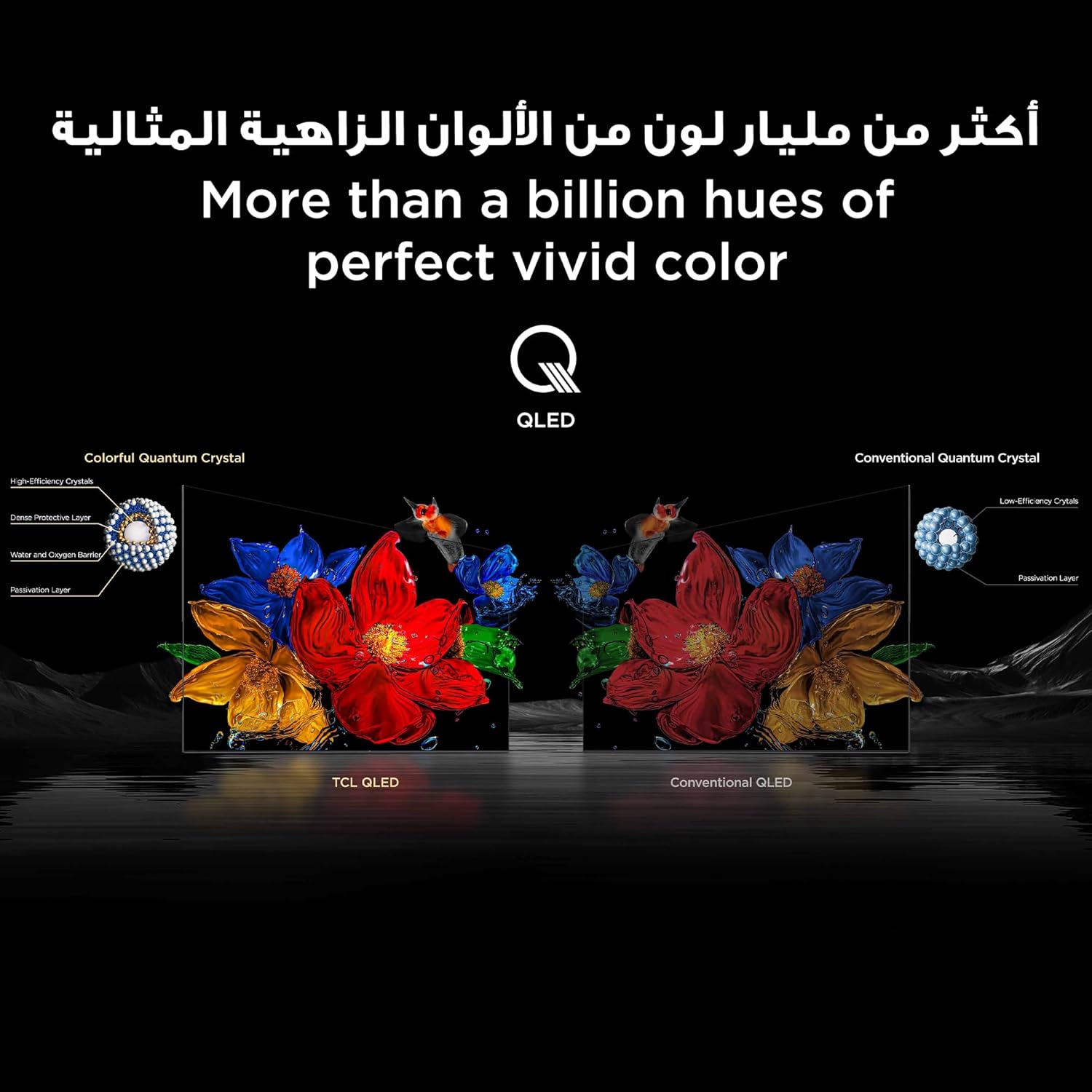
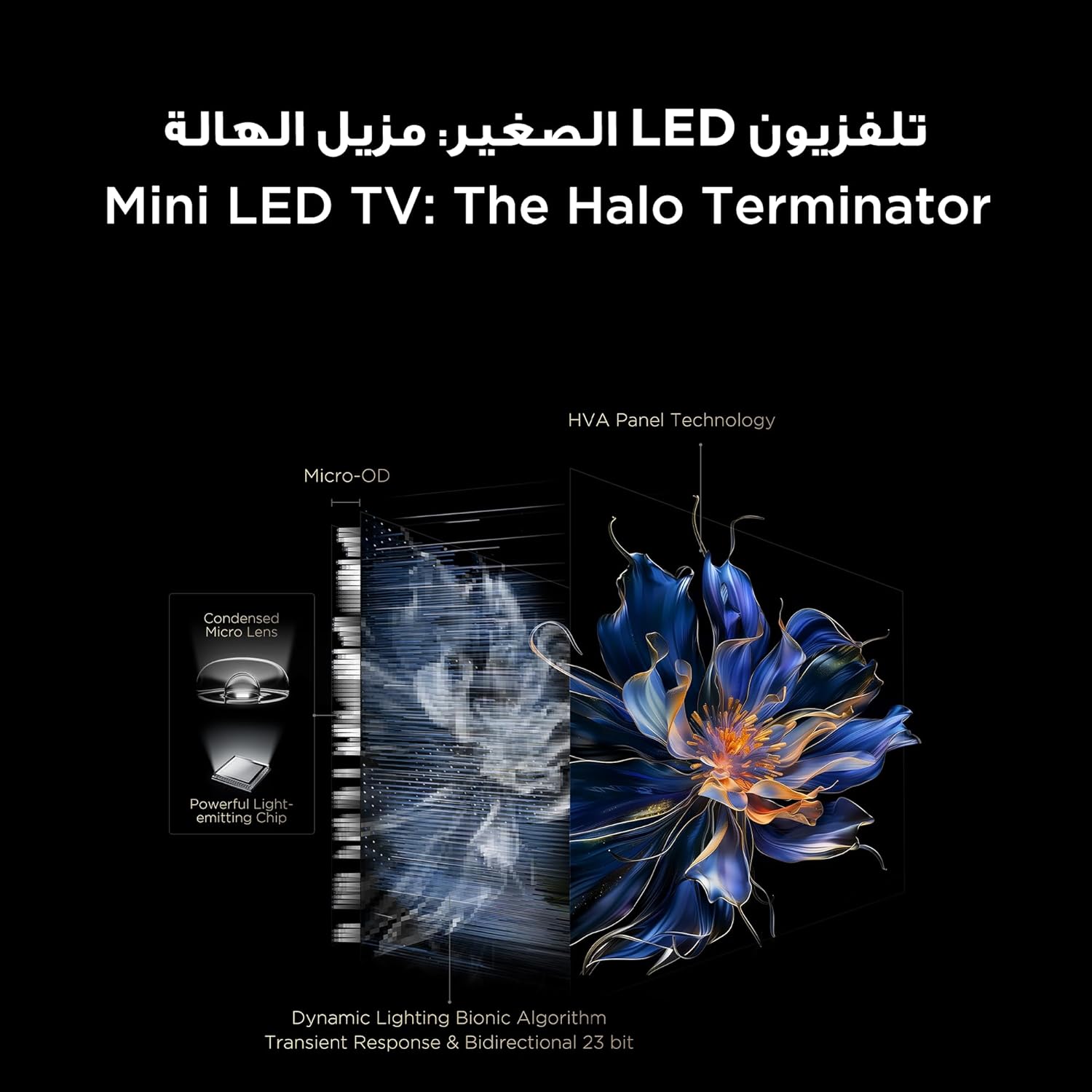
The TV features QD-MiniLED technology, offering precise dimming across up to 512 zones for enhanced contrast and brightness. With Quantum Dot technology, it delivers over a billion vibrant colors, covering 93% of the DCI-P3 color gamut. High Dynamic Range (HDR) support ensures stunning detail in both bright and dark scenes.
Visual representation of TCL QLED technology, showcasing its ability to produce over a billion vibrant colors.

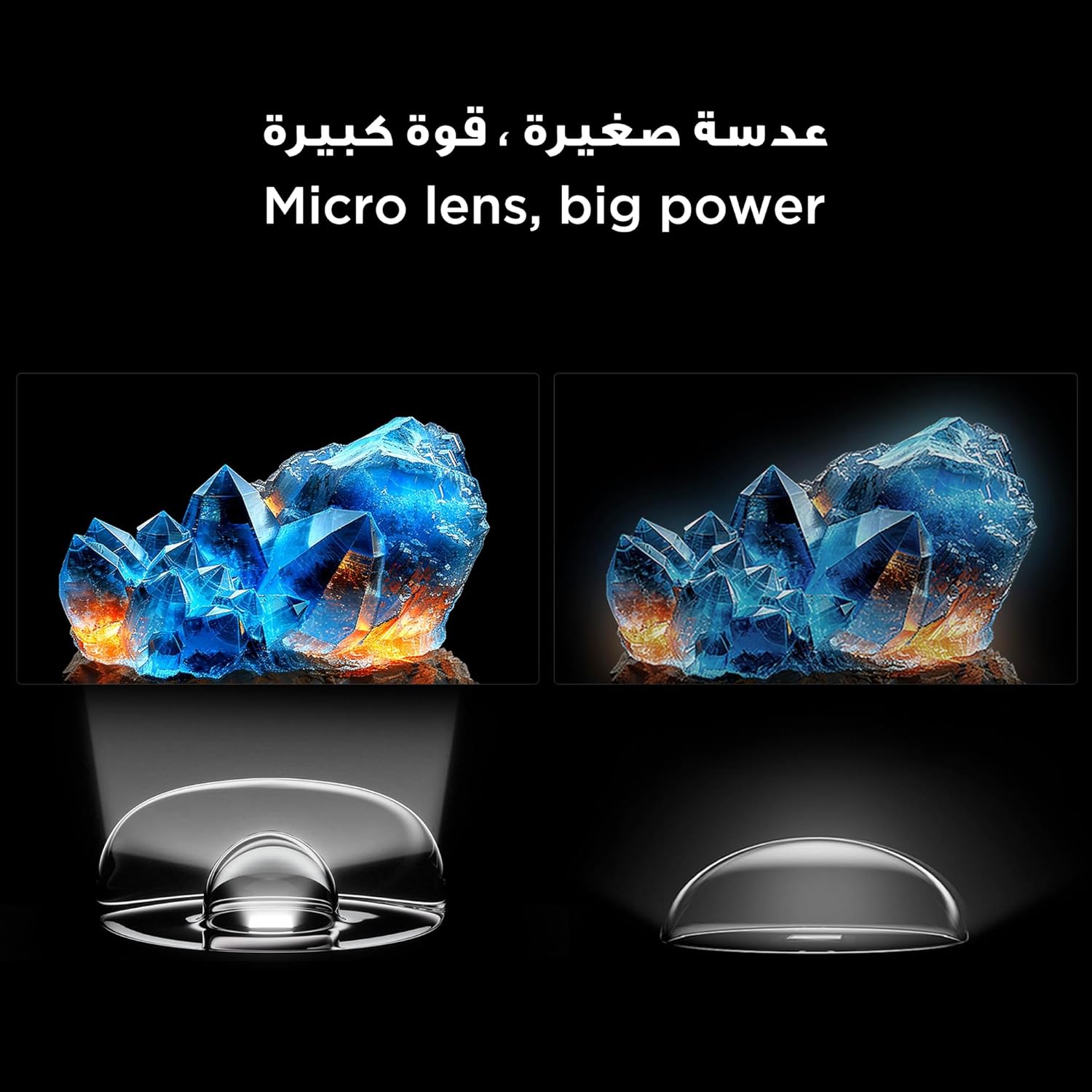
An illustration of the Mini LED TV technology, highlighting its advanced backlighting system for improved contrast and reduced halo effects.
Detail of the micro lens technology used in the Mini LED display, enhancing light control and picture quality.
The integrated AiPQ Pro Processor optimizes picture and sound in real-time, ensuring a superior viewing experience. For audio, the TV features an Onkyo 2.1 Hi-Fi sound system, delivering rich and immersive sound.

The AiPQ Pro Processor, responsible for intelligent picture and sound optimization.
The Onkyo 2.1 sound system provides a cinematic audio experience.
5.5 Característiques del joc
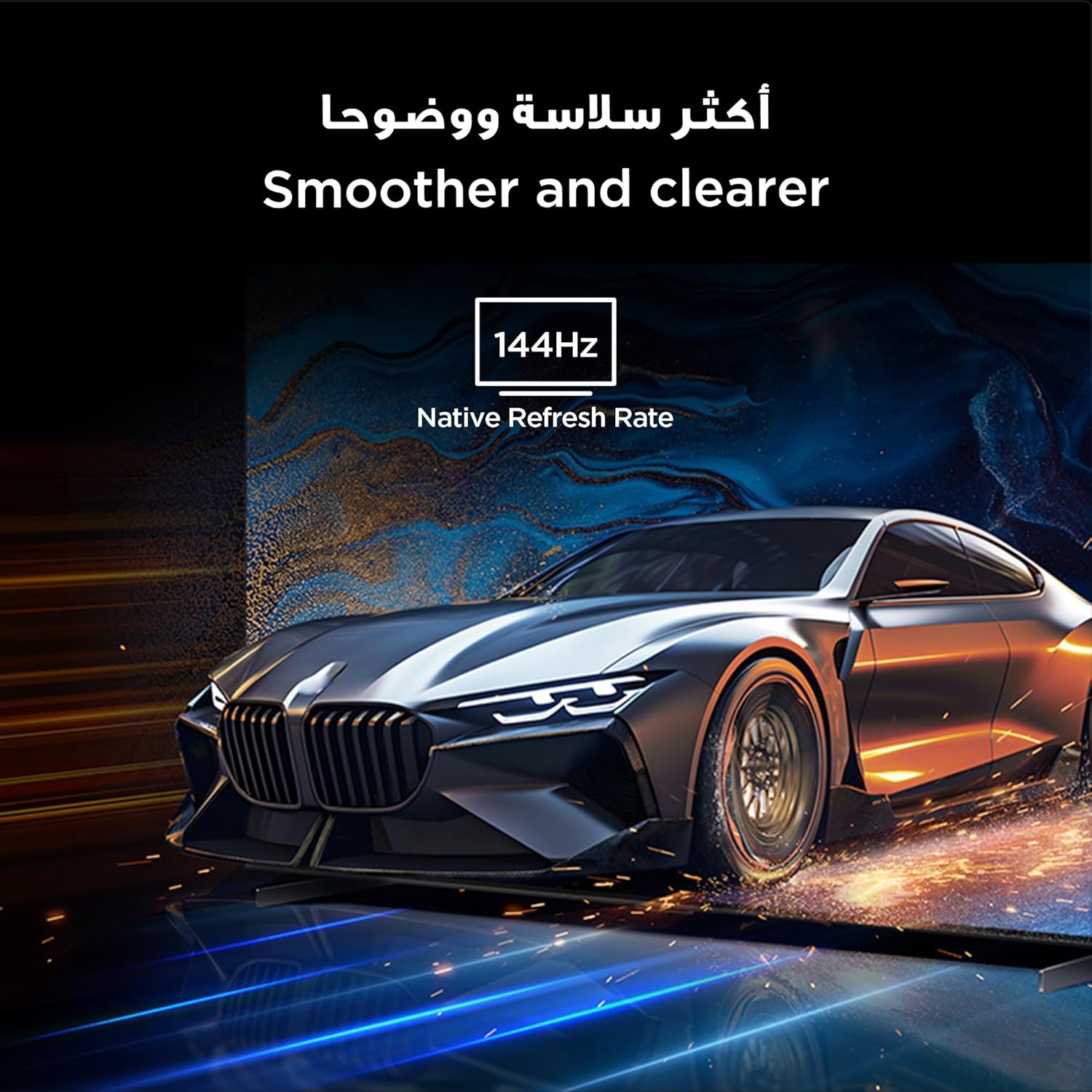
With a native 144Hz refresh rate, the TV provides ultra-smooth motion, ideal for fast-paced action and gaming. This ensures a clear and fluid visual experience without motion blur.
The 144Hz native refresh rate ensures smoother and clearer motion, especially beneficial for gaming and fast-action content.
6. Manteniment
6.1 Neteja de la pantalla
Netegeu suaument la pantalla amb un drap suau i sense borrissol. Per a marques difícils, netegeu suaument.ampNetegeu el drap amb aigua o un netejador de pantalles especialitzat. Eviteu utilitzar productes químics agressius o materials abrasius.
6.2 Atenció general
Mantingueu el televisor lliure de pols netejant-lo regularment.asing with a dry, soft cloth. Ensure ventilation openings are not blocked. Do not place heavy objects on the TV.
7. Solució De Problemes
Si teniu problemes amb el televisor, consulteu les solucions habituals següents:
| Problema | Possible solució |
|---|---|
| Sense poder | Comproveu si el cable d'alimentació està connectat correctament i si la presa de corrent funciona. Proveu una altra presa de corrent. |
| No hi ha imatge, però hi ha so | Assegureu-vos que heu seleccionat la font d'entrada correcta. Comproveu les connexions dels cables als dispositius externs. |
| No hi ha so, però hi ha imatge | Check volume levels and mute settings. Verify audio cable connections. |
| El control remot no funciona | Canvieu les piles. Assegureu-vos que no hi hagi cap obstacle entre el comandament a distància i el televisor. |
| Mala qualitat d'imatge | Adjust picture settings (brightness, contrast, sharpness). Check the quality of the input signal. |
| No es pot connectar a la Wi-Fi | Ensure your router is on and within range. Re-enter the Wi-Fi password. Restart the TV and router. |
If the problem persists, please contact TCL customer support.
8. Especificacions
Detailed technical specifications for the TCL 98C6K TV:
| Característica | Detall |
|---|---|
| Fabricant | TCL |
| País d'origen | Xina |
| Número de model | 98C6K |
| Dimensions del producte (L x A x A) | 218.4 x 10.2 x 127 cm |
| Pes del producte | 52 kg |
| Mida de la pantalla | 98 polzades |
| Tecnologia de visualització | QD-MiniLED |
| Resolució | 4K |
| Freqüència d'actualització | 144 Hz (Natiu) |
| Característiques especials | Onkyo 2.1 Hi-Fi, IMAX Enhanced, Ultra-slim design, High HDR brightness, Multi-eye care, Chromecast, Google Assistant, AiPQ Pro Processor, AI mode |
| Components inclosos | Remote control, User manual, Stand, Power cable, Power adapter |
| Tecnologia de connectivitat | HDMI, USB, Bluetooth, Wi-Fi |
| Relació d'aspecte | 16:9 |
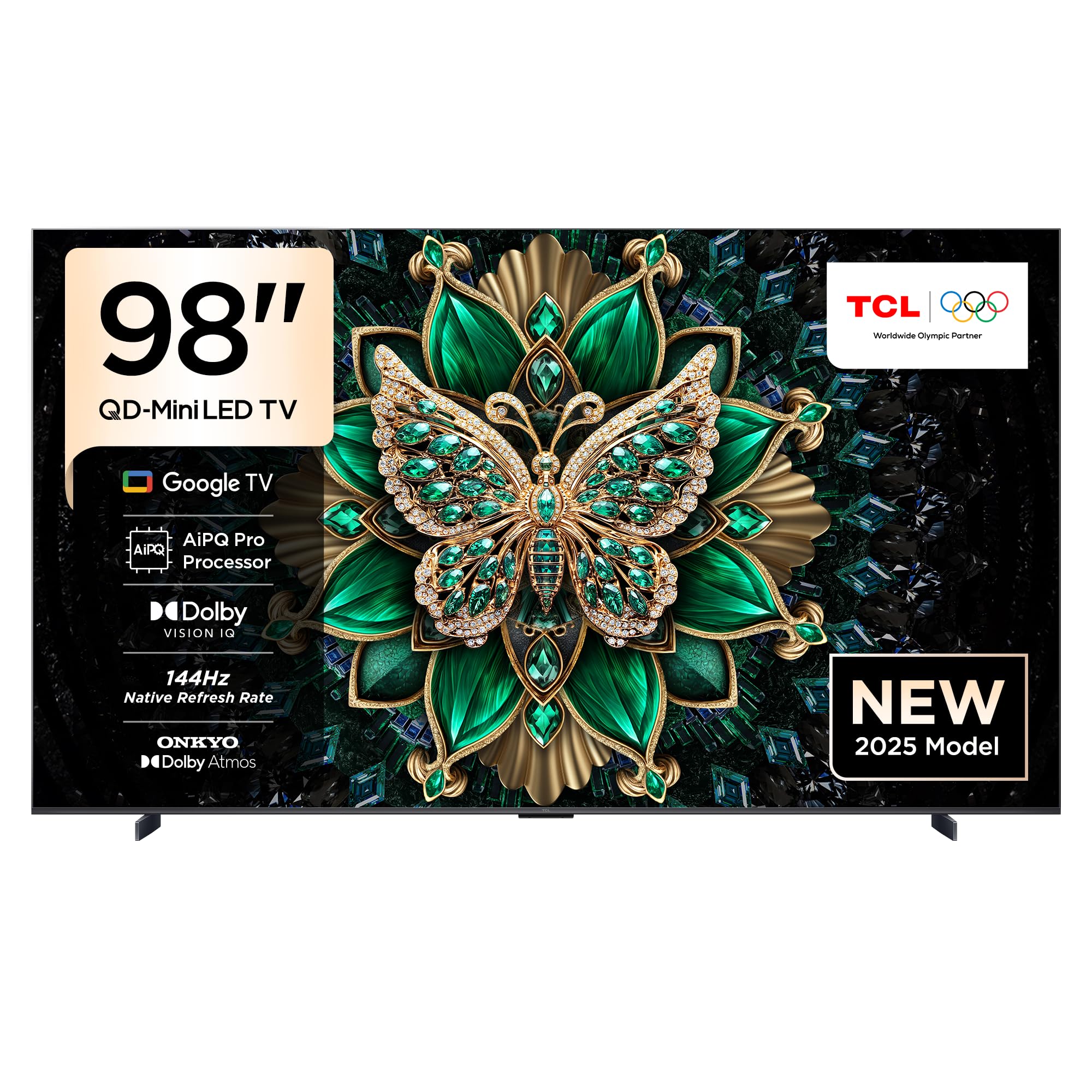
Davant view of the TCL 98C6K 98-inch 4K QD-MiniLED Smart TV.

Frontal inclinat view of the TCL 98C6K TV.
Side profile of the TCL 98C6K TV, showcasing el seu disseny prim.
9. Garantia i Suport
For warranty information, please refer to the warranty card included with your product or visit the official TCL website. For technical support, product registration, or service inquiries, please contact TCL customer service through their official channels.
Podeu trobar suport i recursos addicionals a TCL Brand Store.