Introducció
This manual provides instructions for the Karlsson KA6039GY LED Retro Flat Alarm Clock. Please read this manual carefully before use and retain it for future reference. This alarm clock combines a slim design with warm wooden details and an LED display, suitable for various environments.
Producte acabatview
The Karlsson KA6039GY LED Retro Flat Alarm Clock is constructed from durable MDF material and features an integrated wireless charging pad.
Davant View
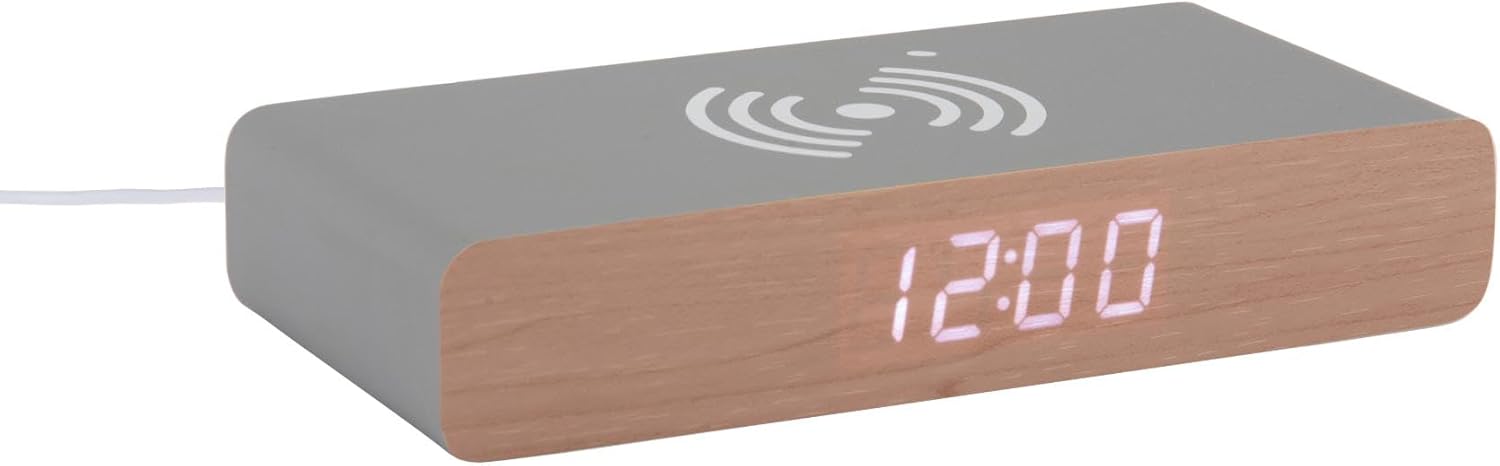
This image displays the front of the Karlsson KA6039GY alarm clock, highlighting its LED time display and the integrated wireless charging pad symbol on the top surface.
En angle View

This image provides an angled perspective of the alarm clock, showcasing the LED display, the wireless charging icon, and the "KARLSSON" brand name printed on the side.
posterior View i Controls

This image shows the back panel of the alarm clock, detailing the control buttons for settings and the power input port.
Configuració
Connexió d'alimentació
- Connect the provided power cable to the power input port on the rear of the alarm clock.
- Connecteu l'altre extrem del cable d'alimentació a una presa de corrent adequada.
- La pantalla LED s'il·luminarà, indicant que el dispositiu està engegat.
Instruccions de funcionament
Establiment de l'hora
- Locate the time setting button on the rear panel.
- Press and hold the time setting button until the hour digits begin to flash.
- Use the adjustment buttons (e.g., Up/Down or +/-) to set the correct hour.
- Press the time setting button again to switch to minute adjustment.
- Use the adjustment buttons to set the correct minutes.
- Press the time setting button one more time to confirm and exit time setting mode.
Configuració de l'Alarma
- Locate the alarm setting button on the rear panel.
- Press and hold the alarm setting button until the alarm hour digits begin to flash.
- Use the adjustment buttons to set the desired alarm hour.
- Press the alarm setting button again to switch to alarm minute adjustment.
- Use the adjustment buttons to set the desired alarm minutes.
- Press the alarm setting button one more time to confirm and exit alarm setting mode.
- To activate or deactivate the alarm, press the alarm setting button briefly. An indicator (e.g., a small icon) on the display will show if the alarm is active.
Ús de la funció de càrrega sense fil
The top surface of the alarm clock features an integrated wireless charging pad.
- Assegureu-vos que el despertador estigui encès.
- Place your Qi-compatible device (e.g., smartphone) directly onto the wireless charging symbol on the top surface.
- El dispositiu hauria d'indicar que s'està carregant. Si no, ajusta'n la posició al coixinet.
Manteniment
Cura i Neteja
To ensure the longevity and proper function of your alarm clock, follow these maintenance guidelines:
- Desconnecteu l'alimentació abans de netejar.
- Netegeu la superfície amb un drap suau, sec o lleugerament sec.amp cloth. Do not use abrasive cleaners, solvents, or chemical sprays.
- Avoid exposing the device to excessive moisture or direct sunlight.
- No intenteu desmuntar la unitat.
Resolució de problemes
Problemes comuns i solucions
| Problema | Causa possible | Solució |
|---|---|---|
| La pantalla està apagada | Sense connexió elèctrica | Ensure the power cable is securely connected to the clock and the power outlet. |
| Time/Alarm cannot be set | Botons no premuts correctament | Refer to the "Setting the Time" or "Setting the Alarm" sections and ensure buttons are pressed and held as instructed. |
| La càrrega sense fils no funciona | Device not Qi-compatible or misaligned | Ensure your device supports Qi wireless charging. Reposition the device on the charging pad. Check if the clock is powered on. |
| L'alarma no sona | Alarma no activada | Ensure the alarm is activated (check for alarm indicator on display). |
Especificacions
Especificacions del producte
- Model: KA6039GY
- Marca: Karlsson
- Material: MDF
- Color: Gris ratolí
- Dimensions (W x H): 7.6 cm x 3 cm
- Pes: 486 g
- Font d'alimentació: Alimentat per xarxa
- Característiques: LED display, Wireless charging pad
Garantia i Suport
Informació de la garantia
This product comes with a standard manufacturer's warranty. For specific warranty terms and conditions, please refer to the documentation included with your purchase or contact Karlsson customer support.
Atenció al client
For technical assistance, troubleshooting, or warranty claims, please contact your retailer or visit the official Karlsson weblloc:


