Introducció
Gràcies per la compraasing the Fisher FBX390 Portable Bluetooth Speaker. This manual provides essential information for setting up, operating, and maintaining your speaker. Please read it thoroughly before use to ensure optimal performance and longevity of your device. This speaker combines powerful audio with dynamic lighting, True Wireless Stereo (TWS) capabilities, and IPX4 water resistance, making it suitable for various environments.
Contingut del paquet
- Fisher FBX390 Portable Bluetooth Speaker
- Cable d'alimentació
- Guia d'inici ràpid
- Targeta de garantia
Producte acabatview
Familiarize yourself with the components and controls of your Fisher FBX390 speaker.

Davant view of the Fisher FBX390 Portable Bluetooth Speaker, showcasing its grille and overall design.

A dalt view of the speaker, highlighting the control panel with buttons for mode, volume, play/pause, power, and AUX input.
Botons de control i ports:
- M (Mode Button): Press to switch between Bluetooth, FM Radio, and AUX input modes.
- - (Baixar volum / Pista anterior): Premeu breument per baixar el volum. Manteniu premut per anar a la pista anterior.
- Botó Reproduir/Pausa: Press to play or pause audio. In FM mode, press and hold to auto-scan for stations.
- + (Pujar volum / Pista següent): Premeu breument per augmentar el volum. Manteniu premut per anar a la pista següent.
- Botó d'encesa: Mantingueu premut per activar o desactivar l'altaveu.
- Entrada AUX: Per connectar dispositius d'àudio externs mitjançant un cable d'àudio de 3.5 mm.
- Port de càrrega: For connecting the power cable to charge the speaker.
Configuració
Càrrega inicial
Before first use, fully charge the speaker. Connect the provided power cable to the charging port on the speaker and plug the other end into a suitable power source. The charging indicator light will illuminate. Once fully charged, the light may change color or turn off, depending on the model. A full charge provides up to 5 hours of playtime.
Instruccions de funcionament
Encès/Apagat
- To turn on: Press and hold the Power Button until you hear an audible prompt or see the indicator lights activate.
- To turn off: Press and hold the Power Button again until the speaker powers down.
Emparellament Bluetooth
- Ensure the speaker is powered on and in Bluetooth mode. If not, press the 'M' (Mode) button to switch to Bluetooth mode. The speaker will enter pairing mode, indicated by a flashing LED light.
- Al dispositiu mòbil (telèfon intel·ligent, tauleta, etc.), activeu el Bluetooth i cerqueu els dispositius disponibles.
- Seleccioneu "FBX390" de la llista de dispositius.
- Un cop emparellat, l'altaveu emetrà un so de confirmació i el llum LED deixarà de parpellejar.
- Ara pots reproduir àudio des del teu dispositiu a través de l'altaveu.
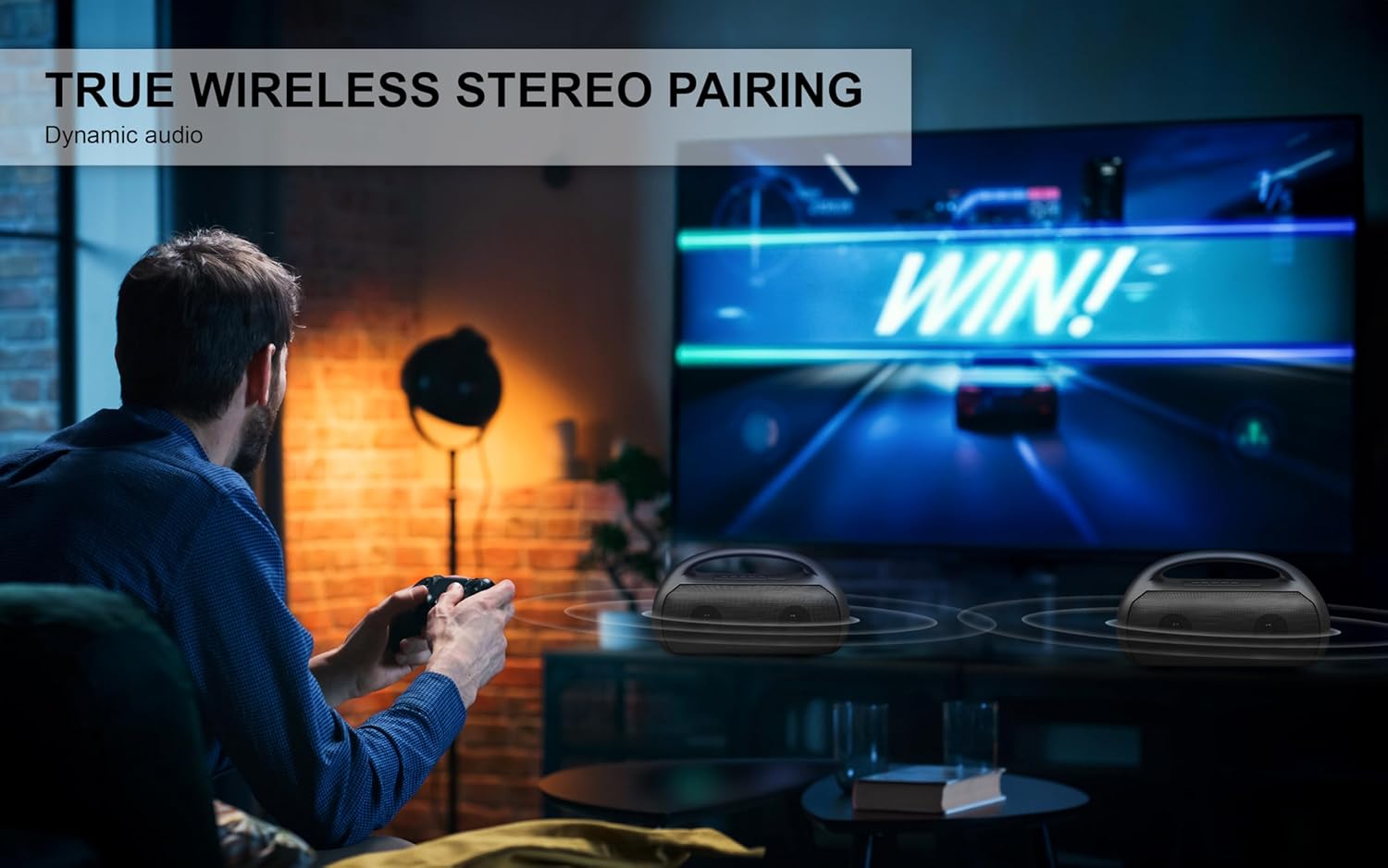
Image depicting the speaker connecting wirelessly via Bluetooth 5.3 to various devices like smartphones, tablets, computers, and laptops, also showing USB, TF Card, and AUX input options.
Vinculació True Wireless Stereo (TWS).
To achieve a stereo sound experience, you can pair two FBX390 speakers together.
- Assegureu-vos que els dos altaveus FBX390 estiguin encesos i en mode Bluetooth, però encara no estiguin connectats a cap dispositiu.
- En un dels altaveus (aquest serà l'altaveu principal), premeu i manteniu premut el botó Reprodueix/Pausa durant uns segons fins que sentiu un to d'emparellament.
- Els dos altaveus es connectaran automàticament entre si. Un so de confirmació indicarà que l'emparellament TWS s'ha dut a terme correctament.
- Ara, connecteu el dispositiu mòbil a l'altaveu principal mitjançant Bluetooth tal com es descriu a la secció "Emparellament amb Bluetooth".
- L'àudio ara es reproduirà en estèreo a tots dos altaveus.

A user enjoying a game with two Fisher FBX390 speakers wirelessly paired for an immersive True Wireless Stereo sound experience.
Ràdio FM
- Premeu el botó 'M' (Mode) per canviar al mode de ràdio FM.
- Premeu i manteniu premut el botó Reprodueix/Pausa per iniciar una cerca automàtica d'emissores de FM disponibles. L'altaveu desarà les emissores detectades.
- Use the '-' and '+' buttons to navigate between saved stations.
Llums RGB
The speaker features dynamic RGB lights that synchronize with the music. The lights automatically activate when the speaker is turned on. Specific controls for changing light modes or turning them off may vary; refer to the Quick Start Guide for detailed instructions if available.

lateral view of the speaker, illustrating the dynamic RGB lighting feature.
Entrada AUX
To play audio from a device without Bluetooth:
- Connecteu un extrem d'un cable d'àudio de 3.5 mm (no inclòs) al port d'entrada AUX de l'altaveu.
- Connecteu l'altre extrem a la presa de sortida d'àudio del dispositiu extern.
- Press the 'M' (Mode) button to switch to AUX mode.
- Controla la reproducció i el volum directament des del dispositiu connectat.
Carregant
The speaker is equipped with a 1500mAh battery, providing up to 5 hours of playback time on a single charge. When the battery is low, the speaker may indicate this with an audible alert or a flashing LED. Connect the speaker to a power source using the provided power cable to recharge. Charging time may vary.
Manteniment
- Neteja: Feu servir un drap suau i sec per netejar l'exterior de l'altaveu. No utilitzeu productes de neteja abrasius ni dissolvents.
- Resistència a l'aigua: The speaker has an IPX4 water resistance rating, meaning it is protected against splashing water from any direction. It is not designed to be submerged in water. Ensure the charging port cover is securely closed when exposed to water.
- Emmagatzematge: Guardeu l'altaveu en un lloc fresc i sec, allunyat de la llum solar directa i de temperatures extremes.
- Cura de la bateria: Per allargar la durada de la bateria, eviteu descarregar-la completament amb freqüència. Carregueu l'altaveu regularment, fins i tot si no l'utilitzeu durant períodes prolongats.

A person relaxing by a pool with the Fisher FBX390 speaker, demonstrating its suitability for outdoor environments due to its water resistance.
Resolució de problemes
| Problema | Causa possible | Solució |
|---|---|---|
| L'altaveu no s'encén. | La bateria està esgotada. | Carregueu l'altaveu completament. |
| No es pot emparellar per Bluetooth. | L'altaveu no està en mode d'emparellament o està massa lluny del dispositiu. | Ensure speaker is in Bluetooth pairing mode. Move device closer to speaker (within 33ft). Turn off and on Bluetooth on your device. |
| Sense so. | Volume too low, incorrect mode, or device not playing. | Increase speaker and device volume. Ensure correct mode (Bluetooth/AUX/FM) is selected. Check if audio is playing on the connected device. |
| L'emparellament TWS falla. | Speakers already connected to a device or too far apart. | Ensure both speakers are disconnected from other devices. Place speakers close to each other. Follow TWS pairing steps carefully. |
Especificacions
| Característica | Detall |
|---|---|
| Nom del model | FBX390 |
| Tipus d'altaveu | Single Speaker (with TWS capability) |
| Tecnologia de connectivitat | Bluetooth 5.3 |
| abast sense fils | Fins a 33 peus (10 metres) |
| Potència de sortida dels altaveus | 10 W RMS (20 W màxim) |
| Resposta de freqüència | 80Hz-18kHz |
| Capacitat de la bateria | 1500 mAh |
| Hora de joc | Fins a 5 hores |
| Resistència a l'aigua | IPX4 |
| Dimensions (A x A x P) | 13.64" x 8.1" x 5.58" |
| Pes de l'article | 3.13 lliures |
| Components inclosos | Cable d'alimentació, guia d'inici ràpid, targeta de garantia |

Diagram showing the dimensions of the Fisher FBX390 speaker: 13.64 inches (W) x 8.1 inches (H) x 5.58 inches (D).
Garantia i Suport
This Fisher FBX390 Portable Bluetooth Speaker comes with a Limited Warranty. Please refer to the included Warranty Card for detailed terms and conditions, including coverage period and how to make a claim. For technical support or customer service inquiries, please contact the manufacturer or retailer where you purchased the product. Keep your proof of purchase for warranty purposes.


