1. Introducció
Thank you for choosing the ProtoArc EM15 Bluetooth Wireless Mouse. This manual provides detailed instructions for setting up, operating, and maintaining your new mouse. Please read this manual thoroughly before use to ensure optimal performance and longevity of your device.
2. Producte acabatview
The ProtoArc EM15 is a versatile wireless mouse designed for enhanced productivity and comfort. It offers multiple connectivity options and a compact, ergonomic design.
- Connectivitat multidispositiu: Connects to up to three devices simultaneously via Bluetooth, USB, and Type-C.
- Rechargeable & Energy Saving: Features a built-in Lithium-Ion battery, rechargeable via USB-C, offering extended use and standby times.
- DPI ajustable: Three DPI levels (1000/1600/2400) for precise and smooth tracking across various surfaces.
- Clic silenciós: Designed for silent operation, minimizing disturbance (note: scroll wheel is not silent).
- Ergonomic & Slim Design: Provides maximum hand support and comfort, ideal for travel.
- Àmplia compatibilitat: Compatible with Windows 7/8/10/XP, Vista, Mac OS X 10.10 or later, and all Type-C devices.

Figure 1: ProtoArc EM15 Wireless Mouse (Gray)
3. Introducció (Configuració)
The ProtoArc EM15 mouse offers flexible connection options to suit your devices.
3.1. Desembalatge i components
Inside the package, you will find the ProtoArc EM15 mouse, a USB-C charging cable, a USB receiver, and a Type-C receiver. The USB and Type-C receivers are conveniently stored in a dedicated compartment on the back of the mouse.
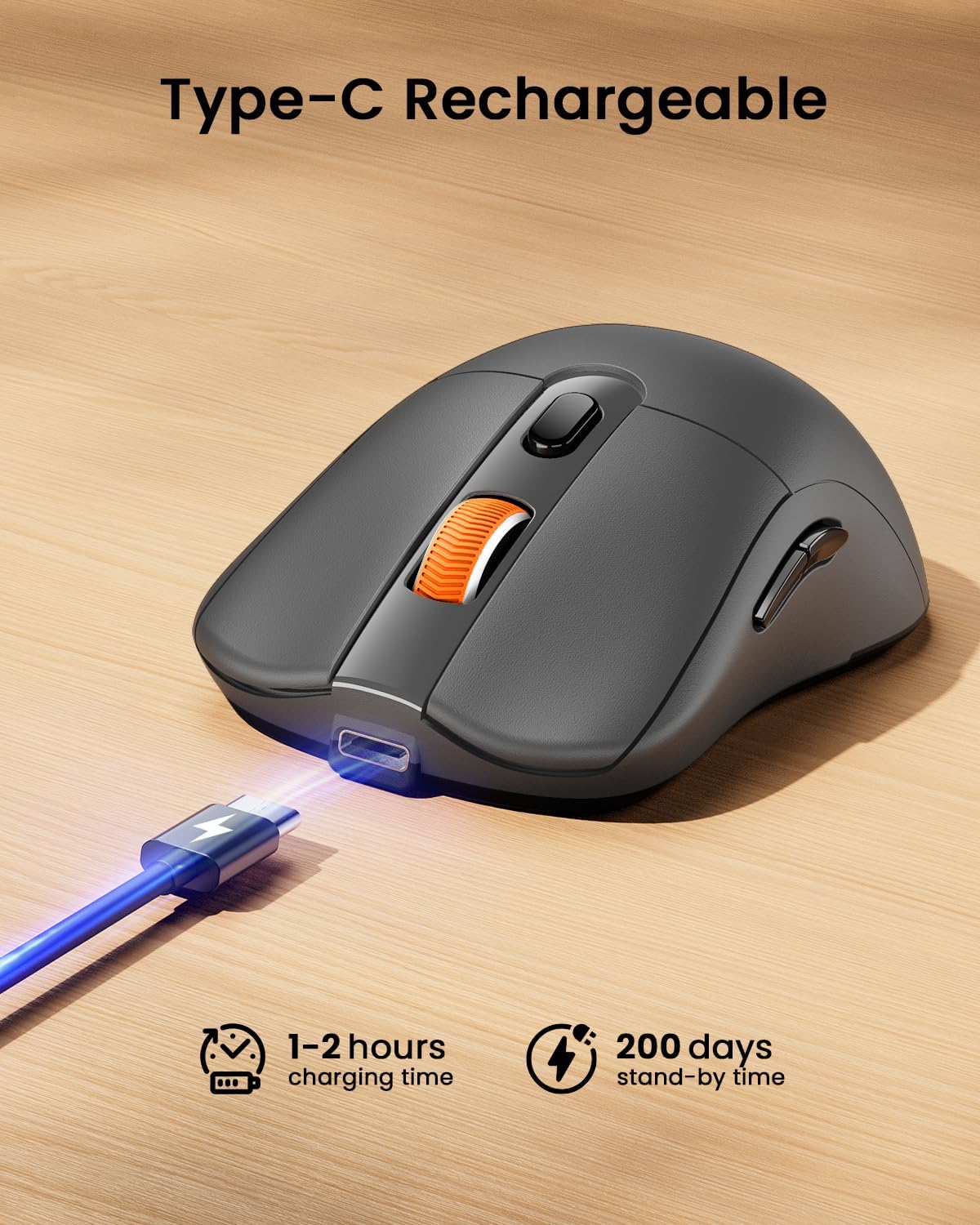
Figure 2: Mouse with integrated USB and Type-C receivers.
3.2. Connexió al vostre dispositiu
The EM15 mouse supports three connection modes: 2.4G USB Wireless, Type-C Wireless, and Bluetooth. You can switch between connected devices using the mode switch button on the bottom of the mouse.
Video 1: Demonstrates connecting the EM15 mouse via Bluetooth and 2.4G wireless receivers to multiple devices.
3.2.1. 2.4G USB or Type-C Wireless Connection
- Open the receiver compartment on the back of the mouse.
- Remove the appropriate receiver (USB or Type-C) for your device.
- Plug the receiver into an available USB or Type-C port on your computer, laptop, or tablet.
- Enceneu el ratolí amb l'interruptor d'encesa a la part inferior.
- El ratolí s'hauria de connectar automàticament al dispositiu.
3.2.2. Connexió Bluetooth
- Enceneu el ratolí amb l'interruptor d'encesa a la part inferior.
- Press the mode switch button on the bottom of the mouse until the Bluetooth indicator light flashes.
- On your device (laptop, tablet, PC), go to Bluetooth settings.
- Cerca new devices and select "ProtoArc EM15" from the list.
- Seguiu les indicacions de la pantalla per completar el procés de vinculació.

Figure 3: Multi-device connection setup with the EM15 mouse.
4. Instruccions de funcionament
Familiarize yourself with the mouse's controls for efficient use.
4.1. Botons i funcions

Figure 4: Key buttons and features of the ProtoArc EM15 mouse.
- Clic esquerre/dret: Funcions estàndard del ratolí.
- Roda de desplaçament: Per a desplaçament vertical.
- Commutador DPI: Press to cycle through DPI settings (1000/1600/2400).
- Botons Endavant/Enrere: Navega web pages or documents (not compatible with Mac OS).
- Botó de canvi de mode: Located on the bottom, cycles between Bluetooth, 2.4G USB, and Type-C connections.
- Interruptor d'alimentació: On/Off control for the mouse.
4.2. Ajust de DPI
The mouse features three adjustable DPI levels: 1000, 1600, and 2400. Press the DPI switch button located near the scroll wheel to change the sensitivity. A higher DPI provides faster cursor movement, while a lower DPI offers more precise control.
4.3. Quiet Click Feature
The left and right click buttons are designed for quiet operation, reducing noise in quiet environments. Please note that the middle scroll wheel does not have this silent click feature.
4.4. Disseny ergonòmic
The mouse is shaped to provide maximum support and comfort for your hand, reducing strain during prolonged use. Its slim profile also makes it convenient for portability.
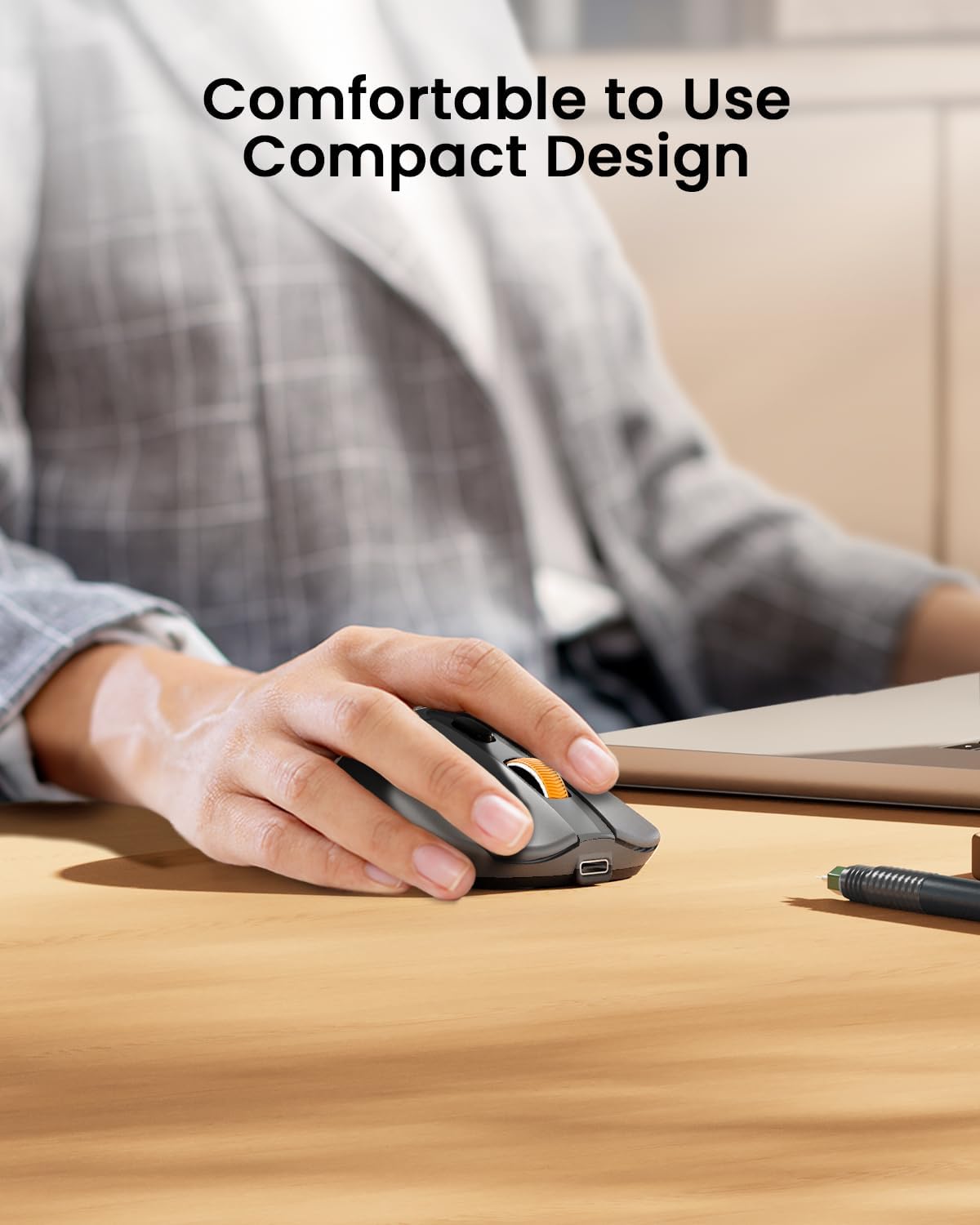
Figure 5: The ergonomic design of the mouse provides comfortable hand support.
5. Charging and Power Management (Maintenance)
The ProtoArc EM15 mouse is equipped with a built-in rechargeable Lithium-Ion battery.
5.1. Càrrega del ratolí
- Locate the Type-C charging port at the front of the mouse.
- Connect the included USB-C charging cable to the mouse and a power source (e.g., computer USB port, USB wall adapter).
- Normalment, una càrrega completa triga entre 1 i 2 hores.

Figure 6: Charging the EM15 mouse with the Type-C cable.
5.2. Battery Life and Energy Saving
Once fully charged, the mouse can be used for approximately 15 days. It features an energy-saving sleep mode, which it enters after a few minutes of inactivity, extending its standby time up to 200 days.
6. Solució De Problemes
If you encounter issues with your ProtoArc EM15 mouse, please refer to the following common solutions:
- El ratolí no respon: Ensure the mouse is powered on and fully charged. Check the connection mode (Bluetooth, USB, Type-C) and ensure it matches your device's connection. For wireless connections, ensure the receiver is properly plugged in.
- Problemes de connexió Bluetooth: Make sure your device's Bluetooth is enabled. Try unpairing and re-pairing the mouse in your device's Bluetooth settings. Ensure the mouse is in Bluetooth pairing mode (flashing indicator light).
- Cursor Movement Issues: Adjust the DPI settings using the DPI switch button. Ensure the mouse is used on a suitable surface.
- Forward/Backward Buttons Not Working on Mac OS: Aquests botons no són compatibles amb els sistemes Mac OS.
- Problemes de càrrega: Verify the Type-C cable is securely connected to both the mouse and the power source. Try a different USB port or charging adapter.
7. Especificacions
| Característica | Detall |
|---|---|
| Model | EM15 |
| Marca | ProtoArc |
| Tecnologia de connectivitat | 2.4G USB Wireless, Bluetooth, Type C Wireless |
| Tecnologia de detecció de moviment | Òptic |
| Nivells de DPI | 1000/1600/2400 |
| Característiques especials | Ergonomic Design, Lightweight, Portable, Rechargeable, Soundless |
| Tipus de bateria | Ió de liti integrat |
| Port de càrrega | Tipus-C |
| Pes de l'article | 7 unces |
| Dimensions del paquet | 7.24 x 5.31 x 2.83 polzades |
| Compatibilitat | Windows 7/8/10/XP, Vista, Mac OS X 10.10+, Type-C devices |
8. Garantia i Suport
Per obtenir informació sobre la garantia i assistència al client, consulteu la documentació inclosa amb el producte o visiteu el lloc web oficial de ProtoArc. weblloc. Conserveu el rebut de compra per a reclamacions de garantia.


