1. Introducció
This manual provides essential information for the setup, operation, and maintenance of your Swann MaxRanger Mini 4K Wireless NVR Security System. The system is designed to provide reliable surveillance with advanced features for comprehensive property monitoring.
The MaxRanger Mini system utilizes Wi-Fi HaLow technology to extend wireless signal range beyond traditional Wi-Fi limits, offering coverage up to 1000ft (300m) in line of sight and up to 330ft (100m) through typical home or office obstacles. It captures crystal-clear 4K video, features advanced night vision, and includes intelligent detection capabilities to enhance security.
2. Què hi ha a la caixa
Verifiqueu que tots els components siguin presents al vostre paquet:
- MaxRanger4K MRMINICAM Wireless Cameras (2 units)
- MaxRanger4K NVR Hub with 32GB SD Card Storage
- Outdoor Mounting Stands
- Power Adapter for NVR Hub
- Cable Ethernet
- USB Charging Cable for Cameras
- Cargols de muntatge i tacs de paret
- Instruccions de funcionament
- Adhesius dissuasius contra el robatori

Image: All components included in the Swann MaxRanger Mini 4K Wireless NVR Security System kit.
3. Configuració
The cameras and base station are pre-paired for a seamless wireless connection. Follow these steps for initial setup:
- Càmeres de càrrega: Fully charge the wireless cameras using the provided USB charging cable before installation.
- Power On NVR Hub: Connect the NVR Hub to power using the power adapter. Connect it to your router via the Ethernet cable for initial network setup.
- Download Swann Security App: Download the Swann Security app from your device's app store.
- Account Creation & Device Pairing: Open the app, create an account, and follow the on-screen instructions to scan the QR codes on your devices to add them to your system.
- Col·locació de la càmera: Strategically place your cameras using the outdoor mounting stands. Consider areas that require maximum surveillance coverage. The Wi-Fi HaLow technology allows for flexible placement over long distances and through obstacles.

Image: A Swann MaxRanger Mini camera installed on an outdoor wall.
Video: This video demonstrates how to install the multi-functional mount bracket for the camera, providing visual guidance for secure placement.
4. Instruccions de funcionament
4.1. Wi-Fi HaLow Technology
The MaxRanger Mini utilizes Wi-Fi HaLow for extended range and reliable connectivity. This technology allows the cameras to maintain a strong signal over large properties, up to 1000ft (300m) in line of sight and up to 330ft (100m) across obstacles like walls and ceilings, minimizing signal interruptions.

Image: Illustration of the MaxRanger Mini's long-range Wi-Fi HaLow capability.
4.2. 4K Video Quality
The cameras feature 4K image sensors, providing ultra-high-definition video. This allows for clear identification of details such as faces, license plates, and text on objects, with the ability to zoom in for closer inspection.

Image: Comparison showing the clarity difference between 1080p and 4K video.
4.3. Visió nocturna
The system offers both color night vision and infrared (black & white) night vision. With spotlights activated, you can achieve rich color video up to 50ft (15m) at night. In complete darkness with spotlights off, the cameras provide clear black & white vision up to 65ft (20m).
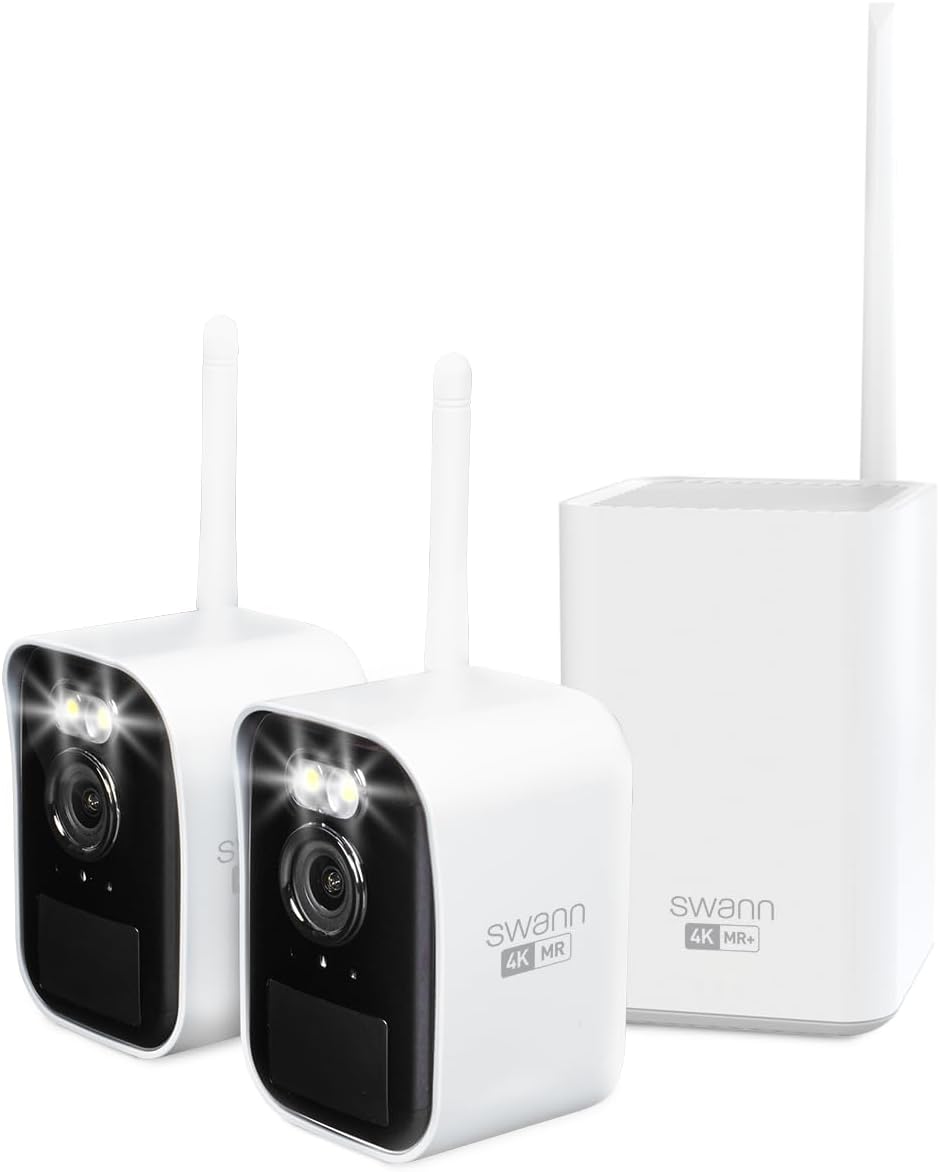
Image: MaxRanger Mini camera providing night vision with spotlights.
4.4. True Detect+
True Detect+ technology uses heat, motion, people, and vehicle detection to trigger alerts, recording, spotlights, and sirens. This intelligent system helps prevent unwanted activity by providing accurate and timely notifications to your mobile device.
4.5. Àudio bidireccional
Each camera is equipped with a microphone and speaker, enabling two-way audio communication. You can listen to audio from the camera's location and speak through the camera using the Swann Security app.
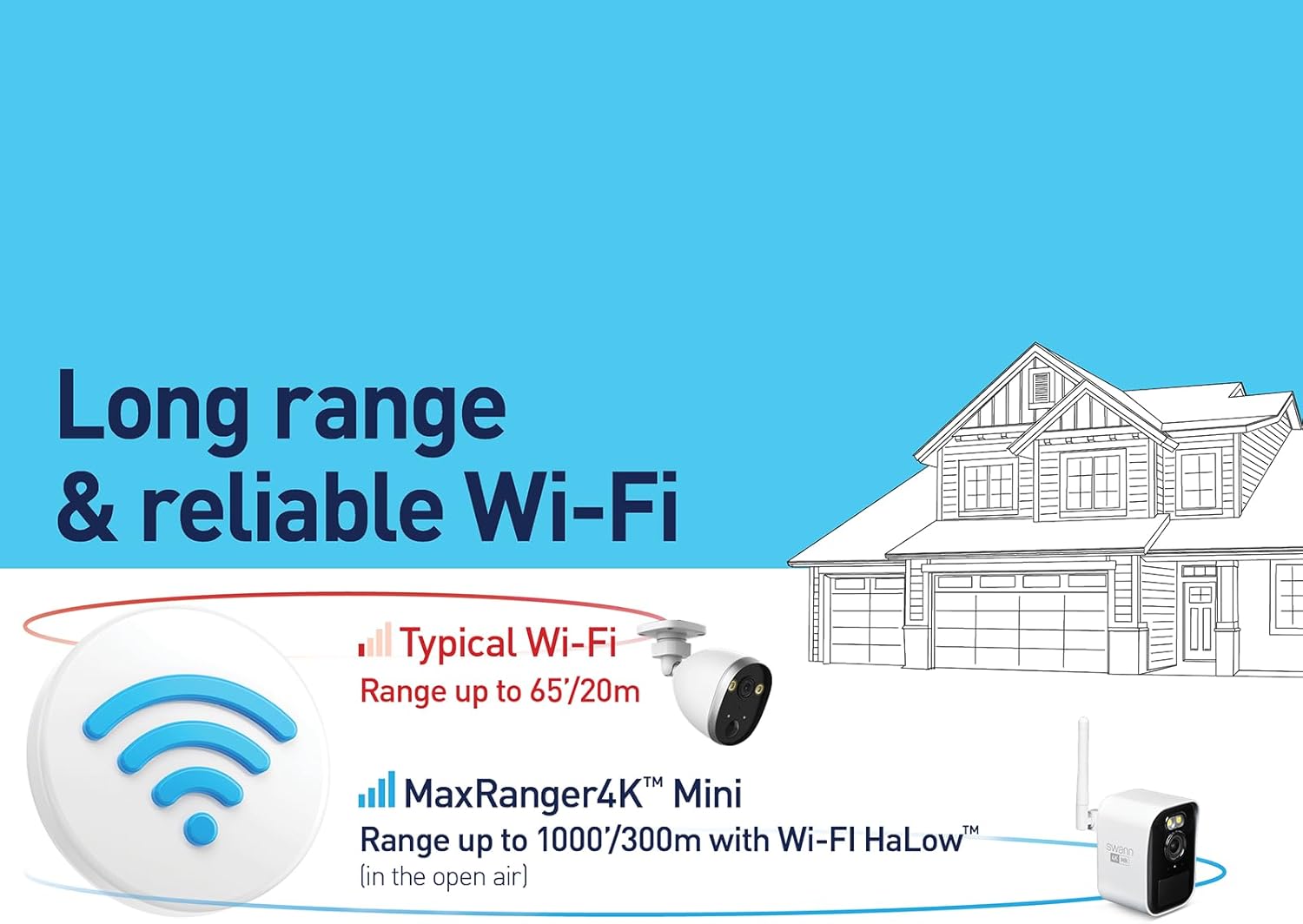
Image: Two-way audio functionality in use.
4.6. Free Local Recording
The system includes a 32GB MicroSD card for local storage, offering up to 6 months of video footage before overwriting. This provides free recording without subscription fees.

Image: MicroSD card slot for local storage on the NVR hub.
5. Manteniment
Un manteniment regular garanteix un rendiment òptim i la longevitat del vostre sistema de seguretat:
- Lents netes: Netegeu periòdicament les lents de la càmera amb un drap suau i sec.amp cloth to remove dust and smudges that may affect image clarity.
- Comproveu els nivells de bateria: Monitor camera battery levels via the Swann Security app and recharge as needed.
- Actualitzacions de firmware: Ensure your NVR Hub and cameras have the latest firmware. Updates often include performance improvements and security enhancements. Check for updates through the Swann Security app.
- Inspeccioneu el cablejat: For the NVR Hub, periodically check power and Ethernet cable connections to ensure they are secure and undamaged.
- Review Enregistraments: Regularment review foo gravattage to ensure the system is capturing events as expected and to manage storage space.
6. Solució De Problemes
If you encounter issues with your Swann MaxRanger Mini system, refer to the following common troubleshooting steps:
- No Video/Offline Camera:
- Check camera battery level and recharge if low.
- Ensure the camera is within range of the NVR Hub.
- Restart the camera and the NVR Hub.
- Verify NVR Hub's internet connection.
- Poca qualitat de vídeo:
- Netegeu la lent de la càmera.
- Assegureu-vos una il·luminació adequada per a un rendiment òptim de la visió nocturna.
- Check for obstructions between the camera and the NVR Hub that might interfere with the wireless signal.
- La detecció de moviment no funciona:
- Verify motion detection settings in the Swann Security app.
- Ajusta els nivells de sensibilitat.
- Assegureu-vos que el camp de la càmera view cobreix la zona desitjada.
- Problemes de connectivitat de l'aplicació:
- Ensure your mobile device has a stable internet connection.
- Restart the Swann Security app.
- Comprova si hi ha actualitzacions de l'aplicació.
For further assistance, consult the comprehensive troubleshooting guide available on the Swann support weblloc o contacteu amb el servei d'atenció al client.
7. Especificacions
| Característica | Especificació |
|---|---|
| Ús interior/exterior | A l'aire lliure |
| Font d'alimentació | Funciona amb bateria |
| Resolució de captura de vídeo | 4K |
| Nombre d'articles | 2 (Cameras) |
| Nombre de canals | 8 (NVR Hub supports up to) |
| Viewangle ing | 110 graus |
| Dimensions de l'article (L x A x A) | 2.36 x 2.36 x 3.5 polzades |
| Mida de la memòria flash instal·lada | 32 GB (Micro SD) |
| Mida màxima admesa de la memòria flash | 64 GB |
| Mètode de control | App |
| Tecnologia de connectivitat | Wireless (Wi-Fi HaLow) |
| Característiques especials | App Control, Human Detection, Night Vision, Vehicle Detection, Weather Proof |
8. Garantia i Suport
Your Swann MaxRanger Mini 4K Wireless NVR Security System is covered by a manufacturer's warranty. Please refer to the warranty card included in your product packaging or visit the official Swann weblloc web per obtenir informació detallada sobre els termes i condicions de la garantia.
For technical support, product registration, or to access additional resources such as FAQs and software downloads, please visit the Swann support website or contact their customer service team directly. Contact information can typically be found on the Swann weblloc o a l'embalatge del producte.


